Search the Community
Showing results for tags 'deployment'.
-
 Half their websites seem to only work in IE, so just use that. Go to https://www.autodesk.com/education/free-software/all Click on a product and Create Account Select School IT Administrator Install the server licence manager https://knowledge.autodesk.com/customer-service/network-license-administration/install-and-configure-network-license/windows/install-the-network-license-manager-windows#Download%20from%20Autodesk%20and%20Install You'll need the server name and ethernet mac address which is in the LMTools System Settings tab Go back to a product, eg https://www.autodesk.com/education/free-software/3ds-max Select Licemse type as School: Deploy with network server Normal download will try to use a download manager that ignores proxies. If you can't bypass your proxy use IE and Browser Download. Go to https://registeronce.autodesk.com in IE (Might need compatibility mode), log in with your username, which isn't your email address, it can be found in https://accounts.autodesk.com/Profile/Security same password. At this point I created a "Account" for with the school name and address, and then selected that. It then asks for Product Information, under that should be a form, if not, your browser is too new. Copy the serial number from the email you got when trying to download. Select Single server and copy the hostname and mac address, with no :s or 's You'll get an email, or save from the webpage the .lic file, copy that to the server. At https://manage.autodesk.com you'll find the downloads, filter by network licence, don't click Install now, click View All then pick Browser Download. If your software is not there, eg 3ds, click Download Proudcts at the bottom, select the software, click the arrow to the right of Download Now and select Browser download. Check it's fully downloaded as the exe will run even if it's not, and complain there's files missing. Some downloads are in multiple parts, IE seems to cope with that better than Chrome, needs popups disabling for those sites. While waiting install the licence file on the server. Open LMTools, Config Services, set a service name, eg Flexlm Service Autodesk Path to lmgrd.exe is by default C:\Autodesk\Network License Manager\lmgrd.exe Select the licence file you copied. Click Use Services and Start Server at Power Up Click Save Service Click Start/Stop/Reread Select your server Click Start If you want to add more products, stop the service, edit the .lic file, and combine them https://knowledge.autodesk.com/customer-service/network-license-administration/managing-network-licenses/combining-license-files/combining-license-files-for-multiple-autodesk-products Copy all of the lines from the new license file starting after the VENDOR line. You do not need to copy the SERVER, USE_SERVER or VENDOR lines from the new license as these only need to appear once in a license file. Do not alter the contents of the license information; only copy and paste from one file to another. Then restart the service in the Start/Stop/Reread tab. Run the GB sized exe on a computer, extract to a folder (often fails if it's a USB stick, asking for discs to be inserted, assume it thinks it's on multiple DVDs), from that folder run Setup.exe, click Create Deployment, give it a name, anything will do, give a writable folder to copy the actual install files to. For License Access select network, put in your serial number and product ID from the email, and the network license server, and it will generate an msi and mst for your gpo. There's an SCCM.txt file with some more details. You'll also have to install the CLIC licence manager (one msi and one gpo), and maybe some VC++ redistributables (run the exes and then extract the MSIs from C:\programdata\Package Cache) So far I've done this for Maya (Worked), Motionbuilder (Worked), AutoCAD (creating admin install Worked, but GPO deploy not working yet), Sketchbook (Installed, but won't run), Stingray (Installed, but wants activating with serial number, something about a licence feature not being found), 3D Studio Max (Installed, but won't run, log file says licencing error)
- 5 replies
-
- 2
-

-
- autodesk
- deployment
- (and 3 more)
-
Hello! I am wondering what strategies people use for deploying and managing Logic Pro X. It took me a lot of effort to come up with an imaging strategy, I would have preferred thin provisioning with Logic Pro being installed by Casper or Deploy Studio, however have had to settle for a large image with Logic Pro and content (as well as Sibelius and content). Has anyone managed to do this another way? We use AD for authentication but have local account created on the machines, this leaves me with a couple of annoying issues and am wondering if anyone has a workaround? 1. Logic Pro X asks to download additional content for each new account, even though its all there in the image. 2. When a user starts Alchemy for the first time on a new account the library is refreshed and can take anywhere from 5 to 15 minutes depending on the machine. Cheers, Nick
-
So I have made a little mistake and accidentally deleted the whole testing folder from my build share in Deployment workbench. All the wim images are still in the build$ share in the operating Systems folder. Do I have to delete all the wim files, re create the testing folder and re add the wim images back in? Thanks
-
Morning all, I have MDT2013 update 1 and am deploying Windows 10. I am able to deploy my custim wim file to a new machine but the litetouch application which runs after the deployment does not run automatically? So Office or updates etc do not get installed automatically. In the C drive there is a litetouch shortcut, when you press this litetouch does start, instals updates and restarts. Run it again and Office installs and restarts. Then I have to run it manually a third time and it installs and the process is complete. Is there something I am missing? My original build worked fine. Thanks
-
Hi All Has anyone setup SCCM in a primary school is it worth it or not? Thanks
-
Hello Edugeekers, I am having an issue with getting Bitlocker to run and encrypt the drive during a a Windows 10 deployment. I am using UI++ with what appears to be the correct script lines; "%ZZBitLocker%". Also have 'Bitlocker enabled' as a part of the SCCM deployment, but cannot get anywhere with it. All help appreciated Thanks, Dan
-
Hi All, I want to deploy several software packages as and when they need to be updated. Things like Target Tracker Adobe Reader I have an OLD version of PDQ which I found on an old server and have managed to revive. I am also looking in to Impero (for another reason). We have Windows 2016 Server Windows 10 Clients (attached to domain) and some laptops not on domain (also Windows 10) What are your thoughts? I really DO NOT fancy the idea of visiting every PC everytime an update is needed, it simply is NOT a good use of my time. Many thanks all. JT
-
A big massive thank you to Ben Whitemore! After countless hours spent researching how to bypass universal print and deploy out a network printer I found a 100% working solution. The best thing is that it is actually really simple to deploy. So... The process is the following, we are going to create a Win32 App which has all of the printer drivers and two powershell scripts, one is a install script and the other is a uninstall script. We do not edit the scripts at all and instead set all of our parameters for printer ip, driver names etc in the install command itself. 1. Create a folder wherever you want to work out of, I chose C:\Temp 2. Download IntuneWinAppUtil.exe and place it in the temp folder 3. Create a new folder in Temp called Printer (C:\Temp\Printer) 4. Create two powershell scripts in the Printer folder by copying and pasting the code below Install-printer.ps1 Uninstall-printer.ps1 5. Download the printer driver for the printer and place all the files in the C:\Temp\Printer folder, the printer driver files will be where the .inf file is 6. Find out what the printer driver name is by opening the .INF file or by installing the printer driver and getting the driver name from the list 7. Open CMD as a Administrator and run the following command cd C:\Temp\ .\IntuneWinAppUtil.exe Source Folder: C:\Temp\Printer Setup File: Install-Printer.ps1 Output Folder: C:\Temp\Printer Catalog: N We have now created the Win32 App in C:\Temp\Printer and are now going to deploy the app via Intune 8. Go to Intune Admin Center, Apps, Add a App, Win32App and select the Win32App you just made 9. Enter the Install and Uninstall command and obviously change it to your driver name, ip etc (the bits in bold) Install Command: powershell.exe -executionpolicy bypass -file .\Install-Printer.ps1 -PortName "IP_192.168.1.1" -PrinterIP "192.168.1.1" -PrinterName "Printer Colour" -DriverName "TOSHIBA Universal Printer 2" -INFFile "eSf6u.inf" Uninstall Command: powershell.exe -executionpolicy bypass -file .\Uninstall-Printer.ps1 -PrinterName "Printer Colour" 10. Set the requirements to the below: 11. Set the Detection Rule to the following but change the bold text, so at the end of the keypath needs to be the printer name and the value needs to be the printer name. Rule Type: Registry Key Path: HKEY_LOCAL_MACHINE\Software\Microsoft\Windows NT\CurrentVersion\Print\Printers\Printer Colour Value Name: Name Detection Method: String Comparison Operator: Equals Value: Printer Colour 12. Set your deployment groups / users 13. Thank this post 14. Have a great day! Do you need technical advice, SharePoint migration assistance, or have general Microsoft Cloud queries? Visit Contact Us - Holker IT for expert support and guidance.
- 52 replies
-
- 6
-
-
- deployment
- intune
- (and 1 more)
-
Hi all, We look after several schools and we're looking at using AutoPilot to deploy machines straight from factory to customer. Does anyone else use AutoPilot? We use DirectAccess which isn't compatible with AutoPilot however we'll be shipping the devices to schools so as they're being set-up on prem they should pick up the DA group policy but wondered if anyone had encountered any problems. As will all things, we've not got much time to test but looking to try it out in Summer and see if we can get it working.
-
Website / Download: PSGallery (Install-Module -Name PSAppDeployToolkit), GitHub / Documentation / Changelog
-
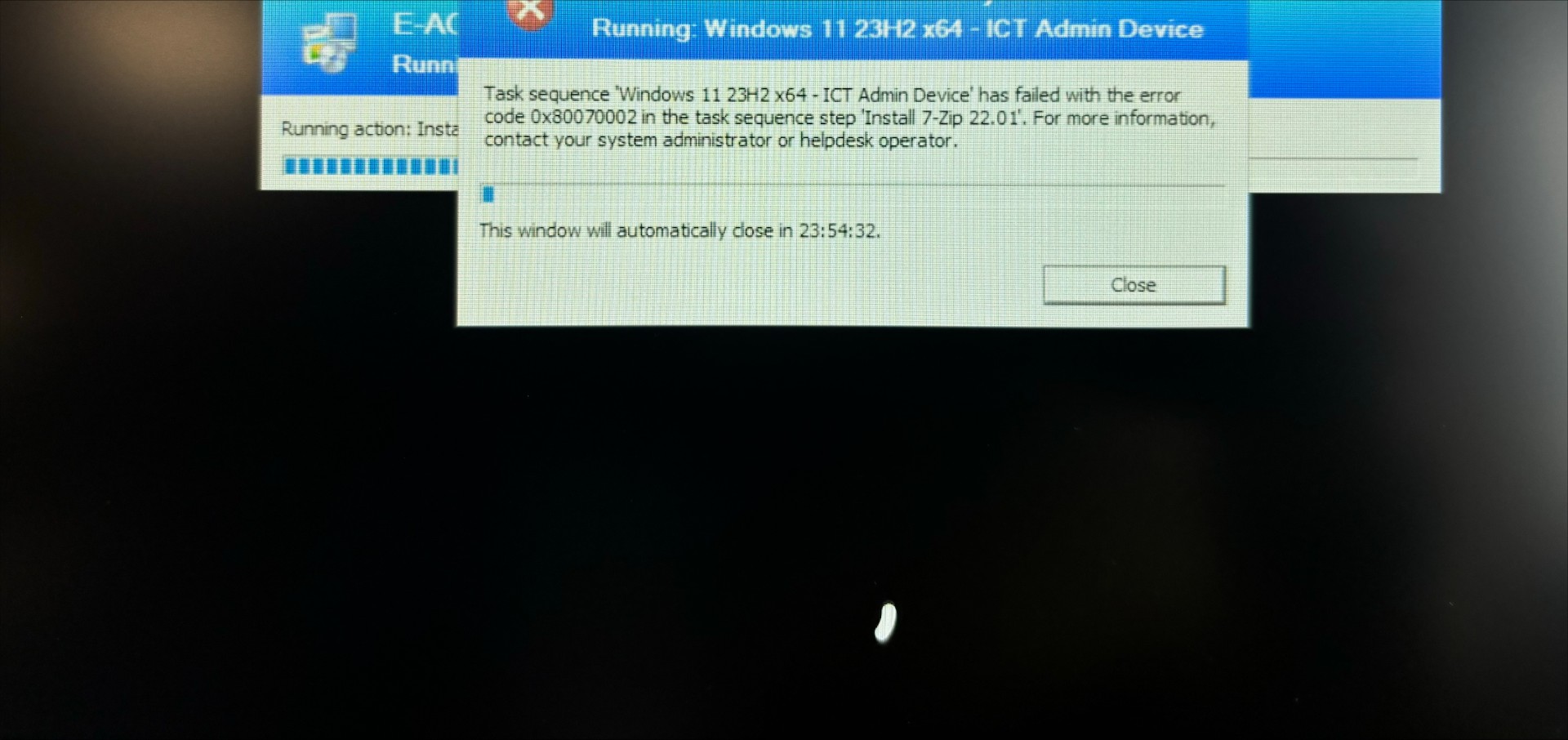
 Hi all, I'm struggling to rectify this error when pushing out an existing image via SCCM on a new Lenovo ThinkPad laptop. It gets to the Installations section and then fails with error code above, which suggests that the system cannot find the file specified however I think it's to do with the fact that I've never imaged this make and model of laptop as the laptops I've imaged before are Dell's. I've extracted and uploaded the drivers but it doesn't seem to make a difference, unless I'm missing a step? Can anyone help? TIA!
-
I am trying to deploy Windows 11 you MDT and I am having an issue with the install. Only the image gets installed and none of the filled in information like computer name or domain info nor will it install the additional applications that I choose. Once the newly imaged machine is booted up it has all the imaged machine info in it. I have clearly done something wrong
-
Hi, Any AutoPilot experts out there I can chat with either via email/dm or phone? Many thanks Gareth
-
Hello! I've been trying to use WDS to capture an image of Windows 7 I have made in Virtual Box on a seperate PC to the server. WDS isn't working because I foolishly only set the Virtual disk to 25Gb. The reason it is a problem, is WDS wants me to save the image to the D: drive before uploading to the WDS server via LAN. I need to know how to do a couple of things to make it work. a) How do I create a virtual drive so that the boot screen picks it up in the virtual machine? Is this possible? I could then save the image to this before it uploads. I just need some extra drive space to do this. b) Is it possible to capture the image from the virtual machine a different way using a different kind of image capture software and then add it to our WDS server for deployment? c) Can I make the virtual disk bigger POST install of Win7, apps etc... or is it set once it's been created in Virtual Box? I hope all this makes sense! Cheers
-
 Hi, I am using MDT 2012 on a 2008R2 Server. Have been trying to build a laptop via a Task Sequence that I havent tweaked in any way since I created it a long time ago and it is still building a week later (admittedly I am only at the school half a day per week). It was takings its time installing Windows Updates so I have removed the two steps from the Task Sequence. Are there any other steps that get added in as standard that I can remove to speed up the deployment process?
 -
Hi everyone, I'm in the process of setting up around 200 iPads for staff and pupils. TL;DR In Apple Configurator, when I'm restoring a 'Master iPad' to a new set of devices, the apps installed are linked to the master iPad's AppleID and I can't update them (after I change the AppleID of each device) without first putting in the Master iPad's AppleID password. Read on to see what I've done so far. - I have created separate AppleIDs for each device - in fact I created more AppleIDs than we'll ever need for the foreseeable future so we don't have to be white-listed again, etc (using a script to automate the creation and verification) - I have set up VPP, added apps (only free for the time being and in the process of getting Apple to grant me the free licenses for eligible devices for GarageBand, Numbers, Keynote, etc) - I have set up Meraki and added the managed devices (again via a script for the verification) I have also prepared and supervised some iPads for testing and here's where I'm having some issues. In Apple Configurator I have set up a custom wallpaper, our wifi, the Meraki enrollment profile and a few restrictions and that all worked fine. I was able to push out apps via Meraki and they were silently installed to the supervised iPads. When I was doing some reading up about how to deploy the iPads, I found a lot of instructions on how I can set up a 'master' iPad and have that restored to each new iPad with a core set of apps, folders, etc The first time I did it, I didn't realise that all the apps were 'stripped' before restoring the iPads, so in effect I had 'blank' iPads. After some more reading I found that I had to get the .ipa files, and add the apps to the Configurator; which I did. I then restored a bunch of iPads. These iPads were all logged in with the 'master' iPads AppleID. I logged them out and logged in with a different AppleID on each one. The problem is that those apps are linked to the 'master' iPad's AppleID and when I try to update them from the AppStore it asks me for that AppleID's password. So, what am I doing wrong? Also, is there an easier/faster way of deploying the iPads with separate emails and AppleIDs - or am I asking too much of Apple? Thanks Edit: Just to say that this is not a 1-2-1 deployment. We're a 2 (going to 3) form entry primary school and we'll be deploying roughly about 20 iPads per yeargroup.
-
So here I am thinking now would be a good time to move to Java 8 - only things appear to have changed! I downloaded the EXE, extracted the MSI as I usually did with Java 7 Next I tried to create an MSI in Orca, only to find that this too is now different - and all the usual properties (EULA, UPDATES, etc) are missing So, how the blinking 'eck do I deploy Java 8 silently and suppress the Start Menu, etc, etc
-
I am trying to deploy a reference image to a set of new laptops, but I cannot get the deployment to work unattended! I have created the reference image using a VM, sysprep'd, captured using WDS...all ok. I have created 2 unattend files, the first one specifying the language and formatrting/partitioning the disc and the second one for the OOBE. That one is attached here. I have tweaked many settings and used files found through googling, and even used bits from different sources but it always sticks at the "Enter your Microsoft account details" (or words to that effect) screen. My reference image is Win8.1 with all the required programs loaded, WDS is running on Server2012R2. Can anyone see what I have done wrong? Thanks in anticipation! (Ignore the language discrepancy where I put en-us as this was just another experiment. I have tried all en-gb too) oobeunattend.txt
-
I have recently been made part of a team of 4 to research and develop the process by which we might implement Office 365 into a school. We are all novices and thus know little about it. Is there anyone out there with any tales to tell of their experience in getting an organisation started and how, if any, many problems they have encountered since it was put in? How long did the whole process take? Does anyone have any experience tying Office 365 in with EES Licensing? What feedback have your users given you? We have a school who are itching to be a guinea pig for our trial. However, we are unable to give them an accurate time frame on long it might take us to get them started due to our limited knowledge.
-
Hello there, Long time lurker. First time post. I'm trying to install FOG, and I'm hitting a problem that has been asked on the FOG forums, but never received an answer. Thought I would post here in the hope someone else has some ideas. Basically, we've installed FOG (vers 0.27) via the VM image supplied from their site. This runs on Ubuntu, but because it's an image file, I don't do any Ubuntu install. I've configured FOG exactly as suggested in the install notes. I have not selected it to be a DHCP server as there is one on our network elsewhere. Everything appears to install correctly, but we cannot access the FOG server through the web interface. Trying to do this, simply results in a standard Internet Explorer "cannot display the webpage" error. I can definitely ping the IP address of the new webserver, both from the machine with the VMWare server on, and another machine on the network. I'm at a loss as to what else could be wrong. I've tried reinstalling from scratch, tried different IP addresses, nothing works. Any ideas?! Martin
-
Hi all, Having a problem getting MDT2010 to find the wireless driver for the Lenovo G550 Laptop. Iv downloaded every driver from the Lenovo site, extracted and included them in the out of box drivers. Iv also got a small add on program that searches the drivers after installation to try and find some it may have missed and it still does not work. I wonder if anyone has got any ideas? or has experienced the same problem. Thanks.
-
Hi everybody Mandriva Pulse 2 1.3.0 is out, and now allows disk imaging. The principle is quite similiar to CloneZilla and FOG Everything is controlled using a clean web interface. You might want to give it a try (it's a free and open-source product) I think the product is of great quality and needs to be advertised http://pulse2.mandriva.org
-
Hello, I have recently installed DeployStudio Server onto our OS X Lion server and I am taking a master image from one of our Mac Book Pro's. I am currently using NetBoot to start the DeployStudio Runtime, this is working as expected. My question is how long should it take to pull a master image from the mac book to the server? It is currently showing 500 minutes remaining, this seems a bit too long. What sort of times are you guys getting when taking a master image? I have tried using a tmp folder for the image and also straight to the server however each method reports around 500 minutes to take the image. Any feedback would be appreciated. Many thanks, Mike
-
Hey all, My department is currently looking at deploying OCS district-wide in the fall so that teachers can have more direct access to SLT and IT (which I don't think we need, but what do I know? ) Anyway, the issue I'm currently having is that I can't find a way to deploy the client with the server settings already in place. For every new install we need to go into Advanced Connection Settings, set it to Manual configuration, put in the name of the server, and set the connection protocol to TLS: The only luck I've had so far is that it looks like this information is stored at the following location in the registry: HKEY_USERS\[user_SID]\Software\Microsoft\Shared\UcClient. However, since this is a unique reg location for each user it really doesn't do us any good for deployment. Have any of you had luck deploying OCS or have any advice? Thanks! -Jordan
-
Hi All, The ICT dept has finally decided to move away from VB6 (yay!) Through our MSDN/TechNet subscription we have obtained Visual Studio 2012 pro and Expression Studio 4. These have been downloaded as ISOs, which isn't really a problem. However, they do not appear to come with MSIs to help deploy via GPO. As the software needs to be installed on approx 100+ computers, I ideally do not want to visit each machine and would rather deploy both software titles via MSI/GPO. Has any deployed these titles successfully via GPO? if yes, how? Any help or suggests will be appreciated. Many thanks in advance, Cookie