Search the Community
Showing results for tags 'sccm'.
-
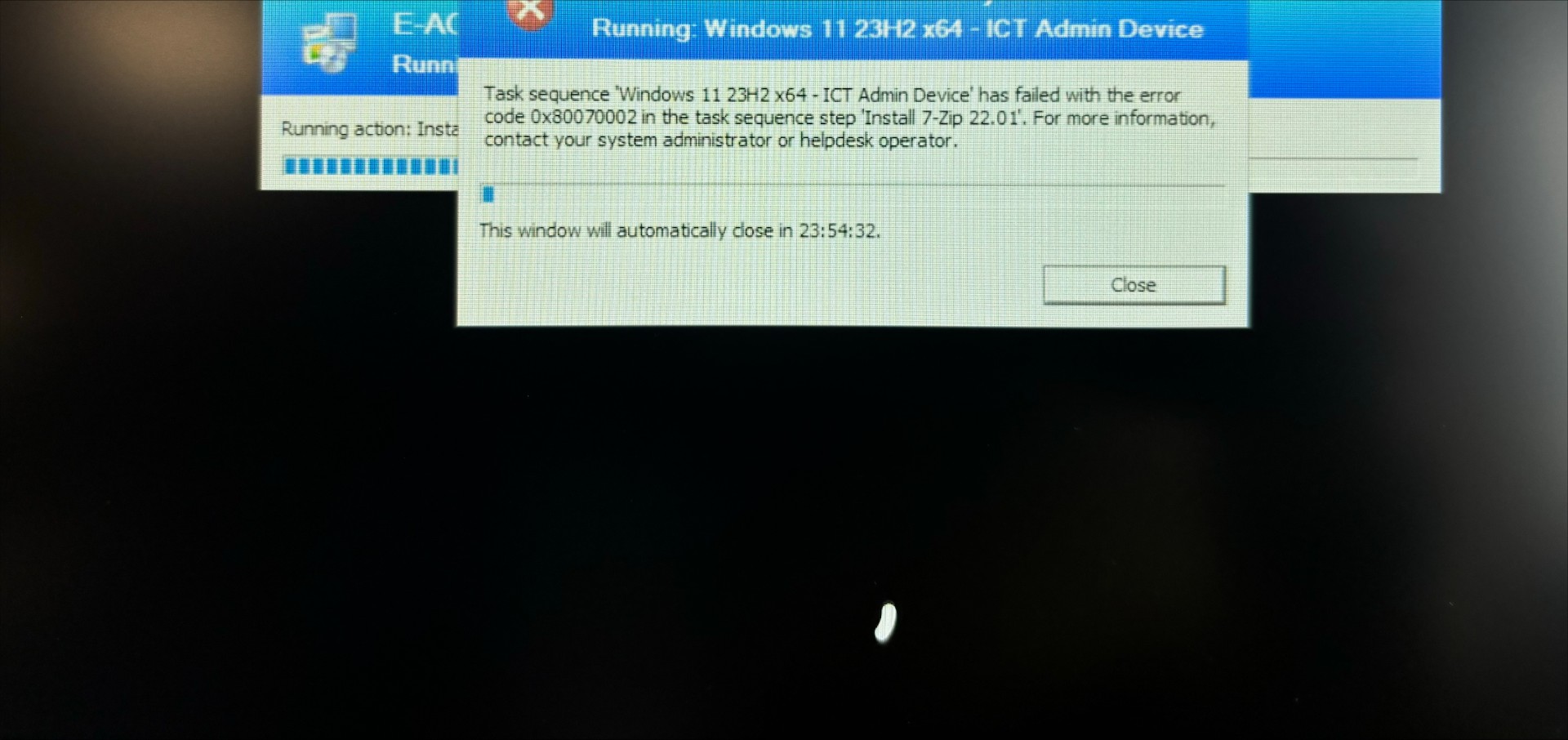
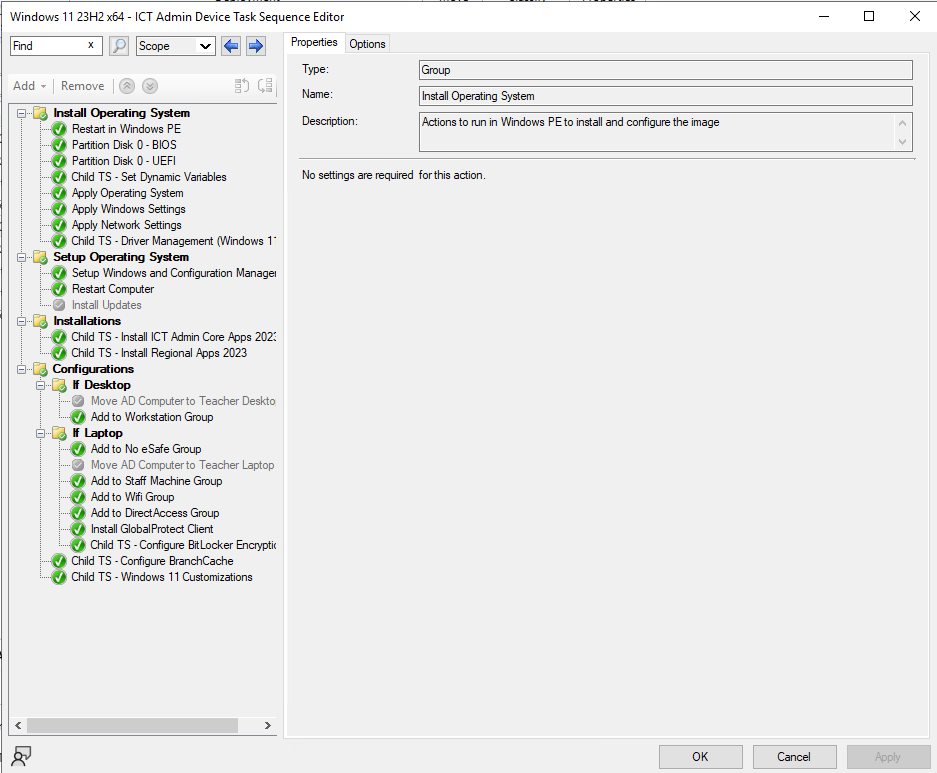
 Hi all, I'm struggling to rectify this error when pushing out an existing image via SCCM on a new Lenovo ThinkPad laptop. It gets to the Installations section and then fails with error code above, which suggests that the system cannot find the file specified however I think it's to do with the fact that I've never imaged this make and model of laptop as the laptops I've imaged before are Dell's. I've extracted and uploaded the drivers but it doesn't seem to make a difference, unless I'm missing a step? Can anyone help? TIA!

-
Hi All, Just wondering how the majority go about setting up a staff laptop? We're looking at giving our staff laptops and replacing the computers in classrooms. Up until now only a few staff have staff laptops, so we've done a solution that works but wondering what people think is best now for moving to mass laptop use. The laptops will be imaged through SCCM/MECM with drivers/software installed through the task sequence. In terms of then users using the device both in school and at home, I'm aware of the 2 options below, but wondered what people think of these and if you guys do anything different: Option 1: Following the domain build, have the staff member log on to their device. Log off of the device. IT log on as admin and load up System Properties > Advanced > User Profiles, select the staff member and convert their profile to local. With the above being done, the staff member can then log on both in school and at home. Option 2 (less ideal, best for home use only really): Following the domain build to install the relevant software, remove the device from the domain. Create a local user account on the device for the staff member to use. I'm looking to enable MECM/InTune Co-Management so that we can use this to manage laptops externally too. What process to people use if none of the above for configuring staff laptops on mass? Also - for the few staff who have laptops already, we have enabled Offline Files and sync their user area to the device, but Microsoft's offline files seems archaic and sometimes just doesn't sync. Not because the files are in conflict (edited both in school and at home) but the file shows 0bytes in the folder for example. Are there any credible alternatives to offline files to help sync staff's user areas to the devices? (They will be bitlocker drive encrypted so security shouldn't be an issue). Thanks in advance.
-
The basic Question is Does MDT support windows 11, i ask because when looks at the Microsoft documentation windows 11 is not listed.... is it not officially supported? Or did they forget to update the docs? https://docs.microsoft.com/en-us/mem/configmgr/mdt/release-notes#supported-platforms The reason i ask, is as we move away from SCCM to Intune, we would like a quick way to PXE and image a machine and install the Intune enrollment package (For machine that don't have an OS or need a clean install), and was wanting to use MDT. Does Microsoft plan to continue to support MDT?
-
 Good Morning, Running version 2111 Site Version 5.0.9068.1000 The backups have been working fine and the error started about week after updating the 2111. If i try to manually kick of the backup it still fails however if i reboot the site server, and run it manually again, it will . and the autobackup will work a few times but then fail again with the same issue. And Yes permission are correct because it does succeed, after i reboot the server. I have read that it failing on cd.latest could be cause of the autorun.inf but that has been added to the AV exclusions. The errors flow like the below. Error: Failed to backup \\?\GLOBALROOT\Device\HarddiskVolumeShadowCopy2\CM_FSC\install.map up to \\data.DOMAIN.org\shared\SCCM_DB_BACKUPS\CM_FSC_BACKUP\FSCBackup\SiteServer\SMSServer: ERROR: CopyFile to \\data.DOMAIN.org\shared\SCCM_DB_BACKUPS\CM_FSC_BACKUP\FSCBackup\SiteServer\SMSServer failed: [error code: 5, error message: Access is denied.]. Error: Failed to backup \\?\GLOBALROOT\Device\HarddiskVolumeShadowCopy2\CM_FSC\CD.LATEST up to \\data.DOMAIN.org\shared\SCCM_DB_BACKUPS\CM_FSC_BACKUP\FSCBackup\CD.Latest: CTool::TreeCopy to \\data.DOMAIN.org\shared\SCCM_DB_BACKUPS\CM_FSC_BACKUP\FSCBackup\CD.Latest failed: A directory cannot be copied to itself.. WARNING: SMS backup failed for atleast one component. Error message - ERROR: CopyFile to \\data.DOMAIN.org\shared\SCCM_DB_BACKUPS\CM_FSC_BACKUP\FSCBackup\SiteServer failed: [error code: 5, error message: Access is denied.] STATMSG: ID=5060 SEV=E LEV=M SOURCE="SMS Server" COMP="SMS_SITE_BACKUP" SYS=CM-PS.DOMAIN.ORG SITE=FSC PID=7084 TID=4548 GMTDATE=Fri Feb 11 12:45:05.887 2022 ISTR0="WARNING: SMS backup failed for atleast one component. Error message - ERROR: CopyFile to \\data.DOMAIN.org\shared\SCCM_DB_BACKUPS\CM_FSC_BACKUP\FSCBackup\SiteServer failed: [error code: 5, error message: Access is denied.]" ISTR1="" ISTR2="" ISTR3="" ISTR4="" ISTR5="" ISTR6="" ISTR7="" ISTR8="" ISTR9="" NUMATTRS=0 LE=0X0 Thoughts?
-
 We set up SCCM some years ago and never really used the reporting side of things as all we needed it for was to push out a few pieces of software and to deploy our 'Golden Images' and it's worked really well for that. Never needed to run a report before, until now! And when I do so I get an error saying that the "Report processing has been canceled by the user. (rsProcessingAborted)" It takes a while for this error to come up so when you run a report it gives the false impression it's doing something! When I check in the (SQL) Reporting Services Configuration Manager a service account is configured and when I look in SQL Server Management Studio the account has all the right permissions (in fact whilst I'm investigating this issue, all permissions were ticked/checked to see if that solved the problem) but I'm still getting this error. I'm trying to get a list of all the software installed on our staff laptops so need to get the reporting side of SCCM/MECM up and running so any help is appreciated!
-
Great new role in London 24k to 30k Desktop Support Engineer - John Whitgift Foundation (networxrecruitment.com)
-
 Good morning all, I am wondering if anyone has had success with deploying Adobe CS5.5 Master Collection with SCCM? I have implemented SCCM at a school I started as Network Manager at, and the only application I am having bother with deploying is CS5.5. I know this application is old, but unfortunately its the only Adobe licence the school currently has / uses. We are due to move over to Creative Cloud at some point, but for the time been, I need to keep this application going. I have successfully customised the installation using the Adobe Application Manager Enterprise Tool, but I am not sure on the parameters to execute the installation within SCCM. The school use Adobe Acrobat which is included in CS5.5, but I didn't realise this installation was separate to the actual CS5 installation. I would also like to create a separate package for this, I did attempt to do this but had issues with activation and it not activating against the CS5 serial number. If anyone can shed any light on this from previous experience, I would much appreciate it. My only other option was to create 2 images, one without CS5 and one with it, but ideally I like to keep my images clean. Best regards James
-
 I'm busy updating my 2012r2 servers to server 2019 and I've come to do my sccm server. Have tried an in place upgrade and it the OS upgrade worked fine - SCCM however didn't like it so much to the point it wouldn't load!, so I have rolled backed the VM and now I'm looking to do a backup and restore of the sccm site. On the new sccm server, does the server/drives have to be the same or have I got room to change things - such as have additional drives to store the sql db and additional drives for packages and contents? Originally had OS, sql and sql db on drive c: and all sccm contents/packages/wsus etc on drive d: Looking to have a separate drive for sql db and then separate drives for content and application sources etc. Or..... since I will be reinstalling most of the desktops over the summer, do I start SCCM from scratch and import packages I'm actually using to save having to import old bits of software I'm not using anymore. Thoughts, comments and suggestions welcome Cheers
-
Hi I am currently seeing an issue on workstaions where the C:\Windows\System32\WBEM\Repository folder becomes too large (2-7GB) causing the PC's to hang on the welcome screen and the please wait screen as the WMI service scans the repository. I have managed to produce a fix, which moves this folder to a 001 name and creates a new repository database. However this process is very hands on and only works if you know you have this issue. What I am hoping one you can help with is why I am seeing this, I have found articles on forums pointing towards a SCCM 2012 issue where the client was incorrectly set up and thus Microsoft patched the client to resolve. However this was with 2012 and we are running the 1602 release and before that we where running 2012 R2 full patched, the site has never had the 2012 version installed. I have found multiple people also pointing to a solution which requires a hotfix to be installed that prevents the scanning of this database, but this again is a work around and does not point me towards the root cause and why this is happening. It seems more prevalent as a issue on x86 Windows 7 PC's but has been a problem on x64 as well just not as much. If anyone can help I would very much appreciate that.
-
 Hi Everyone, I have had to take on SCCM. Its set up. Can some one please give me a few steps on how to create a package and deploy java 64 bit I am a beginner with SCCM
-
Hi, We installed some new servers without activating the licences a couple of weeks ago as we were waiting for our licences to be emailed to us which got delayed due to us changing software reseller. We then received our product keys today. Among other things, we had ordered CIS licences for 2012 r2. When we have gone onto the VLS console, the CIS 2012 r2 licenses are listed under Licenses. However, under Product Keys, there are only Datacenter 2012 licenses (ie not r2) listed, alongside the SCCM licenses, etc. When we have entered this key onto the server, of course it hasn't been accepted. When we have gone back to the reseller and they have said that the licensing is correct - that Datacenter is only 2012 not 2012 r2. When I explained that I was unable to enter the product key onto the server, they said it was because you couldn't convert a trial license to a subscribed license. However, we haven't loaded a trial version of the software - we have simply loaded the full version and not activated it, so are working under the "30 day grace period". We have now been told that Microsoft won't help us unless we pay £199 for consultancy! Can anyone who has purchased CIS 2012 r2 please tell me what version license is listed for Datacenter on your VLS portal please? Thanks in advance
-
Hi All, We've been asked to package up a bit of software called DPScope for our science dept and it's proving to be a bit of a...problem! The installer comes in 3 parts: a Setup.exe, a DPScope.CAB and a Setup.LST. I've currently got a batch file that calls the setup.exe file using the command 'start "" /w "%~dp0setup.exe" /sc:\DPScopeSetup.log'. When this is run it doesn't ask for any input but it does flash up a window as it unpacks the contents of the .cab file and as it installs. This installer doesn't accept '/silent' or '/verysilent' switches and does not allow me to create an answer file. Long story short, I'm looking for tips on how to make this install silently so I can deploy it via SCCM. Any tips/tricks/recommendations to give up & move on would be greatly received! Thanks in advance. AJ
-
 This looks like it could be useful. Download (Direct Link) / System Center 2012 Configuration Manager Support Center Tool Has Been Released « System Center Configuration Manager Team Blog
-
Hello, I have installed the ActivInspire image to a server location so I can deploy it through SCCM. However, the image has lots of files and MSIs. My question is, when I deploy this, what exactly do I need to include in the deployment? We usually create .CMD files for the installs. Will it be as simple as just the four MSIs? ActivDriver.msi, ActivInspire.msi, CoreRes and HWRes? I notice that there's a ".inspire_licese.xml" in there etc. Will the MSIs use these, or will I have to some additional commands to execute these files? Alternatively maybe I just need to deploy the main MSI and it will, itself, call the other MSIs? Thanks in advance. Paul
-
We use Symantec Endpoint Protection 12 at our school district. Any recommendations on installing the SEP Client to my SCCM 2012 R2 primary server and distribution points? I am very fearful of causing issues in doing so. What types of Antivirus are being used by others on there SCCM servers and did it entail configuring the Antivirus client for SCCM exceptions, etc...? Thank You for any help!
-
Hey guys, Back again with some more wonderful questions to ask you wonderful people about: Currently the school I'm working with (Secondary Education) are using a piece of software called DataDisc and DataDisc Timing. The software is a science program, and allows for real-time data logging and data manipulation in Education (Datadisc family) This software is really, really old. So old that there isn't a silent installation for it anywhere. This makes it extremely difficult to automate and, as we use SCCM, renders that completely useless in the imaging process with our laptop cycles. To try and get rid of the software and destroy the beast once and for all, I'm looking for some more contemporary software that has the same level of functionality as DataDisc and DataDisc Timing, that allows for silent installation. What are you guys using in your schools? Any recommendations? Help me destroy the ancient beast, please! Thank you, guys. Alicia
-
Hello, Hoping someone can help with the below script? Were moving to SCCM over Summer and I'm getting our Applications ready now. Creating an application for Office 2016 was easy enough except for the activation. I've had to create a PowerShell script to run afterwards that looks like this: if ((gwmi win32_operatingsystem | select osarchitecture).osarchitecture -eq "64-bit") {Write-Host "64 Bit OS Detected - Running 64 Bit Activation"& "C:\Windows\system32\cscript.exe" "C:\Program Files (x86)\microsoft office\office16\ospp.vbs" /inpkey:XXXXX-YYYYY-ZZZZZ-AAAAA-BBBBB& "C:\Windows\system32\cscript.exe" "C:\Program Files (x86)\microsoft office\office16\ospp.vbs" /act}if ((gwmi win32_operatingsystem | select osarchitecture).osarchitecture -eq "32-bit") {Write-Host "32 Bit OS Detected - Running 32 Bit Activation"& "C:\Windows\system32\cscript.exe" "C:\Program Files\microsoft office\office16\ospp.vbs" /inpkey:XXXXX-YYYYY-ZZZZZ-AAAAA-BBBBB& "C:\Windows\system32\cscript.exe" "C:\Program Files\microsoft office\office16\ospp.vbs" /act}exit It looks to activate fine but I am trying to sort the installation success detection now. I have been trying to do this based on the output of the ospp.vbs /dstatus command. There is a line that shows LICENSE STATUS: ---LICENSED--- I am using the following code to try and extract this line but it always returns a failure, can someone tweak the line below so that I can use this as a success mechanism? if (((& C:\Windows\System32\cscript.exe "C:\Program Files (x86)\Microsoft Office\Office16\ospp.vbs" /dstatus) | Select-String -Pattern "LICENSE STATUS:") -contains "-LICENSED-") {Write-Host "Rule Matches"} ELSE {Write-Host "Not Detected"} Ignore the Write-Host command, I am going to change this to Write-Event and check the event viewer for the success status. Hopefully that makes sense. I am new to SCCM so if there is an easier way to do this any help would be great. Thanks.
-
Hi All I'm looking to upgrade our PC's from Windows 10 1803 to Windows 10 1909 using SCCM. This is the first time I've used it to deploy an OS as I've mainly been using it for Endpoint protection and App installations which is working well. I've got to a point where I've created a device collection and added a couple of test PC's in there and they seem to build without any issues but my question is how can I quickly rebuild a pc? I'm coming from using WDS, so it was a just a case of hitting F12 and initialising a network boot and selecting the image I want to install. The way i've sort of got round it is by creating a new Device Collection and deploying the Task sequence to that, and leaving SCCM to refresh the policy to instigate the rebuild. But if i have to rebuild the test pc again it wont as it can see that its sucessfully completed the install. Any advice would be greatly appreciated. Steve
-
Hi All Has anyone setup SCCM in a primary school is it worth it or not? Thanks
-
Hi All I am trying to work my head around SCCM at the minute. So far I have a good grasp of the basics and have made a reference image and deployed it out. I would like some advice on how to deploy to unknown computers using R3 SCCM 2007. Usually we just use MDT and during the initial screen it prompts for a machine name as per our customsettings file. We then name it according to printed asset stickers we already have, so naming them as the bios machine asset number or some other sort of system is out the question. The best solution for us is to be able to name the machine with a prompt after its unboxed and fired off with a pxe build. Just like we do with MDT2012. The issue is that in SCCM 2007 there seems to be no way to do this. I have set up an image build task sequence as MANDATORY to the Unknown computers container. I was told that if i changed the collection variable on the unknown computers to OSDCOMPUTERNAME and left the other bits blank this would force a prompt for machine name before the task sequence started. This does not appear to happen. I think this does not happen because the task is mandatory (read that on some forum). If i take the mandatory bit away you can't tick the box to enable PXE for the sequence though which means i cant boot to it and start the build! ARGHH!! Does that make sense to you SCCM experts? I just want to boot to unknown computers using PXE without pre-populating any machine details and have it run a mandatory task to build the machine. I want it to prompt for the name. Obviously i will have a password set on the build so machines don't get wiped by mistake. That is all that is required for now Any help would be greatly appreciated. I know some people have scripts and whatnot that may do this but i just need one with instructions that actually works. Nothing has so far. Cheers!!
-
Hi all, having a bit of bother with SCCM's power management. We run SCCM's enforced power management policy across our Win7 network which works great to put PCs into hibernation when not in use. However we are having problems with a few PCs that once they go to sleep, the network card doesn't wake back up. It requires a complete shutdown of the PC in order to get connected to the DCs and File Server properly. We've even gone as far as turning off the power save mode on the NIC itself on these particular PCs. PCs affected are a mix of Dell360s and Dell790s. My question is this, is there a way to implement SCCM's power management without shutting power off to the network card? Would enabling WoL do this?
-
(I have posted the below under "Enterprise Software" as well - sorry if this is bad practice but the below is relevant in both!) Hello everyone, We currently are having issues with multicasting. We have SCCM 2012 installed and are imaging computers. Our problem is that when multicasting it takes ages to open a session and to download the image WIM file. Also, when PXE booting the computers once we have about 10 computers imaging it takes ages to contact DHCP for an IP address. Also, it will struggle to obtain an IP address when the computer has booted into WinPE - by struggle I mean it sometimes does not get an IP address before it times out and bombs out!. If we keep retrying it will eventually work - imaging is still very slow. When we open Task Manager whilst the computer is downloading the image the network utilisation does not get anywhere above 1.50%!!! Our network consists of Netgear GS724TP and GSM7224 switches. We have a GSM7224 switch as our core switch in the server room. We also have a couple of HP Procurve switches in the server rack that are part of our high availability server virtualisation setup. Our network is flat - no vLANs. All switch links are connected at 1GB. We have checked the switches to the best of our knowledge and they all have IGMP enabled and spanning tree is set to RSTP. I hope the above makes sense - we can only think that the issue is down to some settings on the switches. Thanks in advance! J.Worth.
-

[sccm 2007] SCCM - Linking collections to Active Directory OU's
mjgreen posted a topic in O/S Deployment
Hi all, I am just in the process of learning about SCCM and would like some advise please. I have heard that is possible to link your SCCM collections to your AD OU's so that when I place a computer in a certain OU (say Design technolgy) it automatically picks up the Design Technology specific software package advertisements and installs them. Has anyone successfully implemented this in a school environment? I found this guide earlier: Deploy software through AD Groups linked to Collections in SCCM - www.windows-noob.com Is that what I need to do? Any advise or tips or help would be greatly appreciated! Thanks all -
Hello Edugeekers, I am having an issue with getting Bitlocker to run and encrypt the drive during a a Windows 10 deployment. I am using UI++ with what appears to be the correct script lines; "%ZZBitLocker%". Also have 'Bitlocker enabled' as a part of the SCCM deployment, but cannot get anywhere with it. All help appreciated Thanks, Dan
-
 As per the title, I have one client that's showing in both success and error tabs even though it has successfully installed on the client and the Software Center is showing this too. The error tab shows this as "Deployment failed" with an error which I managed to correct via the app properties after the failure. Once corrected this it installed and showed in the success tab but the deployment failure remained in the error tab also. The only problem here is cosmetic but the non-100% compliance is misleading in this instance so would like to get this corrected. I've rerun the 'Application Deployment Evaluation Cycle' & 'Machine Policy Retrieval and Evaluation Cycle' on the client, re-installed the client software, run a Summarization and refreshed to no avail. Am I missing something here?