Davit2005
-
Posts
5,320 -
Joined
-
Last visited
Content Type
Forums
News
20th
EduGeek EDIT Conference
Blogs
Everything posted by Davit2005
-
I have 2 24" monitors but I'm not happy as so hard to get both the right angle (and takes a lot of room). Looking at options for 32 or 34 widescreen, does not have to be 4k and I'm not a gamer but do a small bit of video editing for YouTube. A second monitor might be an option in the future that I could use jus for 4k output when editing.
-
Set an OU that suits the organisation and makes GPO easy to manage. i.e. you could have a top level computer level and set general policies then as you drill down you can get more specific. For example at a previous place I deployed followme printers via GPO to different floors in buildings then IT rooms had their own room printers. I made the room printer default in some cases whilst giving the option of the MFD on the same floor for followme printeing as a backup.
-
Sorry it jus has to be a decent Steak and Ale pie for me :-)
-
But if you go to the History folder you can see what websites have been accessed?? Services cannot even agree MFA standards or password complexity standard (although that is a good thing as it is one sure way to make people use different passwords, lol) .
-
You have to way this up at the end of the day. Excel spreadsheet Written down and/or USB key in a fireproof safe pros and cons Use web browser saving passwords which has it pros and cons but is convenient. Use a password manager extension, bit more flexible and can have protections such as idle timeout etc and still require a password to re-authenticate or a pin in some cases. Again has security Pro and cons but these could be minimal if other things are in place Access a password manager separately what could use hardware token MFA. Can also have some pros and cons. You should still protect as many accounts as you can with some sort of MFA hardware token prob the best choice.
-
Similar to a lot of other wireless environments every switch port would need to be tagged for each AP where the SSID is broadcast. Aruba Campus APs where you have a controller or mobility masters and controllers the APs form a tunnel back to the controllers so might be no need to tag the individual ports where the APs are connected to for all the different vlans/ssids. The MSM765 is old, I had the pleasure (or not) of working with it 7 years back. I have not got the documentation I created for setting up a SSID on the MSM765 though, I only did one, lol.
-
Have the host system use its own drives in a Raid 1, these don't need to be that big then use the RAID5 or RAID10 for the VMs and their associated disks. But if you are using SSDs I'd debate using RAID 10, maybe even create a RAID 5 with a hot spare. Or even RAID 6.
-
I'm in the position where I can leave home early, drive the 25 miles to work and run around the local park but whilst I am at work I'm frequently out of my chair and walking across site. Even when I lived 6 miles from work I'd bike, run or walk and If I were 8 miles from work I'd consider walking, running or riding a bike. At a previous place it was quicker to walk the 6 miles to work than take public transport. Leaving early means I avoid rush hour and even if I don't run I can jus get a shower and jus start work early. If I'm working from home I can get up a bit earlier and run round the local area, there are circular routes from 3 miles to 20 miles and yep I have done 20 miles in the morning before a 9am work start a few times.
-
I'd too suggest a Password manager, unique passwords, hardware MFA, strong master password (or passphrase) at least 21 characters and high iterations. Many options for password managers out there including hosting your own. But if you host your own make sure it is highly secure and I'd only make it available via a VPN and only then if absolutely necessary and still enforce hardware MFA for the access however it is accessed.
-
At a guess I thought it would be on the OU where the students would be as that is where the staff are changing the user accounts?? Logic tells me this but we all know where IT systems can play with logic sometimes :-) . I've only done delegation for MDT to create computer accounts in a specific OU to avoid giving the service join account domain admin rights but I'm assuming would be same principle.
-
Welcome and good luck in the career. INMO, I don't think can ever stop learning, IT is constantly evolving with different paths to specialize if you want to or jus be a jack of all trades :-)
-
Check Internal pings then external pings but could be a loop. If you can check external pings from the router too or the core switch might help isolate the issue.
-
No useful CLI on the switches at least not on the 3 CRS switches I have at home. They can do vlan and LACP etc. Can't see how to set a default vlan for management for instance, I have a specific vlan for management and jus have a VM that has a adapter with IP on that vlan (also handy as I can access the different vlan whilst I am on work VPN :-) ). But for 10Gb networking it is hard to beat them if you want to use vlans. I have the CRS305 (4 SFP+), CRS309 (8 SFP+) and CRS317 (16 port SFP+) . Also run a few Routerboards as well for layer 3 stuff. Seem rock solid enough.
-
There is an option to tell Windows what to use for the connectivity check rather than turning NLASVC off all by the registry hack I'm sure.
-
Jus don't seem to carry cash around at all anymore although window cleaners for our block of flats takes cash only.
-
Veeam backup - Daily backups - best practice?
Davit2005 replied to maxrebo's topic in Enterprise Software
At the last place we used to do each datastore on the SAN, if a VM was on a datastore it would be backed up by the job. Then I changed it to groups of servers that are doing similar roles or don't need Application awareness or other different backup requirements. We did have 16 hosts at the time with increasing amount of VMs, increasing the 40 that were there in the early stages of virtualization and/or migrating the services to new servers -
The stupid MS NLASVC which bases it's knowledge on been able to talk to external MS servers. There are ways around it with registry hacks. Sometimes I've found a simple ping of 8.8.8.8 resolves the issue.
-
I was looking at the Zoom L-20 for home studio. It has some decent sounding monitoring options to feed different monitors, might be worth a look if you don't need more than 20 inputs. It too uses an app but I think it is only available for iOS at the moment. The Behringer XR18 might be another option, the new version has wired port and built in Wifi for remote access although the built in WiFi is not great reportedly. The Zoom L-20r is a smaller version but has limited control without using the app.
-
Unless you have Linux skills I'd go with Windows NPS. I've had Unifi APs use NPS for radius before now at home many years back but since moved away from using AD at home and not bothered to setup 802.1x wifi again.
-
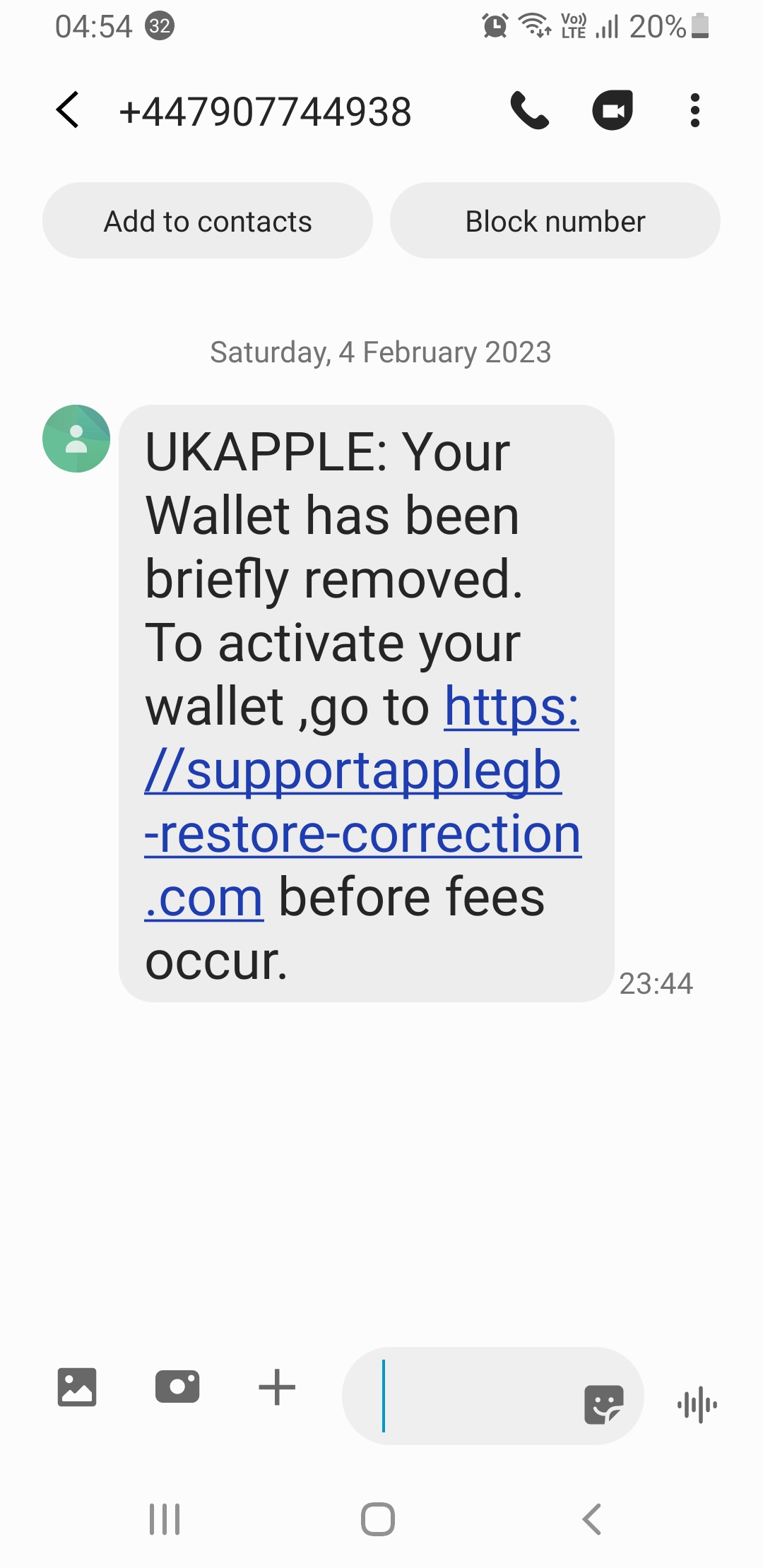
Apple wallet SMS received Saturday

-
VMWare Guest - Virtual Disk and Config Files
Davit2005 replied to Bankesy's topic in Thin Client and Virtual Machines
Veeam would be my answer for backing up VMWare Virtual Machines -
You can also try MAC address limits on switch ports. It would stop the majority but is a admin overhead. Personally wired 802.1x is a lot better and can be centrally managed. Implement DHCP snooping too, we've been caught out a few times, even one staff member who decided to setup a DHCP server to give out the same subnet as our dhcp server, took a few weeks to work out what the issue was, not to mention outside enginners coming on site with personal routers plugging into switches giving out dhcp or a device that decided it would be a dhcp server because it could not find one.
-
Server network defaults to Public network after reboot
Davit2005 replied to Delgado's topic in Windows Server 2022
It is not recommended to disable IPv6. If you are not using it then jus don't bother setting an IPv6 address, jus let it do it's own thing. -
Server network defaults to Public network after reboot
Davit2005 replied to Delgado's topic in Windows Server 2022
Have you looked at doing conditional forwarders on the existing DNS. That is what I did last time I migrated to a new AD domain then created a trust between the 2 domains, assuming you are migrating to a new domain as well as servers. As for the Public, yep I had that problem too once, cannot remember the fix apart from a whole load of profanities which made me feel better at the time. DNS Servers should always be set to fixed IP Address i.e. static set on the DNS server itself in the IPv4 (and/or IPv6) settings. No need to set a static IPv6 unless using IPv6. -
I've had experience of apps using 443 and not getting on with decryption before now. Solution was to exclude the destination IPs for specific staff members that needed access (who also needed to be local admins for the software to update, not so much issue on a phone app), took a month to troubleshoot/workaround.