Seb1780
-
Posts
1,055 -
Joined
-
Last visited
Content Type
Forums
News
20th
EduGeek EDIT Conference
Blogs
Everything posted by Seb1780
-
 OK, I suggest you focus on getting the results in via SIMS, and using this for generating results slips. This should be the Exam Officer's job and this should all be OK because the Exam Officer would have made the entries via SIMS in the first place. This is done using the A2C system. The only thing I know of that goes wrong is missing out results which come from BTEC and similar courses and these need to be added into SIMS manually - again a job for ther Exams Officer. When it comes to analysis your starting point should be the "broadsheet" which your Exams Officer can get you from SIMS. This is a csv file in the format of a table of results which you can manipulate to feed into SISRA where the analysis can take place. I no longer use SISRA, but I can recommend the School Data Management group on Facebook - this is SISRA central! Finally, analysis does not need to happen on the day but your SLT may want something so they can put out positive messages about the school's performance. But beware the fact that nobody (and I mean nobody) knows how KS4 performance is going to be calculated yet; I suspect we will not get the methodology until October at the earliest. Also, the results this year will be "suppressed" compared with the past two years - the free-for-all of CAGs and TAGs is being reined in.
 -
Do you use any third party software for analysis of your data? We only use SIMS for the download and generating (printed) results slips - everything else is done elsewhere. Let me know what you're using.
-
I've not done this for a while as we now use third party tools, but I do remember it was a royal PITA. You firstly have to get your targets in a spreadsheet where the first few columns are used to identify the student then the remaining columns hold the target data for each subject - we had surname/forename/DoB/Gender/UPN then about 30 columns of targets, one per subject. Then in SIMS Routines / Data In / Assessment / Import from Spreadsheet to select the CSV prepared earlier. Once the data is displayed in the SIMS dialogue box you right-click on the top of each column and select what the data in the spreadsheet relates to in SIMS - for the first few columns it's OK, Surname / Forename / DoB etc are pre-selected. But then when you get to the columns where the target grades are you need to select "Result"; and this is where the fun starts. You need to select the aspect the grade is going into, for example this might be "FFT5 Art Target". This aspect will have to be setup before you can import anything, and in order to set up an aspect you will need to know the Grade Set it uses (e.g. "GCSE Target Grades") and that Grade Set will need to have all possible Grades pre-defined (a pain if you're using +/- fine grades from FFT). Once you've defined the aspect you will need to categorise it so you can find it when doing the import - we categorised ours under CES Assessment Services / School Name / GCSE Targets. With the aspects set up and the CSV open in the SIMS dialogue box, right click the top of a column and select "Result" then browse through the categories to find your aspect, click on it to highlight it then press "Update". This will now populate the top few rows of the column with the aspect name and the import date. If you might have several versions of the same aspect over a period of time, for example a target may get reviewed each year so you want Y7, Y8, Y9 etc, then you will also need to assign the data to a "Result Set". Again, the Result Set needs to be configured before you start importing data. Repeat for each of the 30 column, repeat for each of your 7 year groups and spend the best part of a week just updating targets! The key to all this is getting the Aspects / Grade Sets / Result Sets configured. I suspect this has already been done but in your last minute draft situation you may not know how this is all put together and I suggest finding that out first. HTH
-
Oh, I didn't import it, just pulled it down to see what was going on. We don't use SIMS for data analysis so the CSV was all I needed.
-
It is all over the Data Managers groups on Facebook and I can confirm it is happening with our students too. If you pull a CSV alongside the CTF you will see the CTF is reporting the Reading Scaled Score for all the Scaled Scores (Maths & GPS)
-
Any ex builders on here need advice on some roof joist is it to code
Seb1780 replied to round2it's topic in General Chat
Shocking! -
Coronavirus: General discussion (see opening post for rules)
Seb1780 replied to Dos_Box's topic in General Chat
Do or do not; there is no try -
Bulk import of all info for new starters
Seb1780 replied to CarterUSM's topic in How do you do....it?
We looked at Admissions+ for this but then went with Operoo which has been "interesting". Both systems require some data, including e-mail addresses, in the MIS (SIMS in our case), this did not come with our ATF. Operoo claims to offer the ability to validate parent responses before writing to SIMS. I have had a play about with XML files created in Excel to the point where I can build an ATF with the fields I want from the kind of info collected in MS Forms, this will populate enough data for Operoo to do its stuff. -
Try this thread http://www.edugeek.net/forums/mis-systems/152364-object-reference-not-set-instance-object-error-when-running-reports.html
-
We use CPOMS and have no issues with the lack of SSO, in fact I belive most users appreciate why this is the case. We looked a MyConcern and Cura as well as CPOMS. Cura does have ADFS but we didn't like the way is structured the data around severity rather than by category and the reporting was far less developed compared with CPOMS. With MyConcern we felt the management of the data was lacking. Since we got CPOMS we have found more and more of our feeder schools using it which provides excellent communication of concerns.
-
Parent Communication and Compiling and reporting on replies.
Seb1780 replied to knopfler's topic in Educational Software
We're currently looking at Operoo which will do this sort of thing for you. -
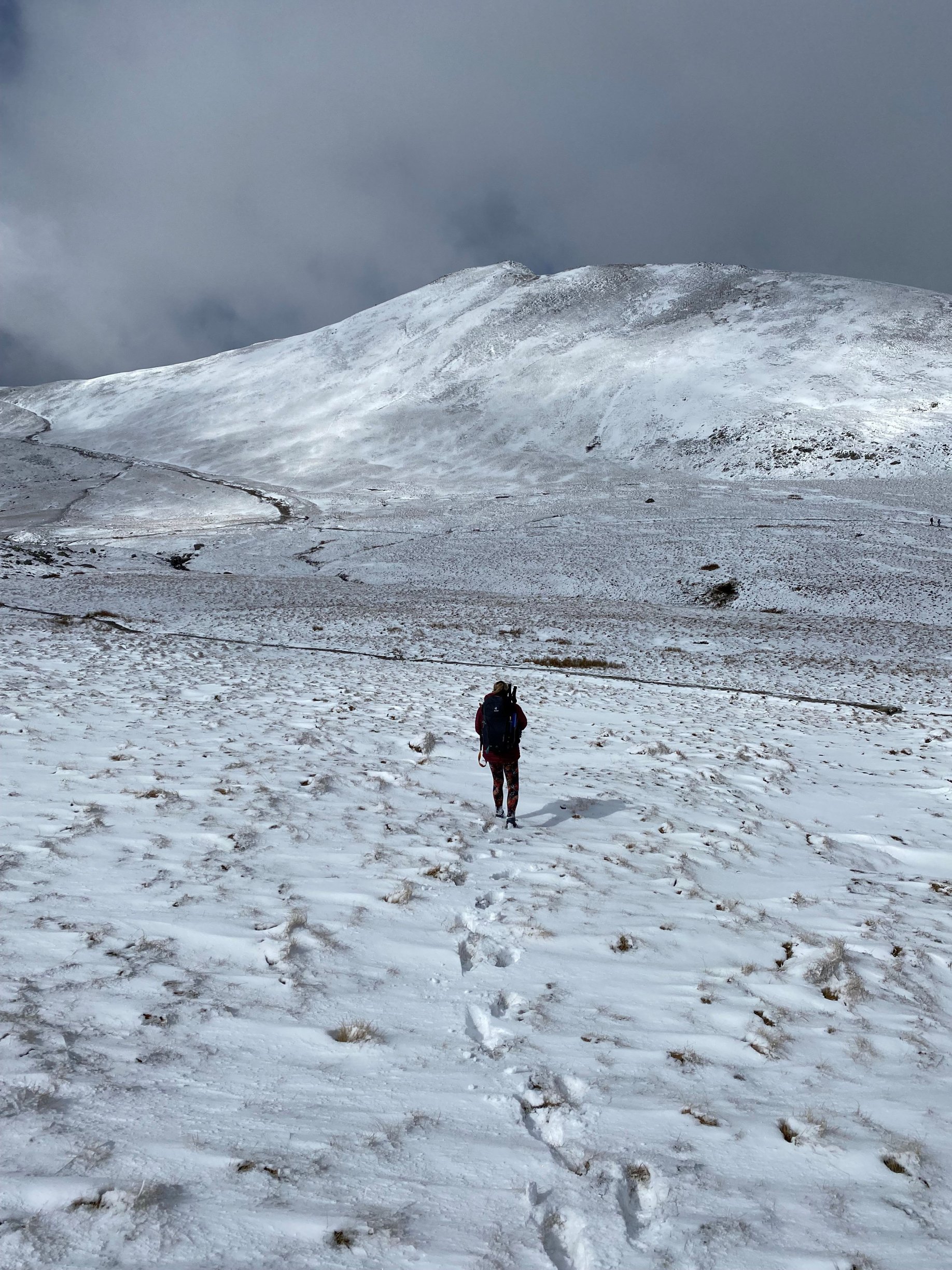
Had a week off last week, went to the Lakes; it snowed! This is *not* a B&W photo.

-
Bett 2022 - enter our biggest competition EVER!
Seb1780 replied to VeryPC's topic in Our Advertisers
Replace the last one I won http://www.edugeek.net/forums/bett-2022/212257-verypcs-2-500-gaming-pc-bett-competition.html#post1813871 -
Coronavirus: General discussion (see opening post for rules)
Seb1780 replied to Dos_Box's topic in General Chat
Tested positive yesterday, my wife had tested positive on Wednesday. Feeling under the weather but not desperately ill. School will not entertain my return for at least a week. Currently trying to avoid boredom. -
Sad news https://www.bbc.co.uk/sport/cricket/60622426
-
Coronavirus: General discussion (see opening post for rules)
Seb1780 replied to Dos_Box's topic in General Chat
By that reckoning not much will change, and I agree with you on that - those who would/could isolate previously will continue to do so (or at least try), those that couldn't/wouldn't will not be affected by the new status. The issue of no free testing after March may leave some who would previously have tested then isolated out in "the wild" with COVID, but then again we're moving into warmer weather and the past two summers have shown the virus is much less prevelent at this time of year. -
Coronavirus: General discussion (see opening post for rules)
Seb1780 replied to Dos_Box's topic in General Chat
From last night's DfE bulletin -
-
We got it late Friday too; survey completed.
-
It was this one that made me aware of Wordle
-
White on white for hint sweet
-
Wordle 220 2/6
-
Wordle 214 2/6 ⬜
-
This happened to me just this morning - all my inbox shifted to the Archive folder whilst I was writing a reply to a message. I thought I'd hit a function key or something. Apparently using the backspace key will archive messages in the current folder (Inbox in my case) - so when I used the backspace to erase some charachters it was actually shifting the contents of my Inbox to Archive one message at a time.
-
Coronavirus: General discussion (see opening post for rules)
Seb1780 replied to Dos_Box's topic in General Chat
What's in a name? Novak?