Mark182
-
Posts
791 -
Joined
Content Type
Forums
News
20th
EduGeek EDIT Conference
Blogs
Everything posted by Mark182
-
Sorry to bump, anyone any ideas or how you managed your shares?
-
I think I have posted on here before about this but cannot find it. I have a suite of x 30 IMACS 10.10.5 and x 1 server 10.10.5. I mount a share “staff and students” using profile manager “log in items” and then “authenticated network mounts” and it mounts the Windows shares to the desktop but it ignores all windows permissions and also mounts the route of their home area EG year11 and they have full access to everyone’s folders ect. I really need to resolve this. I know before summer I have rebuilt the server so there must be something I have missed as it used to have a little “no entry” sign on the folders they did not have permission to view. I mount them using SMB://
-
Ah sorted it now - Thanks.
-
Thanks for the reply! I thought the \users was just users on the server. This is our main share for staff&students with 100's of folders and subfolders. When I go to remove "create owner" I get the "inheriting permissions from its parent" If I then click "Disable inheritance" I get "covert inherited permissions" or "Remove all inherited permissions" I am guessing I want to click "convert" as I want all the subfolders apart from one to have the same permissions.
-
I am having a bit of an issue with share we have. It’s a share for staff and students, Staff should be able to create/ delete and modify files and folders, students should be able to read and view but not modify apart from one folder (disabled inheritance for that folder) The problem we are having is students can do whatever like they at the moment… I have attached a copy of permissions on the share.

-
I forgot to post on here about the 100! I did it & big thanks to everyone who sponsored me!
-
Here's mine
-
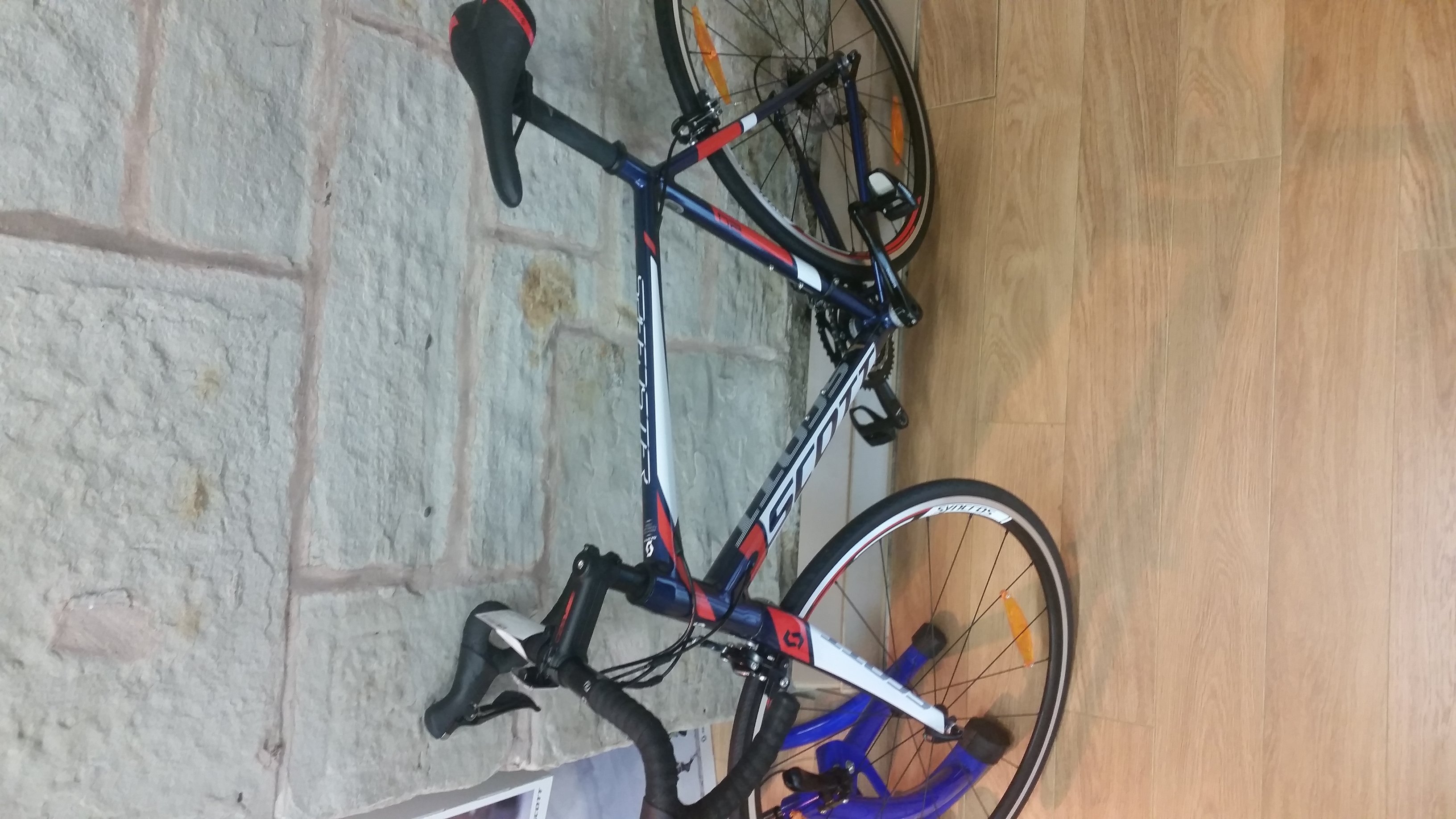
My new bike Scott speedster 20 2016!
-
We have a load of pens, PM us your address and we'll blast you some.
-
Just seen this FTL Captain's Edition mod. Going to this a bash when I get some time. I love FTL, great little game.
-

Office 365 default reply mode - "Reply All"
Mark182 replied to PotNoodleTech's topic in Cloud Services
Voted! -
We use these
-
I believe BTLS have raised a ticket with capita, a few schools round having same issue since upgrade.
-
We use these they are really good. Been using them 6 years.
-
Office 365 default reply mode - "Reply All"
Mark182 replied to PotNoodleTech's topic in Cloud Services
same here, We had to log a support case direct with M$, still awaiting a response. -
is spanning tree enabled if you have Cisco switches? Ah, did not see above post!
-
Socktober 2015. FREE SOCKS for all entrants. Win an i7 NUC from VeryPC
Mark182 replied to VeryPC's topic in Our Advertisers
PM Sent! -
I have the script working how I want it. It's now a .APP file. I am trying to push it via Profile manager and I am getting this error. What's the best way to push this? Sorry for all the questions.
-
Thanks, for all your help so far. I want all my drives and shares mapping the same EG onto the desktop. I know have the shares mapping how I want them. What is the best way to push your script using profile manager? Do I only need to change Active Directory/DOMAIN/All Domains/ using Apple script editor - Thanks again.
-
Yeah, that side of it I am happy with. That's all working how I want it. I have now un ticked "Use UNC path from Active Directory to derive network home drive" Now they don't have the drive next to "trash ect" If I use you're script I think it'll do what I want. Hope that makes sense...
-
I've now got my "shares" to map how I want them onto the desktop using profile manager. My next problem is, When I log in as a student, next to "trash" & and "downloads" it'll show a folder as their home area, my issue is that it'll map the entire School_Students$ on to the desktop and as I student I can browse all the intakes and access any folder I want too. Same if I log in a member of staff I can see every members H drive and access any folder I want... How do I set AD permissions on these folders?!
-
Thanks, I looked at that on Friday night. The stage I am at is trying to map shares such as staff and students. I had it working on 10.10.2 before I formatted ect. I don't understand why its not now and keeps mapping drives they should not have access too.