mikkydoos
-
Posts
2,616 -
Joined
-
Last visited
Content Type
Forums
News
20th
EduGeek EDIT Conference
Blogs
Everything posted by mikkydoos
-
Very nice m8. Does exactly what it needs to do. Only thing I'd do would be to up the image quality a bit on the 0image roll on the home page. Oh.... and lighten the purple bar at the top. Bit heavy to my eyes. Nice work. Like the little logos next to the menu titles
-
Have a look at this thread... might help. http://www.edugeek.net/forums/windows-server-2012/154461-group-policy-only-applying-if-2003-dcs-still-switched-4.html#post1325960
-
Just build it yourself. Wont take that long ! And you'll get what you want.
-
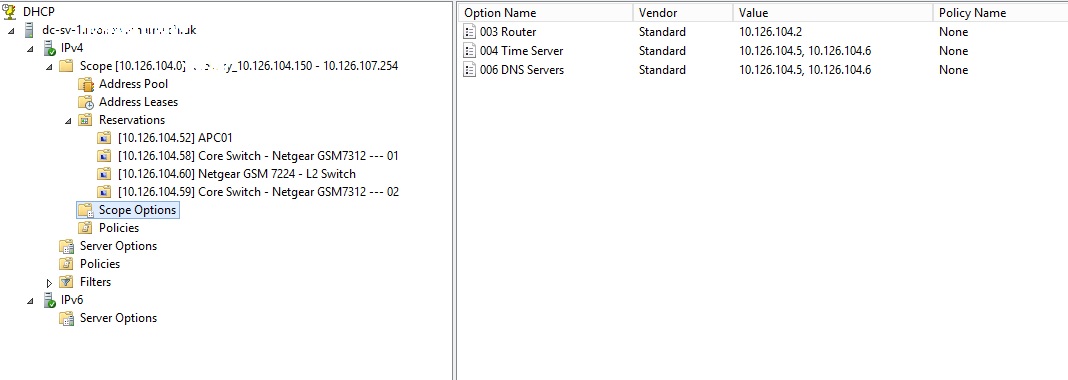
 If your old DC's are listed in server options then remove them. You don't necessarily need any options configured in there. Your new DC's do however need to be in your scope options
 -
@tmcd35 - and me lol
-
@pantscat Totally m8. Bang on. Check this too @theeggmaster, like @pantscat says....

-
@pantscat thats probably sage advice. Good call. I think the fact that he hasn't demoted them though is a point!
-
OK. Take the old ones out and they shouldnt be looked for anymore. DHCP will issue any valid DNS server. Not necessarily your DC-02. You can test this by doing an IPconfig /all on your PC, after you ipconfig /release and ipconfig /renew your DHCP lease. If you an IPconfig before you remove them it should list them. They should be gone when you've removed them. That'll probably do it. Then you can fully demote the 2003's and remove the roles. Then switch them off. - - - Updated - - - That attachment doesnt work
-
DNS delegation for this server cannot be created?
mikkydoos replied to Gilly2003's topic in Windows Server 2012
Did you type in the FQDN. It can't find the HQ DNS server. Try connecting the new coal servers DNS console to the HQ server and see if you can connect and modify. -
Have a look at the fibre going in the back of the cabinet before it gets to the patch panel. You'll should find it on there.
-
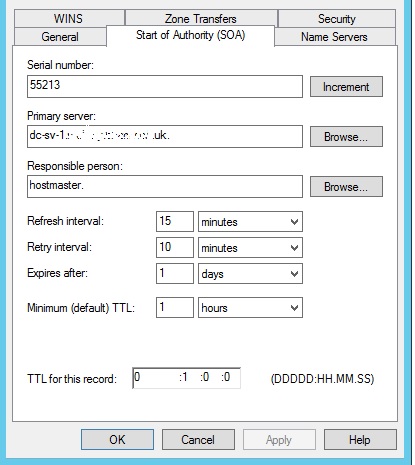
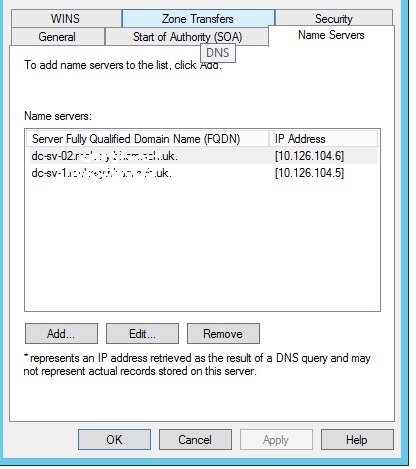
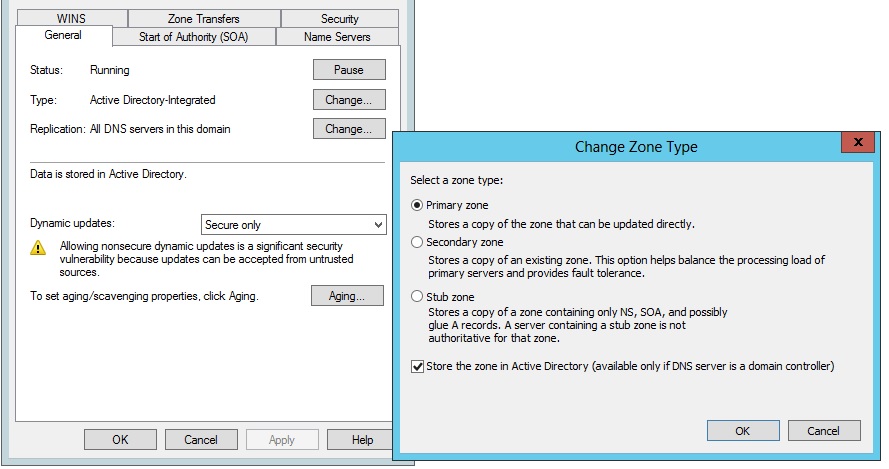
Check these settings on your primary 2012 DC m8.....properties of your Forward Lookup Zone....
-
DCDiag only tells you what is or isnt functioning on your DC. Netdom query will tell you what is authoritive and not. and test your DNS..... verify whether DNS is working correctly ? After you have setup your DNS Server, it's very important to check that the entries which are populated to the Internet are correct. You can use the following checklist using nslookup. Start nslookup for the desired DNS Server nslookup > server 193.247.121.196 Default Server: rabbit.akadia.ch Address: 193.247.121.196 Check Start of Authority (SOA) > set q=SOA > akadia.com Server: rabbit.akadia.ch Address: 193.247.121.196 akadia.com origin = rabbit.akadia.com mail addr = postmaster.akadia.com serial = 2000061501 refresh = 10800 (3H) retry = 3600 (1H) expire = 604800 (1W) minimum ttl = 86400 (1D) akadia.com nameserver = rabbit.akadia.com akadia.com nameserver = lila.thenet.ch rabbit.akadia.com internet address = 193.247.121.196 lila.thenet.ch internet address = 193.135.252.2 Check the Nameservers (NS) > set q=NS > akadia.com Server: rabbit.akadia.ch Address: 193.247.121.196 akadia.com nameserver = lila.thenet.ch akadia.com nameserver = rabbit.akadia.com lila.thenet.ch internet address = 193.135.252.2 rabbit.akadia.com internet address = 193.247.121.196 Check E-Mail MX-Records (MX) > set q=MX > akadia.com Server: rabbit.akadia.ch Address: 193.247.121.196 akadia.com preference = 20, mail exchanger = opal.akadia.com akadia.com preference = 10, mail exchanger = rabbit.akadia.com akadia.com nameserver = rabbit.akadia.com akadia.com nameserver = lila.thenet.ch opal.akadia.com internet address = 193.247.121.197 rabbit.akadia.com internet address = 193.247.121.196 lila.thenet.ch internet address = 193.135.252.2 Check everything (ANY) > set q=any > akadia.com Server: rabbit.akadia.ch Address: 193.247.121.196 akadia.com preference = 10, mail exchanger = rabbit.akadia.com akadia.com preference = 20, mail exchanger = opal.akadia.com akadia.com nameserver = rabbit.akadia.com akadia.com nameserver = lila.thenet.ch akadia.com origin = rabbit.akadia.com mail addr = postmaster.akadia.com serial = 2000061501 refresh = 10800 (3H) retry = 3600 (1H) expire = 604800 (1W) minimum ttl = 86400 (1D) akadia.com nameserver = rabbit.akadia.com akadia.com nameserver = lila.thenet.ch rabbit.akadia.com internet address = 193.247.121.196 opal.akadia.com internet address = 193.247.121.197 lila.thenet.ch internet address = 193.135.252.2 Lookup all hosts within a domain > ls -d akadia.com
-
DNS delegation for this server cannot be created?
mikkydoos replied to Gilly2003's topic in Windows Server 2012
Wheres the primary DNS server located ? Or is Coal a replica of the DC at HQ ? -
DNS delegation for this server cannot be created?
mikkydoos replied to Gilly2003's topic in Windows Server 2012
Could be a slow link to the other DC if its going over a VPN. Or the credentials are not enough. -
I personally use VMWare Esxi but I think its a bit over the top for a SMB setup. It can get very complicated. I'll be going to Hyper-V before long. Especially as it is mostly covered by EES licensing.
-
That'll be it I think. That's probably the cause. It must be that one of them is still broadcasting as a PDC. Run 'netdom query fmso' on the 2003's and see what state they're still in. I think you'll need to run dcpromo on the 2003's and un-DC them or remove the AD roles on those servers. This is the guide I followed a year ago - Very good and takes you through all the steps you need. Might be an idea to go through it carefully and perform each step to verify what you've already done already is and functioning. Worked a charm for me with the same setup.
-
Building Public Kiosk Workstations with Windows 7 and #Windows8 #ITPro - TechNet Blogs There was a free Microsoft product that did this but I can't remember the name.
-
Just incidentally, have you got your new DC's pointing at each other for their own DNS or are they still pointing to the 2003 box ? And you never said if you de-promoted or removed the master schema etc the 2003's. And have you tried re-joining one of the problematic clients to the domain ?
-
All you need is the MS Directory Syncronisation Tool (DirSync). Nothing else. You set it up to sync every 12 hrs for example then a PShell script to assign licenses.
-
Yep do it. The main benefit to VM'ing is the utilisation of a single server machine. You could run a few servers with much lower RAM or hard disk overhead. E.g. Server one could host a DC, print server, MIS server. Server two could host your 2nd DC, WSUS and WDS, depending on available disk space. A separate physical file server and you're away. Click of a mouse to roll back to a working system in the event of a software failure on any of the VM's servers. Takes minutes. OR You could run everything on one server and replicate it on the other for redundancy - depending on spec of course. It took my primary down from 11 physical servers to 4, and one of those is a firewall. It will be 3 when I get my new hard disks. Works a charm and is extremely reliable.
-
What are you pinging ? To the server of from the server ?
-
Yeah but when you did your dcpromo all that should have pulled through from the 2003 box. If it hasn't it mustn't have done a clean copy to the new box. That's why I would look at starting DC01 again. When your satisfied its functional - no DCDiag errors - you could promo DC02 and set up 2nd DNS & DHCP etc.
-
Oooh. I'm thinking start again with the new DC's
-
Yep.... sounds to me like you only need a patch lead. Either that or get the fibre re-terminated into your new panel. 50/125 will go into 62/125 but not the other way round. Must be multimode/singlemode matched though. Is your fibre terminated with an LC plug ? Can't be.
-
@ellsandell is right. After E1 purchase, why not buy another domain to test your DNS before messing with your current domain. The DNS can be a pain in the @rse to sort out depending on your domain host !