mikkydoos
-
Posts
2,616 -
Joined
-
Last visited
Content Type
Forums
News
20th
EduGeek EDIT Conference
Blogs
Everything posted by mikkydoos
-
About the same. Admin is a bit slow.
-

Migrating VM to other Host in Vcenter
mikkydoos replied to maxrebo's topic in Thin Client and Virtual Machines
I'd move whichever VM's you want along with the virtual disk file. If you've got your second host set up, it already has its own datastore. You'll be moving the virtual disk file and VM registration. Not the datastore. Thats what you want to do. I'd seriously back it up first tho m8. Youi're asking for trouble without a back up. The freebie Veeam will do that for you. Or download your whole datastore to your PC first. -
Renewal time for our leased line
mikkydoos replied to mikkydoos's topic in Internet Related/Filtering/Firewall
Aaah. I know who Altman are. -
MS say nowadays don't use .local. I'd use whatever you want your FQDN to be externally.... your .co.uk You'll be glad of it when you move to O365 or Google. I'm just thinking... Rejoin domain, Rejoin domain, Rejoin domain, Rejoin domain, Rejoin domain, Rejoin domain, Rejoin domain, Rejoin domain, Rejoin domain, Rejoin domain, Rejoin domain, Rejoin domain, Rejoin domain, Rejoin domain, Rejoin domain, Rejoin domain, Rejoin domain, Rejoin domain, Rejoin domain, Rejoin domain,
-
Office 365 Issues - Keeps crashing
mikkydoos replied to tj2419's topic in Internet Related/Filtering/Firewall
Not here but not using IE. -
Renewal time for our leased line
mikkydoos replied to mikkydoos's topic in Internet Related/Filtering/Firewall
Who's AIT @TechMonkey ?? -
Renewal time for our leased line
mikkydoos replied to mikkydoos's topic in Internet Related/Filtering/Firewall
$$$$$$. Thats the only reason. Smoothwall are trying to get customers to renew now by offering incentives (1 year free) - to up their turnover this financial year according to the rep. But my quote is coming in way over. I really don't want to change it but am being told money is pretty tight. Lets see what they'll come up with - not due until march! And they want 3 years up front. WHY do they structure their pricing like that. It makes ZERO sense to me. @Blue_Cookeh They told me 3 years ago they didn't recommend using a VM because of......... I cant remember. Something to do with the routing for the firewall. -
Veeam Backup & Replication v9.5 now available to download
mikkydoos replied to Arthur's topic in Enterprise Software
Y. 9 is excellent. Veeam totally rocks! -
I've had DLink themselves on site to do a survey and spec. Might be worth a call.
-
Migrating VM to other Host in Vcenter
mikkydoos replied to maxrebo's topic in Thin Client and Virtual Machines
When you migrate using vCentre Server, you have the option to move the .vmdk file to the other host as part of the migration. If not using central storage that is. It physically moves it, not copies it, so it won't exist on host 1 anymore. And you'll get some downtime whilst it moves. You could replicate it, then turn off the VM on host 1. You'll need to turn off the networking on host 1 too or change the hostname and ip address unless you want a conflict when its done. Have you got Veeam ? -
Seems I've pretty much sorted this with the above settings. Allowing read only on WPD devices works fine for tablets. Cheers all
-
Veeam Backup & Replication v9.5 now available to download
mikkydoos replied to Arthur's topic in Enterprise Software
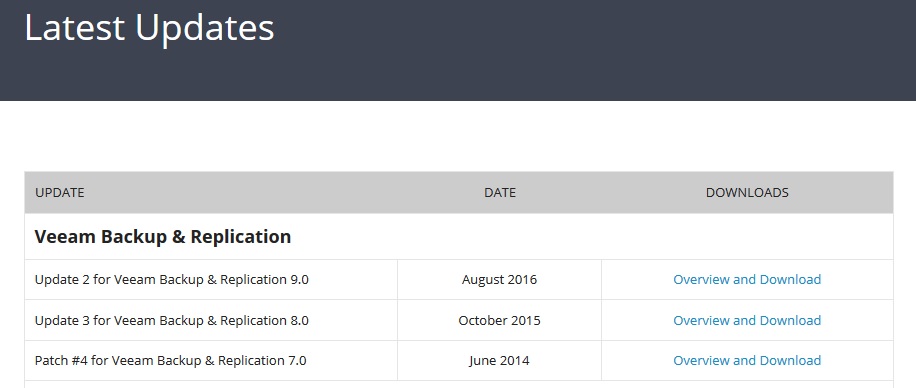
Aaargh. I only just updated mine to v9 a month ago !!!!!!!!!!! EDIT: Hhhhmmm. Not showing up on my portal. Just v9 update 2 EDIT2: Aaah. Its on the product download page not the updates page.
-
Inventory system with Bar Code scanner...
mikkydoos replied to networkmanager's topic in Enterprise Software
We use an online system call Parago. Its OK. Not great. Just OK. -
BGfL 365 Groups feature disabled
mikkydoos replied to Alis_Klar's topic in Birmingham Grid for Learning (BGfL)
@Alis_Klar Just set your own up. BGfL = not good That means that each school musn't have its own tennant. It can't all be lumped into one ?? -
Renewal time for our leased line
mikkydoos replied to mikkydoos's topic in Internet Related/Filtering/Firewall
Also for any suppliers... I think we're looking at moving our filtering away from Smoothwall too. I've had the pricing through and its not making me smile - 3 years upfront again! What! -
Renewal time for our leased line
mikkydoos replied to mikkydoos's topic in Internet Related/Filtering/Firewall
@Wave9_Lee OK. Please PM me. Thanks. -
Renewal time for our leased line
mikkydoos replied to mikkydoos's topic in Internet Related/Filtering/Firewall
Already got a BT business line as a backup for me in case the main line goes down. They disconnected it in July without us asking for it and I still haven't managed to get it reconnected. Never again. -
Renewal time for our leased line
mikkydoos replied to mikkydoos's topic in Internet Related/Filtering/Firewall
I sure do. But dealing with BT direct is the worst experience imaginable. -
Renewal time for our leased line
mikkydoos replied to mikkydoos's topic in Internet Related/Filtering/Firewall
@ exa_damon Please do. -
Hi all, Our 50mb Virgin leased line is up for renewal at Easter so time to start looking at possible alternatives. We've been pretty happy with Virgin - couple of short down times in 3 years - but they're expensive and their support is less than good. Who in your experience is good on service, reliable and value for money? (Did I really ask that about an ISP?!?) Top tier ISP suggestions if poss please. Not too happy with going for companies that resell. And certainly not BT. Included filtering and firewall might be an option but I'm fairly happy with Smoothwall currently - but again their support is flagging compared to what it used to be IMO. We're Birmingham based if any vendors are reading. Cheers in advance
-
An invoice indeed! ... and @dry Watch it with the Mickeys!! :D:D:D:D:D:D:D:D
-
How often do you run replication jobs of your VM's (Veeam)?
mikkydoos replied to mikkydoos's topic in Enterprise Software
Yep. Just running the post initial replication now. Looks like it will take about 40 mins. Appreciate that @Steve21. Might just do the same now. Cheers m8 Incidentally, what kind of bandwidth limit do u put on those ? We're gigabit down to the desktop. -
How often do you run replication jobs of your VM's (Veeam)?
mikkydoos replied to mikkydoos's topic in Enterprise Software
@Steve21 That replication, not backups right? After initial replication job, how long do they take for the subsequent replications? -
Hi all, Just setting up VM replication in Veeam to a second host - three mission critical production servers - a DC, MIS server and print/management server. This is for the event of the primary host going bang --> fire up the replica VM --> all good . I'm wondering how to schedule the replication process. I already run two separate Veeam backup jobs per night of all my production VM's, and an extra (third) one of the MIS server --> I could restore these backups in an emergency but it would take time hence the replication. I'm thinking once once per week. How would you do it ? Cheers in advance
-
Whats the link between the 2 sites? Veeam incrementally backups up your VM's. Once you've done the initial backup its remarkably light on bandwidth. Like @Steve21 says, you can also set up copy jobs. You backup once then schedule a copy job to replicate that backup to another server, rather than running the backup again. I do 3 of my mission critical VM servers this way in half an hour, including the copy job (all over the LAN however). Run them at night. Should be pretty quick. Your VM's aren't that big (?). Not a lot of work either. Veeam is pretty intuitive. Also, I would ring Veeam before you buy it. That what their sales dept is for. And trial it. You'll be impressed. Its great