Cache
-
Posts
2,202 -
Joined
Content Type
Forums
News
20th
EduGeek EDIT Conference
Blogs
Everything posted by Cache
-
You can do it either way really. We have one image which we use which has all of the Windows Updates on up to the point which I last updated it and a couple of hotfixes and we sysprep that and WDS holds that. When you start the deployment it installs the image and installs any drivers which WDS has in it's Driver Store. I then use a script at the end of the installation which calls the Office installation, antivirus, Windows Experience test and a couple of other bits and pieces and then forces a reboot at which point it's ready to be used. The software doesn't need to be an MSI as long as it can be silently installed using a commandline. You can carry on the same way you currently use Ghost, maintain your image with all the software installed and then just capture it to WDS and use that to push it out.
-
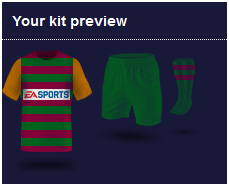
All signed up, no nothing at all about football so it's all just random. Did spend a little bit of time playing with the kit though, you can't half make some ugly stuff. I toned it down a lot from where I started, now it just looks dark and ugly.

-
It would be quite nice if that info was on Supportnet too.... It's hard enough trying to find stuff without having to check more sites!
-
Well there's the performance measures file on CapitaESS Capita Education Support Services or on SupportNet under Resource 22907. Although the SupportNet one appears to be a slightly later version, running a comparison on the two comes back they are identical. We've definitely been told that a new one will be released before Results Day though because of the English codes. Edit: Trying to make sense of the SupportNet Case Log, do all your exams tally up correctly with Courses in Course Manager? I've no idea if that matters or not, I know our Exams Officer and SIMS Manager spent a lot of time over the last 3 weeks of term moving, modifying and updating Courses, splitting base data and linking QANS.
- 9 replies
-
- 1
-

-
- results days
- sims
- (and 2 more)
-
Have you imported the latest performance measures file into SIMS after doing the Summer Upgrade? I don't know about anything else, but I know we are waiting on an updated Performance Measures file to take into account either new basedata or something to do with the QAN/Discount Code from the English GCSE's (I can't remember exactly, only that a new Performance Measures file should fix it).
-

DNS - Internal Server, external domain name
Cache replied to Cache's topic in Windows Server 2008 R2
Ahhh, gotcha. Thanks -
[sims] Decompiling of the package SIMS Summer 2014 failed
Cache replied to howartp's topic in MIS Systems
I'd probably give Capita a ring about it, however if you want to try something: Firstly I'd try redeploying the update and see if that works. If not, go to Manage Updates and try downloading the update again and then redeploy after that. We had something similar once (Not on 3.7, I think it was either 3.5 or 3.6), however our error message was the downloaded file size didn't match the expected size for some reason. -
What do you do when you need help in a classroom?
Cache replied to Wiggly-Amps's topic in Physical Security
SIMS does have an Emergancy Alert option, but I don't know a lot about it. I think it puts a button along the top toolbar at the far right which if it's pressed sends alerts to a predefined set of people. That then becomes dependant on them being at their desk, with SIMS open. -
DNS - Internal Server, external domain name
Cache replied to Cache's topic in Windows Server 2008 R2
Can you explain a bit more of what you mean by this? I can understand why it's going out to the gateway and back again at the moment, simply because the external dns record points to the public IP, hence the only idea I could come up with was to create a new DNS zone of some sort to point to the internal IP. -
I feel the same way about Newlestters/Brochures/Catalogs that companies send out which are all on Issuu. While I understand it is likely to be better for the environment, saves them a lot of money on printing and postage, I tend to scan the pages rather quickly to see if something catches my eye where as with a physical copy I would spend a lot more time on it.
-
Curious if anyone could point me in the direction to go with this. I think I know but could just do with a bit of advice to confirm it. We have an internal server which is hosting moodle and can be accessed using moodle.school.cumbria.sch.uk and that works fine, however because it's running through a web gateway, all traffic comes from a single IP and to be fair, it doesn't need to travel out across the RBC network to come back in to our network. Our school.cumbria.sch.uk is all managed by County/RBC and our internal domain is school.local. I would assume, that in order to not cause any other issues with DNS resolution for our external domain that I create a new Primary DNS zone of moodle.school.cumbria.sch.uk with a single A record which either has the IP of the server or CNAME's off to the internal domain name. Is that right or is there an easier/better way of doing it? I could of course just leave it as it is, but would rather stop the extra hops if I can.
-
Ubuntu Server Wordpress Proxy Settings Not Working
Cache replied to Trojan's topic in Internet Related/Filtering/Firewall
Yeah, I'm pretty sure Wordpress uses Curl to try and pull the files it requires. sudo apt-get install php5-curl should hopefully get you sorted. -
Ours is a secondary school, however the virtual machine I'm using to run 6 Networks which can cope with 30 simultaneous users after a bit of tweaking using APC is using 1GB of RAM with 2 virtual CPU's, so it's nothing special. A half decent desktop should be able to cope.
-
To be fair a lot of it was on the technical side of it, relating to getting out through a proxy liuke this: http://www.edugeek.net/forums/internet-related-filtering-firewall/139416-ubuntu-server-wordpress-proxy-settings-not-working.html and for us then having a mail relay which worked for sending out usernames and passwords. We restricted the signup domain to the school one and had a couple of addresses setup for each blog to use, however while wordpress for the most part respects the admin email address for sending things out, it also quite heavily falls back on a default address of [email protected]. "QnD wp_mail filter" fixed this so that we could use whatever email address we wanted for emailing out, without having to fall back to wordpress@ For the list of blogs on a single page we used "Multi-Site Site List Shortcode" In the end, this was my checklist for configuring the server/blogs (before Ubuntu 14.04 came out so didn't have Zend OpCache): Wordpress Notes Enable ModRewrite (sudo a2enmod rewrite) Install Postfix - configure as a satellite Alter php.ini so sendmail is configured, use -f [email protected] Add Proxy to WP-Config: define('WP_PROXY_HOST', 'wwwcache.cumbriagfl.org.uk'); define('WP_PROXY_PORT', '8080'); define('WP_PROXY_USERNAME', ''); define('WP_PROXY_PASSWORD', ''); define('WP_PROXY_BYPASS_HOSTS', 'localhost,ict-web-01,ict-web-01.mydomain.com'); Add and Activate email filter plugin - http://www.butlerblog.com/2011/07/14/changing-the-wp_mail-from-address-with-a-plugin/ Enable Multisite define( 'WP_ALLOW_MULTISITE', true ); ________________________________________ Additional Server Notes Install php5-curl (sudo apt-get install php5-curl) Installed SUHOSIN for PHP (apt-get install php5-suhosin) Installed APC (apt-get install php-apc) Increase APC cache size (/etc/php5/apache2/conf.d/apc.ini) Increased Max Upload File Size Increase Max post size ICT Staff were added as Network Admins for the site so that they could go and manage any of the blogs and deal with any issues. After that, it was just gradually adding a few more file types to allowed upload types as and when required
-
Ubuntu Server Wordpress Proxy Settings Not Working
Cache replied to Trojan's topic in Internet Related/Filtering/Firewall
Another question, have you installed php5-curl? Just spotted it at the bottom of my notes... Sorry -
Ubuntu Server Wordpress Proxy Settings Not Working
Cache replied to Trojan's topic in Internet Related/Filtering/Firewall
Spotted today, I don't have a space after the comma proxy_host and proxy_port I don't think that'll make a difference, however thinking about it there was something very particular about getting it to work. I'll keep on thinking, however it was something like that... -
I setup wordpress in house on an ubuntu server and just made it into a network, allowed self signup on the site and let the class go off on it. One Wordpress Network per class and then a plugin which listed all of the sites on the network on a page on the main wordpress blog. Worked very well actually after some teething troubles.
-
Afternoon I'm assisting another school at the moment migrate to Office 365 who are also changing their domain name which has gone well, however I hit a snag today. When I changed our domain, I also set up an automatic reply to go back to the sender saying the address has changed and then forwarded the message on which I though was quite logical and worked perfectly for us. Today however I discovered that on one mailbox I'd managed to create a reply loop with an external organisation who have an automatic reply on a shared mailbox. Therefore when they sent their brochure out from the shared mailbox, my automatic reply kicked in followed by their automatic reply which carried on for several hours until someone contacted me. Does anyone know how I can create a mailbox rule which will only reply 2/3 times to an email address before not sending anymore automatic replies? I can configure the forwarding addresses so that it gets sent to a unique alias, it's just the limited number of times I'm stumped on.
-
Ubuntu Server Wordpress Proxy Settings Not Working
Cache replied to Trojan's topic in Internet Related/Filtering/Firewall
I don't think I've done anything that you wouldn't have done, however the wp-config is attached if it helps.
-
We used to have the CentralServer setup run if the S drive wasn't mapped for the user also.
-
Ubuntu Server Wordpress Proxy Settings Not Working
Cache replied to Trojan's topic in Internet Related/Filtering/Firewall
Strange.... If your still having issues tomorrow I'll try and take a look at the config I've used for our internal Wordpress Networks and post it up, I did get it down to a fine art but can't remember the details. -
Ubuntu Server Wordpress Proxy Settings Not Working
Cache replied to Trojan's topic in Internet Related/Filtering/Firewall
I had a nightmare getting this working too, one install I couldn't work out what was happening so had to flatten and reinstall. Sounds daft, but positioning is critical in the wp-config.php file, make sure it isn't below the "That's all, stop editing" line, not the bottom of the file otherwise it won't apply them and also don't rely on the Frontpage widgets to see if it's working or not - I found some blogs took a day or 2 before the widgets started to update correctly. Searching for a plugin/theme was always a better test. -
It's actually quite a clever one, because if you check the rest of the links most of them go off to the correct apple pages - it's just the critical validate your ID one which is fake.
-
Can't help with the install file, the license details can be found in C:\windows\exampro32.ini or similar
-
To be honest, if your manually joining machines to the domain every other day, I would export the Agent Installer from Solus3, stick it on a memory pen and then when you join the PC, after a reboot logon and manually run the installer. You would then just need to go into the Solus3 console and then add it to the correct targets using the Agent target rather then browsing to the OU and pushing it out. Either that, or spend a bit of time looking more into developing a script to deploy it using Group Policy (or read up on Capita's notes at the back of the Install or System Admin guide).