Garacesh
-
Posts
16,316 -
Joined
-
Last visited
Content Type
Forums
News
20th
EduGeek EDIT Conference
Blogs
Everything posted by Garacesh
-
This is, unfortunately, the only answer. You make it yourself or you pay someone else to. Fiverr or Fivesquid will be good places to look. Edit: You'll probably have to pay extra for the rights to use it in a commercial capacity, though.
-
It's still working in 1903, I can say that much.
-
I know Chrome fires off some checks on launch.. IIRC they're for DNS poisoning. I seem to recall it requests impossible domains and if it gets a response it knows not to trust the DNS. Could be to do with that?
-
For that kind of money you're going to get older hardware that won't really stay reliable or responsive for much longer. Older i3's, tiny SSD's and the bare minimum of RAM. You're much better off going with a certified refurb and getting the spec pushed up a bit.
-
There's a GPO to deny access to A:, B: and C: User Configuration / Policies / Administrative Templates / Windows Components / File Explorer Prevent access to drives from My Computer There's a 'Restrict A, B and C drives only' option. Best paired with the Hide these specified drives in My Computer option so they don't show up at all We have it so they're hidden for everybody and denied for all pupils.
-
Sometimes I wonder if I'm the only one here that didn't sine up to the site for silly puns...
-
 Yep, that's probably why. I'm using the latest version of Android on my phone and I still have to use Device Policy. There's also some talk about Android Management API? Maybe that's worth a look?
 -
I don't know if this'll help, but if you try to connect one of our G Suite accounts to an Android device, you're forced to download the Device Policy app and set it as a Device Administrator first. There are some Android devices settings (Devices, Android Settings) that I assume are controlled by the Device Policy app. It might be a place to start if you're looking to configure settings. But this doesn't directly control the device. It's weird, but I'll try and explain it as best I can. The Device Policy app must be installed and set as a Device Administrator in order to use an organisational G Suite account. This app can then be uninstalled, or have its administrative privileges removed. However, doing this will then lock the user out of the G Suite account on that device until everything is restored as it should be (app installed, Admin set). So it's not really a device policy. It's a 'these settings are required before you can use this account on this device' policy. Now there's also something mentioned in Android Settings about 'company owned devices'. I don't know if that's a separate thing or if it just assumes any device enrolled into the domain (like a Chromebook) is a 'company owned device'. It's possible that if you remove the ability to control apps (Android Settings, Apps and Data Sharing, Apps Settings: Allow controlling installed applications.) you could manually install the device policy and then it would stop the user(s) uninstalling it. But I'm not sure.
-
To be honest, I split my users and devices into different OU's, specifically because we have staff and pupils using their own personal devices, so I'm not sure I can give any more info that'll be helpful.
-
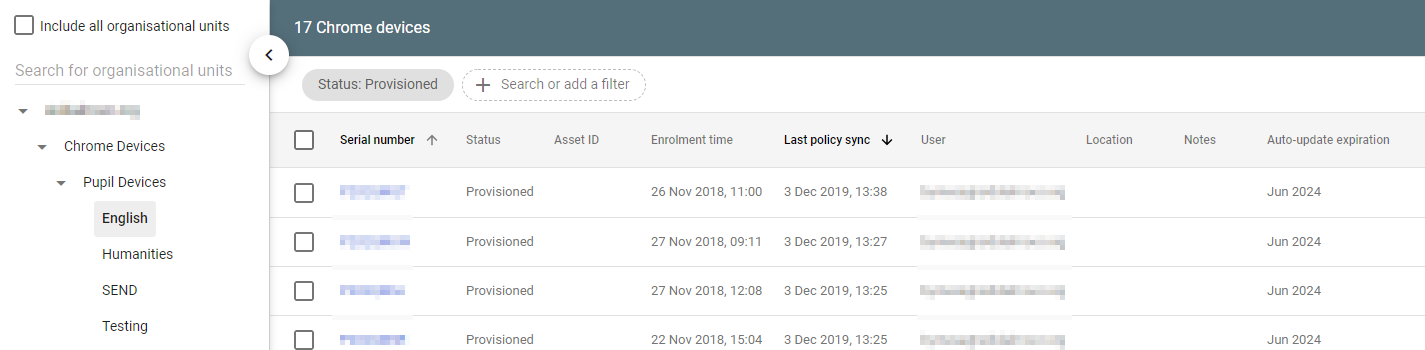
It's been a while since I've done it, but Devices can definitely go into their own OU's, since they have to exist somewhere within the organisation structure in order to apply policies. I have a feeling that this might only apply to chrome devices, though. And I'm not sure if 'chrome devices' includes Android tablets.

-
.... I... er.. genuinely didn't realise there were any differences. I thought they just slapped a different label on it and changed the pricing
-
Device management, Chrome management, Device Settings You can select your OU's from there and apply settings accordingly.
-
This is what we do with our Chromebooks. If a pupil or a member of staff wants to go and buy their own Chromebook, they can, and they can login without enrolling it to our domain. Doing this, they only receive the User settings and not the Device settings they'd get on a school Chromebook. The school-owned devices, though, get enrolled as part of the domain and additional settings are applied. Same applies to Android phones. We don't actually have any 'school' phones/tablets on the domain (though it's on my to-do list) but if they connect their G Suite account to an Android device it forces them to download and apply the Device Policy (because of the user settings) before it'll start syncing.
-
Parallel
-
You mean the 3D Objects library? That would be: Hive: HKEY_LOCAL_MACHINE Key path: SOFTWARE\Microsoft\Windows\CurrentVersion\Explorer\MyComputer\NameSpace Value name: {0DB7E03F-FC29-4DC6-9020-FF41B59E513A} and Hive: HKEY_LOCAL_MACHINE Key path: SOFTWARE\Wow6432Node\Microsoft\Windows\CurrentVersion\Explorer\MyComputer\NameSpace Value name: {0DB7E03F-FC29-4DC6-9020-FF41B59E513A} If anybody's wondering
-
Getting rid of 'Network' can be done via the following reg key: Hive: HKEY_LOCAL_MACHINE Key path: SOFTWARE\Microsoft\Windows\CurrentVersion\policies\NonEnum Value name: {F02C1A0D-BE21-4350-88B0-7367FC96EF3C} Value type: REG_DWORD Value data: 0x1 (1) As for Windows Security, only answer I can give you is "You can't", but if you've locked down permissions, the worst a kid can do is initiate a virus scan.
-
We've actually bought a couple of Tab A's for our staff as we're trying to wean them off iPad's.. Can't say I see any complaints. If you're not heavily using G Suite for Education though, they're probably going to be a bit less useful than they could be. But still definitely a viable alternative to iPads.
-
Clearly it needs end-user-language options set in the config then (Although I say that in jest, it might not actually be a bad idea, in the long-run)
-
Geezer (because that's how I used to pronounce it when I was little )
-
We default to IE, but every computer also has Chrome installed. We've toyed with the idea of making Chrome the default since we've gone so heavily into G Suite, but haven't moved on it yet. If we do some kind of G Suite SSO then I expect I'll do it, but until then, no need to fix what ain't broke everyone's used to.
-
I'd imagine maybe your email has made its way onto the wrong list and they think you're an exhibitor.. If it weren't for that email address.. Bit suspish. mmlogitech.a2hosted.com does exist as a valid domain, but all you get is the a2hosted default landing page, so I'd guess it's only got an e-mail server set up on it. Which again, comes across to me as a bit suspish.
-
FYI, that keeps timing out for me. Stripping the s (down to http://) works and redirects me to the old https://sheldnet.co.uk/examwritepad/ domain though.
-
Matters make sense once you realise they're aimed at SMB+. You create a 'Matter' and give it a title, so it basically says "Everything to do with X issue is in here", such as if Joe Bloggs says he's been sent malicious emails, you'd name the Matter "Joe Bloggs Bullying" then pull his email records to see who sent them and what was sent, and that report/those search settings would be saved in the Matter for future reference. Vault isn't really designed to be used 'just to have a quick peek' or for general administration. It's an auditing tool.
-
Yes. It's not so much the exact sequence that's the trigger, the point is you initiate a restart whilst holding Shift
-
I genuinely can't recommend GAM enough. gam all users show filelist query "title contains '.mp3' or title contains '.wav' or title contains '.mp4' or title contains '.wma'" todrive id title filesize shared spits out a report of any file by any user that contains the requested strings, a unique file ID that can be used to download or delete it, the file size, and whether the file is shared or not. gam user get drivefile id targetfolder lets me download the file in question if I'm unsure whether it's legit or dodgy gam user delete drivefile purge lets me delete a file from their Drive and Bin so they can't recover it It was a bit of faff to set up, but it's made my life soooo much easier. With Vault, you have create a new 'Matter', then from there go to 'Search' There should be a drop-down menu for 'Mail'. Then you put in the email addresses, give it dates, and use no terms, and boom there's all the email between X and Y dates.