-
Posts
2,107 -
Joined
-
Last visited
Content Type
Forums
News
20th
EduGeek EDIT Conference
Blogs
Everything posted by Jaan
-
Just doubled checked.... we already have the reg setting deployed via GPO.
-
I find the LTSC isn't without it's issues (kinda like 10 as a whole really), but i find it better to get the way i want it. Once i'm happy, i'm planning of posting a thread about how i have mine locked down on LTSC and what gpo/reg settings i've used. Just to help others. I'm been trying to get WIN10 the way i want now for 3weeks!
-
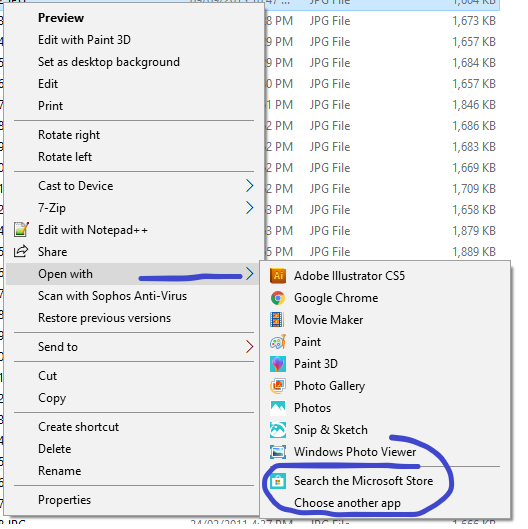
i'll give this a try.... just to confirm..... it's not an alert i'm getting, i just want to remove the option from "open with". Does that reg setting do the same thing? cheers
-
The windows store link doesn't work anyway (LTSC) so bonus points if you know how to remove that also. The reason we want to remove this is that we assign program defaults via XML, however clicking on "choose another app" allows the user to browse the c: via "Look for another app on this PC" thanks in advance.

-
until i switched to the LTSx builds, i found it very hit and miss.... just my experience of it though. other have been fine.
-
Tbh i update to 1809 when it came out..... it was working before that on older LSTB before that...... from memory, when we were testing with the edu builds, it didn't work. That with all the other tat that comes with it, made us turn to the LTSx builds.
-
What's the best way to get this to my clients? I can't seem to import a .reg file to GPP which would be nice. EDIT: Done this via logon script. regedit.exe /s filename.reg
-
it's working here. We didn't have any issues. We use local profiles. Users gpo
-
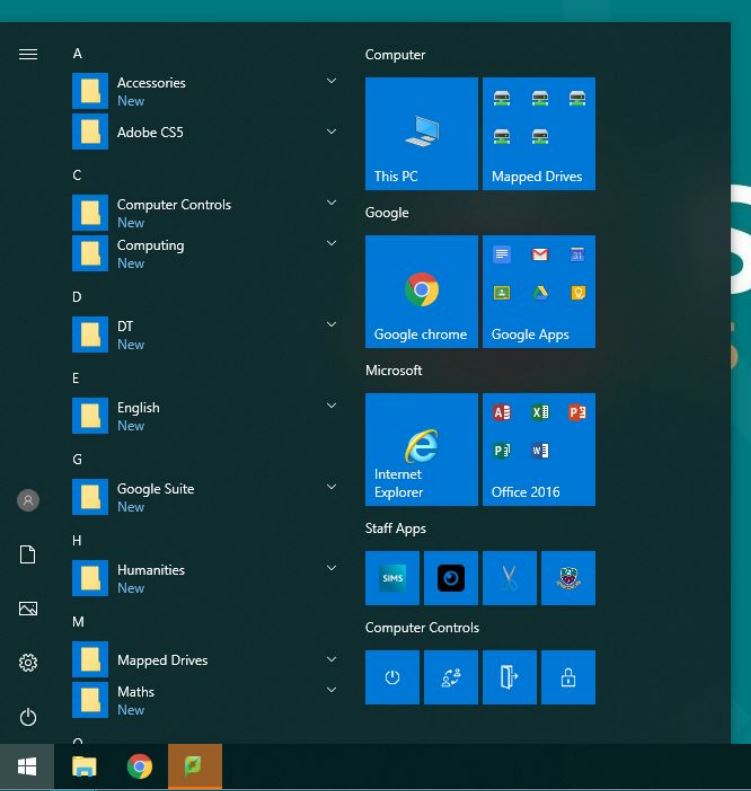
 this is the actual start menu in question;
-
i already have both disabled, you just have to start typing.
-
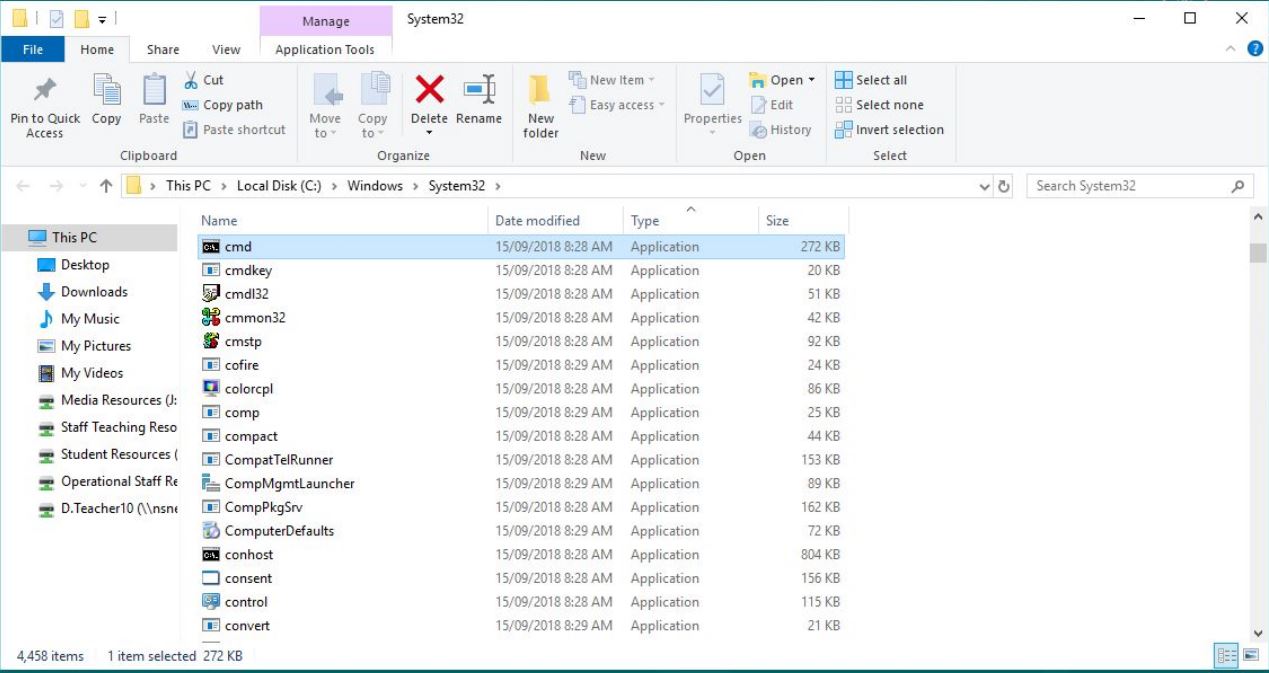
if i search CMD and and then open file location...... it opens c: drive for me. I also have hide c: gpo set
-
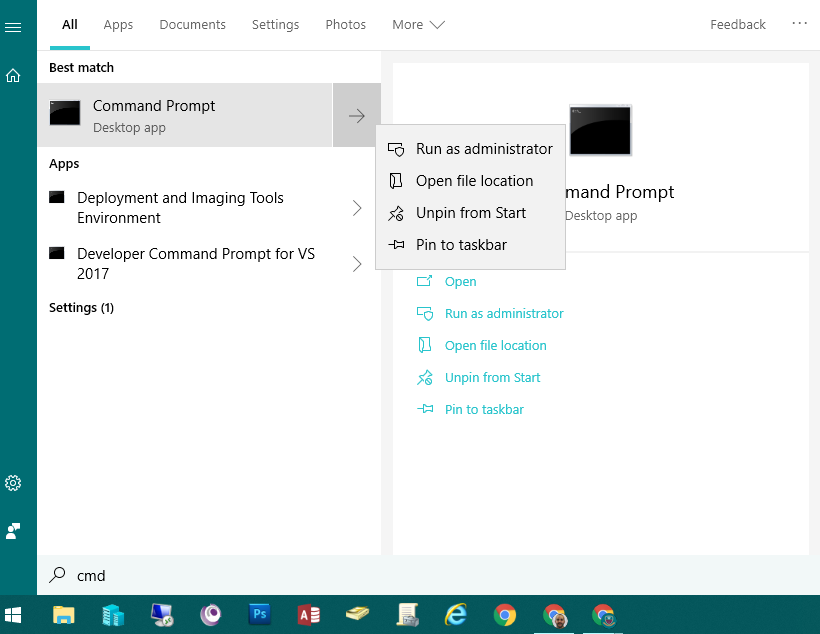
We have right click disabled on the start menu which works........ ish.... I've just discovered the if you search for an item (any item) you are able to open it's file location. This only happens if you search for an item, you're not able to right click on the item on the start menu to do the same thing, only searched items. See the screenshot below. Not sure why i'm able to "find" cmd as it's not on my start menu.....joys of windows 10! Also i guess this is a 1809 thing as it's the "new" start menu. Just wondering if anybody has had this issue and been able to sort it? cheers
-
Win10 LTSB odd clock format issue. Login 12hr taskbar 24hr
Jaan replied to Jaan's topic in Windows 10
Just got to the top of my lists again...... i'm still having this issue. Anybody been able to sort it? I can confirm i've pressed f5 so all the fields are green.
-
It's a fill your boots scenario here. Staff and students are forbidden access to the guest network and its in our AUP/policies. This is also on the terms of the voucher page that the user sees and "acknowledges" and on the polices sheets they get provided with their voucher. It has all the usual stuff blocked, adult content, gambling etc etc but allows guests to use protocols normally blocked on our internal network. So they can connect to their remote desktop session at there place of work for example. It's primarily provided as a means to get emails and casual web browsing. It has a bandwidth limit also that stops people streaming all day. We also use it if we have a conference on where we might have 80+ external users that absolutely "need" a non 4G internet connection. However we then change the mode of operation from "voucher" to "password of the day" so we don't need to print of 80+ vouchers!
-
Our Sophos xg allows us to generate "cards" that we issue to guest users. The cards only works for a time/data based period and then the user will need another one. The wifi is "open" and anybody can connect to it...... but they all get redirected to the "enter voucher" to continue. You can also limit the number devices each card can be assigned to.
-
Windows 8 & 10 File Explorer Ribbon Customizer (ADM Template)
Jaan replied to jacobjb's topic in Windows 10
Just something i've observed. I'm unable to create a "new folder" via the ribbon button, but right clicking and selecting new---folder works fine. Anybody else having this? on 1809 so it could be a "feature" -
This. We use Sophos XG to do this also. not HTTPS scanning also
-
Do you have a redirected start menu? if so, do you also have both the Ease of Access Center.lnk & a internet shortcut to https://www.google.co.uk? on the redirected start menu. if you don't, your tiles won't display. I found that if i used to tiles as shortcuts to my startmenu, they worked.
-
Did you find a solution to this? Just discovered this in our test environment and a search brought me here!
-
any good too you? http://www.edugeek.net/forums/windows-10/200984-finally-working-start-menu-xml.html
- 7 replies
-
- 1
-

-
- 1803
- start menu
- (and 1 more)
-
I've finally managed to get the start menu as i want, so i thought i'd make this post to help others. Also thanks to all that help me get it sorted. The main issue i had, was for the "tile" to appear correctly, the tile had to have the equivalent shortcut on my redirected start menu. eg, if i wanted a link to n:\ or "this PC". i had to also have that .lnk file on my redirected start menu. see below; Here is my .xml xmlns="http://schemas.microsoft.com/Start/2014/LayoutModification" xmlns:defaultlayout="http://schemas.microsoft.com/Start/2014/FullDefaultLayout" xmlns:start="http://schemas.microsoft.com/Start/2014/StartLayout" xmlns:taskbar="http://schemas.microsoft.com/Start/2014/TaskbarLayout" Version="1">
-
Custom Windows 10 Start Layout Not Showing 2 Tiles - Why?
Jaan replied to ronnoco's topic in Windows 10
Sorry to thread hijack, anybody managed to use "nested" tiles yet? https://community.spiceworks.com/topic/2129093-xml-example-for-nested-tiles-in-windows-10-start-menu -
Hi all, I've removed "Network" from every location in file explorer so that the users don't have an entry point to it. However i have found that if a user clicks on and shortcut to a folder in a network location, the are able to then click on "Network" and are presented will all the devices on the network. In windows 7 we used windows firewall to prevent this. However, we nolonger have this enabled and would like to disable network discovery via GPO if possible. I've had a look in our GPOs but can't find anything. Anybody had this before? cheers EDIT: Win10 LTSC 2019 (i know i know)
-
"User folder" on desk only when clicking up arrow i file explorer.
Jaan replied to Jaan's topic in Windows 10
All our redirectied folders work fine. It's just the "user's files" folder on the desktop. However..... I've managed to resolve this issue by following the steps on this site: How to: Remove the personal folder from the dekstop within Windows Server 2008 R2 « by "replacing" the following reg key:
-
Windows 8 & 10 File Explorer Ribbon Customizer (ADM Template)
Jaan replied to jacobjb's topic in Windows 10
Is there anyway of removing the "up arrow" in file explorer also? In reference to this issue i'm having: http://www.edugeek.net/forums/windows-10/197528-user-folder-desk-only-when-clicking-up-arrow-i-file-explorer.html