-
Posts
2,107 -
Joined
-
Last visited
Content Type
Forums
News
20th
EduGeek EDIT Conference
Blogs
Everything posted by Jaan
-
This is still on my "to do list" (on 1809 now) still an issue for me.
-

Editing registry help, trying to remove libraries from "Save as" and "open" boxes
Jaan replied to Jaan's topic in Windows 10
Just to report back..... i was unable to add "administrators" as it would only allow users not groups...... adding "authenticated users" to the key worked a treat! Thanks for your guidance! -
Editing registry help, trying to remove libraries from "Save as" and "open" boxes
Jaan replied to Jaan's topic in Windows 10
appreciate your response, sorry for the late reply. To whom or what do i need to grant access to for the key to be changed via GPO? I seem to be able to change reg key permission via gpo without the need for a script..... but again, i could be misinterpreting this. Thanks again!
-
Just to report back here. After spinning up a Server 2019 VM and adding the KMS key via ADBA, all my LTSC clients started activating!
- 29 replies
-
- 1
-

-
- active directory
- kms
- (and 2 more)
-
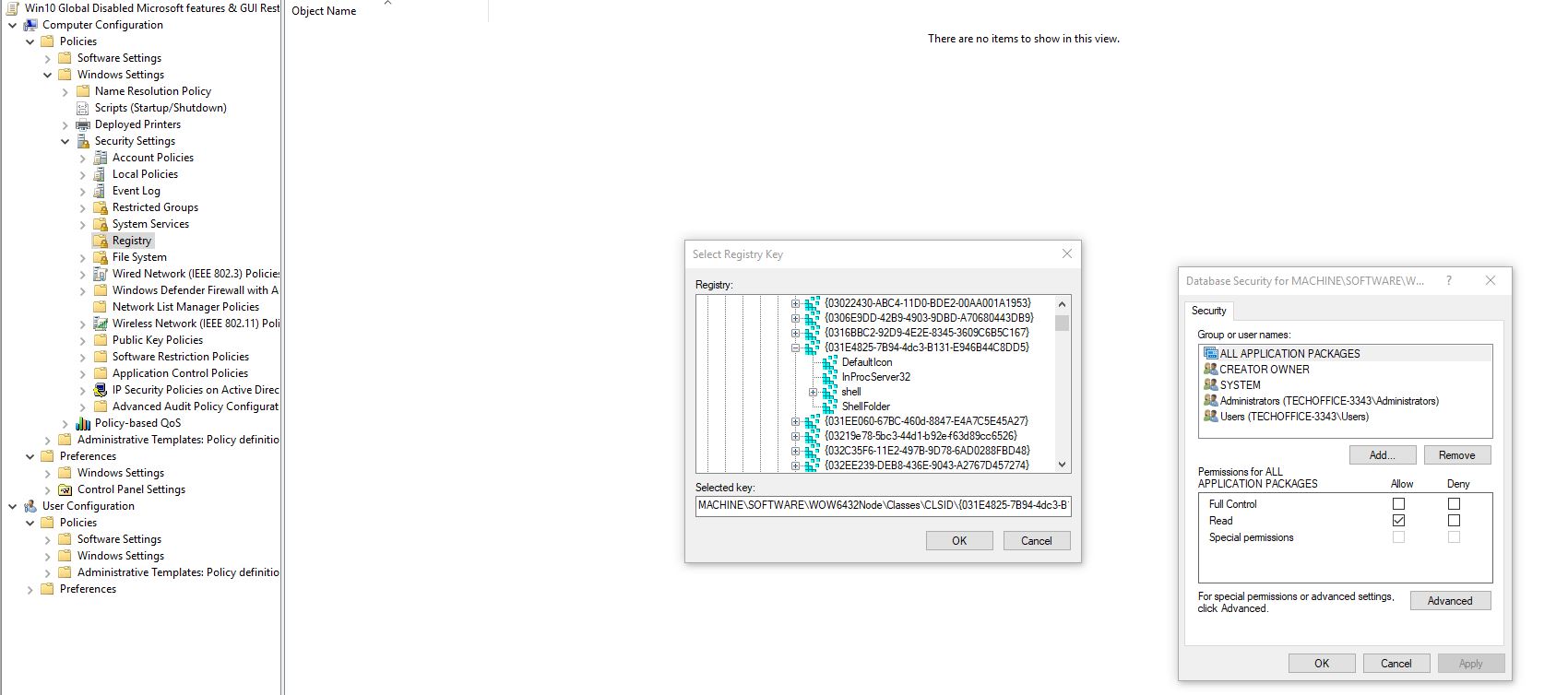
I'm trying to remove libraries from the save as and open dialog boxes. From what i understand, i need to do it for both 32bit apps on 64bit OS, and 64bit apps on 64bit OS. I've done the below edits, but can't seem to get it to work. Have i got them right? cheers I know there currently set to "disabled"
-
Before a spin up a 2019 vm with ADBA.... has anybody managed to activate 1809 with ADBA on server 2016? Just added the adksetup for 1809 https://docs.microsoft.com/en-us/windows-hardware/get-started/adk-install still no joy. Although i am on LTSC but that shouldn't matter i assume? cheers
-
I can't seem to find the .ini file on my installation. It's version 2 not 1.4 we have here.
-
Do i just drop the ini in the scratch root install folder? Do you have a link to where you found how to customise the ini please. thanks again.
-
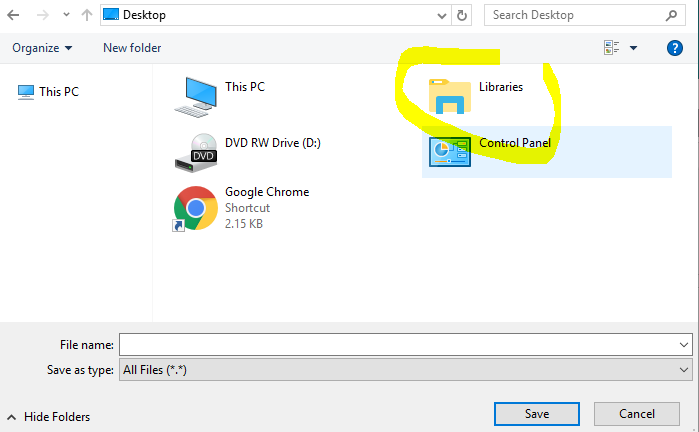
Hi all, Even though i have gpos in place that hide these locations from view, Scratch 2 seems to disregard them. If you perform "as save" and keep clicking the up arrow in the save as/Open dialogue file explorer, you'll finally get to the "Desktop" where it shows "Libraries", "User folder" and "network". I can only replicate this in scratch. Notepad etc is fine. Anybody resolved this issue with any registry modifications that you could send to me please? Thanks in advance.
-
I know this wont help, but we are in the same scenario as you. We currently have 2016 KMS activating our 7 machines and want to do ADBA for 10 LTSC. I currently have a 2016 kms VM doing the legacy stuff and have added ADBA to our Domain. The ADBA isn't working, exactly the same as your issue. I guess we have to sit on our hands again!
-
Any joy on this. I also can not get W10 LTSC to activate using ADBA cheers
-
This works for us, however it's causing confusion, as users seem to have to click the "add user" button and add another account, even though one exists called "you". Anybody having issues with this?
-
I have some logitech z-5 speakers (usb) they are very powerful for usb. I remember being amazing to find that they were USB powered when i spent 20mins trying to find the mains plug for them!
-
Here's my start menu GPO..... however like i say i'm LTSC so some are already removed. "remove common programs" might be the one you want
-
Ah right.... yeah i'm running LTSC.... so no apps for me! there's a few GPO the might help you.... remove consumer experience rings a bell.
-
It's the "user start menus" that is shared. Everyone can; read & execute List folders Read share is: \\domain\user start menus$\Win10\Teachers (for teachers) \\domain\user start menus$\Win10\Students (for students) The share name does actually have $ in....... the physical folder doesn't.
-
By redirecting the start menu. see post #3 You need to have a network share with the relevant shortcuts. a screenshot;
-
Anybody else having issues with GPOs not applying to Win10 all of a sudden?
Jaan replied to Jaan's topic in Windows 10
SORRY GUYS!!! i made a mistake....... My test OU should be the same as my production OU with regards to GPOs etc...... and it isn't! Moved the test re-released 1809 machine into the production OU fixes the issues....... Sorry! MODS.... please can you remove this thread so it doesn't cause any confusion due to my stupidness! And so that my mistake isn't viewable for all eternity for all to see where people can point and laugh at me! "AH HA!" -
Anybody else having issues with GPOs not applying to Win10 all of a sudden?
Jaan replied to Jaan's topic in Windows 10
UPDATE: We have a machine running 1809 (before it pulled) and it's working fine. And a "re-released" 1809 that isn't i'll be back....
-
This seemed to work fine last week. But today i noticed that a policy had not applied. RSOP confirm it wasn't getting to the machine...... gpresult /scope computer /v confirmed the machine was aware of it, but filtered it out for an "Unknown reason" ..... but it was working fine, i haven't done any updates? (although it worked on 1809 but this is the re release version of 1809 i'm having issues with) after alittle Google session found something that might explain it; https://community.spiceworks.com/topic/1762850-gpo-filtering-not-applied-unknown-reason Anybody else had this? Doing the above doesn't seem to solve the issue for me, so i've reverted my changes.... any advice would be greatly welcome. Down the rabbit hole i go.....again.... 2016 dcs win7 clients fine win10 clients have the above issue.
-
Shouldn't they just call it Windows X? or Super Windows X v1809.256.21452.2156 EX plus alpha arcade edition
-
I also have the gop enabled also.... However...... i do have a confession..... i didn't have the "restrict access to c:" enabled
-
Yeah, i started development here before it was pulled.
-
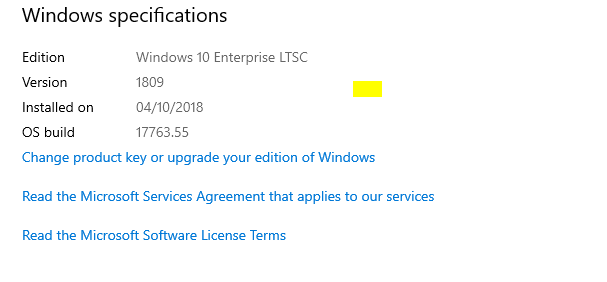
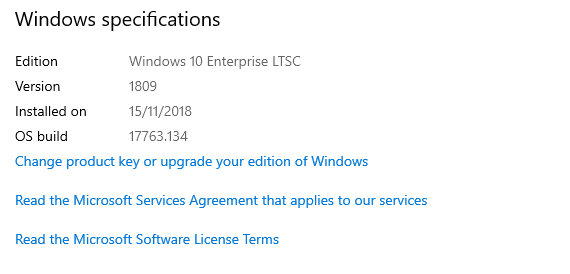
I'm running 1809 LTSC
-
"Redirected start menu" is also absent from the list on my machines when running rsop. But like you say..... works fine.