-
Posts
2,109 -
Joined
-
Last visited
Content Type
Forums
News
20th
EduGeek EDIT Conference
Blogs
Everything posted by Jaan
-
Thought the same thing
-
Same here
-
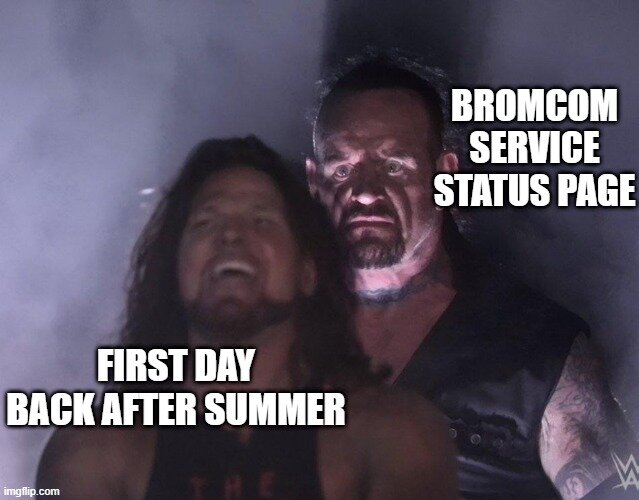
I know... i almost feel bad for posting the MEME above....... almost.... Well done Bromcom, fingers crossed.
-
Sooooon......

-
On the unifi stand?
-
My mother just moved house...... it came with a 65" samsung frame with a horrible "pink" bezel....... i was gonna wrap it black..... then also discovered it was detachable and magnetic...... the bezel is in the loft now lol
-
I visited the UniFi stand at BETT this year and noticed they had a distributor assisting them with queries. Unfortunately, I can't recall the name of the company. Does anyone happen to know who it was? Alternatively, for those currently using UniFi, which suppliers or installers do you recommend? We are looking to go through a certified partner rather than buying direct. Thanks in advance!
-

Gmail mobile apps will finally support delegated mailbox access
Jaan replied to jthompson's topic in Cloud Services
I know right! finally -
Windows Server 2025 DCs / Trust Relationship Issues for PCs
Jaan replied to SKELTON's topic in Windows Server 2025
I have just booked ourselves a ticket to do this update and wanted to check if this was still a issue..... my understanding was as long as any DCs were on the same server version you were good to go? I guess that isn't the case -
Hi everyone, Not sure if this is old news, but we recently ran into a massive disk space crisis across our client machines. Cumulative Updates started failing, and we were getting flooded with low disk space alerts. We have small 240GB SSDs on our machines, but we've never had a space issue until now because we use a "Delete user profiles older than X days" GPO. However, when I went down the rabbit hole to see what was eating up the drives, I found a massive weight.bin file tucked away inside the AppData folder of almost every single student profile. Because this is a shared environment, some PCs had up to 50 different student profiles on them—each with its own 4GB weight.bin file. That's 200GB of completely wasted space on a single machine! To make matters worse, the folder path where Google is burying this file is so long that it's hitting Windows character limits, which seems to be breaking our profile deletion GPOs and PDQ cleanup scripts. For reference, this seems to be related to Chrome's built-in Gemini/AI features ("Optimization Guide" or "Optimization Targets"). There are a few threads popping up about this "naughty" behavior online: YouTube: https://www.youtube.com/watch?v=n_uYSqdIVM0 Reddit: https://www.reddit.com/r/degoogle/comments/1t58qu2/why_is_google_chrome_downloading_a_4gb_ai_file_to/ Medium: https://medium.com/@sathishkraju/chrome-quietly-installed-a-4-gb-ai-model-on-your-computer-you-didnt-ask-you-can-t-keep-it-off-75ce6e305b17 Google Support: https://support.google.com/chrome/thread/431316465/why-does-google-chrome-install-4gb-ai-on-my-pc-without-asking?hl=en-GB My questions for the community: Has anyone else hit this issue in a shared/educational environment? Can I safely nuke these files via a script without breaking Chrome entirely? Most importantly, how do we block Chrome from downloading this model via GPO? (I've looked into disabling the "Optimization Guide" or Gemini features, but wanted to see if anyone has a verified, working registry fix or ADMX policy). Any advice or shared pain would be greatly appreciated! Here's a screenshot of the location in question.
-
Hi everyone, With Microsoft pushing hard on Windows Protected Print (WPP) to modernise the Windows print spooler architecture and mitigate legacy print vulnerabilities, I’m looking into what the migration path looks like for our environment. We currently rely heavily on PaperCut for our print management (Find-Me printing, tracking, and secure release). I know PaperCut published a comprehensive guide on WPP (https://www.papercut.com/discover/the-complete-guide-to-windows-protected-print-wpp/), but I wanted to check in here and see if anyone has actually started testing or deploying WPP alongside PaperCut in production or a staging lab yet? Specifically, I'm curious about a few things: Compatibility & Reliability: Have you run into any quirks with PaperCut tracking, hardware checking, or secure release when enforcing WPP on Windows 11? Find-Me Printing: How are you handling queue redirection/Find-Me workflows with WPP’s strict Driverless/IPP-only requirements? End-User Experience: Did your users notice any disruption during the transition? If you’ve already taken the plunge or are actively testing this setup, I’d love to hear your thoughts, lessons learned, or any gotchas we should watch out for. Cheers in advance!
-
Our approach to TeamViewer was quite similar; we simply toggled the application control in our firewall to allow external support for the finance team as needed, and then switched it off again once they were finished. They (the 3rd party) had to connect us via email for pre approval and we confirmed this with the staff member that needed support.
-
Secure boot certificates expire in june 2026
Jaan replied to TwistedHelixis's topic in How do you do....it?
I've just discovered MS V3 ADMX templates for 25h2 that has a "secureboot.admx" gpo https://www.microsoft.com/en-us/download/details.aspx?id=108542 -
I thought it was great also. Thinks there's another on to be released soon.
-
🖥️ FREE TO EDUCATION: 24x Stone Desktop Bundles (Bolton BL1)
Jaan replied to Jaan's topic in Classified Adverts
No longer available. cheers Jaan -
here's their status page https://status.bromcomcloud.com/
-
I can't seem to edit the poll now. as i've also missed out "Compass, NOT thinking of moving" i should of added "Other" please specify"
-
how? we're out of contract and we want to try another MIS based on our real world and publicly documented performance and stability issues with Bromcom.
-
Please feel free to add a comment with constructive feedback/criticisms if you wish. We attended BETT this year to discuss our ongoing issues with Bromcom and to evaluate Arbor as a potential alternative. While the Bromcom team was sympathetic and reassuring, our current situation is unsustainable. Consequently, we have decided to move forward with exploring other platforms.
-
i suspect we're going to have to move away in the future. Our SLT team isn't happy with performance and reliability.
-
Our gates are maglocked together when closed. and use electric actuators for opening and closing. We use a mixture of Paxton and Verkarda for authorised users access and/or ANPR.
-
Reminds me on a old Skittles advert... "taste the rainbow"
-
Hi everyone, as some of you know i tend to offer our old hardware to anybody that might be able to make use of them before I dispose of them as a last resort. we have approximately 24 Stone desktop setups available for immediate collection. We originally planned to convert these into ChromeOS Flex stations for our library, but we’ve since moved to Chromebooks and need the space back ASAP! These are being offered exclusively to educational establishments (schools, colleges, or academies). 📦 The Package Each bundle includes: PC: Stone Desktop (Specs below) Monitor: 23" iiyama Screen Stand: Stone Unistand (All-in-one style mounting) Extras: Limited keyboards and mice available ⚙️ Technical Specs These are solid machines currently running Windows 11, though please note the hardware is technically "unsupported" for W11. They perform brilliantly as ChromeOS machines or Linux boxes. CPU: Intel Core i5-6400 (4-Core @ 2.70GHz) RAM: 8GB Storage: 250GB SATA SSD Motherboard: H110M-A-DP ⚠️ Terms of Collection Eligibility: Educational establishments only (No individuals/resellers). Verification: Please send a PM here first. If we proceed, I will require a follow-up email from an official school/trust email address for our audit trail. Condition: Sold as-seen. All are currently working, but no warranty is implied or given. Location: Bolton (BL1). Urgency: Short-term storage only—if not collected soon, they will unfortunately have to go to WEEE waste. First come, first served. If you miss out on this batch, I should have another 24 units available in a few weeks! Cheers, (i might not respond straight away, as i'm currently removing them from our IT suite) Jaan
- 1 reply
-
- 1
-

-
This is driving me mad. i also remoted in out of hours with the client pcs off and we still getting it. only things on were Phones and Verkarda CCTV
-
Secure boot certificates expire in june 2026
Jaan replied to TwistedHelixis's topic in How do you do....it?
Hey everyone, I’ve been working on identifying machines in our environment that still need the Windows UEFI CA 2023 certificate update. I'm using a PowerShell scanner and a collection filter for PDQ Inventory that others might find useful, so i thought i's share just incase. I created a new scan profile in PDQ that runs the powershell script below on every heartbeat I’m using the script below to check for the certificate presence in the Active DB and verify Secure Boot status: # Checks if the Windows UEFI CA 2023 certificate is present in the Active DB try { $db = Get-SecureBootUEFI db $isUpdated = ([System.Text.Encoding]::ASCII.GetString($db.bytes) -match 'Windows UEFI CA 2023') $sbStatus = Confirm-SecureBootUEFI } catch { $isUpdated = "Error/Not Supported" $sbStatus = $false } [PSCustomObject]@{ UEFI_2023_Cert_Present = $isUpdated SecureBoot_Enabled = $sbStatus } Once the scan completes, to find the machines that need attention, create a dynamic PDQ collection group with this logic: Group: All Table: PowerShell (UEFI Certificate Check) ---- Or whatever you namesd your UEFI scan profile Column: UEFI_2023_Cert_Present Comparison: Is False I have about 140 machines (including a 3-node cluster using Cluster aware updating) flagging as missing the cert. I typically deploy Cumulative Updates via PDQ Deploy and avoid WuFB. My understanding was that MS was handling this via CUs, but even fully patched machines are flagging. Is there a specific "Out of Band" update I should be targeting instead of the standard CU? Does anyone have a proven workflow for applying the second and third stages of these revocations (the registry keys/manual policy applications) via PDQ? AI says the below in my setup, anybody else used this approach and does it ring true? i just assumed MS would fix this ia windows updates and i wouldn't have to do much! LOL Are the certs included in the Cumulative updates but just not enabled? AI: --- the reason your machines show as "missing" the cert despite having Cumulative Updates installed is that Microsoft did not automate the actual deployment of the DBX (revocation list) to the UEFI firmware. Installing the Windows Update only provides the capability to update the firmware; it doesn't actually pull the trigger. Microsoft did this to avoid "bricking" older machines with incompatible BIOS. How it works: To actually move a machine from "False" to "True" in your script, you generally have to perform these steps (after the CU is installed): Stage 1: Apply the standard Cumulative Update (which i've done). Stage 2 (The Manual Bit): You must apply specific registry keys to the machine. Once the keys are set and the machine is rebooted, the OS will attempt to write the new certificate to the UEFI variables. --- Any input at all would be great