titch
-
Posts
607 -
Joined
-
Last visited
Content Type
Forums
News
20th
EduGeek EDIT Conference
Blogs
Everything posted by titch
-
Did anyone ever figure out a reason for this? We seem to be having the same problem. Only certain users on certain machines. Problems persists even after a delprof!
-
Out of interest how easy was it to set up so that you can spin up in azure? Are there many real world prerequisites? What would you need to do internally to get everything to connect via azure should you lose your onsite gear.
-
Have used both in the past and both work very well. I'm not up to date with Cpoms at the moment so can't comment but features I would like to see in my concern which currently aren't available are -being able to whitelist an I.P for MFA -being able enable MFA for only certain users -ability to change timeout time(ideally for individuals bit know this is a bit of an ask) -ability to sync staff members and not just pupils from Sims. -ability to have some kind of right back to Sims -
-
I have been thinking about this as well but figured it makes sense for the line to come into a different building (in case main building goes down /powercut etc) i can't get my head round what I would need to do in terms or routing though if I was to physically carry out firewall over to a different building! Not sure if we can justify the cost of a second firewall "just in case" . Are you guys bringing your second lines into a different building?
-

Staff Well-being - Out of Hours email usage
titch replied to Arcolite's topic in Enterprise Software
Cheers all. Certainly not trying to jab a technology wedge in a people size whole. I just want a bit of stats that can be used to make people think before they email at night. Youre all right in that I certainly wouldnt want it turned off but regardless of if you dont need something actioning there and then it is still something that plays on your mind out of hours. Get quite a few moanie emails come in the evening for some reason which I dont think are approriate even if they dont need actioning then. I also agree that stats are pretty pointless when nothing to compare with but it is nice having a number. You can at least measure if it is going up or down? -
Staff Well-being - Out of Hours email usage
titch replied to Arcolite's topic in Enterprise Software
I agree with both of you above. This is why I want some hard facts so I can discuss with SMT with some actual facts. Cheers -
Staff Well-being - Out of Hours email usage
titch replied to Arcolite's topic in Enterprise Software
Sorry for resurrecting but going through the same thing here and wondering if there is a very basic way of seeing how many emails are roughly sent out of hours. Use office outlook online and wondering if there was a way of reporting on this through reports or power bi. Dont want to spend too long setting up rules though. Just some basic stats to back up a conversation. -
One thing that has really flipped on its head is whats classed as premuim in terms of the way the drink is served. Back in my day drinking from a can was a real sign of a devoted alcholic or at least someone that wanted a cheap drink. Now drinking from cans is the new "premuim". Not sure if its me having been brainwashed by the marketeers of my generation but beer always tastes better from a glass bottle?
-
Mailmerge not showing fields sims/word/windows 10 not sure of the culprit?
titch replied to titch's topic in MIS Systems
Eventually found problem. Needed to install ASP.net from within net framework. Needle in a haystack stuff -
Mailmerge not showing fields sims/word/windows 10 not sure of the culprit?
titch replied to titch's topic in Windows 10
Eventually found problem. Needed to install ASP.net from within net framework. Needle in a haystack stuff -
Mailmerge not showing fields sims/word/windows 10 not sure of the culprit?
titch replied to titch's topic in Windows 10
Currently 2016 -
Mailmerge not showing fields sims/word/windows 10 not sure of the culprit?
titch replied to titch's topic in MIS Systems
Cheers. Think you could be on to something but that didnt work. Any other brainwaves? -
Mailmerge not showing fields sims/word/windows 10 not sure of the culprit?
titch replied to titch's topic in MIS Systems
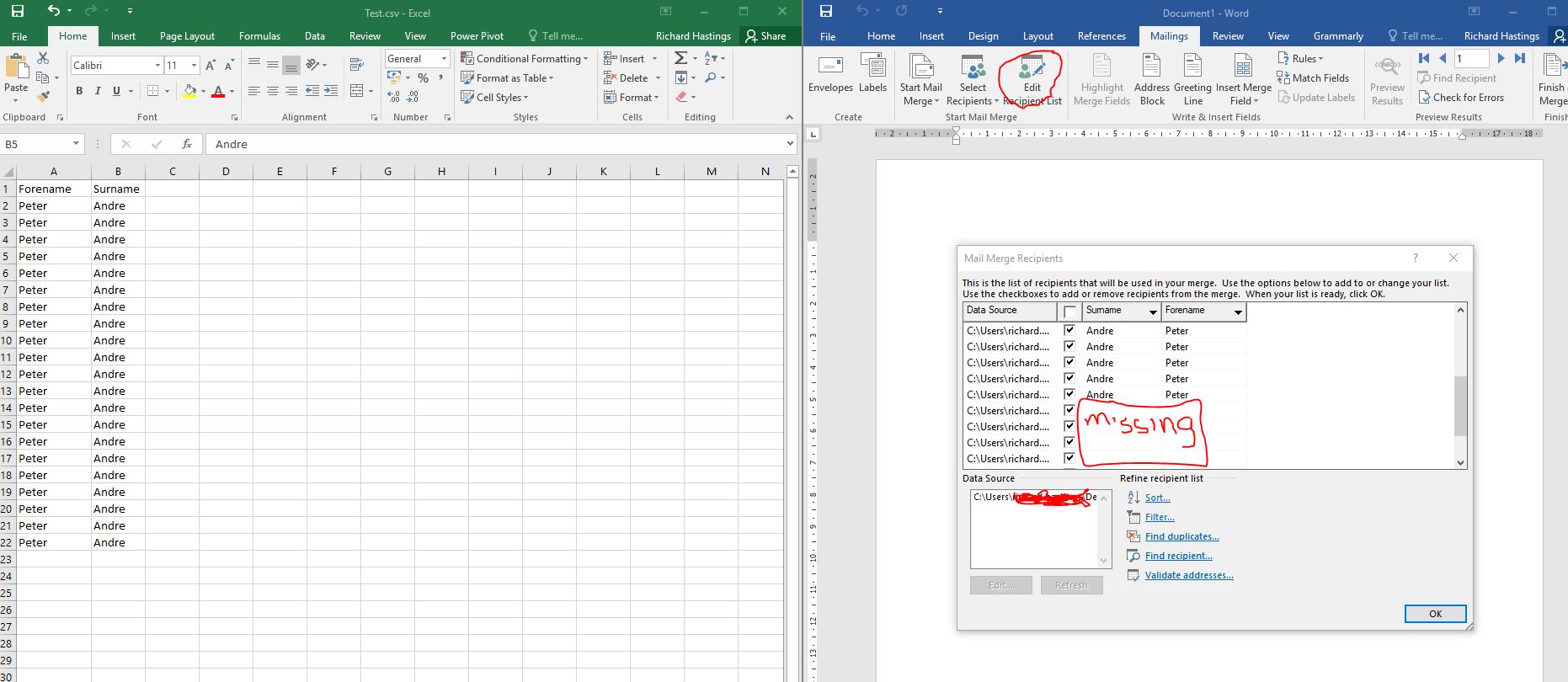
Sorry if that wasn't clear. After importing a list of names into a mailmerge only a few of the records show when you click the "edit recipient list" button. The document does merge correctly afterwards but you cant untick records becuase the are "invisible". I have filtered it down to the problem not being sims as I have recreated it just by doing a normal mailmerge. We have used this version of office before so the only thing left is windows 10? Unless office has updated. Have attached another screenshot. Picture on left is the csv, picture on the right is after I have clicked "edit recipent list" after importing the csv into word. No idea where to go with it! [ATTACH=CONFIG]50452[/ATTACH] *Mods anychance you could move to the office forum? -
Mailmerge not showing fields sims/word/windows 10 not sure of the culprit?
titch replied to titch's topic in Windows 10
Sorry if that wasn't clear. After importing a list of names into a mailmerge only a few of the records show when you click the "edit recipient list" button. The document does merge correctly afterwards but you cant untick records becuase the are "invisible". I have filtered it down to the problem not being sims as I have recreated it just by doing a normal mailmerge. We have used this version of office before so the only thing left is windows 10? Unless office has updated. Have attached another screenshot. Picture on left is the csv, picture on the right is after I have clicked "edit recipent list" after importing the csv into word. No idea where to go with it!
-
Mailmerge not showing fields sims/word/windows 10 not sure of the culprit?
titch replied to titch's topic in MIS Systems
Thanks Fordea. Have moved/renamed that file. All records are in it but still the same. I can sometimes hit refresh on the data source and a few different ones pop up. But still not working correctly. Also when you click "edit" under the data source box in mailmerge it shows all the records correctly. It just doesnt show in the tickable list! Real pain. -
Mailmerge not showing fields sims/word/windows 10 not sure of the culprit?
titch replied to titch's topic in MIS Systems
Its working in excel its when I export from sims as "word mailmerge. Its more like the records arent showing up as opposed to they they arent they. -
Mailmerge not showing fields sims/word/windows 10 not sure of the culprit?
titch replied to titch's topic in MIS Systems
Works if I save as an excel document and then use that as the merge source. What doesn't work is merging directly to a word mail merge file? Leaves fields blank randomly. Strangely it works on some pcs with some users then not others. Really random which is making it harder to figure out! -
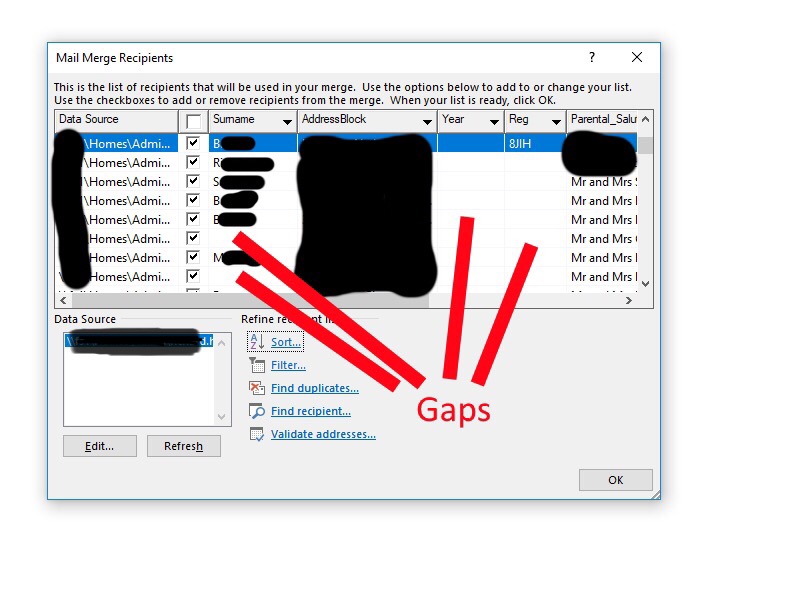
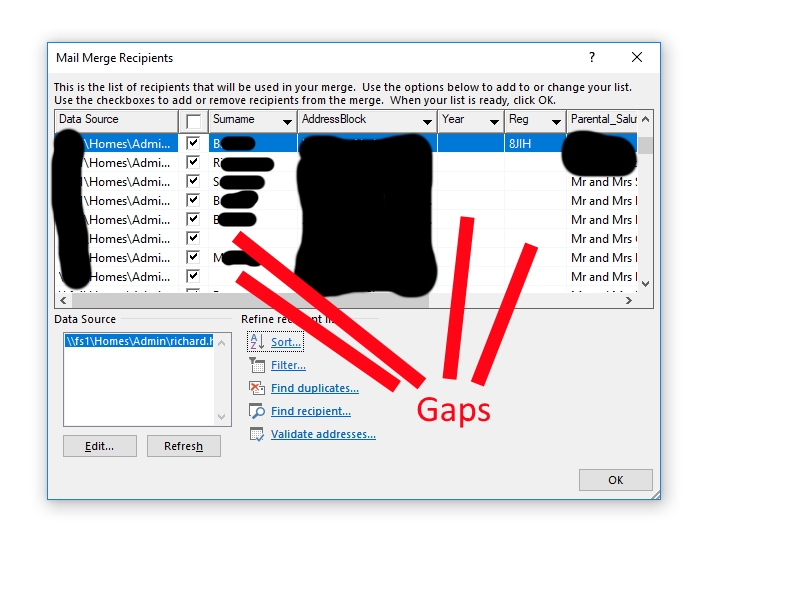
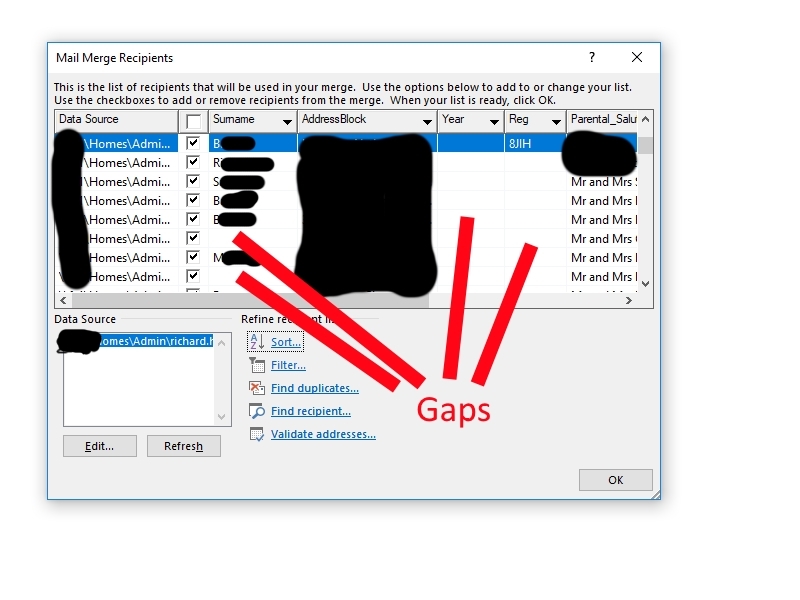
Not sure which forum to put this in as I don't know the culprit so apologies. Hopefully, I can merge the 2 threads I have made once I get an idea what's going on. Since updating to Windows 10 we have not been able to mail merge documents from a sims report. Once the report has been run and we go to select the recipients, lots of fields are left blank. The fields are definitely there and all works fine if mail merging in excel instead of word? Real head scratcher and is causing a massive overhead in the office.....so any advice is gratefully appreciated! Have attached screesnhot with personal bits blanked out.
-
Not sure which forum to put this in as I don't know the culprit so apologies. Hopefully, I can merge the 2 threads I have made once I get an idea what's going on. Since updating to Windows 10 we have not been able to mail merge documents from a sims report. Once the report has been run and we go to select the recipients, lots of fields are left blank. The fields are definitely there and all works fine if mail merging in excel instead of word? Real head scratcher and is causing a massive overhead in the office.....so any advice is gratefully appreciated! Have attached screesnhot with personal bits blanked out.
-
[sims] Urgent Capita SIMS Data Issue - Issued by childrens services
titch replied to vikpaw's topic in MIS Systems
Received this morning. Anybody have any information on it? Dear Headteacher and admin officer, This email has been sent to all HT and AOs in Hampshire including Academies Urgent issue causing data protection risks I’m sorry to have to let you know that Capita have announced a software issue affecting all customers nationally. It relates to data in the Schools Information Management System (SIMS). They have issued an apology for this mistake and provided assurance that it is being investigated with the highest priority. However, the impact is current and brings data breach risks so you need to be aware and take the necessary action. What is the issue? The problem concerns the corruption of a SIMS software matching routine for new pupils since a Capita SIMS upgrade in December 2017. The problem has only just been announced by Capita. The consequence of the corruption is that contact information for the incoming pupil for example, address, telephone number and email address, may have become associated with other pupil’s records, or the new pupil could themselves be linked to the wrong contact details. The problem could have impacted pre-admissions, pupils on roll and the records of school leavers. Who does this affect? This is a nationwide problem that potentially can affect all school types and phases, whether your SIMS database is centrally or locally hosted. Unfortunately, at this stage we cannot confirm which schools are affected or the scale of any problem. However, Hampshire IT are waiting for Capita to provide a means of identifying which records (if any) have been impacted. We hope to have that information by the middle of this week. How can I prevent more records being affected? A patch, supplied by Capita, to stop the issue affecting any more records has already been applied by Hampshire IT to all centrally hosted SIMS schools. All locally hosted schools have access to patch number 24068, via SOLUS and have been advised to apply this to their SIMS database as soon as possible. What action should I take now? Until we receive more clarity on a way forward from Capita, we cannot identify or fix any records that have already been corrupted. To avoid potential data breaches it is therefore vital that you do not send out communications the rely on the contact information in SIMS unless you have made appropriate additional checks to ensure all contact details are correct for each individual recipient. I hope that for many schools this as not a particularly problematic position as you will be using other sources of information and sending your communications through parent portals etc. Next Steps Hampshire IT is waiting for Capita to provide a routine in SIMS that will assist with identifying the records (if any) that have been corrupted. We are assured that they are working to deliver this as matter of urgency. When we have the solution, Hampshire IT will be contacting all schools to provide guidance and support to help you through this process. I am very sorry to have to alert you to this particular problem right at the end of term. I am even more sorry that I can’t offer you an immediate solution to the identification of any corrupted records. The moment we have a working solution from Capita we will be in touch. In the meantime I must emphasise that you should not trust the contact information in your SIMS database and you should not use it for communicating any sensitive information unless separately corroborated. Hampshire is taking this issue very seriously and we will do all we can to support schools through this incident. I do wish to emphasise that the problem has been entirely caused by Capita. And now, having potentially given you a very unwelcome end of term headache, I wish you a really good and hugely well-earned summer holiday. -
So this is a unanimous no then .....better cancel the invitations and take the beers back to shop. Cheers for the advice.
-
With the imminent sporting events coming up that happen to clash with sunny days, and having young family and not wanting to go to the pub I was wondering if anyone has had success with setting up a projector outside. Projector is fairly decent 4000lm and was thinking of putting it under a gazebo to block it from direct light. I can also set it up as rear projection. Would it helpful if I put the projector under a sheet and draped the sheet up to the screen so blocking out any light from the projecter to the back of screen.....or is my science wrong with that theory? Anyone done anything simliar with success?
-
Is there an easy way to get a list of users and what groups they are in in regards to permisions? Trying to find an easy way to do this but sure I am missing something. Cheers
-
Hi Our PTFA are taking on the year book this year. They will be collecting photos from students (who in turn will need to sign a consent form). I would like to come up with some kind of simple contract for the PTFA members to sign to say they will protect the students photos and remove the photos once they have been finished with etc. Anyone have any advice / or something similar? Cheers
-
A quick Bump for this