dapaulio
-
Posts
1,459 -
Joined
-
Last visited
Content Type
Forums
News
20th
EduGeek EDIT Conference
Blogs
Everything posted by dapaulio
-
@T3ch if you run a gpresult -r does the gpo that has ie settings in listed in the user's applied group policies. This is a less detailed check that the group policy is actually being applied. As suggested before for a more detailed check run the gp wizard on a dc specifying the affected pc and user
-
That's explains it. I recall is it 4x f keys do something like Enable all Enable Disable Disable all
-
Uac? Run gp wizard from a dc on that computer with the effected user. It will report all the group policies that have applied and the settings associated with those GP'S Compare them to the working machine and you should be able to see if group policy as a cause
-
I am assuming you are using ie 10 settings which are compatible for ie 11 however are only accessible from a 2012 dc. Also check as pyrom says however I thought it was f5 for enable. But could be wrong it has been a while Iv had to config a gpo check is you haven't set a wmi filter that is excluding your win 7 clients Check the gpo is link enabled and that the all settings drop down are enabled on the gpo details tab
-
try my solution on this thread http://www.edugeek.net/forums/windows-7/162105-windows-7-shutdown-gpo.html I have been using this for years and is very effective.
-
Out of curiosity try spoofing your mac address by right clicking on your network connection, configure, advanced, locally administered mac address and set to 123456789000 This advanced setting may be called something different depending on the vendor of your nic. Mine is a broad com wireless. My wired is marvell and is called physical address.
-
Isolation room cctv what do you use reccomendations
dapaulio replied to round2it's topic in How do you do....it?
+1 UBNT surveillance. great value for the price, scaleable and easy to setup. -
Xibo showing region place holder as black squares
dapaulio replied to dapaulio's topic in AV and Multimedia Related
Resolved: Turned out to be my background. I had originally a png background it has to be a jpg https://community.xibo.org.uk/t/xibo-client-regions-show-a-black-background-rather-than-transparent/4932 -
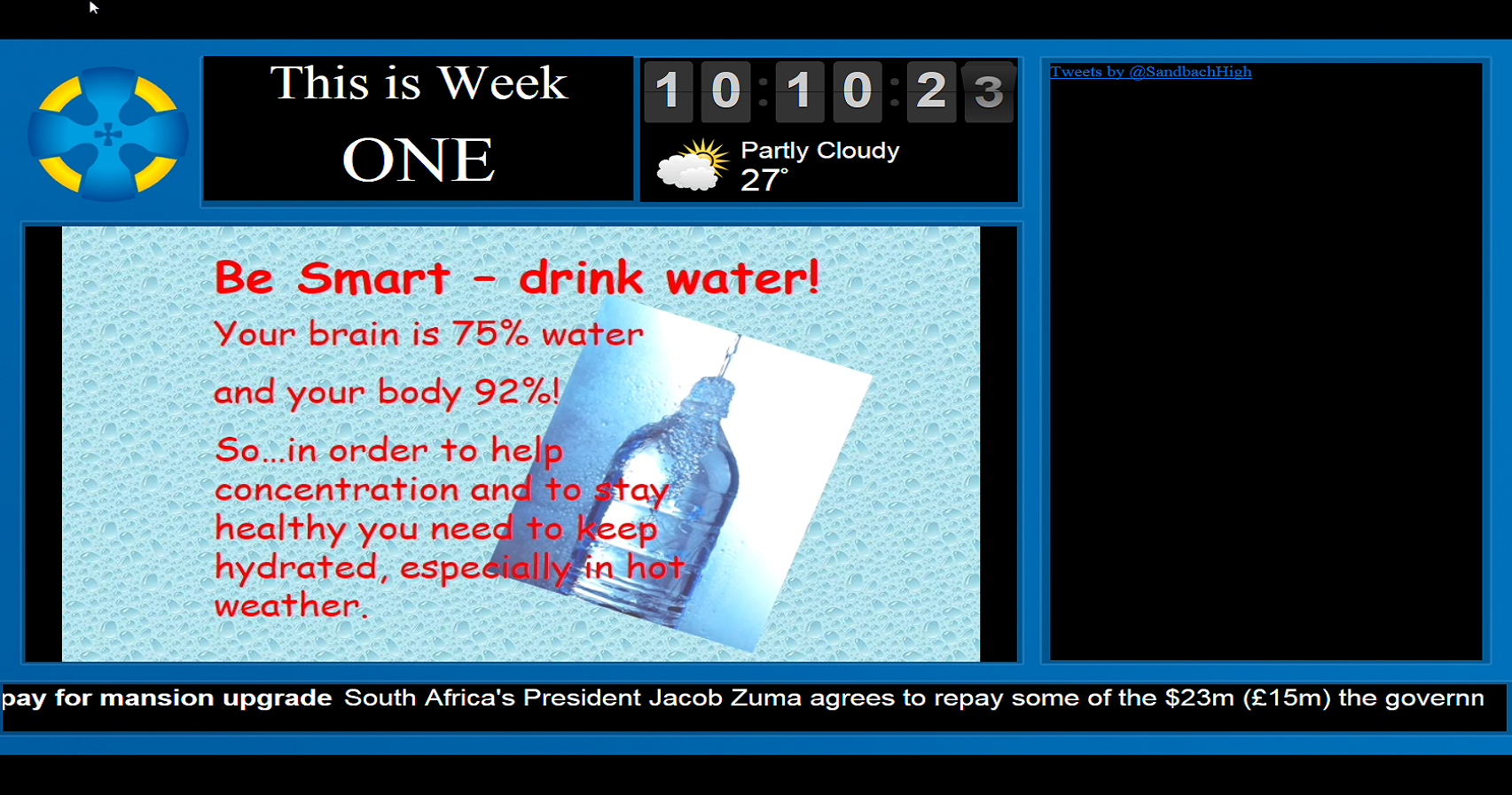
Hi I have a really annoying issue where my layout runs fine however the regions shows as a black square with the content configured overlayed. Xibo client 1.7.6 running on Windows 7. Xibo server runs on Ubuntu 14. in the layout preview in the admin backend the regions appear as transparent. Ignore the twitter not showing that is another glitch that shows in the lapout preview and not on the client player but suspect that is a proxy issue. Xibo admin preview layout view Windows Client Player View

-
Would be interesting to know the outcome. You got a really annoying problem there
-
can you confirm it is win 7 SP1? Try:wuauclt /resetauthorization /detectnow The error like alway WU updates error messages seem very ambigious.
-
Forgive the obvious wild stab in the dark. This one is a head scratcher. Suggestion - Have you tried disabling uac? Solus 3 also requires ports unblocking. I know you mentioned you disabled the firewall but try opening the specific ports for solus 3 as uac may be blocking it's communication regardless of the firewalls state.
-
Can I assume its just your macs having authentication issues
-
Dabs also has a Kingston and corsair confurator if you adamant you don't want crucial
-
If you are that unsure of what memory to buy I would advise using crucial configurator as they guarantee they supply the correct memory or your money back. If you need multiple quotes to compare some suppliers will have a crucial configurator on their website linking to prices on their site Eg dabs insight I think misco too. I would also recommend buying a kit. As likely just buying one stick will probably work with the existing module. You are guaranteed that they will both work on the provision you have put in the correct info.
-
Can you check the registry key on the symptomatic computer has all the server settings you expect it to be HKLM/SOFTWARE/Policies/Microsoft/Windows/WindowsUpdate– the values WUServer WUStatusServer
-
That was it, not shadow copy. my mistake. we stopped using both when we changed our network, and backup strategy
-
IIS is a stand alone web service that is installed through server roles/features and allows you to upload a website/intranet and allow people to connect to it. unlike the Xampp, wamp which are package web services includes PHP, SQL express and other modules, IIS doesnt and these modules would need to be installed separately as per the specification of the website design. the basics if you install IIS on a server and start the service then type http://servername you should see the IIS homepage (you may need to specify the server in your proxy exeptions if you have one). on the server you will notice c:\inetpub\wwwroot appear which is where you can upload your website then you will notice the IIS homepage will change to your own webpage. to go the next step you could design your self a very basic index.html page and upload it to c:\inetpub\wwwroot on the server. it gets a little more complicated when you come to publishing the website externally or specifying a https:// certificate which involves bindings but as a start that all there is to it. If you want to play with web services install XAMPP or wamp on you computer which creates c:\wamp\ and create and upload an index.html file and have a play with it. Just note IIS is just a web service not a package service like wamp
-
i am not that familiar with shadow copy and will stand corrected if i am wrong but i believe the symptoms you are experiencing are because shadow copy is enabled. The basics are the users are not actually accessing the same file but a version of it. to prove this theory create a share on a volume that is not shadow copied enabled and try opening the file from two different places. it was a while ago, we use to have shadow copy enabled then we disabled it for that reason on shared resources.
-
Can you ping all of your dc's Also check the dc's replication health using sysadmin /replsummary
-
Have you shadow copy enabled? (Previous versions)
-
i use it on my windows 10 machine regularly deployed through SOLUS 3 and for what i use it for i use it without any issues. There must some quirks still with it as capita do not support windows 10 yet. the problem you face is if you do have any problems with SIMS on a w10 machine they will just tell you they do not support it rather than help you
-
well fook me i never knew that. that is really bad. surely this will also happen with single sign on which reinforces using a separate sims login is better than authenticating with your windows user. @pete do you know what other modules within sims also does this?
-
you will need to export a list users in cmd prompt by doing a dir >> users.csv in the root of the folder you have stript permissions out of then tidy the csv up Column A - Username Column B - Password - Unused in this case Column C - Directory path to the user folder eg d:\homes\students\2010intake download rmtshare.exe (shares the folder) and xcacls.exe (sets NT permissions) on to your file server ###UserPermissions.cmd### for /f "eol=; Tokens=1,2,3,4,5,6,7,8 Delims=," %%a in (%1) do ( md %%c\%%a\mywork "C:\Utilities\rmtshare.exe" \\server\%%a$ = %%c\%%a /grant everyone:f "C:\Utilities\xcacls.exe" "%%c\%%a" /c /y /t /g "domain\%%a":f;f "domain\Domain Admins":f;f "Admins - RO Home Directories (students)":RO;RO "Admins - RW Home Directories (students)":RWED;RWED rem echo "%%a = Migration Complete" > \\server\%%a$\MigrationStatus.txt ) [/Code] you will need to tweek the script to suit your network if the shares are entact then you can ignore the rmtshare line as this effectively just shares the folder change the groups in xcacls.exe line to match your network and the permissions you want to give in elevated cmd prompt userpermissions.cmd users.csv
-
that didnt work when we tried it but give it a go you may be lucky. just check in the profilelist reg key that your default user is pointing to %systemdrive%\users\default as this key would also be required. if you have removed that also then a server rebuild is probably your best option. it will definately be quicker than trying to reconstruct the default profile (which i am not even sure is possible tbh) even if it is you may suffer from other issues further down the line. This advice wont help you now, but as long winded as it is housekeeping old users off RDS is better through the advanced system settings and deleting profiles there. although delprof works and is a great tool for windows clients, i have never trusted it on my RDS as i read (may have been on here) someone rds server had issues after running delprof on the server. something you should never do is delete the users from c:\user unless you have removed the profile first using the advanced system settings first and errors saying the folder is not empty. This happens only because there is an locked file inside preventing the removal of the root user folder Good luck