mdrabble
-
Posts
2,704 -
Joined
-
Last visited
Content Type
Forums
News
20th
EduGeek EDIT Conference
Blogs
Everything posted by mdrabble
-
I changed the IP address and VLAN'd the phone system since the first test installation, plus the external IP kept resolving to my gateway address and not my 3CX external IP for some reason which I think I entered when I first set it up. As this was only a test install, I am currently spinning up a new VM and will setup using the correct IP range/VLAN from the start and also the correct external IP address. I've found 3CX guides for most firewall platforms, so I've taken the port settings and will adapt to my smoothwall box - so fingers crossed.
-
I had to put some firewall rules and proxy exceptions in to get eLicenser working correctly. I had to add the following to my smoothwall authentication exceptions and IE proxy exceptions *elasticbeanstalk.com;*elicenser.net;52.51.178.116;52.213.170.126;212.79.59.34
-
Can someone who is using 3CX and smoothwall mind sharing their firewall rules please - I can get wired handsets working fine, but the mobile soft app dials and receives calls but no I cannot get any audio working Cheers
-
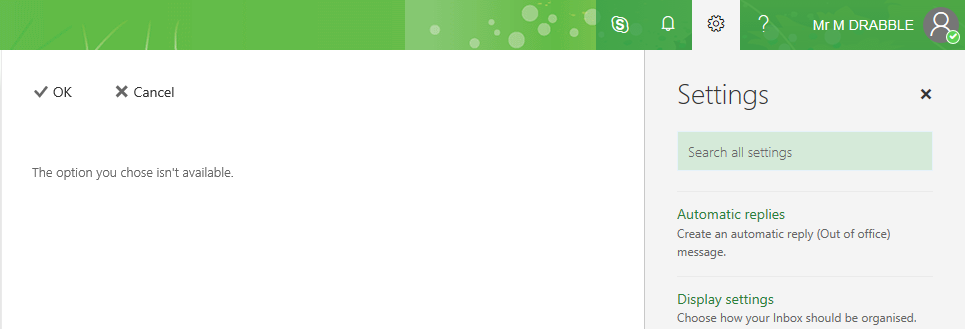
Just found this https://support.microsoft.com/en-gb/help/3145373/the-option-you-chose-isn-t-available-error-when-a-user-tries-to-set-up Now sorted
-
For some reason users are unable to set out of office via the web interface due a restriction in place. I haven't locked anything down, other than who can create Office 365 groups and then all staff are allowed to do this.

-
Ok, I've looked, I've googled and I've failed! How and where do I allow users to set their own Out of Office? I can set it for users manually but it a bit of a pain especially if I have to keep doing. Cheers
-
+1 for that idea as well :-)
-
Ditto for wanting to cut down login times. Mine are anything from 40sec to 2 mins depending when you pc is turned on!
-

[sims] SIMS Options not working under Windows 10
mdrabble replied to kennysarmy's topic in MIS Systems
Need to install the Borland engine - run the NovaSat installer which extracts the file you need. -
Has anyone used or heard of M247?
mdrabble replied to Blue_Cookeh's topic in Internet Related/Filtering/Firewall
Currently use M247 for 100mb leased line. Was in places before I arrived and had no issues. Contract was up for renewal last year and since I hadn’t had any issues and and I could make cost reduction I renewed contract for a further 3 years. Did have the option to upgrade to 1gb but when I looked on the usage graphs I decided to stick at 100mb and save some money. Support is good - think in the last 4 years I’ve only raised 4 support calls and they were about dashboard access or account questions. -
Ok Fellow Edugeekers need to ask a couple of questions. Anyone using Unifi EdgeSwitch Lites and Meraki Access points and do you have LLDP configured on your switches? If yes, does your Meraki Dashboard show the LLDP information? Reason why I ask is that I have LLDP configured - switches show LLDP info for Meraki Access Points but the Meraki Dashboard not showing Switch LLDP info. Have raised a ticket with meraki and just wondered if anyone else come across this before.
-
Exchange -> Office 365 -> username issue
mdrabble replied to mdrabble's topic in Enterprise Software
yep tried all that and I get access denied due to being sync'd to premise -
Exchange -> Office 365 -> username issue
mdrabble replied to mdrabble's topic in Enterprise Software
All AD and Mailbox settings were set to the correct username JBloggs with Careers1 set as an mailbox alias I've been through the AD Attribute editor and can see no mention of Careers1 -
Couple of years ago, we had a user called careers1 which was later renamed to a proper username eg. JBloggs They logged on to the network using JBloggs and their on premise exchange mailbox was set to [email protected] Just migrated the user to Office 365 and it have set the Office365 account name to [email protected] and I can see no way of changing this!!! Anyone any clues how I can change the office 365 name back to jbloggs? Cheers
-
Currently using Version 8.2x and recent noticed that when viewing machines, or giving a demo to a group of machines the screen on the viewed machines or machine receiving the demo start lagging in terms of monitor display and mouse/keyboard. Anyone come across this before - and does this happen of other products such as Impero/Netsupport etc. Cheers
-
I'm trying to push one drive as an alternative to USB devices (staff hate change!!) - presently I'm using the OneDriveMapper script to map One Drive for LTSB clients - looking at 1709 a the moment so I can take advantage of OneDrive Files on demand
-
I found these somewhere (cannot remember where) and amended to suit. I use the following scripts to randomly set a password on the user for the guest wifi Part 1 - Scheduled at 4pm each day to set a randomly generated password and email details to relevant people such as main office. GuestWifi.ps1 write-host "Importing CreatePassword.ps1" . ".\CreatePassword.ps1" $newPassWord = Create-RandomPassword Set-ADAccountPassword -Identity "CN=Visitor,OU=SOME OU NAME,DC=DOMAIN" -reset -NewPassword (ConvertTo-SecureString -AsPlainText $newPassword -Force) [string]$body = @() $date = (Get-Date).AddDays(1).ToString('dddd d MMMM yyyy') #change this line $smtp = "SMTP_SERVER_DETAILS_HERE" #change thi lin [string[]]$to = "[email protected]","[email protected]" #change this line $from = "NAME " $subject = "Daily Password change for Guest Wifi Account" $body ="" $body += "These details may be printed out and handed to Visitors who may wish to use our Guest Wifi. " #### $body += "Anyone who wishes to use the Guest Wifi will need the following details: " $body += "Joining the Guest_Wifi " $body += "1. On your device, select the Guest_Wifi " $body += "2. When prompted for a username and password, use the following details " $body += "Username: Visitor " $body += "Password: $newPassword " #change this line $body += "3. Accept/Trust the Authentication Certificate from RADIUS SERVER NAME " $body += "4. Read and follow the details on the Guest Wifi Page. " $body += "Once all the necessary certificates are installed you will be able to use the internet (subject to our Acceptable Usage Policy " $body += "These details will become invalid at 4pm on $date " $body += "If you have any questions or concerns, please speark to a member of the IT Support team. " $body += "Many thanks " $body += "IT Support" send-MailMessage -SmtpServer $smtp -To $to -From $from -Subject $subject -Body $body -BodyAsHtml -Priority high ########### End of Script################ Part 2 - Script to called to generate password CreatePassword.ps1 function Create-RandomPassword ( [int] $minLength = 8, [int] $maxLength = 8, [bool] $useSymbols = $false, [bool] $asSecureString = $false ) { [system.Security.Cryptography.RNGCryptoServiceProvider] $random = new-object System.Security.Cryptography.RNGCryptoServiceProvider # Get an array of all characters that can be used in the password [string] $choice = Get-CharacterChoice -useSymbols $useSymbols $randomPassword = $null if (($minLength -le $maxLength) -and ($minLength -ge 6)) { # Allocate a byte array of dimension 1 $randomNumber = new-object byte[] 1 if ($minLength -eq $maxLength) { [int] $length = $minLength } else { # Calculate a random length between minLength and maxLength $random.GetBytes($randomNumber) [int] $length = $minLength + $randomNumber[0] % ($maxLength - $minLength + 1) } # Allocate a byte array of dimension $length $randomSequence = new-object byte[] $length $hasUCase = $hasLCase = $hasNum = $false while(!$hasUCase -or !$hasLCase -or !$hasNum) { # Generate random sequence of bytes $random.GetBytes($randomSequence) # Ensure that there is at least one number, uppercase # character and lowercase character in the sequence. $hasUCase = $hasLCase = $hasNum = $false foreach($b in $randomSequence) { [char]$char = $choice[$b % $choice.Length] if ($char -ge 'A' -and $char -le 'Z') { $hasUCase = $true } if ($char -ge 'a' -and $char -le 'z') { $hasLCase = $true } if ($char -ge '0' -and $char -le '9') { $hasNum = $true } } } if ($asSecureString) { $randomPassword = new-object System.Security.SecureString } else { [string] $randomPassword = '' } # Assign the password from the sequence of random bytes foreach($b in $randomSequence) { [char]$char = $choice[$b % $choice.Length] if ($asSecureString) { $randomPassword.AppendChar($char) } else { $randomPassword += $char } } } return $randomPassword } # Outputs an array of all the characters that the generated password # can be made up of. function Get-CharacterChoice ( [bool] $useSymbols = $true ) { if ($useSymbols) { [string] $choice = '!"#$%&''()*+,-./' } else { [string] $choice = '' } $choice += '23456789' if ($useSymbols) { $choice += ':;<=>?@' } $choice += 'ABCDEFGHJKMNPQRSTUVWXYZ' if ($useSymbols) { $choice += '[\]^_`' } $choice += 'abcdefghjkmnpqrstuvwxyz' if ($useSymbols) { $choice += '{|}~' } return $choice }
-
I have this script for check on-premise mailbox sizes Add-PSSnapin Microsoft.Exchange.Management.PowerShell.SnapIn $DateStamp = get-date -uformat "%d-%m-%Y" $filename = 'D:\' + $DateStamp + '_MailBox_Sizes.txt' #change exch-01 to your server name Get-MailboxStatistics -Server exch-01 | where {$_.ObjectClass –eq “Mailbox”} | Sort-Object TotalItemSize –Descending | ft @{label=”User”;expression={$_.DisplayName}},@{label=”Total Size (MB)”;expression={$_.TotalItemSize.Value.ToMB()}},@{label=”Items”;expression={$_.ItemCount}},@{label=”Storage Limit”;expression={$_.StorageLimitStatus}} -auto >>$filename
-
Identifying badly used computers
mdrabble replied to itguy77's topic in Network and Classroom Management
Not brill, but this powershell script does show the last logon times for computers I run this from one of my Domain Controllers. Get-ADComputer -Filter * -Properties * | Sort LastLogonDate | FT Name, LastLogonDate -Autosize | Out-File C:\ComputerLastLogonDate.txt -
Visitor Management systems
mdrabble replied to mdrabble's topic in Data Protection & Information Handling
I thought that may have been the case - always better to check. Having said that, some of the systems would be better than a paper based system -
I'm gutted I missed this yesterday!
-
Had a wander around Bett yesterday and stopped to look at a couple of Visitor Management systems and as we currently use a paper based system at present and whilst talking to the reps they both independently mentioned how this helps with GDPR. Unfortunately I cannot which companies they were - but I do know it wasn't InVentry. I wasn't aware paper based signing in systems were not GDPR complaint can someone clarify if this is correct. Cheers
-
I have edupost-it notes :-) just need a new notepad.....
-
@genesis posted script in the same thread you opened here - http://www.edugeek.net/forums/enterprise-software/192248-how-find-mailbox-sizes-users-exchange-2007-through-scripts.html
-
Script for per database Get-MailboxStatistics -database "DATABASE NAME" | Sort-Object TotalItemSize -Descending | ft DisplayName,@{label=”TotalItemSize(MB)”;expression={$_.TotalItemSize.Value.ToMB()}},ItemCount -auto