-
Posts
1,359 -
Joined
Content Type
Forums
News
20th
EduGeek EDIT Conference
Blogs
Everything posted by mb2k01
-
I've had issues with these USB devices before. I'll never be buying them again! We don't use Avantis, but I do remember having issues early on with the drives being fairly insistent on the fact it wanted the drives to be D and/or E. If those drive letters were already taken up (by card readers in my case) then I had a problem and had to reallocate letters etc. Could your problem be along those lines? The other problems I've had with this particular brand is that you constantly get "thrown out" of the device. You can be copying a reasonably small file (Lets say a 20MB .ppt for example) and it kicks you out mid copy resulting in a corrupt file being left on the drive.
-
Is this on the same server you were having IIS issues with yesterday? Were the IIS issues exchange related too?
-
Have you checked the Event Logs? I've found it quite useful and accurate for IIS issues
-
We sound like we have very similar configurations! I'll be back in the office in about an hour so I might knock up a couple of new OU's and GP's... Of course, if you're keen and already doing it I might hold off until I know if it's worked for you!
-
I promise I'm not trying to be clever / sarcastic, but have you tried rebooting (or at least restarting IIS specific and dependent services?) Has there definately not been any new software / patches installed on the server?
-
To tidy up / narrow down from some of the above comments, the network I'm experiencing it on is non-RM (completely vanilla). 2003 domain, majority of clients XP SP3. Folder redirection for all areas. IE branding including proxy settings controlled by GPO. The reason I mentioned both of those was actually about a month of reading similar posts on here and narrowing down to situation I had the same. It's not a huge problem for us, but I have witnessed logon times go up at least 50-100% which although I'm not getting complaints just makes me uncomfortable! I'm offsite today, but will try and change some things around during next week. (If you beat me to it let me know how it goes?)
-
Do you do folder redirection and/or GPO Internet Explorer branding? (Btw, I'm asking because I have the same problem and am trying to narrow it down as well!)
-
Merge, and write off the P2 machine or donate to a genuine thirld world charity
-

If "Monday" open "Monday.htm", if "Tuesday" open "Tuesday.html"
mb2k01 replied to mb2k01's topic in Web Development
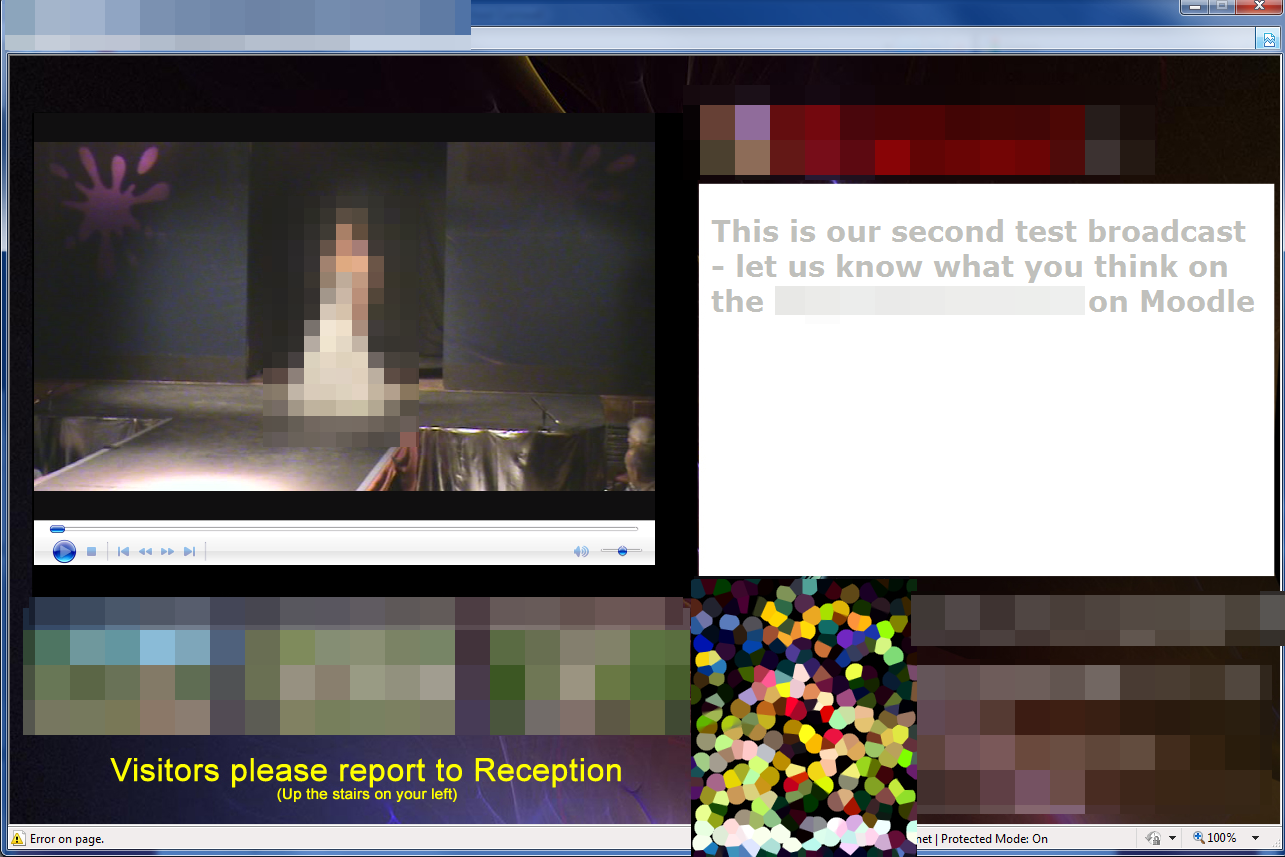
I did - infact I have residual error messages clogging up my win7 machine where I installed it as a test lol. It looked promising but wasn't as customisable as I wanted, so as I'd half produced my own I continued with that. Although it's blurred for anonymity the screenshot gives the idea! Large video section, scrolling daily messages and two advert areas. (Once it's finished 100% i'll make up a generic template and possibly make available if I can confirm all codes are free to distribute etc)
-
If "Monday" open "Monday.htm", if "Tuesday" open "Tuesday.html"
mb2k01 replied to mb2k01's topic in Web Development
That is actually probably a better idea for the digital signage screens - I'll give that a go (Webmans example will still be useful as I plan to "network" our digital signage and have available on Moodle) -
If "Monday" open "Monday.htm", if "Tuesday" open "Tuesday.html"
mb2k01 replied to mb2k01's topic in Web Development
Wow that was a quick response - thank you all! Webman I'll give yours a go but it certainly looks like it will do the job - thanks! (For those keeping an eye on recent posts this is for my in-house digital signage solution - one day soon I'll upload some screenshots!) -
Hi All, I hope the strange title grabbed your attention - I wasn't very sure how to ask the question! Basically, I want to be able to boot up a computer and have it autostart a html page in kiosk mode (and I've managed to get that far!), but then for the html page to have some code in it which polls the computers date and redirects to a date-specific webpage. E.G. - Computer turns on and autostarts index.htm in kiosk mode (I can already do this) - index.htm has code which polls the computers date - the poll result then allows an automatic redirection from index.htm to monday.htm or tuesday.htm etc Do any of you ultra clever coders know a way of achieving this? Many thanks,
-
We were talking about preventing mail being sent to a distribution list, not of emailing individual staff. If a user is prevented from being able to send to a distribution list it doesn't mean they are then prevented from emailing the members of that list individually. The max recipients mention only limits the amount of people a user is able to send to (to stop them selecting 30 users at a time etc)
-
I would heavily recommend testing any handheld radio system in your school before going ahead with purchase. The radios which don't require an additional license are PMR466 radios. They often state decent reception / coverage but this is all dependent on materials in your local enviroment. A decent radio supplier should be willing to loan you a couple of PMR466 handsets to do some site testing. If you find that the PMR466 radios don't work as well as they should (not receive anything, or receive broken static audo) then you might have to consider a business license and a central repeater. The repeater is basically a box connected to an aerial that repeats the signal - they are quite pricey, but sometimes the only way forward. If you do go down the cheap PMR route I'd recommend staying away from the ultra-cheap Motorola units - I've used a lot of the low-end range and their battery life + reliability have been poor.
-
In Exchange 2003 you'd go to the AD interface, find a user, go to the Exchange General tab and click Delivery Restrictions and input the desired number - not sure if that's the same for 2007 though without booting up my vmware server!
-
It's good to have a mix of both really. If a distribution list only contains pupils then pupil-pupil messaging can be dealt with like this, but if it is pupils messaging a staff / governor / external list then it is more of an administrative safeguard.
-
That is a bit overkill for the problem you've described. The solution above using message restrictions / accept message "only from" is quicker, easier and probably more effective. You could easily set a per user max recipients rule up in Exchange / AD using the delivery options button in the Exchange General tab of a users properties (you could do that by batch by using ADModify)
-
+1 to Jamo. We use a lot of Konica Minolta printers here and have similar problems. Some of the newer printers don't have PCL5 drivers available which causes a lot more problems. We've also found for some modules (Exams and Attendance off the top of my head) that we've had to install the printers locally instead of networked. Very annoying!
-
We're off next week. Cornwall nearly always has different holidays compared to you lot up north!
-
As above really. I moved from an RM Connect 2.4 network to a CSE Network using their old CAL4 system, and used WebSpace Explorer too. They were decent guys to work with. Steve Hawkins is still there but I don't think he works in sales anymore (I could be wrong though). Their support was good as well. I hear that their products have moved on a lot since my CAL4 days. If you want a managed network enviroment that isn't RM and isn't too expensive compared to a vanilla system I'd still recommend them. (Although personally I'd say do it yourselves and go vanilla!)
-
CSE Education Systems? I've never used them for cabling or AV, but I did use a CSE Network once upon a time. They are nice people to deal with. If you're looking at fibre I'd be tempted to look at a data specialist company rather than a "total solutions provider" (I hate that phrase!) point of view, but that's just me
-
Sorry for the slow reply. The NTLM link will allow you set up intergrated sign in (using their Windows Accounts without them having to type a new login etc). You'll need to consider how they access outside of school - so possibly LDAP as well as NTLM or maybe email authentication (depends on your requirements)
-
By "Authenticate logged on users" what exactly do you mean? Are you asking how existing network users can log on using their AD credentials, or do you want users to be able to go to Moodle and be automatically logged in with their account details?
-
This discussion started here today too http://www.edugeek.net/forums/general-chat/43097-mobiles-classroom.html As I said on there, we allow mobile phones to be brought in to school provided that the rules surrounding their use are adhered to.
-
Reading this thread has made me remember a crazy idea that almost came off a few years ago - might be worth considering if you like your IT job but the venue is getting you down a bit... While I was holidaying in Lanzarote a few years back I also arranged to visit a school out there (it was a personal holiday but one of the sweetners of taking it term-time was that I did a favour for some global link project!). To cut a long story short, the person in charge of IT desperately wanted to come to England and asked if I thought my employer would be interested in the idea of a fixed-term swap, with him taking on my position in England and me taking his in Lanzarote! It progressed reasonably well until his wife got cold feet about a move so far away, but it was something that could have worked well for all concerned at the time. I'd definately consider it again in the right circumstances. Might be worth exploring something similar if you have contacts elsewhere?