mikkydoos
-
Posts
2,616 -
Joined
-
Last visited
Content Type
Forums
News
20th
EduGeek EDIT Conference
Blogs
Everything posted by mikkydoos
-
https://www.java.com/en/download/release_notice.jsp
-

Windows 10 answer files.. Put me out of my misery
mikkydoos replied to mikkydoos's topic in Windows 10
Right this is really stumping me.. According to MS this should be the correct config for BIOS disk partitioning for Windows 10 and Server 2016: ------------------------------------------------------------------------------------------ false 1 500 Primary true 2 Primary true NTFS System Reserved 1 1 NTFS Windows C 2 2 false 0 true OnError ------------------------------------------------------------------------------------------ But I can only get this to not prompt the disk config screen--> not specifying the system reserved partition. ------------------------------------------------------------------------------------------ true 1 Primary true NTFS Local Disk C 1 1 0 true ------------------------------------------------------------------------------------- Wtf ?? -
Video editing software recommendation needed
mikkydoos replied to mrssevage's topic in AV and Multimedia Related
I get good results with Vegas Pro. Adobe Premier is great too. -
Windows 10 answer files.. Put me out of my misery
mikkydoos replied to mikkydoos's topic in Windows 10
Thanks for posting that @Duke5A. Yes, I have one .xml that takes care of the pre-install config then another for post install. I notice in your disk configuration, you don't specify the 'system' partition whereas my WSIM does. 1 500 Primary I'll try your config without. EDIT: Hhhhmm. Your config with the system partiton works, although it doesn't create the system partition that would be during a manual install. I dont know if that would be a problem when it came to later. How odd !?!?!? -
Windows 10 answer files.. Put me out of my misery
mikkydoos replied to mikkydoos's topic in Windows 10
Update: Replacing spaces with %20 seems to have got the image picking up the answer file. How infuriating!!!! My last issue is that upon deployment its still showing the disk configuration screen. I've been over and over the .xml and I'm 100% it's correct. Does it matter that I'm installing on a VM ?? Can't see why. -
Windows 10 answer files.. Put me out of my misery
mikkydoos replied to mikkydoos's topic in Windows 10
Cheers for checking the validation @HobGoblin. I'll check that. I have a feeling I read something along those lines. -
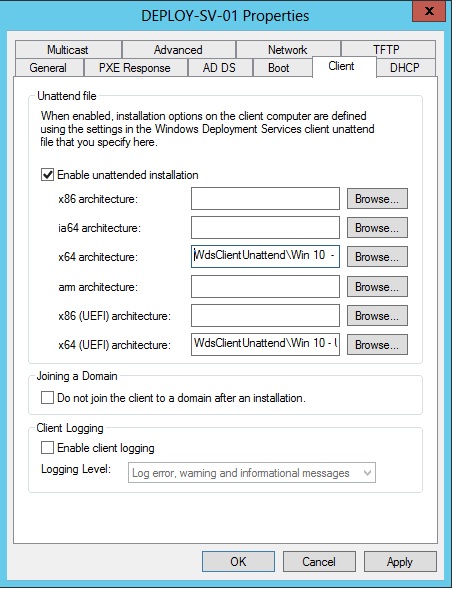
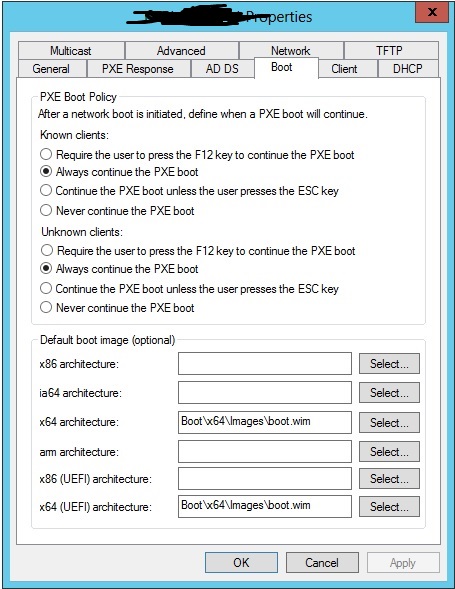
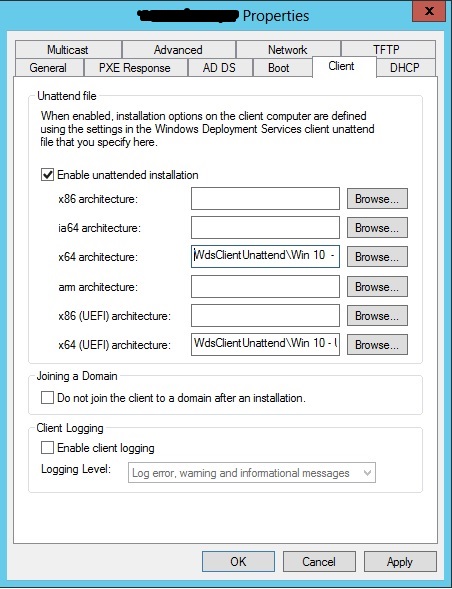
Hi all... Hair is being pulled out!... please help. I'm deploying a Win10 1607 Enterprise LTSB image. I have images captured with WDS which when deployed via WDS refuse to answer my .xml file. (These images have been created manually and not with installed, configured or captured with MDT.) The images are sysprepped with: sysprep.exe /shutdown /oobe /generalize / (and with or without) /unattend:%local path to unnattend.xml%. What am I doing wrong here: Boot image isn't being selected at PXE boot. No .xml configuration is being applied [ATTACH=CONFIG]50533[/ATTACH] Setup prompts for boot image selection, install image, disk configuration etc etc still !!!!!! Where am I going wrong? Big cheers in advance ----------------------------------------------------------------------------------------------------------------------------------- en-GB en-GB en-GB en-GB en-GB en-GB 1 500 Primary true 2 Primary true NTFS System 1 1 NTFS OS C 2 2 0 true OnError 0 2 OnError XXXXXXXXXXXXXXXXXXXXXXXXXX true MySchool MySchool mydomain.com XXXXXXXXXXX UserAdmin GMT Standard Time en-GB en-GB en-GB en-GB en-GB true true true true 3 XXXXXXXXXXXXXX true User User Administrators User -----------------------------------------------------------------------------------------------------------------------------------

-
I'm starting my W10 rollout with exactly the same premise in mind. My experience so far is W10 is an absolute pile of dog sh*te... and its making my life uber frustrated too. The most basic issues are SO difficult to circumnavigate and the M$ online documentation might as well not exist.
-
WSUS which version of Windows 10 products
mikkydoos replied to kennysarmy's topic in Windows Server 2012
I'd say so yep. Mines about the same. No idea why MS have made Windows 10 so complicated for admins. -
I've had one of those and it really didn't like playing with Papercut. Never got to the bottom of it.
-
Thought it might be fun to see how quickly your staff break new things..... Today: New teacher with a new laptop issued on Wednesday last week. Its now Monday. Broken screen already and COVERED in biscuit crumbs! Is this a new world record?
-
I know. This is in a primary school IT room for kids to print to. All the rest of mine are MFD's
-
Hi all, Happy belated new school year :doh: I need some recommendations for decent classroom colour laser printers and from where please. A4 single side print only 500 sheet paper tray Network No colour display speedy-ish Bullet proof ( ) As few consumables as possible... e.g. no waste toner bottle, imaging drums for each colour, photoconductors for each colour etc etc. There are so many cheap printers out there but the consumables costs and quantity of consumables are flippin' ridiculous. Used to have some HP's that only had a fuser and 4 toner cartridges. Do these still exist ? Cheers in advance
-
Sounds like a RAID issue - possible degraded array When the disks go the light is usually red on HP's.... but thats when they've failed completely. Boot it into the RAID BIOS (or ILO like @fiza says) and check the state of the array... it might be rebuilding. 3 disks at the same time is unlikely but might be really bad luck. (You need a spare or 2 in that array btw.)
-
Issues with Windows DNS today (PTR records)
mikkydoos replied to Jaan's topic in Windows Server 2016
Right click and reload / refresh. MMC doesn't refresh for some reason. -
Issues with Windows DNS today (PTR records)
mikkydoos replied to Jaan's topic in Windows Server 2016
If you haven't already... I would delete ALL your A records except the static ones and allow them the recreate. Ensures you haven't got duplicate records atc until the next scavenge. -
Issues with Windows DNS today (PTR records)
mikkydoos replied to Jaan's topic in Windows Server 2016
To static... right click/properties/untick 'Delete when record becomes stale' Do this for anything not DHCP e.g. servers etc Records wont be scavenged then -
Issues with Windows DNS today (PTR records)
mikkydoos replied to Jaan's topic in Windows Server 2016
Do yourself a favour too.... make sure all static addresses are set to static ... and just delete all other A records - forward and reverse - and let them recreate themselves. This way you 'reset' in order for the scavenging to be effective (eg no old records are left within your scavenging timeframe). -
Issues with Windows DNS today (PTR records)
mikkydoos replied to Jaan's topic in Windows Server 2016
Delete a workstations record then reboot the associated PC and see what happens. I'd advise you use scavenging to delete unused A records as an ongoing thing. Keeps things nice and clean. -
You can get CAT6 sockets/modules. I've used both and never really noticed a difference. Use CAT 6 modules and patchbays (and patch leads for that matter) if you've bothered to run 6 in the first place. Your local screwfix will do them.
-
Yeah its B.
-
[1709, fcu] Sysprep errors on Windows 10 Edu 1709
mikkydoos replied to mikkydoos's topic in Windows 10
We don't need the extras here. No plans for surface pro's. And I don't want that start menu anyway. -
[1709, fcu] Sysprep errors on Windows 10 Edu 1709
mikkydoos replied to mikkydoos's topic in Windows 10
Thank SHimmer45 I need this running asap for some machines I cant run Win 7 on, hence my frustration. I'm late to the game and I haven't got time to play with 10 sufficiently. LTSB for these now... then when I have time I'll be looking at which is better for a whole school rollout. Nothing I've tried on the 'net is helping with the machine I've already built. -
[1709, fcu] Sysprep errors on Windows 10 Edu 1709
mikkydoos replied to mikkydoos's topic in Windows 10
Yep. I'm thinking ditch 1709 and go for LTSB instead. The feature release versions of Win10 are super infuriating me already. I can't be doing with this MS dung every day. 2 days wasted on installing a machine I can't image. :mad::mad::mad: -
[1709, fcu] Sysprep errors on Windows 10 Edu 1709
mikkydoos replied to mikkydoos's topic in Windows 10
@SHimmer45 I'm running that right now and sysprep is still failing. I've removed all provisioned apps using the command above. The sysprep error log still shows an error for the Xbox app although when I Get- the list of provisioned apps it tells me it isn't installed. I'm stuck.