Zoom7000
-
Posts
1,935 -
Joined
Content Type
Forums
News
20th
EduGeek EDIT Conference
Blogs
Everything posted by Zoom7000
-
I got the same email. Seeing as we're heading towards G Suite for Education, I suppose it's a direct conflict to what we're moving towards, so I promptly ignored it!
-
It seems the Japanese model will be getting a different set of games from the UK/US model. https://www.neowin.net/news/these-are-the-different-games-that-are-on-the-super-famicom-and-super-nes-classic-editions Personally, I prefer the JP games list!
-
I managed to get YouTube working properly under my LGfL connection by adding Conditional Forwarders on my DNS server. (This was advised by Atomwide) The URLs you need forwarders for are: googleapis.com youtube.com youtube-nocookie.com Just add Google DNS (8.8.8.8 and 8.8.4.4) as the master servers for those 3 URLs. YouTube should then start behaving again.

-
So, I had 2 answer files. One with: * And the other with: %MACHINENAME% The image with * ignored the prestaged AD account created by WDS and created a new computer account with a random name, no GUID and placed it in to the default computers OU. The image with %MACHINENAME% applied the name that I gave during the approval process and put the computer in to the correct OU. So, the 2nd answer file does what I want. The question now is, can I achieve this automatically without requiring the administrator approval? I've tried %MACHINENAME% with admin approval turned off and the build ignores the client naming policy and just gives it a default name and sticks the computer in to the computers OU.
-
Okay, I managed to get it to work. I think the problem is that you need to restart the WDS service every time you make a change for it to apply properly. So, I've approved my test PCs/VMs. Just doing some testing now, let's see what name the PC gets!
-
So, I'm trying to approve and name the client in the pending node and I get the following error: "The format of the specified domain name is invalid"
-
Do you mean ticking this box?
-
I've managed to get WDS and Windows 10 images up and running on my server and in the most part the images are deploying quite successfully. However, the finished PCs are not applying the client naming policy. I've set the PCs to get the name PC%03# so that should apply PC001, PC002 etc and they should go in to the PCs OU that I have created. However, they aren't going in to the correct OU, they are going in to the default computers OU and they are being given a random name. Here is my unattended answer file: true * Multi Academy Trust My Primary School true GMT Standard Time XXXXX-XXXXX-XXXXX-XXXXX-XXXXX mydomain mypassword admin mydomain.internal en-gb en-gb en-gb en-gb true true true true true Work 1 true true obfuscatedpassword false obfuscatedpassword false Local Admin Account Admin Administrators LocalAdmin Any here is my WDSClientUnattend file: Never en-gb en-gb en-gb en-gb en-gb mydomain mypassword admin 0 1 true 1 Primary true false NTFS C 1 1 1 Local Disk true 0 Any ideas why it isn't be applying?
-
The best intro and iconic theme tune to any superhero TV show ever. You'll be sorely missed Adam West! Holy Theme Tune Batman!
-
So, following on from our flooding disaster, I've decided in the interim to migrate everyone on to our admin domain. The domain controller previously only served about 7 people (it's a legacy setup) and the server also doubles up as a SIMS server. I've created the users in AD and run some tests. However, the stumbling block I've come across is the PCs on CC4. No matter what I try, I can't get the PCs off the CC4 domain. I've logged in as the local built-in administrator on the PC, tried the cached profile for the (now defunct) domain administrator and I just keep getting a message saying the PC cannot be removed from the domain. The reason is: Access is Denied. Anyway, I've decided that the cleanest method (given the 85+ lingering RM CC4 agents and tools still on the PC probably causing havoc looking for a CC4 server) would probably be to rebuild all of the PCs as Windows 10 clients on the remaining server. I've installed WDS and MDT on to the server and the PCs are PXE booting and picking up images. What I'd like to know, is there a way to make the installation fully unattended. I've followed the Technet guide on configuring the image with MDT. I've integrated Office 2016 in to the build too. Configured the CustomSettings.ini with the domain admin credentials to join the domain too. However, once I'm in the Lite Touch PE, I still get loads of prompts before hand. E.g. I've set the task sequences to install Office 2016, however, the build gives a window and asks for the application to be marked in the checkbox if I want to install it. Can it be pre-ticked? I've also set the local administrator password in the answer file, but once it tries to log in to Windows to continue the build process, it fails saying incorrect password and then I have to type it in manually. It then also fails to join the domain. I'm not sure what I could be doing wrong here, but is there a definitive guide on how it's done? Has anyone else successfully deployed Windows 10 with some base applications? How did you manage it?
-
Something I found quite worrying was that Intercept X isn't included in the server license provided by LGfL. Whilst it seems great that Intercept X is included on workstations, the vast majority of schools currently store their data on file servers, NAS boxes etc via shared areas. I feel that in theory, we're only really a little bit more protected than we were in the first place. Technically, a ransomware infection could still infect our servers if a workstation hasn't been updated. In theory, not having it on the workstations and having it on the server instead would probably be a better solution. I've raised this with LGfL, let's hope they can include Intercept X for servers in the license.
-
Are you on a CC4 network? The migration tool pretty much didn't want to migrate any of my PCs on CC4. Threw up a whole load of errors. I found it faster to download the installer and deploy with CC4. If any one is interested, the command line switches are: SophosInstaller.exe -q -tps remove ("-q" for quiet install, "-tps remove" to remove any 3rd party security software during the install) The migration tool seemed to work fine on my vanilla admin domain, however, Atomwide have advised to download the installer without Device Encryption as that isn't included in the license, but when my admin domain PCs migrated over automatically they are showing as including Device Encryption on Sophos Central. Luckily it's only 20 or so PCs, but I might log a call with Atomwide to let them know that the migrator seems to include it automatically.
-
Things you haven't said/thought in quite some time...
Zoom7000 replied to Dos_Box's topic in General Chat
Here's something I haven't thought, said or seen for a long time! 😝
-
Maybe a silly question, but I'm presuming that disabling SMB will break the ability to browse network shares from Apple Macs?
-
Microsoft EDU event - Tuesday 2nd May 2:30pm
Zoom7000 replied to timbo343's topic in Courses and Training
The trouble I see here is that Microsoft aren't really giving a solution. It feels like "Here is Windows 10 S. (It might seem like Windows RT, but it ain't!) It's a simple version of Windows 10 for education, which is fast and secure, kinda like ChromeOS, so you can only download apps from the Windows Store, kinda like ChromeOS. But, we know that the Windows Store is crap, therefore, if you can't find the app you want, just upgrade to Windows 10 Pro and you're back where you started anyway! Oh, and Windows 10 S won't work with your existing on-prem architecture and needs Azure AD, which you have to pay for BTW!" So what exactly have they done in terms of a solution for education? Are they oblivious to the austerity coming to education in the UK? I'm sorry, but it feels like Google have a far better offering for education for a lot less in terms of financial risk. Microsoft seem to want to keep schools financially clamped down to their subscription services - OVS, Azure AD, Intune. The cost factor is gonna win out here hands down. -
Microsoft EDU event - Tuesday 2nd May 2:30pm
Zoom7000 replied to timbo343's topic in Courses and Training
It just feels like the "improvements" from Windows RT to "Windows 10 Cloud/S" simply aren't significant enough... A more mature Store for Windows Universal Windows Platform (UWP) apps. - Not sure just how much more mature the Store actually is. Developers just aren't developing UWP apps. Consumer base is really where app engagement is at and that hasn't attracted a lot of interest. I can't see education having much of a shake up. Even Microsoft owned LinkedIn doesn't have a UWP app... yet! Capacity to run Win32 apps via "Project Centennial" bridge apps via the Store. - Does this not open up "Windows 10 Cloud" to the same potential security issues and viruses as regular Windows? (Ransomware? Need to have Anti-Virus on the device?) A hardware team that's more in tune with commercial and consumer needs and desires. - This remains to be seen, they might be commercially and consumer aware, but education? They've been at it for so long and yet they don't have any education built in tools for Windows Server et all. - The specs look fine in comparison to Chromebooks, but the Chromebooks have shown that specs is not where it's at. It's the underlying architecture (G Suite vs Office 365), support, apps (Chrome Web Store/Google Play vs Windows Store) which is so much more mature with a head start. I wonder if the situation will improve after Windows 7 is EOL in three years time? I guess probably not, since schools are increasingly using web-based (SaaS) apps. - It all just sounds like too little, too late. Let's see what this evening brings... -
Microsoft EDU event - Tuesday 2nd May 2:30pm
Zoom7000 replied to timbo343's topic in Courses and Training
This is what I was thinking too. Feels like we've definitely been here before with Windows RT and frankly put, nothing really has changed. Edge doesn't really have an extension store and the Windows Store still seems to be an after thought that no one really cares about. -
Apologies, posted in haste after a half hearted attempt at a search!
-
RIP ActivInspire - Source
-
With respect, it kinda is. Yes, I agree that Sophos Anti-Virus is bundled in to the cost of the broadband, but we always had Sophos Anti-Virus beforehand. This is another addon product which is considerably more expensive than the baseline Anti-Virus for no additional cost than we are already paying. As far as I'm concerned, this kinda suggests that the product is free. Example: (Not real prices!) Before we paid £5000/year for broadband and Sophos Anti-Virus. Now we pay £5000/year for broadband and Sophos Anti-Virus with Intercept X Still not seeing how it's not free?
-
You could always leave SWGfL and sign up for the LGfL through TRUSTnet (which is basically the LGfL, just outside London) Food for thought if you feel the TRUSTnet option is better value.
-
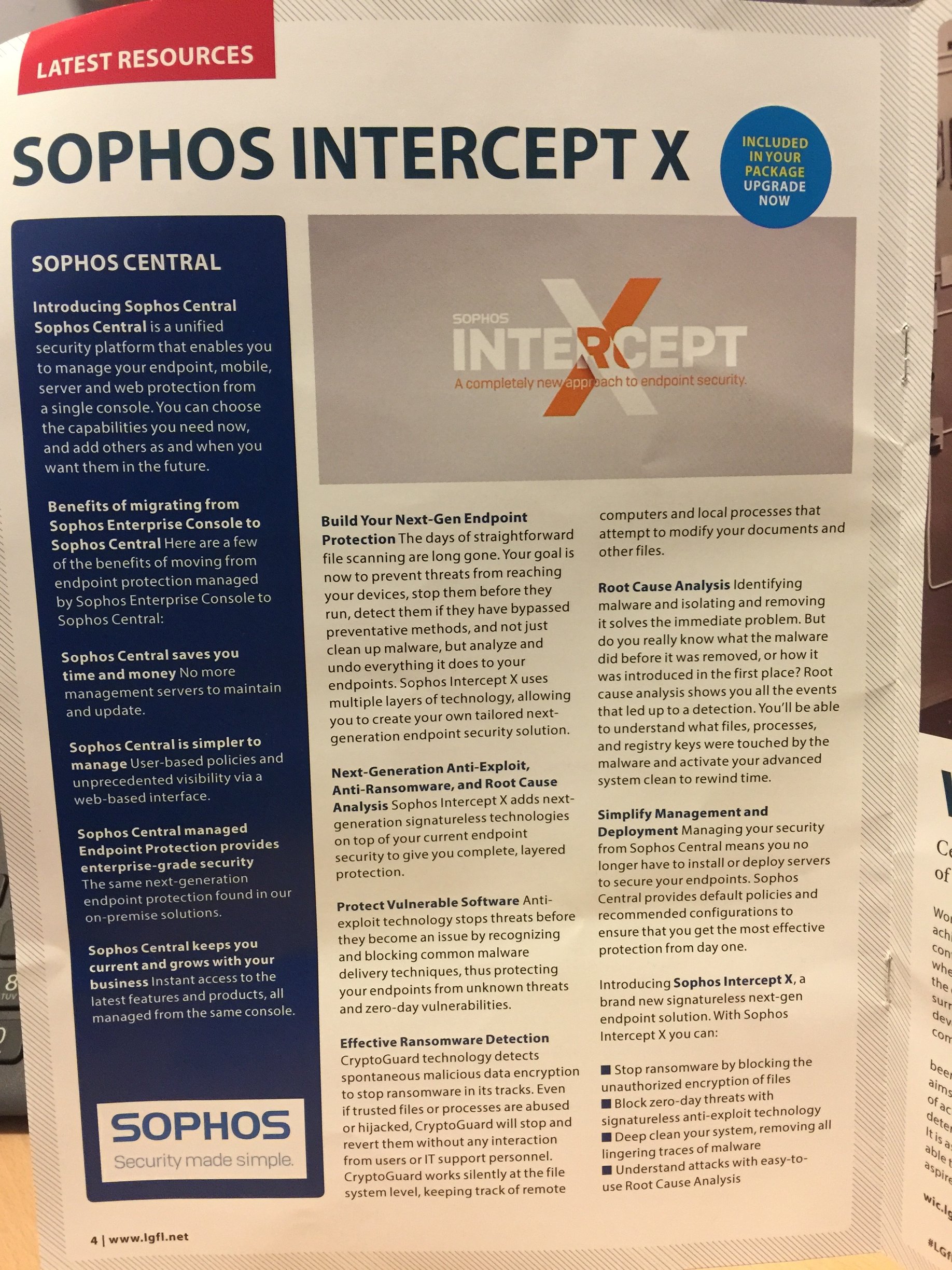
It was announced at the LGfL Conference yesteday that Sophos Central and Intercept X are now available free for all LGfL schools. I don't have any electronic information yet, but I've attached a photo of the programme below: Sophos confirmed yesterday that Intercept X will work with the latest Enterprise Console 5.5 or that you can migrate to Sophos Central. I'll definitely be doing the latter as it means I can manage all the schools in my MAT from 1 place and I don't have to worry about updates and those annoying bits and bobs that EC brings with it! To get the ball rolling with this, just log a call with the LGfL/Atomwide helpdesk.
-
You of all people, @DalekSec, should be ashamed of treating a fellow member in such manner by saying "BAN HIM, BAN HIM NOW!" Get it right, you're supposed to say EXTERMINATE! EXTERMINATE! Honestly, can't get the Daleks these days!
-
Just saw this on HotUKDeals of all places. (Source) Pages, Numbers, Keynote, iMovie and Garageband for iOS and macOS are currently free on the App Store. Don't know if this is a permanent change, but it's worth "purchasing" the licenses on VPP now for future devices. iOS Pages by Apple https://appsto.re/gb/EysIv.i Numbers by Apple https://appsto.re/gb/7mrIv.i Keynote by Apple https://appsto.re/gb/ODmIv.i iMovie by Apple https://appsto.re/gb/r0rFw.i GarageBand by Apple https://appsto.re/gb/zQgxy.i macOS Pages by Apple https://itunes.apple.com/gb/app/pages/id409201541?mt=12 Numbers by Apple https://itunes.apple.com/gb/app/numbers/id409203825?mt=12 Keynote by Apple https://itunes.apple.com/gb/app/keynote/id409183694?mt=12 iMovie by Apple https://itunes.apple.com/gb/app/imovie/id408981434?mt=12 GarageBand by Apple https://itunes.apple.com/gb/app/garageband/id682658836?mt=12
-
Still gonna cost far too much money for the average person to even consider owning! I'm still disappointed on no news regarding the Mac Mini, other than Phil Schiller telling us that it is "important" to them. Source = Daring Fireball