ADMaster
-
Posts
1,402 -
Joined
-
Last visited
Content Type
Forums
News
20th
EduGeek EDIT Conference
Blogs
Everything posted by ADMaster
-

Lightspeed Client Issues
ADMaster replied to TurnItOffAndOn's topic in Internet Related/Filtering/Firewall
I had this issue a while ago too. It was solved for the most part by setting a gpo to always start the light speed service, and set the recovery action from take no action to restart. I think the issue occurred most frequently after a staff member took their laptop home. This would of course disconnect them from the network. Then they don’t actually shut down or reboot so when they come back in the service has stopped trying. I do have a separate policy for staff, so they notice if it doesn’t work. Most of them now know they can click the not you link on the block page to be elevated to staff filtering, and to reboot. -
@fiza There is the mentioned Google vault, then there are third party companies such as gaggle and cloud lock etc. A free method to archive is to create a dedicated archive account and use the compliance settings to bcc all mail to that account. When it gets full create a new one and update your policy. [email protected] [email protected] I'm not sure if that would comply with your DPA or not.
-
Yes to all of the above The most difficult part will be moving the current emails, there are migration tools out there, but you can setup the new Google accounts to download all the current mail via POP as well. It has been a few years since I signed up so the process has probably changed three times since then. https://www.google.com/a/signup/?enterprise_product=GOOGLE.EDU#0
-
In addition to @Norphy ‘s suggestion of applying an ACL to the GPO there are a number of options that may work better in the long term. Best practice says ACL’s on the GPO should be used as a last resort. 1 I’ve attached a screen shot that shows you can set the enforcement of the SRP and exclude local admin accounts. 2 move the settings to the user configuration and apply it to the users OU, this will exclude all local users. It will also exclude the local admin account unless you apply it at domain level. 3 move all the restrictions to applocker. (enterprise sku required). This is the path I’m going to work on this summer. Convert all my SRPs to applocker. It has the flexibility to define rules for specific users and groups. Currently my SRPs are split into two policies one applied to the staff OU and one applied to the student OU. In theory I’ll be able to combine this into one policy for all with different rules. Cheers,

-
Remove Inheritance without having to click a million times.
ADMaster replied to gopher_1999's topic in Windows Server 2008 R2
The tool your looking for is cacls Cacls -
I just thought I post an update to this thread. It is all moot now. I finally got SCCM OSD working and I was able to deploy the image to the gen 1 VM with no issues.
-
Added a new DC to the network, what to do with DHCP/DNS?
ADMaster replied to Jamie_Evans's topic in Windows Server 2012
Your dns should be an active directory integrated zone which means it will replicate to all the DC’s Traditional DHCP doesn’t replicate, I’m not sure about the new IP planning tools in 2012 though. You do not want to allow both servers to be an active DHCP server, serving the same address range, you will cause conflicts. It is possible to have each server serve a different segment of the network if you really want to. It is best practice to have at least two DC’s, do you plan to retire the other one, or just wanted to have the redundancy. If you plan to retire it I would migrate the DHCP to the new server, if it will continue to be an active second DC it’s up to you really. Cheers -
Thin Clients for Primary School
ADMaster replied to Chris_'s topic in Thin Client and Virtual Machines
Go with fat clients if you can, or perhaps chrome boxes. We had thin clients in our primary and with all the flash and shockwave type stuff they like to do it was horribly slow. Granted this was on a 2003 TS and the remote FX features may have improved that sort of thing greatly now. I just replaced several thin clients with Lenovo all in one units no complaints now. The thin clients were put in places where basic web research and word processing is done. -
Try pointing it to ghs.google.com or ghs.googlehosted.com and add in google's IP addresses. See this page.. Google DNS Cheers
-
Any alternatives to Citrix
ADMaster replied to andyturpie's topic in Thin Client and Virtual Machines
We use 2X here, it runs on top of MS RDS. -
Thanks I didn't see the post.
-
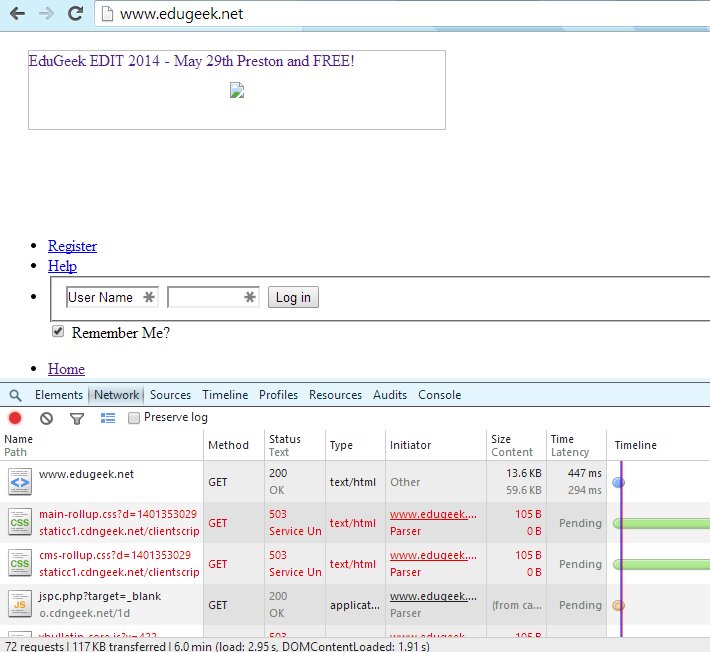
The page is not loading correctly. I'm getting a 503 error on the static images and CSS content. I've tried loading this on my phone's web browser just to make sure its not a issue with my home internet and I get the same result the Android app works fine though. Please see attached
-
What is a polite way of saying "human error" or "user error"?
ADMaster replied to woreilly's topic in General Chat
If you are working with the user, guide them through step by step but make them do it. Most folks will learn better if you walk them through it vs you click click done. If you need to write it in the notes for SLT use words like training, professional development, or improve user process. Cheers, -
I like aios for the tidiness and ease of setup as well. Some HP some local brand and a lot of lenovos.
-
I made it to ric this time.
-
@Arthur No, I did not sys prep and capture and no I did not get it to install in a gen 1 VM via MDT. This is just the source files imported as an image to do a base install. I’ve done a bit more testing and here are the results Gen 1 VM has ISO as install media will install a clean version of w81x86 Gen 1 VM PXE booted via MDT installs windows but will not fully boot I get this error see attached. I mounted the same ISO and imported the source files into MDT again, and created a new task sequence. No modifications to the task sequence, just added the admin password, and the org name was already populated. This gave the same error, but what settings to check. On one hand the VM is just fine because it will install windows from ISO On the other hand MDT is just fine because it will install w81x86 on a physical machine just fine. Thanks,
-
Hello all, I’m using VM’s to test and build my new images. I cannot get windows 8.1 x86 to install in a VM. The install appears to succeed but then I get an error saying the computer tried to boot multiple times with error code 0xc0000001 My VM host is 2012 r2 I can create a gen 2 VM that will install w81 x64, and I have a gen 1 VM that will install both w7 x86 and x64. I’ve also tried on VMware esx 5 and received the same error. The images is good because I tested it on a physical machine and it worked just fine. My preferred vm environment is hyper-v, any suggestions for getting the w81x86 images to deploy to a VM? Thanks,
-
Here you go, same thing except with quest AD cmdlets, you'll need to install them. clear $comps = Get-QADComputer foreach ($comp in $comps){ $out = $comp.Name + "," + [datetime]::FromFileTime($comp.lastlogontimestamp ) $out | Out-File c:\work\lastlogon.csv -Append -Encoding ascii } echo 'Done'
-
What OS are you on, I believe the get-adcomputer cmdlet is part of the windows 8/2012 RSAT. You could accomplish the same with quest's AD cmdlets with slightly different syntax. I'll see what I can find.
-
Here is a script I wrote just for this job. Just change the path if you wish. This will output a csv of all the computers with last logon time. Open it an excel to filter / sort by date. the dsquery command above can me piped to dsrm to remove the computers as well. But I would look at them in excel first to get a better visual on the dates. clear $comps = Get-ADComputer -Filter * -Properties lastlogontimestamp foreach ($comp in $comps){ $out = $comp.Name + "," + [datetime]::FromFileTime($comp.lastlogontimestamp ) $out | Out-File c:\work\lastlogon.csv -Append -Encoding ascii } echo 'Done' Cheers
-
I used to use this scrip Windows Update Agent force script, email results version 2.6 - Script Center - Spiceworks by Rob Dunn. I hard coded in all the options I needed so I didn’t have to pass any parameters. You could try calling this script before the shutdown, or schedule a separate task and call it before so it has time to pull the updates. Cheers.
-
I was testing out that integration yesterday, but I think I want it to go the other way around. I read a site about converting a sccm bootable CD into a bootable wim for WDS so I can use my existing PXE settings. But before I do that I wanted to make sure it would work, so I booted a VM with the ISO and had to configure a static IP, before it would find the task sequence. I’ve not taken the time yet to search for an answer on that one. Currently my PXE is WDS that boots the MDT images, all of my OS images and drivers are in MDT, and my applications are in SCCM. It is a low priority project right now, I’d like to have it all intergraded, but if it doesn’t get done I can still image with MDT and deploy the application separately with SCCM.
-
Yes, I’m aware I can do lti with SCCM and I think I can do zti with MDT if I wanted to. The point is, this kind of story is why I stray away from zti. I’ve made mistakes with SCCM already in the year I’ve had it. I deployed an app to all staff and made it required when it should have been available. Perhaps that is what they did only with an image. Not to derail the thread too much but what I really want is to tell my MDT task sequence to install SCCM applications. The pxe setup is nonstandard and trying to switch to sccm pxe will most likely break it. I experimented with trying to get my WDS to boot into the SCCM environment with little success. All that should be a thread to its self though.
-
This is precisely why I have not moved to a ZTI deployment with SCCM and stick to my LTI with MDT.