kennysarmy
-
Posts
6,514 -
Joined
Content Type
Forums
News
20th
EduGeek EDIT Conference
Blogs
Everything posted by kennysarmy
-

Sophos Phish Training emails being quarantined by Office 365 :(
kennysarmy replied to kennysarmy's topic in Cloud Services
I've raised a ticket with Sophos, Office 365 will be one of the main email providers so I'd expect them to provide the instructions to make it work with that system! I'll keep you posted. Case ref: is 04392518 if you wish to refer to it in any of your correspondence with Sophos. -
Sophos Phish Training emails being quarantined by Office 365 :(
kennysarmy replied to kennysarmy's topic in Cloud Services
Applies to Microsoft Defender for Office 365 plan 2 So I guess No. -
intel on-board card : Driver Version: 27.20.100.9316 M/B is Asus H410MA
-
Sophos Phish Training emails being quarantined by Office 365 :(
kennysarmy replied to kennysarmy's topic in Cloud Services
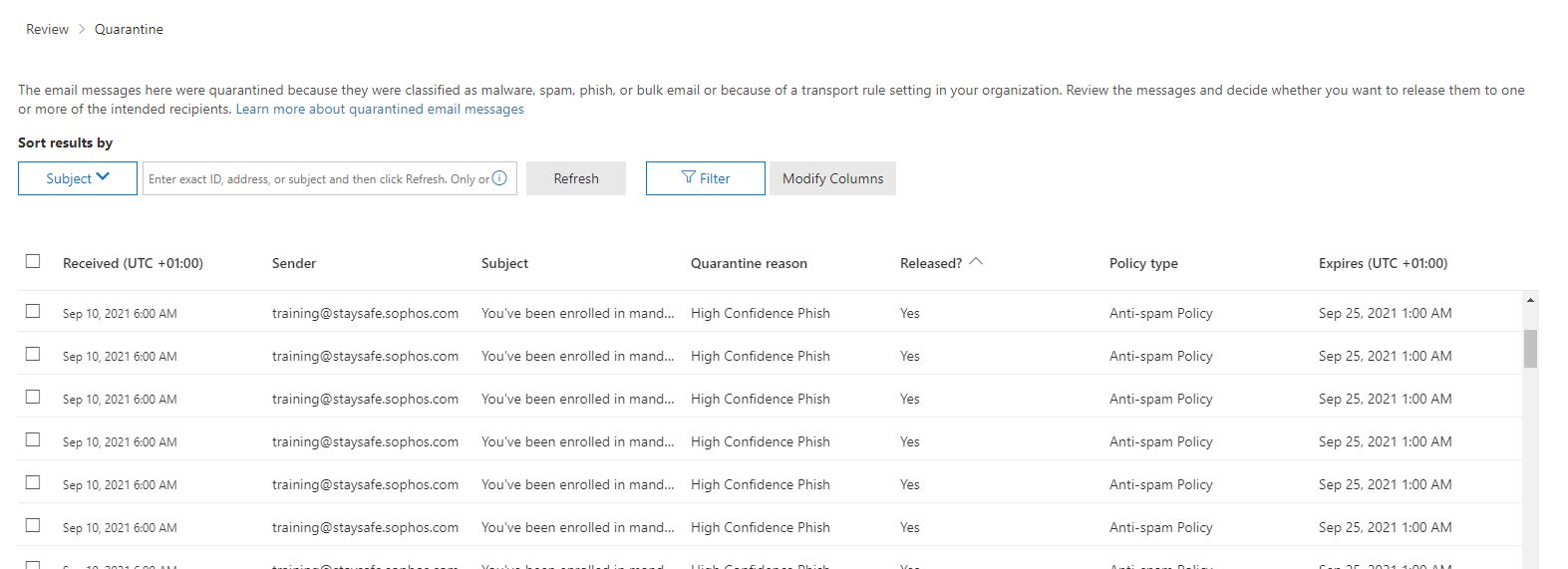
The only way around it I can see is to each morning / afternoon review the emails in quarantine https://security.microsoft.com/quarantine and then release those which I know to be from Sophos. How rubbish is that? -
Sophos Phish Training emails being quarantined by Office 365 :(
kennysarmy replied to kennysarmy's topic in Cloud Services
That document you link states: In August 2021, secure by default will be extended to Exchange mail flow rules (also known as transport rules). If you use mail flow rules to allow third-party phishing simulations or unfiltered delivery to security operation mailboxes, you eventually need to eliminate these rules and switch to using the advanced delivery policy when the feature is available to you. I can't make head nor tail of the advanced delivery policy document when it comes to just allow Sophos emails through https://docs.microsoft.com/en-us/microsoft-365/security/office-365-security/configure-advanced-delivery?view=o365-worldwide We don't have Security operations (SecOps) mailboxes nor use Microsoft 365 Defender. -
Sophos Phish Training emails being quarantined by Office 365 :(
kennysarmy replied to kennysarmy's topic in Cloud Services
I presume this takes a while as I've just tried a test email from Sophos and it's still getting trapped by the spam filter again. -
Sophos Phish Training emails being quarantined by Office 365 :(
kennysarmy replied to kennysarmy's topic in Cloud Services
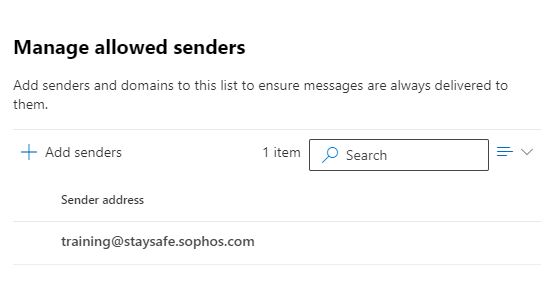
Thanks - will add this one too -
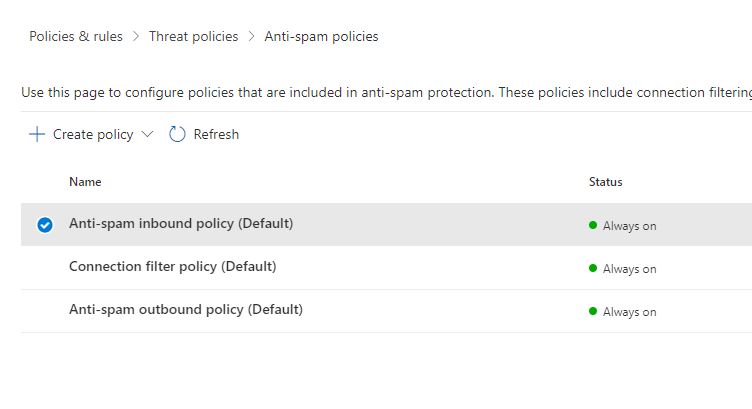
Last academic year we ran a successful round of phishing training videos from Sophos Phish Threat, this academic year we've had problems with Microsoft blocking the emails. Is there anything else I need to edit to allow [email protected] through all the various Office 365 email checks?

-
Got some new Viewsonic screens in the summer x 4. We've disabled the Android and they boot straight to HDMI 1 - PC connected to that! If the user opens a PPTX then freezes the screen on the Viewsonic panel, then presses ESC key on the keyboard so they can work on their PC without the kids seeing, randomly the PC monitor will turn black and complain it's out of range! Anyone seen anything similar at all? Monitor is connected via VGA and Viewsonic via HDMI.
-
CMS_2kv3 and Hikivision CCTV software
kennysarmy replied to Kitkatninja's topic in Physical Security
HiKVision here : MSI pushed out to end-clients who need it. User accounts created on the server. Not aware we needed to make any changes to permissions on local end user devices to get it to work :/ -
Solved by updating graphics card driver :/
-
A user opened up their office 365 emails using Chrome. They then opened up a shared mailbox they have access to on another screen (dual monitor setup) They claim they then successfully dragged email folders from their own account to the shared mailbox and all was fine. They are now saying the email folders no longer exist in either. Thoughts?
-
A batch of our PC's have started having a black screen issue once they are turned on - the lights are on but no one is home! No mouse, nothing. If it happens you can hard reset and then it's OK and boots normally. If PC gets turned off it appears to be OK if it's not left for a long time :/ Any thoughts?
-
Hi Rob, No it's not.
-
7 seconds from first part of blue screen during boot with network cable in. 2 minutes from first part of blue screen during boot with network cable out. (reboot) 25 seconds from first part of blue screen during boot with network cable out. (turn on from off) (Timings to get to logon screen)
-
Actually it's not too bad for a cold boot - but it's a restart that's slower. - - - Updated - - - Applying computer settings is the slow part of boot!
-
Some Stone laptops can take around 2 minutes from boot to get to logon screen when using our WiFi. With network cable plugged in it's around 25 seconds. Laptops on all latest drivers. Any thoughts as to what might be causing this?
-
Spent all day Thursday wondering why our logons suddenly became so slow and it's all to do with the printer issue How vulnerable are we if we change the REG key to allow non-admins to install printer drivers? An attacker would have to be on your network to run any malicious code? - ie it would have to be a pupil/staff member if you don't have any means of getting on your network from the outside?
-
Could do with some pointers in how to troubleshoot what could be causing the "Preparing Windows" screen to sit for up to 5 minutes when I logon using our domain admin account. desktop.ini has no restrictions to saving in the account's H:\ drive.
-
Securly - Is it all that?
kennysarmy replied to TheRobins's topic in Internet Related/Filtering/Firewall
Hi Paul, Wondered if you could update the thread on which product came out on top between Securly and Lightspeed for your cloud filtering? -
Group Policy to push out certificate - when it expires?
kennysarmy replied to kennysarmy's topic in Windows 10
So when a GPO is edited it gets a new GPO version number, which means the PC will rerun the GPO and action if the update number is higher than if it was previously? -
I have a GPO that pushes out our Smoothwall certificate and it's about to expire, if I update the GPO I presume the PC's will see the GPO has been updated with a newer certificate and copy it down? Or do I need to create a new GPO with the new certificate? Cheers.
-
Haha - great spot - copied the wrong code from the website I was on! I've ended up copying WordPad from an older version of Windows and sticking it on a Server Share. We have what are called E accounts, used for exam work that are ONLY allowed access to WordPad and nothing else!
-
annoying.
-
Just realised that WordPad is not opening up on our latest 20H2 build. No bother I thought we can just add it post deployment by going to Apps -> Optional Features -> Add a feature - choose WordPad - but that fails. So I tried the command line method : DISM /Online /Remove-Capability /CapabilityName:Microsoft.Windows.WordPad~~~~0.0.1.0 This also fails, but at least this time I have an error which is "a windows capability name was not recognized" Any ideas how to get WordPad back on my Windows 10 devices?