Bev
-
Posts
779 -
Joined
Content Type
Forums
News
20th
EduGeek EDIT Conference
Blogs
Everything posted by Bev
-
I meant a physical base machine, I haven't dabbled in Virtual Machines so far.
-
Next week, I am converting an ICT Suite to SSD drives, and upgrading to Win 10. I am planning on creating a base machine with a clean Win 10 install on it (1709), and installing all the required software. Would you then take an image and push it out to all machines after the drives are installed with WDS, or copy the SSD Drives using either a cloner, or cloning software and then install them? Either way, I'm going to have to open every case and remove the old drive and install the new one, but I'm trying to decide which will be the most pain-free. There's just me, and 34 machines to do. Advice welcome
-
Sadly, your message comes too late. We have already discovered this same issue and have also resorted to cable ties. I've also found the cable management behind the small devices is a problem, the larger boxes hid a multitude of sins. All in all, not one of my best ideas. Bev
-
Can you expand on the Offline Files comment, they currently have their home drives set to sync as offline files, although we frequently have problems with it not working, but i'm not sure how that's relevant to this discussion.
-
I just want to update the staff laptops, which are all Windows 8, all different makes and models and staff have their own data on them. It seemed easier to upgrade them rather than do a clean install. I will be doing a fresh install on all desktop PCs as they aren't individual machines and I am happy to wipe them, but I'm not so happy to wipe staff laptops.
-
Hmm, I don't have those VDA options - I wonder why? As I thought I had a pretty comprehensive license. Seems crazy I'm licensed to do a clean install but not an upgrade.
-
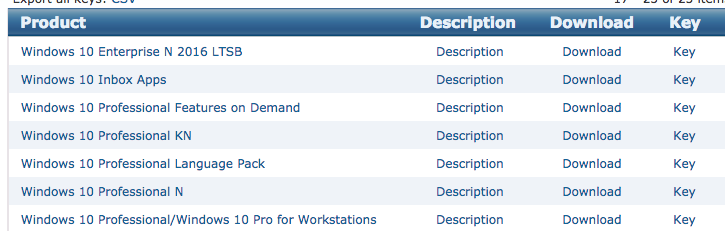
I've got lots of Windows 10 options but they all look like clean installs to me.

-
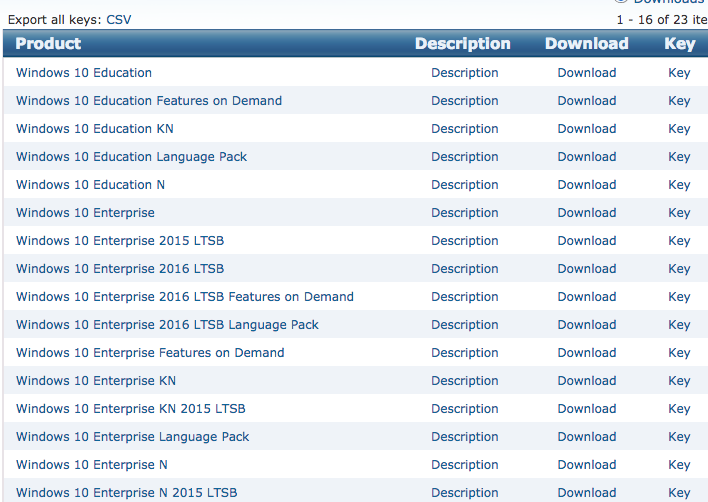
I know a few years ago all Windows 8 machines had an icon with an option to upgrade to W10 for free, but that is no longer available. I have a few Win 8 laptops I'd like to upgrade, and I have Windows Volume Licensing. Is it a case of reinstalling Windows 10 from a boot disk (easier said than done on modern laptops) or USB, or is there still a downloadable upgrade option if you have a legal license. I can't see a download on the VLSC website which surprised me.
-
USB Drives - Encryption or banned?
Bev replied to tj2419's topic in Data Protection & Information Handling
Encrypting USB or using Google Drive is fine in theory, but I'm worried about the personal laptops that the data is then downloaded onto a home. How do you control that? -
Unfortunately, that's getting an access denied error. I was earlier able to view the services / drives etc from the other server, but now I can't access anything. I can ping it but that's about the only response I'm getting from it.
-
I was upgarding to SCCM 2012 R2 SP1 5.00.8239.1000 8239
-
I can't login at all - - - Updated - - - It says Windows Server 2008 R2 on the screen.
-
So yesterday I decided to upgrade SCCM, I don't know if that's relevant but it seems suspicious. It appeared to complete ok. This morning I came in and I couldn't remote into the server, but I could access it directly in the server room. I decided to logout in the server room in case that was stopping me from remoting in, and I get the CNTL-ALT-DEL screen but then just a grey screen with the Windows logo at the bottom, no boxes to login. I've tried rebooting into Safe Mode but exactly the same. I still can't remote in and now we can't access any of the shared drives (which we could before). Any ideas what to try bearing in mind I can't actually login.
-
We have an existing network, about 5 years old, and we are getting 2 new classrooms, so I need 2 more access points. The APs we currently use are end of life, and I'm trying to find out if there are alternative models that will be compatible. Changing all of the kit isn't an option. We have an AR1200 router, S5700 Switches, and AP5010 access points. As far as I can tell the router is still supported, but the access points aren't. Bev
-
It seems to be back. Was having a panic!
-
I was logged in yesterday and downloaded some software but I can't get in today. I've tried numerous times and different browsers.. Microsoft Volume Licensing Service Center Error We are unable to complete your action What you can try: Go back to the previous page and try again. Go to the VLSC Home page and try logging out and then logging in again. If you continue to encounter the same problem, go to the Help page for further suggestions.
-
I've never had any sort of Meraki license, and use the free version to manage about 50 devices with no issues, so I think you will be ok. If not, I use Mosyle free MDM at the other school where I work and that works fine as well. For 10 devices it shouldn't be too hard to move to a new MDM if necessary.
-
[ipad] Apple TV - Screen mirroring, screen size is small
Bev posted a topic in Mobile Devices & Tablets
Has anyone found this? We are using an AppleTV connected to a projector, the Apple tv displays full screen until you go into screen sharing on the ipad, and then it shrinks to much smaller than the full size of the screen. I appreciate the dimensions on ipad are smaller but it's not even using the full width or full height. Is there anyone to adjust this? I know in Air Server you could remove the 'frame', is this a similiar issue? -
[ipad] Apple Classroom - resetting Apple ID Passwords
Bev posted a topic in Mobile Devices & Tablets
It says in the documenation that teachers can reset Managed Apple IDs. We have managed Apple IDs and Lightspeed MDM but I can't see an option in Apple Classroom to reset a password. -
VM - Virtual Machine? We don't currently have any. It's a large middle school, with 750 students, but that would be small if you are used to a high school. The first quote is from the company that sold us the OVS agreement, so it would make sense that they would know we already have that and don't need to buy it again.
-
I am in the process of getting quotes for a new server. I've had 3 quotes, and 3 very different options for the licensing side, and I'm a little confused. We already have an Microsoft Open Value Subscription-Education Solutions Agreement MicrosoftDesktopEducation AllLng License/SoftwareAssurancePack Academic OLV 1License LevelE Enterprise 1Year Quote 1: 8x BSSPRD-967 - WinSvrSTDCore 2016 SNGL MVL 2Lic CoreLic - 9EM-00264 £160.00 Quote 2: 1 Windows Server Std Core 2016 Academic Licence - £241.50 £241.50 200 Windows 2016 Device CAL - Academic £3.38 £676.00 TOTAL £917 Quote 3: Windows Server 2016 Academic Licensing 1 £243.17 £243.17 Windows Server 2016 Student Client Access License (Per User) 750 £0.77 £580.00 Windows Server 2016 Staff Client Access License (Per User) 75 £8.09 £607.00 Total £1430 The first quote is from a company I deal with often, and if I hadn't had the other quotes I would have assumed it correct and accepted it but after receiving the other 2 quotes I am now completely confused about exactly which licenses I do need? As you can see, there is a huge difference! Thanks for your advice
-
I have only used Asset Tiger, so far reasonably impressed. I download a copy of the database as a CSV periodically, just in case. My only grumble is the App seems to have stopped working, I suspect this is due to the latest iOS updates.
-
[ipad] Which iDevice MDM solution would you use today?
Bev replied to DJ-1701's topic in Mobile Devices & Tablets
Are your iPads Supervised. A lot of restrictions only work on supervised iPads. They shouldn't be able to remove Apps if you have that restriction in place. if you look on the iPad in settings,m profiles, then look at the lightspeed profile and you can see which restrictions are in place. installing / removing apps not allowed are both options. -
thanks for checking, not sure what my issue is, have tried another browser and even my phone (on data). I don't think it's my password as if I get it wrong it tells me it's wrong, but if I get it right it's just hanging.
-
[ipad] Which iDevice MDM solution would you use today?
Bev replied to DJ-1701's topic in Mobile Devices & Tablets
No, it's free. I use Mosyle and find it very good. We purchase apps using VPP and push them out with Mosyle. iPads don't have any Apple IDs on them at all.