altecsole
-
Posts
640 -
Joined
Content Type
Forums
News
20th
EduGeek EDIT Conference
Blogs
Everything posted by altecsole
-
Many thanks. I've asked a couple of suppliers for suggestions but I'd much rather have recommendations from end users. Cheers.
-
Ideally, yes.
-
We deploy via Group Policy using an mst file. I'm pretty sure all the mst file does is add the value 'ClassicStartMenu' to the Property 'ADDLOCAL'.
-
If you download and extract the msi you can just install Classic Shell Extract msi: ClassiceShellSetup_4_2_5.exe extract64 (or exract32) Install just the StartMenu - I use SCCM to deploy msiexec /i "ClassicShellSetup64_4_2_5.msi" /qn ADDLOCAL=ClassicStartMenu
-
Many thanks to everybody for posting replies; that's been very useful. The general consesus seems to be that VLANs are indeed worth it. So, with that in mind. Can anybody recommend a suitable 24/48 port Gb switch with SFP and SFP+ connectors? Something I can setup on the bench with a couple of other switches to get my head around how it will all work. Many thanks.
-
That's interesting and mirrors our experience too. Many thanks.
-
Thanks. That was what I was thinking too. Cheers
-
Thanks. All of our separate building cables come back to a central point so I aim to have that point for my layer 3 switch with VLANs and then the switches that downlink from there will not need VLANs configured? Apart from the downlink switches that have WAPs plugged in! There's going to be a lot of planning involved!
-
Just over 4,000 packets per minute. That seems like a lot, but our network isn't noticeably slow. Apart from restricting broadcast traffic it would be useful to have separate IP ranges to give us some more options on our firewall. Thanks
-
Yes, good plan - thanks.
-
Many thanks for all the comments and suggestions; much appreciated. Is setting VLANs for buildings a good idea, rather than devices? We have approx 600 PCs so setting a VLAN for them would still result in a lot of broadcast traffic? It's a pain that different vendors use different terminology when talking about VLANs! Cheers
-
We have 50 switches on our network! It's a large site with lots of different buildings and a network that was 'lashed' together. To be honest, it seems to work pretty well but you can see it's a bit of a daunting task to implement VLANs!
-
A real mixture of Dell, D-Link and Netgear - not ideal I know but you can only spend what your budget allows!
-
Many thanks for the replies. Okay, so it seems that it is worth it and I do need to investigate further. Unfortunately, we don't have a full Layer 3 switch so it looks like I'll have to get one of those - any recommendations for switches that are particularly good at setting up VLANs?
-
We've a flat network with around 600 clients and 20 servers. It's one of those networks that has grown over the years; initially on a very small budget, then some money to expand, and now back to a small budget again. So, with little money to play with I'm re-visiting those jobs that have been on the 'back burner'. One of those jobs it to look at VLANs. I understand that it's good from a security point of view and also to reduce broadcast traffic. However, being a school, everybody wants access to everyting, from everywhere. So, is it worth doing?
-
Thanks for this. We already use DPM for local backup but getting an idea of cost for Azure Backup has always seemed a bit vauge. It's useful to have an example. Cheers.
-
Do you use DPM to do the backup? Can you give an indication of how much your Azure costs are? Many thanks.
-

Bit of fun - who has the oldest (working) Windows domain?
altecsole replied to 3s-gtech's topic in General Chat
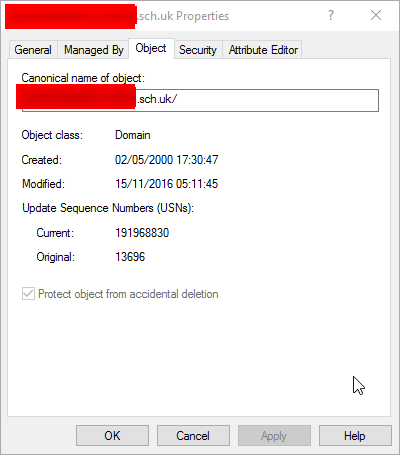
Do I win a prize for May 2000? Our Domain and Forest levels are 2008 R2.
-
I find that creating a Package of source files (no program option) and then copying it locally can often work better than creating a Package to install. Once you've created your package of source files (and distributed it), add a Run Command Line option to your Task Sequence to xcopy the files locally - I copy them to the temp folder within Windows using the command line: xcopy ".\*.*" "C:\Windows\Temp" /D /E /C /I /Q /H /R /Y /S and add your package of source files. This will copy the source files folder to the local machine. You can then add an entry to the Task Sequence to run the batch file. Add another Run Command Line step to your Task Sequence and set the command to run your batch file (which you copied over with the source files). The command would be: cmd.exe /c C:\windows\temp\yoursourcefolder\yourbatch.bat Make sure you set the Start In option to the correct location - c:\Windows\temp\yoursourcefolder I hope that helps. Don't forget to keep an eye on the SMSTS.log using CMTrace.exe to see if you have any errors!
-
You should really test if this works under the System account, as that s the one that SCCM uses. I do this in the following way: Get a copy of PSExec from Microsoft Sysinternals (https://technet.microsoft.com/en-us/sysinternals/bb897553.aspx) Copy PSExec to the local machine Run a cmd prompt and CD to the location of psexec Use PSExec to run cmd as System psexec -si cmd.exe Confirm your using System using the command whoami Run your batch file to test for any errors cmd.exe /c c:\mybatchfile.bat Good luck!
-
I've completed our evaluation of NetSupport DNA and posted my thoughts on another thread (http://www.edugeek.net/forums/enterprise-software/167655-impero-support-alive-4.html#post1452413). However, the bottom line is that we were so impressed with DNA that we went ahead and purchased. It does exactly what we want and at a very good price. The support has been excellent too.
-
Can I just jump in here and let you know about my experience with NetSupport DNA? We were looking for an eSafety solution to monitor user activity, and report based on keywords and phrases. We were already using NetSupport School in our main IT suites so decided to evaluate DNA, after checking out the product feature videos. We also had an online demo of Impero but decided that the eSafety part of the product wasn’t anywhere near as good as Netsupport DNA and the cost was way more than we wanted to spend, especially as we already have a lot of functionality in place using other solutions. During the evaluation of DNA I spent quite a lot of time talking to support to ensure that the eSafety part of the product met our requirements. We wanted something that would be easy for a non-technical member of staff to use. This was essential for two reasons; 1) I haven’t got the time to do it, and 2) pastoral staff know the pupils (I don’t), so a phrase capture that looks innocuous to me might be another piece in the ‘big picture’. The support staff at NetSupport have been excellent and have really helped to show just how flexible the product is. For example, I created a Safeguarding Admin for our SLT safeguarding officer. This is a built-in role which gives that user access to just the eSafety part of the product when they login. That’s perfect for our pastoral staff. However, she also wanted to see Internet usage for individual pupils, and for year groups as a whole. No problem; just create a new role and tick the options for eSafety and Internet usage, assign this to a user and job done! The product has actually updated twice during our 30-day evaluation; so ongoing development is happening. We asked for extra licenses during the evaluation too, which was agreed without a problem. We were so impressed with the ease and flexibility of the product that we went ahead and bought it. It’s installed via Group Policy and training is being planned for the pastoral team with the idea being that they’ll use DNA to give them a detailed overview of student activity and only come to us if they want detailed Internet logs for further investigation.
-
Can I just say a huge thanks to you Michael for all our time and effort in posting your configuration and setup here; it's saved me a lot of work and is much appreciated.
-
Setup and configure a DFS Namespace. In my view, this is an essential feature if you do any kind of file sharing and ever want to move files to another server. Once setup take a look at DFS Replication too.
-
Well, I had a demo of Impero today and, comparing the e-Safety components, I would have to say that the NetSupport DNA solution looks like it will suit our requirement better. I think I'll install a trial version on our network and do some testing. Impero looks good in other areas but, as a complete package, it's too expensive for me.