Search the Community
Showing results for tags 'unifi'.
-
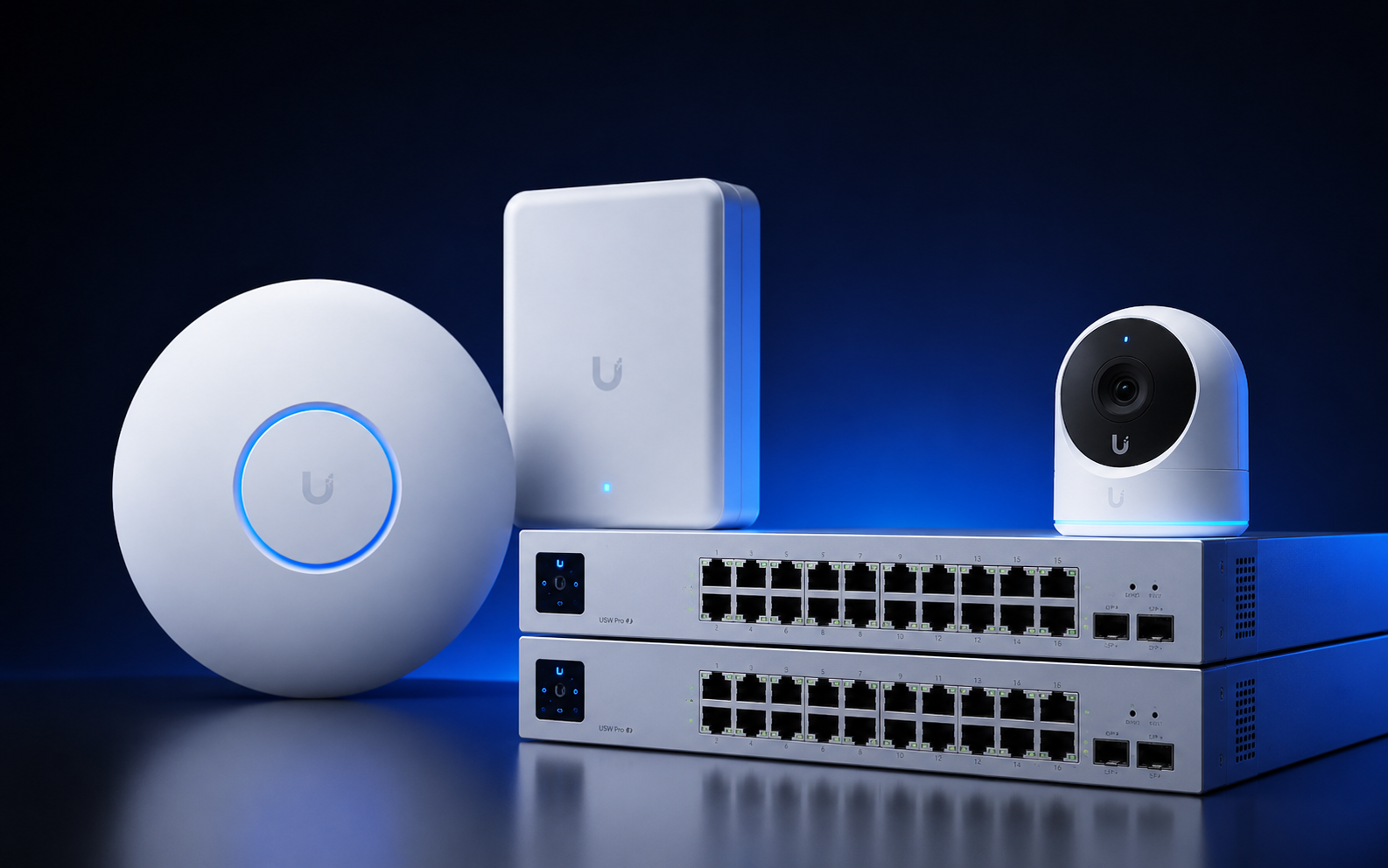 If you manage any UniFi kit, it is time to schedule a maintenance window right away. Ubiquiti’s Security Advisory Bulletin 067 is a massive patch drop fixing 22 vulnerabilities across the stack, including three separate unauthenticated CVSS 10.0 flaws hitting UniFi Protect, UniFi OS, and UniFi Talk. The Heavy Hitters Having three simultaneous maximum-severity vulnerabilities in a single release is rare. None of them require existing credentials or user interaction, which makes them prime targets for anyone scanning your subnets. The first big issue is CVE-2026-77537, a command injection bug in UniFi Protect that lets network attackers execute arbitrary commands directly on the host appliance. The second, CVE-2026-77550, is a CRLF injection flaw in UniFi OS that allows attackers to completely bypass authentication across Cloud Keys, Dream Machines, and UNVRs. The third, CVE-2026-77554, delivers another remote command injection vector inside the UniFi Talk VoIP suite. The rest of the bulletin fixes 19 other issues ranging from CVSS 8.2 to 9.9. These cover privilege escalation, exposed debug endpoints, and secondary injection bugs across UniFi Network, Access, and Connect. Component Issue Type Affected Fixed In UniFi OS Server Auth bypass / Priv escalation ≤\le≤ 5.1.21 5.1.37+ UniFi OS Consoles (UDM, UNVR, Cloud Key) Auth bypass / Priv escalation ≤\le≤ 5.1.26 5.1.31 / 5.1.32+ UniFi OS Express Auth bypass ≤\le≤ 4.0.16 4.0.17+ UniFi Protect Remote command injection ≤\le≤ 7.1.87 7.2.105+ UniFi Talk Remote command injection ≤\le≤ 5.2.7 5.3.2+ UniFi Network Priv escalation / Command injection ≤\le≤ 10.4.57 10.5.67+ UniFi Access Priv escalation / Command injection ≤\le≤ 4.3.3 4.3.5+ UniFi Connect Priv escalation ≤\le≤ 3.24.20 3.24.22+ UID Enterprise Agent Command injection ≤\le≤ 1.61.8 1.62.1+ Protect AI Key Priv escalation ≤\le≤ 2.1.3 2.2.6+ More details: https://community.ui.com/releases/Security-Advisory-Bulletin-067/fc4a3488-7c43-4628-8bab-f715e96dbfc9
 -
 Some additional critical vulnerabilities for UniFi community.ui.com/releases/Security-Advisory-Bulletin-065-065/aa46a22b-fc43-4eae-9382-6fc8feda967a Update UniFi OS to Version 5.1.15 or later
-
- 1
-

-
 Afternoon I am trying to plan to install a UI Dream Machine Pro into my exisiting network but am have a mind blank. We have out internet provided by ExaNetworks via a Ubiquiti EdgeRouter. The LAN Port of the EdgeRouter (Eth0) is plugged directly into a port A1 on my Core Switch (HP ProCurve). I know I need to put the UDMPro inline between the EdgeRouter and the Core switch but for the life of me can I figure out the best settings for this that has minimal impact to the network or doesnt require a rebuild. Any advise would be most gratefully received.
 -
 Hi All, Firstly, my apologies if this breaks any of the forums rules - I had a quick look around, but couldn't find any specific do's and don'ts under the Classified Adverts section. Our School has recently had a WiFi upgrade, and we now have 80+ Mixed Unifi AP's which we're looking to resell. I've currently stuck them on eBay and the item number is: 112853997506 All the information regarding the item(s) and quantities etc. can be found on the description, but of course if anyone has any questions, please ask :-)
 -
Hi all, Hoping someone will spot something obvious that I've missed here! We are having a really rather strange issue with our unifi U6-LR access points and intermittent client connectivity. They have always been a little flaky (clients would often have to manually disconnect and reconnect when roaming between APs) however at some point in the last few weeks they have gotten worse and are now essentially unusable. Not something we really wanted to discover in the last week of the hols! The state of play currently is that the majority of clients that connect have a very unreliable connection. They stay associated to the SSID however pings show normal responses about 20% of the time and "general failure" the other 80%. It doesn't affect all clients at the same time and seems totally random. So far I have tried: Downgrading and upgrading various firmware levels Proved it is not AP specific (disabled POE to all APs and then tested several individually) Proved it is not switchport or switch specific, tried various different switch firmware too just for completeness Static IP on the client (no difference) Splitting 2.4ghz and 5ghz (issue exists on both SSIDs) Manually setting channels rather than auto Manually setting power levels for each radio instead of auto Disabling wireless uplink functionality Recreating SSID Experimented with options on SSID page - none of them (bss, min data rate, band steering etc) made a difference. Restarted all switches and APs Disabling spanning tree - both at port level for the AP being tested and across the estate - ports don't go into STP block anyway, but ruled it out Upgraded wifi drivers on clients - various different devices, manufacturers and ages affected but ruled out anyway Tried WPA2 vs WPA3, no difference (no RADIUS or anything special in use) Wired clients are fine. And oddly some wireless clients seem fine - our iPad for sign in app, for example has no issues. Other sources of wifi like my mobile hotspot are fine so I don't think it likely to be interference. Any suggestions greatly appreciated We have a load of old Ruckus APs that could go back in temporarily worst case but hoping to avoid that. These U6-LR were purchased last year before I arrived so as much as I'd like to put something more enterprise grade in, budget says no! This particular AP model doesn't appear to have the best firmware release cadence either which is also not helping.
-
.thumb.jpeg.c4b2ea4e027981376480a5ab518033b7.jpeg) I can ping addresses of local and remote servers via wifi. I can do an NSLOOKUP and get the correct response BUT when I try and surf the web or ping a device (using names) it cannot be found. (even after a successful NSLOOKUP) NO config or firmware changes in the last month! Wired clients all fine.
I can ping addresses of local and remote servers via wifi. I can do an NSLOOKUP and get the correct response BUT when I try and surf the web or ping a device (using names) it cannot be found. (even after a successful NSLOOKUP) NO config or firmware changes in the last month! Wired clients all fine. -
So I am currently in a battle of an affordable serverless solution for schools, that will happily run with Google Workspace or M365. Azure AD, Teams, OneDrive, Intune, Google Drive etc... Printing solution: Printix or Papercut Hive, although apparently Printix teachers can not release student prints from a photocopier or PC? Apparently? My real issue is DHCP/DNS Services.... Now I dont see a need for a local DNS in a standard primary school unless their is a specific piece of hardware or software that requires it. Which leaves me with DHCP..... I have had several ideas.... a couple of schools have nice Meraki L3 switches thanks to Connect the Classroom project, others are running a standard HP Switch managed switch (some L3 some not) however the DHCP on HP Switches I am far from impressed with. The schools feed is provided by our local county and sits behind a central firewall and filtering is provided centrally from the provider. I have thought about Unifi Dream Machine Pro, Intel NUC running Linux etc.... what are people using out there in the world?
-
After almost 5 years of faultless service, one of my UniFi switches has died. No warnings, just dropped off the network taking every device connected to it down at the same time. All the port LEDs that were on at the time stayed on, but the main status LED is off. Power cycling it had no effect, but strangely the same port LEDs that were on before remain stuck on, even after disconnecting all the patch cables. The cooling fans also come on low speed at first then spin up to full after about 15 seconds. Pressing the reset button does nothing, even if holding it in for 5 seconds for a factory reset. The status LED remains permanently off. Looking on the forums there have been others with similar issues but I couldn't find a fix. I left it powered off over the weekend but trying it again today its just the same. As it's way out of warranty, the supplier just offered a link to buy a new switch. Has anyone had anything similar with a UniFi switch and managed to fix it?
-
Our Science building went down, after 30 minutes of troubleshooting, I couldn't get the switch to talk.. Solution: I got some rather out of date airmax locos (need 24v passive power!) and 3d printed some stands to use indoors (day 2 addition) Science are up and running at 200Mbps! (ish) Got some new fiber being run in for £2800 end of next week. Unifi meshing btw was too weak to be used These Loco's don't talk to unifi management software ;(

-
Hi all, we have rolled out the decrypt option on the filtering for the whole network. The school uses Unifi, the domain and intune devices are fine as we can deploy the certificate. But, can we use NPS or similar to push the certificate to guest devices so they can surf??? This is mostly for guest and WPA2 Enterprise using the AD for radius/NPS. Thanks.
-
gigabit on a wired station over 900mbit woohoo (we've been 80/20) forever!. (using fast.com) Any way even on my fastest laptop sitting under an access point connected at 866/866 (according to properties) I can get at best 350mbit to the web. When I move a file from a workstation this seems to check out as it'll transfer at about 35MB/ sec. (usually 220mbit on fast.com) is this normal for wifi overheads etc? Using Unifi HD NANO. (firmware up to date)
-
I'll do a better job in the future, but this may make it into the staff room. thanks to funkysod.
-
We have huge issues with iOS 11. Any apple device that upgrades to version 11 or greater (up to 11.0.3) will just not connect to our network. We have about 800 devices that connect at various times of the day to 59 Unifi devices. Anything prior to OS11 works fine, android, PC work fine too. The iOS 11 devices join the network and then within a few seconds drop the network. We are using a Smoothwall Firewall with UTM and the certificate along with Windows Server 2012 as our DHCP server. I have spent hours on this and not got anywhere. Anyone able to help please?
-
A little mis-leading, but the Unifi as a windows service is no longer supported on Windows Server, only windows desktop 10/11... You can still run it in the foreground as an app.... So every reboot, you have to login, run the app and exit BUT not sign out.... This is why I didn't post this as an enterprise software issue.. Running the software from a user account profile is awful enough but as a foreground app.. FFS. https://help.ui.com/hc/en-us/articles/205144550-Self-Hosting-a-UniFi-Network-Server-as-a-Windows-Service-Advanced-
-
Wondering if anybody has made the jump to UniFi UXG Pro Gateways at all? We are about to upgrade our internet connections across our 12 schools and for some are looking at 5Gbps connections as the costs are not much more now for this speed. However, the Smoothwall appliances are not capable of this amount of through-put and we've not been entirely happy with Smoothwall for a while now and are therefore looking at moving away from them. Plan would be to move to a cloud-based filtering product (with support for 1:1 devices which Smoothwall doesn't do, apart from their rubbish cloud offering) and we are currently involved in setting up trials with Securly, LightSpeed and potentially Senso. All our routing is pretty much done on the core Aruba 5400 switches so would only route Internet traffic through the Gateway. Have contacted both Meraki and Aruba to look at their Gateway offerings with SD-WAN capability (we site-site VPN all 12 schools) but the costs for the Meraki and Aruba gateways are ridiculous! No educational discount per say, just potentially a bonus free year for each year purchased. Looking into it we'd potentially need at least a Meraki MX450 with quoted pricing so far of around 15k for the appliance and £25k for a 1yr license! Now comes the UniFi UXG Pro... spec wise is pretty much on par with the MX450 and in some areas better. £500 and no yearly fee...! Yes I know support isn't the greatest and warranty is only for two years but I could buy many of these over the years if they go wrong and still not come anywhere near the price of the Meraki. We are looking at getting a technical support package through 4Gon for our UniFi wireless anyway to keep as banked time for when needed. Watched many reviews online and whilst the GUI isn't always the best, the general reviews of the firewall performance and security is on par with pfSense. Just wondering if anyone has gone for it and what the performance is like, reliability etc?
-
Hi all, looking for recommendations/advice on upgrading our ageing WiFi infrastructure (WiFi 5 AC-Pro's) We have the following no 1:1 device scheme, not on the roadmap Around 100 shared student iPads Each teacher/support staff have a laptop ~34 student shared laptops I was thinking of going for either the U7 Pro or U7 Lite? (Sticking with Unifi) Any opinions on the U7 Lite? We have about 30 AP's across the school. Coverage is pretty good, one or two dead spots but other than that great.
-
Hi does anyone use unifi wireless across their whole campus we currently have 20 or so devices but I want to triple that to provide whole-class connectivity for Chromebooks but only if it will scale up and work well? thanks in advance Pablo
-
I'm trying to get DHCP to assign ip addresses on my open SSID network using Ubiquiti Unifi AP's (open set to VLAN 2), this is how my HP procurve 5406ZL switch is setup with port B13 being my DHCP server bound NIC and port B23 is my unifi, when i try to connect to my open SSID i am not getting a DHCP address, can anyone help?
-
 G'day In case some UniFi users are around and willing to post back their real life sizes of their UniFI controllers. I happen to see a not-so unimportant growth of my Debian squeeze based UniFi controller here with 40 APs (ecpected yet to grow to 60-70). We don't have many users yet (only teachers allowed right now) but the /var/lib/mongodb and /var/lib/unifi/db both occupy > 7GB after about 6 months of operation which I consider quite hefty simply for logging connections. Actually this urged me to expand the partitions to not break things. Also I haven't found a way to depreciate log data after a defined period, so my current guess is that the system keeps the logged data in MongoDB for like forever? *ouch* Anyone willing to post their number of UAPs and disk use of their controllers via some 'du -h /var/lib/unifi' and 'du -h /var/lib/mongodb'?
 -
Hi there, I'm looking at upgrading our school's wireless infrastructure and I'm torn between Ruckus and Ubiquiti Unifi Pro's for our install. I'm wondering if there are any schools in Cornwall using Ubiquiti's Unifi products that I could come and see. I've seen loads of demo's of Ruckus kit but as yet haven't found a Ubiquiti install:( Any offers gratefully received
-
Good morning all, We are currently in the process of replacing our wireless, and going from a Ruckus management wireless network to a Unifi, as it was a third of the price. I have done most of the setup but looking at setting up ACLs to block particular port traffic between different VLANs. On a Ruckus controller this is all built-in and easy to use, but unsure as to whether this is possible on a Unifi Cloud Key 2. Could anyone advice on this, as I have tried using the 'Firewall and security' section, but it doesn't do anything? Looking online, I have a feeling you need a dream machine or secure gateway to use the firewall features, but any help would be great? Worse case scenario I guess I will have to attempt this on our core switch. Many thanks
-
Hi all, I've ran in to an issue where around 10 Chromebooks disconnected from our WiFi, with the error 'DHCP lookup failed', theirs now around 20 Chromebooks doing this and I fear more may occur. Another issue to side note, is our UniFi Wifi is currently running un-managed as the server that was running the UniFi controller failed a couple of weeks ago, and we are awaiting are replacement on site server. (Currently ticking over on an ancient on site server that's acting as DC for the time being). The access point's are still able to broadcast the network even though it's controller no longer exists. Any pointers on where to start would be amazing, thanks!
-
Hi all, I am rolling out a wireless upgrade at one of my schools over the summer holidays. They currently have UniFi UAP-AC-PRO's with the plastic mounting brackets. I am upgrading them to the U6 Enterprise access points and these come with the metal mounting brackets. I have read online that these brackets are cross-compatible, and I can use the AC-PRO brackets to mount the U6s - can anyone confirm if this is true? TIA
-
hi, Anyone use Ubiquiti unifi wireless in school in the Leeds area ?/ Please reply as I might need to ask some general questions about the product and your satisfaction before we migrate our wireless solution across. Thanks in advanced
-
Hi Everyone, We are a small primary (8 classrooms) and looking to upgrade our current simple wireless network. As we are likely to be introducing more mobile technology, eg tablets, in the near future it sounds as if some form of managed network would make sense. I guess we need to be able to support, ultimately, up to 30 devices connecting at the same time, and then being used within a single classroom. The available in-house technical support is not a network expert, so simplicity of management would be a benefit. Of course, cost is always a factor. I have been trawling the site and it appears as if the cheapest and simplest option would probably by one based on Unifi, and that the more elaborate solutions would be unnecessary for a small school with, say, 10 access points. Is this a reasonable conclusion? Assuming we go for Unifi, would it be installable by any old network support company, or is there some sort of Unifi-authorised installer list? As you can probably gather, this is a all a bit of a dark art as far as I'm concerned, so any guidance would be welcome.