-
Posts
121 -
Joined
Content Type
Forums
News
20th
EduGeek EDIT Conference
Blogs
Everything posted by OLPTech
-
This might help: /forums/mis-systems/237969-sims-patching-new-user-prompts.html Basically ESS Messed up. We had to do this from our support company: 1) Open SOLUS3 Deployment UI on the server - Usually located as a desktop icon. 2) Navigate to Settings | SOLUS3 | Updates and run a 'Get Updates' button, making sure that 'from the last 3 months' has been selected in the drop-down menu. You should see a box appear; please make sure that consolidated workstation patch 2 is included 3) Restart the SOLUS3 deployment service within services.msc. 4) Download and re-deploy the patch. 5) Apply fileset 2701 again.
-
LTSC 2019 is the last one that's 10 years support. 2021 is only 5 years sadly.
-

Random question - Firewall log sizes
OLPTech replied to mdrabble's topic in Internet Related/Filtering/Firewall
I won't be much help with the Fortinet but on Smoothwall you can find out, the total storage, amount used, and usage estimates of logs by logging into the Smoothwall Admin page > Reports > Settings > Datastore settings then from there view the current usage and usage estimates tab -
You're more than welcome, it's frustrating there isn't a page that show the latest admx available or if there is I can't find it.
-
Have you updated your policydefinitions folder on the DCs? https://www.microsoft.com/en-us/download/details.aspx?id=105667
-
We have widgets blocks on windows 11 using the following computer policy: Administrative Templates > Windows Components > Widgets then set Allow widgets to disabled
-
I'm afraid its not a feature in Windows 11 anymore. Microsoft removed it for some reason, we'd really like it back as well. Hopefully at somepoint they'll add it back.
-
Completely Block YouTube Shorts - Is it possible?
OLPTech replied to SVA's topic in How do you do....it?
I got a couple of URLs to block from someone at Smoothwall last week, we had to block youtube.com/shorts (although if accessed from youtube first it bypasses this block) then had to also block youtube.com/youtubei/v1/reel to block the endless scrolling of the reels. So it allows the the first video but won't scroll, it's not perfect but it works. We also use Impero Education Pro and used their extension to ban the page *youtube.com/shorts* but if you don't have something like this the above is the best outcome we were able to do with only the filtering. Thanks -
Impero vs Senso vs NetSupport vs Others?
OLPTech replied to ashleylewisms92's topic in Network and Classroom Management
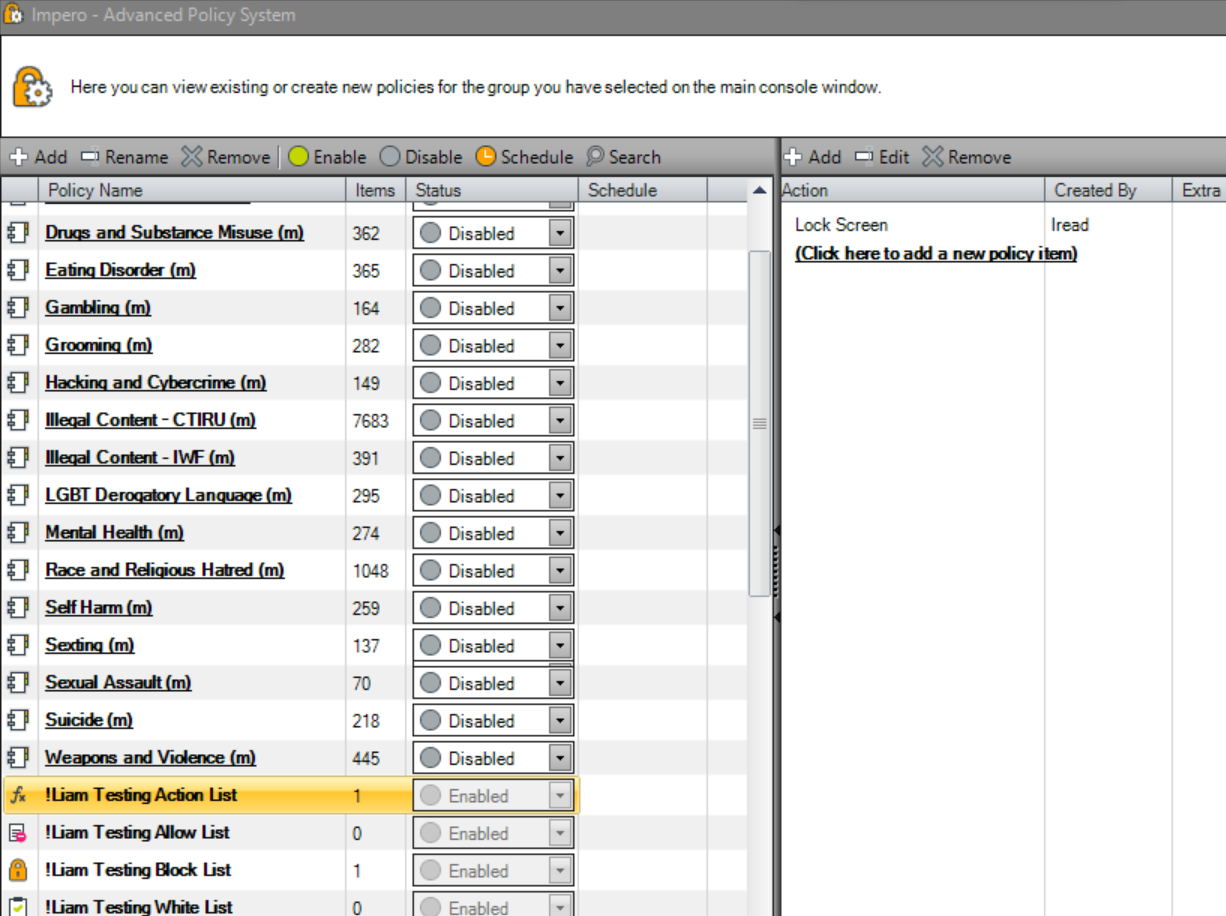
I might of misunderstood but I can find out who applied a policy to a group by going to the group, then group tab, Advanced Policies, Find the policy called *GROUP NAME* Action List then in there will say the policy and who added it Then what policies are applied to a device you can add the column Applied Policies then click it on the device in question, then it shows all policies applied (in my case Screen Lock)
-
Impero vs Senso vs NetSupport vs Others?
OLPTech replied to ashleylewisms92's topic in Network and Classroom Management
We use the on premise version of Impero Education Pro for all 3 of our sites and find it great, it has its issues but we couldn't find a product that could do everything Impero could. 2 of our sites had Senso but had nothing but issues with it but since they've had Impero they are much happier with it. Admittedly Impero does have a hosted version of Education Pro although I'm not sure how scheduling Wake On LAN works since the server isn't onsite and the Desktop Console cannot remote control devices that are not in the same network as the console although they do have a 'cloud' bit of it where you can remote control devices outside the network. -
Impero Proxy Password in Plain-Text
OLPTech replied to ColonelPanic's topic in Data Protection & Information Handling
Fixed in the latest version that they've just released (8.6.25) -
We use The Microsoft Entra Connect Sync (also called Azure AD Connect) which you can download from here https://entra.microsoft.com/#view/Microsoft_AAD_Connect_Provisioning/AADConnectMenuBlade/~/GetStarted then select the Manage Tab then Download Connect Sync Agent
-
Hi our users keep getting notifications called Notification Suggestions asking them if they would like to turn off certain notifications. For example they receive one for Software Center which we don't want the user to be able to turn off since it notifies the user when updates and restarts are scheduled. The suggestion doesn't disappear unless the user selects one of the options. Does anyone know how to disable this notification? We have Do not show Windows tips enabled. Thanks
-
Impero Proxy Password in Plain-Text
OLPTech replied to ColonelPanic's topic in Data Protection & Information Handling
I've just heard from them, they recommend you create a ticket but they couldn't replicate it on the newest version (8.6.22) -
Impero Proxy Password in Plain-Text
OLPTech replied to ColonelPanic's topic in Data Protection & Information Handling
Interesting, I have sent this edugeek thread to someone at Impero to see if theres anything that can be done. -
[22h2] Settings Page Visibility GPO Broken from October 2023 Update?
OLPTech replied to OLPTech's topic in Windows 11
Hopefully Microsoft will fix it in next months update, very frustrating -
That's a shame, out of interest what third party viewer did you end up using? I'm debating whether to enable the old Windows 7 Windows Photo Viewer (https://winaero.com/how-to-enable-windows-photo-viewer-in-windows-11/)
-
Hi we're experiencing the exact same issue. Did you ever find out how to sort this? Thanks
-
[22h2] Settings Page Visibility GPO Broken from October 2023 Update?
OLPTech posted a topic in Windows 11
Hi We use the Settings Page Visibility GPO to only certain settings to staff/students, however since installing the October 2023 update it doesn't appear to be applying properly to any of our sites. We have it to only show these settings: showonly:display;bluetooth;printers;pen;autoplay;taskbar;defaultapps;easeofaccess-mouse;keyboard However since the update the actual result only shows bluetooth, language and accessibility mouse settings. Just wondering if anyone who uses this GPO is experiencing the same thing. Thanks -
Is the secret knock setup? https://kb.smoothwall.com/hc/en-us/articles/360015978080-Smoothwall-Filter-Firewall-Preparing-for-Cloud-Filter-to-avoid-Double-Filtering
-
Error When trying to broadcast Impero Console
OLPTech replied to mrlyonst's topic in Network and Classroom Management
We had a similar issue where one PC couldn't view any remote screens. The issue was because when Impero was installed it failed to add the firewall rules into Windows Firewall. When we disabled the firewall we could see screens again. We manually copied the rules from another device which solved our issue -
We use Mosyle and have found it to be very good. They have a free version too. https://school.mosyle.com/
-
We use https://www.itpro.tv/ at our trust to support training of our IT Team. We've heard good things from the guys who use it
-
Hi we're looking to use the script to deploy SIMS and Solus. When an update comes out via Solus will it still auto update it. Thanks
-
We're having the exact same problem and also use uev. Don't suppose you worked out a fix?