Esteban_Child_of_the_Sun
-
Posts
583 -
Joined
-
Last visited
Content Type
Forums
News
20th
EduGeek EDIT Conference
Blogs
Everything posted by Esteban_Child_of_the_Sun
-
[sims] Staff list on certain day report?
Esteban_Child_of_the_Sun replied to coolhands's topic in MIS Systems
There is no specific filter for employed on date that you can filter by. The way to do it is to output all staff with their starting date and leaving date to Excel and use a simple Excel formula (e.g. https://exceljet.net/formula/if-date-is-between-two-dates) to determine for each staff member if they were employed on specified date then count the number who were employed on that date -
[sims] The URN in the CTF is different...
Esteban_Child_of_the_Sun replied to Koldov's topic in MIS Systems
If you have the correct permissions in SIMS you can edit it by going to 'Tools | Other Schools', finding the school to amend and put in the new details. -
If you are meaning InTouch messages then you can use 'Reports | InTouch | Messaging Audit'
- 1 reply
-
- 1
-

-
Mass changing Ethinicity Codes in SIMS
Esteban_Child_of_the_Sun replied to Pollock's topic in MIS Systems
You can down load it from https://customer.support-ess.com/csm?id=kb_article_view&sysparm_article=KB0024045 -
The link takes you to an outdated version of that page which is why it still references Capita. At the top there is a button to view the most recent version (version control does have its downsides) The Registration code isn't the same as the SIMS license key, you'll need to contact ESS via your SIMS support team to request a copy of it if your nominated user in school doesn't have a copy.
-
There is a lot of pronoun functionality coming in the Summer 2022 release, with phase 2 of it coming in the Autumn. You can see more detail (if you have a login) here in the "SIMS – Updates to SIMS" section
-
The only ways I know to do it from a workstation is to browse to the location of Pulsar.exe (defaults to C:\Program Files (x86)\SIMS\SIMS .net), then do properties of the file and go to the Details tab. From within there you can see the File Version. 7.204.26.0 = base release of Spring 2022 7.204.26.2 = Workstation patch 2 If you have access to the SOLUS3 Agent UI then you can look in there too

- 1 reply
-
- 1
-
-
[sims] Taking Registers with hosted SIMS
Esteban_Child_of_the_Sun replied to clareq's topic in MIS Systems
You can now do it through a web browser without accessing the full fat client if you are a primary school. The secondary version is coming soon (https://www.ess-sims.co.uk/resources/blog/take-register-first-slice-of-sims-next-gen) -
When I inquired before Christmas, Arbor couldn't handle age based assessments. there were various fudges and workarounds but it was all very faffy. Arbor said if there was demand for the feature then they would look in to developing something.
-
[sims] Discover - Dynamic groups not feeding in to SIMS
Esteban_Child_of_the_Sun replied to LosOjos's topic in MIS Systems
If you are getting the "Transfer Requested - waiting for service..." after you have tried to start the service in Windows Services then it probably means the service is failing to properly start. You can find out why by looking at the log files located in C:\Windows\ServiceProfiles\NetworkService\AppData\Local\Discover\ -
We have a few schools using Timetables in to O365 via SIMS ID and I don't think it does cover assignments. (if it does then it has never worked for us)
-
[sims] Top 10 things to health check in SIMS
Esteban_Child_of_the_Sun replied to asteer's topic in MIS Systems
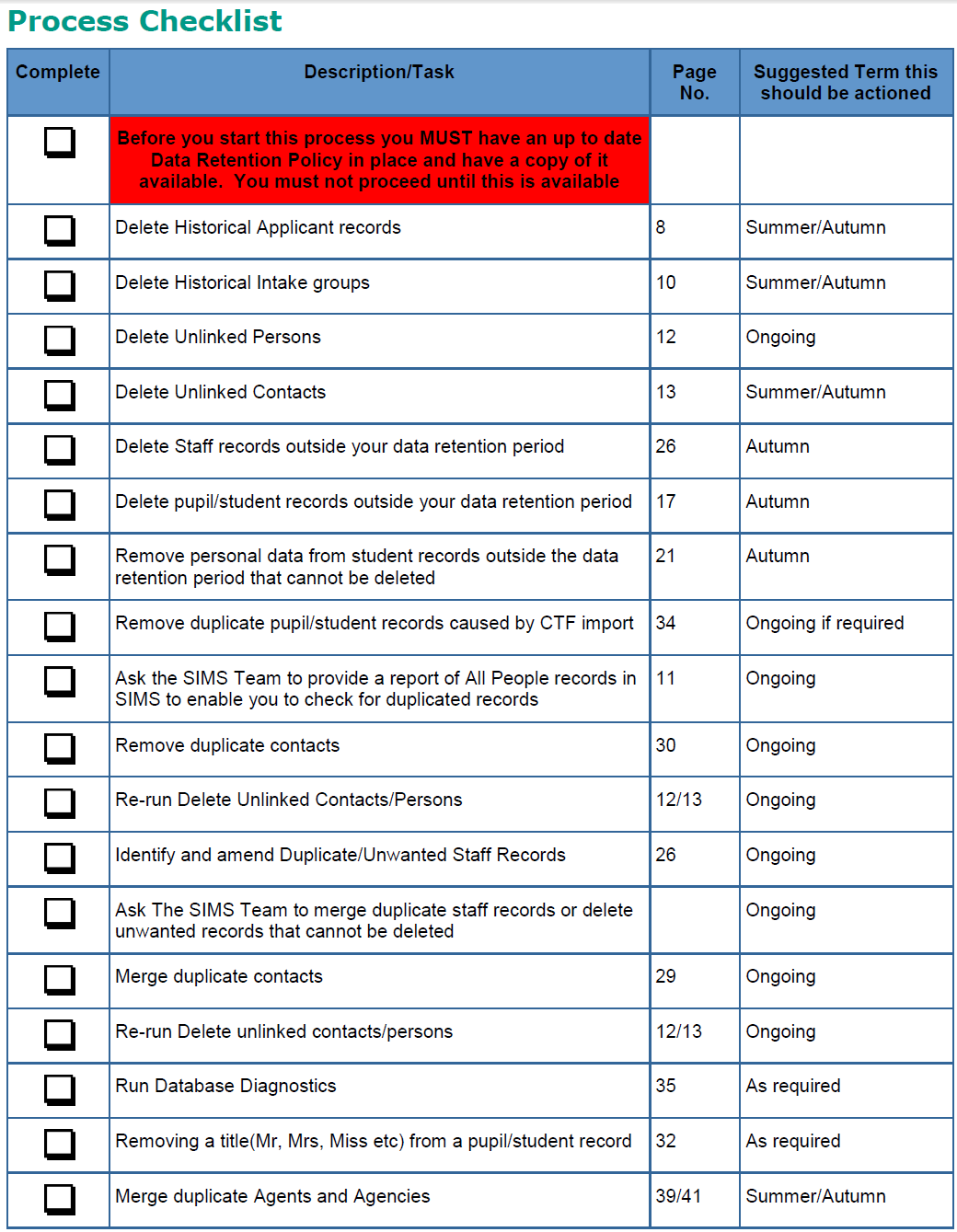
Not quite a check list but here is a list from a housekeeping handbook we have of things that we recommend our schools do on a regular basis
-
[sims] SQL server(s) instance(s)
Esteban_Child_of_the_Sun replied to PurpleTentacle's topic in MIS Systems
simple for all databases (SIMS, SOLUS, Discover, FMS) -
SIMS marksheets / Google Classroom / Wonde
Esteban_Child_of_the_Sun replied to MrWu's topic in MIS Systems
We use SIMS ID for the Google Classroom sync (saves the school having to pay for Wonde) and I've not encountered that issue so far so I'm guessing it's something Wonde will have to resolve. -
[sims] SQL server(s) instance(s)
Esteban_Child_of_the_Sun replied to PurpleTentacle's topic in MIS Systems
I went through this with Capita a few years ago and tracked the issue down to the Cardinality Estimation (SQL Server) in SQL2016. SIMS uses an outdated SQL methodology that doesn't work well with SQL2016 in the way it joins tables which is what produces the slowness. If you have run the re-index patches while it's in 2016 mode then you'll need to re-run them once it's in 2012 mode to re-build them back to the old way. I'd also recommend setting up a regular SQL maintenance plan (I've set our high schools to run it monthly) and Capita provided me with the details for it so just log a call with your SIMS support for the documentation. We also found that any latency on the HDD amplifies the slowness, so if you have a NAS that isn't hosted within your server then even a high bandwidth link to the NAS causes more slowness. -
[sims] Print of all year 10 lessons
Esteban_Child_of_the_Sun replied to Jawloms's topic in MIS Systems
yes there is s simple way, try the attached report as an example of one of many ways it can be done Y10 Lessons with teacher & student names.zip -
Options online - exporting 'reports' ie lists of choices
Esteban_Child_of_the_Sun replied to coolhands's topic in MIS Systems
The report you want is in SIMS.net, just export the option choices to SIMS and you can run the report form there. (Yes you'll have to generate a solution first, but I've found it to be a fairly efficient way of doing Options) -
Hi, yes it is possible through cover, in SIMS.net go to 'Focus | Schools | Arrange cover', select and open the day you want the room closure to start the click the 'New Closure' button to add a room closure. you will then be asked to provide an alternative for all classes scheduled to take place in that room.
-
Data collection Mailmerge in SIMS?
Esteban_Child_of_the_Sun replied to jmshillito's topic in MIS Systems
The way I deal with this issue, is to create separate entries in the report and filter them for each priority (assuming you have assigned unique priorities to each contact), that way all the data comes out in 1 record and Word can deal with the results more easily.
-
'non-teaching periods' are by definition periods that don't have students assigned to them, only teachers and rooms. NCCs will never show up on a student's TT as they aren't assigned to them.
-
Rochdale's SIMS Support unit covers schools out of borough, SIMS Support Services - EDIT Services
-
You can store it as a linked document and it will play with the default program for that file type when "viewed". We had a school who stored CCTV video files in the linked documents for Behavior incidents that were caught on camera.
-
SIMS + Lesson Monitor | Registering Double-Periods
Esteban_Child_of_the_Sun replied to SirCaz's topic in MIS Systems
Yes, it is because you have a break, in theory a student could be in period 1 go for the break and choose not to return for period 2. here is Capita's KB article on it https://support.capitasoftware.com/csm?id=kb_article&sys_id=866c3bb4db3d0094003c4872ba9619d0 -
SIMS: Import CSV with carriage returns in text
Esteban_Child_of_the_Sun replied to mdwheeler's topic in MIS Systems
From what I remember, csv files use carriage returns as new record markers, you'll need to use an xml file format to maintain them in an import in to SIMS (I'm assuming assessment Manager) -
Have you done all the usual things e.g. apply timetable, Validate memberships, database diagnostics, etc.