Steve21
-
Posts
9,168 -
Joined
Content Type
Forums
News
20th
EduGeek EDIT Conference
Blogs
Everything posted by Steve21
-
 Did you get notified about that? Or did you have some old ones outstanding to order again? Steve
 -
They like to hide it on a different page nowadays, the education page isn't education K12 level: https://www.adobe.com/uk/education/schools.html Scroll to the bottom for: Named User Licence - One School Named User Licence - District or MAT Classroom Licence In your scenario, 25x classroom device would be £530~ as the cheapest option Steve
-
Guessing we'll hear more details on the event on the 24th, but I think it depends how "spin-offy" it is from Win10/X, as the CEO said they've been using it for the last few months, so either it's been hidden well or it must be a combination for them to already be using it Steve
-
[1909, ou] 1909 June CU - New "Feature" News and Interests
Steve21 replied to foofighterjim's topic in Windows 10
Just as a note, there's a newer version available now with 21H1 release: https://www.microsoft.com/en-us/download/details.aspx?id=103124 Steve -
Well it's official, Windows 10 is retiring! Windows 10 Enterprise and Education - Retirement Date - 10/14/2025 (https://docs.microsoft.com/en-us/lifecycle/products/windows-10-enterprise-and-education) Windows 10 Home and Pro - Retirement Date - 10/14/2025 (https://docs.microsoft.com/en-us/lifecycle/products/windows-10-home-and-pro) Both lifecycle pages updated, and MS said they'll be running 10 alongside "11/new" so sounds like it's coming sooooon Steve
-
Change the auto decline in sccm to a longer period rather than instant (we use 3 months) and then re-authorise the update manually in wsus and it’ll sync back to sccm on its sync Steve
-
How are you activating them? Are you still using one of the old methods like shared devices etc? Or is it 1:1 devices? Steve
-
[windows software] O365 - 'Free licenses' - with Office on OVS-ES
Steve21 replied to Koldov's topic in Licensing Questions
That's because they're not free on their own anymore. They're now called M365 apps for education and are added onto a paid for agreement. Only the basic A1 (online only) is free for all schools based on MS's last changes Steve -
FailOver Cluster : Fallback
Steve21 replied to garethEds's topic in Thin Client and Virtual Machines
I'd say always put a delay on it for the auto failback. It's designed to stop things like yoyo'ing servers, take the example with a BSOD, if the HOST BSODs the VMs fail over, and then when machine reboots VMs fail back and if it BSOD repeat. By putting even an hour delay on it you ensure the machines stable before the auto-levelling takes place. Same if you want to do things like 2-3 reboots in a row for updates etc Steve -
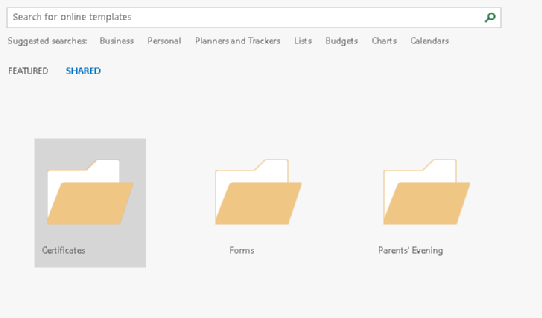
Rather than per use, you can also a shared folder using workgroup templates: Microsoft Office 201X/Shared paths Workgroup templates path \\domain\Administration\Templates\Office And it'll put the templates under the shared tab: Works across programs too as it'll just pull what filetypes applicable to it (Excel below but using the same data as above): Steve

-
Outlook Email Signature Automation with AD Attributes
Steve21 replied to QwertyMash's topic in Scripts
Just tested that on some actual live data, and seems the code works but it has to use the full name version (It doesn't return data under Fax for me, only facsimiletelephonenumber): $user = (([adsisearcher]"(&(objectCategory=User)(samaccountname=$env:username))").FindOne().Properties) if($user.facsimiletelephonenumber.count -gt 0){$faxnumber = $user.facsimiletelephonenumber[0]} $(if($faxnumber){"F: $($faxnumber)"}) Returns data for me: F: FaxTest123456 Steve- 135 replies
-
- 1
-

-
- group policy
- outlook
- (and 2 more)
-
Outlook Email Signature Automation with AD Attributes
Steve21 replied to QwertyMash's topic in Scripts
That code you posted wouldn't be right. The count should be the same item as the [0] So if you're using fax as an example@ if($user.fax.count -gt 0){$faxnumber = $user.fax[0]} As you're checking if fax exists and if so assigned fax to your variable (or same with facsimile etc) Steve- 135 replies
-
- 1
-
-
- group policy
- outlook
- (and 2 more)
-
Isn't that because you have your command the wrong way around? You're copying tftp "to" startup so you're asking it to overwrite the live config Don't you want copy startup-config "to" tftp so it does it the other way around Steve
-
Comparing Smoothwall to forcepoint
Steve21 replied to dev101's topic in Internet Related/Filtering/Firewall
Pretty much all filters will have an option (named differently) to scan pages before they load which would detect anything unknown like that. So rather than default blocking it, it'll allow it if it's safe etc Steve -
I know you said about clearing cache of SSL, but always worth trying private browsing in another browser too to make sure it’s not just being silly on your end You got a link to it? Happy to try from my side to see what it says just in case it is something silly Steve
-
Honestly not done it manually in a while, but the script I set to do the renewal has for the html5 part it republishing it after the Import: Import-RDWebClientBrokerCert C:\RDSCert\RDSCert.crt Publish-RDWebClientPackage -Type Production -Latest Might be worth a try? Steve
-
That'd be great appreciated! Steve
-
Out of curiosity who’s doing those quotes? Steve
-
Pygame installation blocked by proxy server
Steve21 replied to cheaptonersucks's topic in Educational Software
Pip allows proxy as a parameter or at least did last time I tried it Pip install —proxy http://blah.com:8080 Pygame etc Note that’s two - above seems to format odd on phone You can put a user:pass@ in front of blah if you need to, so might be worth trying it as an easy fix if that lets you Steve- 13 replies
-
- 1
-
-
- proxy authentication
- pygame
- (and 2 more)
-
Are you sure you installed them as Network licenses? There were two types you could request, one which is standalone and locked to an install, one that uses the network seats Steve
-
Teams on Linux Ubuntu 20.04 - GPU Acceleration issue
Steve21 replied to Davit2005's topic in Office Software
Unless it's been done recently I don't think it's even enabled in the Linux client still. There was a bodge to get the one-way Linux->Windows option, but nothing allowing you to give control Windows->Linux The uservoice seems to suggest it's not been added yet: https://microsoftteams.uservoice.com/forums/555103-public/suggestions/39624940-remote-control-on-linux?page=1&per_page=20 Steve -
Good Evening All, So I've been trying to have a play with Delivery Optimization to implement going forwards, and after a day bashing my head on a wall I still feel like I'm missing something obvious as it's refusing to work. So I've set all the GPOs as expected (originally mode 1 LAN only), and disabled SCCM managing the updates, and when I run peerinfo it shows they're connecting to peers... awesome... but no it seems those peers aren't actually on my network, and are on another RM based internet connection across the country (One was Isle of Wight!) Now none of these are our machines, or the test ones I'm playing on. So after some research it seems by default it uses your external public IP to match (thus through proxy it's matching machines using the same one, as my two test machines were on different RM proxies their externals are different). Reading further into it, there's an option to use Mode 2 (LAN + Group) and assign a custom group ID that'll get around that, so great set that up and now nothing... No peers at all connecting anymore. Anyone had this before and know what might be wrong? It's obviously setup and connecting to the service/peers ok from the fact it's finding ones outside our network, yet inside nothing at all... Thanks in advance! Steve
-
Aye, it was more that we have some old old old laptops that the old IT company bodged majorly that I'd prefer not to jump to 20H2, so if they're on 1909 they're updated, but at least I know which ones I need to manually rebuild later, as then any 20H2 are clean as such. I had an old version of the exe you use that says it'll do them to 2004, so it seems to be exe dependant to what version it upgrades too thus the wonder if you had any old ones lying around Steve
-
That's pretty cool idea using it via SCCM that way. Don't suppose by any chance you have a 1909 copy of the update exe still? Steve
-
There's the official guidance available here for the main SIMs server aspect: https://support.capitasoftware.com/csm?sys_kb_id=f33cf374db3d0094003c4872ba961922&id=kb_article_view&sysparm_rank=2&sysparm_tsqueryId=c02e405d1b0438104b909604b24bcb59 Then there's just all the extra addons like xporter/SSM etc to consider depending on what you use Steve