sparkeh
-
Posts
11,622 -
Joined
Content Type
Forums
News
20th
EduGeek EDIT Conference
Blogs
Everything posted by sparkeh
-

VeryPC STOCKtober 2016 - A month of prizes and fun from VeryPC
sparkeh replied to VeryPC's topic in Our Advertisers
After doing some digging I found the original VeryPC staff photos for Al, Ross and Colin!
-
Yeah still free up to 100 devices
-
Anyone mind posting their average latency to the Azure CDN?
sparkeh replied to pete's topic in Cloud Services
Around 230ms for us for the CDN -
VeryPC STOCKtober 2016 - A month of prizes and fun from VeryPC
sparkeh replied to VeryPC's topic in Our Advertisers
Good work guys -
VeryPC STOCKtober 2016 - A month of prizes and fun from VeryPC
sparkeh replied to VeryPC's topic in Our Advertisers
Argh my ruse unravels in 5 minutes -
VeryPC STOCKtober 2016 - A month of prizes and fun from VeryPC
sparkeh replied to VeryPC's topic in Our Advertisers
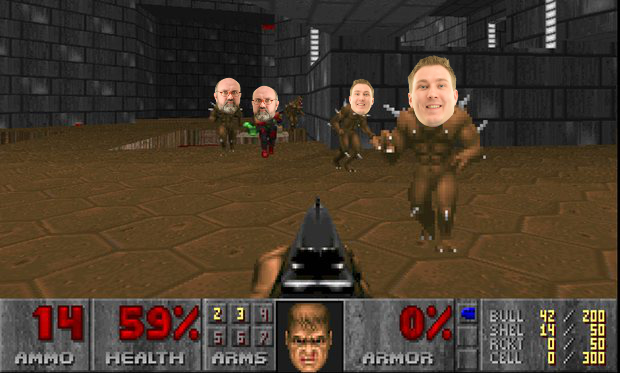
Hey look how I've photoshopped Al and Colin into this picture:
-
Seeking advice on Gateway-Firewall-Filter solutions
sparkeh replied to dleigh's topic in Internet Related/Filtering/Firewall
Oooh oooh:
-
Anniversary Edition on Domain machine automatically... how?!
sparkeh replied to cdwyer's topic in Windows 10
Check on the machine whether the 'check for updates from Microsoft' box is ticked. I haven't looked extensively at this but on our machines it appears that users can tick this, need to look at how to disable that. -
Very much looking forward to this [emoji3]
-
The Babadook Have been avoiding this as mrs_sparkeh and I don't do too well with scary stuff (we love watching them but then spend the next week checking under the bed, in the wardrobes and taking turns to take overnight watch with a crucifix and gun loaded with silver bullets). However we were so glad we finally relented and watched this. Personally I don't see this as a horror but more of a psychological film about dealing with grief. It's clever without being smug and there's plenty of things to go and look for in a second viewing. My only negative is that the third act drags a bit (I mean we know that things are bad for the family already, c'mon pick up the pace a bit) but it's made up for with a wonderful ending. Highly recommend it, even if you don't like horror (but watch to the end so you know the ends ok )
-
Anniversary Edition on Domain machine automatically... how?!
sparkeh replied to cdwyer's topic in Windows 10
Not true. Depends on where the machine is set to get its updates from and whether it's Current Branch or Current Branch for Business. -
Anniversary Edition on Domain machine automatically... how?!
sparkeh replied to cdwyer's topic in Windows 10
Is the machine getting updates directly from windows update? Unless it goes direct or you approve in sccm I can't see how it would get it. -
Funny, our RBC connection with redundancy went down a few times, our non RBC ISPs EoFTTC without redundancy has never failed. And is significantly cheaper
-
Well the issue got worse and couldn't login at all as a network user but now have made some progress on this. I unbound and rebound the mac to the network, which was really tricky as I kept getting a message saying that the domain was not contactable. Eventually it worked and I changed the login screen from 'list of users' to 'username and password'. The username box has an error next to it saying that network accounts are not available. However network accounts can login just fine (I guess that the 'other' user was not available as it thinks network accounts are unavailable so doesn't show the box). Clearly there is an issue with one part of the OS thinking that the domain is not available but another letting you login as a network user. Weird.
-
Support companies for your school's IT - Quick poll
sparkeh replied to nikaso's topic in General Chat
Full time in large primary (600 on roll) and I can assure you I am never twiddling my thumbs! Everything is I'm house here except sims support, we use the LA for that. I think that the difference with a support company is that, possibly, you are able to be adventurous and offer more services. Also you end up doing *everything* vaguely IT related. So for exampIe I administer sims, code and maintain the assessment trackers, manage our Tapestry accounts, booking system, remote access, visitor system, display screens, website etc etc and very much etc -
Personally I think that EoFTTC is a good option for mid to large primaries. You get a dedicated line line and better SLA. Yes it's a bit more expensive than FTTC but cheaper than a leased line and worth it.
-
VeryPC STOCKtober 2016 - A month of prizes and fun from VeryPC
sparkeh replied to VeryPC's topic in Our Advertisers
...is it me or there only "exotic" ways to interpret that?! -
VeryPC STOCKtober 2016 - A month of prizes and fun from VeryPC
sparkeh replied to VeryPC's topic in Our Advertisers
I think that @VeryPC Al mentioned something about the author of post #271 winning a candlelit dinner with him or something... -
I use @VeryPC who have always been awesome.
-
VeryPC STOCKtober 2016 - A month of prizes and fun from VeryPC
sparkeh replied to VeryPC's topic in Our Advertisers
Doom!
-
VeryPC STOCKtober 2016 - A month of prizes and fun from VeryPC
sparkeh replied to VeryPC's topic in Our Advertisers
"Here's Al.....!"
-
As a guide, my primary has about 150 machines and our site server hovers around 7GB RAM usage. But that's a site server so running a DP and SUP should consume less than that per site. Personally I like to throw as much RAM at SCCM as I can. 32GB might not actually be far off what you need.
-
VeryPC STOCKtober 2016 - A month of prizes and fun from VeryPC
sparkeh replied to VeryPC's topic in Our Advertisers
Ross returns home from a good day's hunting.
-
This is a pretty good guide: [Tutorial] Configuring Direct Access on Server 2012 R2 | Jack Stromberg Only note is that near the beginning it states that you need x2 nic in your server, this is not true, later on it does show the single nic setup.
-
VeryPC STOCKtober 2016 - A month of prizes and fun from VeryPC
sparkeh replied to VeryPC's topic in Our Advertisers
Awesome work @VeryPC & @VeryPC_Colin_M