JRowley
-
Posts
940 -
Joined
-
Last visited
Content Type
Forums
News
20th
EduGeek EDIT Conference
Blogs
Everything posted by JRowley
-
After years of being a bit crammed in, our new office is here..
JRowley replied to Abaddon's topic in General Chat
What size establishment are you?? Our office is about half the size of your original one with 3 of us in it! -
[sims] Everyone ready for the move to SQL 2012/2014?
JRowley replied to localzuk's topic in MIS Systems
We are moving to SQL Server 2012 on Monday and rebuilding our sims server to be virtual at the same time. Wish us luck! -
SQL is a bit of a funny piece of kit, it will use as much ram as it possibly can (if you let it) so you can put in 64GB of ram and it will try and use 64GB of ram. It will cache lookups in memory to speed up access, eventually of course it will cache everything so you will top out. The big problem with SIMS is the way it compiles reports, it does it all manually with lots of lookups it doesn't utilise SQL's reporting tools or features. So yeah basically the client queries the database directly and compiles the report as it goes making the database inefficient as it's not using the right tools for the job and making the client inefficient as it's building the reports and waiting on each query to come back before submitting the next one.
-
To address your first point, OneDrive and Network File Storage don't really play very nicely together, you can try and create scripts to synchronise between the two but there is no official support for it (as in no simple settings, tools, configuration) as of yet.
-
There isn't a server edition to my knowledge, I had a look and couldn't find anywhere to trigger the update if there is one, it's not available through Windows Update either.
-
It's fairly clear that the interface isn't completed, the shadow of the clicked "Install" button remains behind the "Download Now" label. I'm sure it will be fixed at some stage, not that it really matters as it's a technical preview so that 'feature' won't make it to the RC anyway. Also navigating away and back again resets the interface when it's still downloading in the background.
-
Microsoft have released build 9860 to technical previews Headlines: New Action Centre incorporating Notifications Keyboard Shortcut to Move Apps between Monitors Animation for Switching Desktops The build is between 2GB - 2.74GB and will require a restart which will take an abnormal length of time. Your account will also be previsioned during this time so expect the usual "Installing Apps, Getting Things Ready" screens. This build is currently available on: Professional Technical Preview Enterprise Technical Preview You can read about build 9860 on Microsoft's Windows Blog.
-
Our staff are pretty good, all-staff emails are generally useful or require all the staff to receive them everything else is more or less sent to the relevant distribution group.
-
It wouldn't surprise me, it's a technical preview they have legitimate uses for keystroke information at this stage.
-
Another using Ubiquiti Unifi here, very good kit for the price.
-
From a developer point of view you can already get around this by using the '\\?\' prefix though, so not really sure what that guys point was. Can't see that changing in quite a while.
-
Just use the links in the sticky they are direct to the .ISO files rather than using the useless Akamai downloader. http://www.edugeek.net/forums/windows-10/143137-windows-10-technical-preview-compiled-links.html
-
They are fairly unique, I will give them that, and actually the price point is a plus considering dell are selling their 5K screen on it's own for more than the whole iMac, so actually I was fairly impressed with Apple this time around in that area at least. As you say it might be useful for the most basic of videos, but then you probably aren't using Final Cut Pro anyway.
-
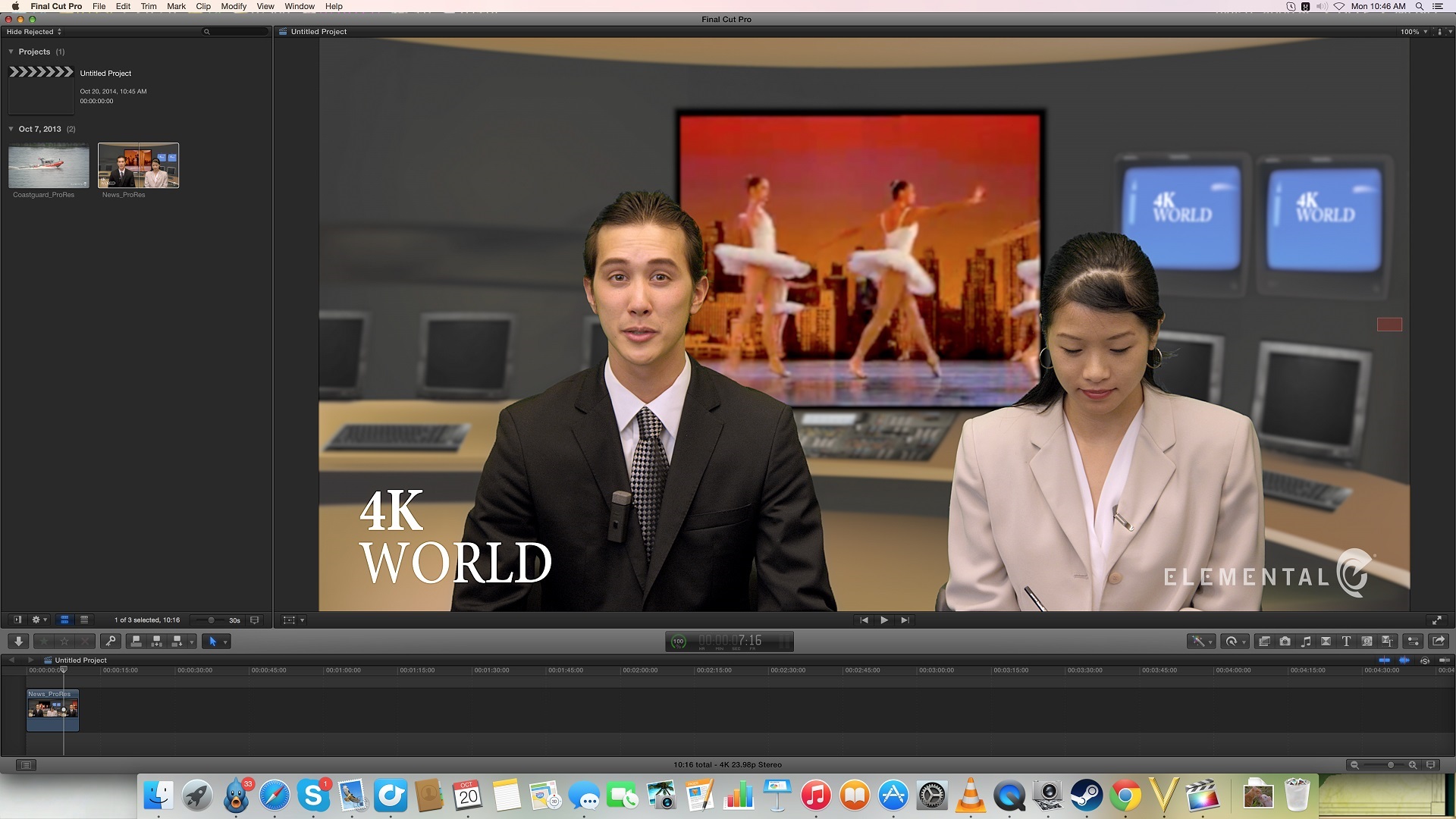
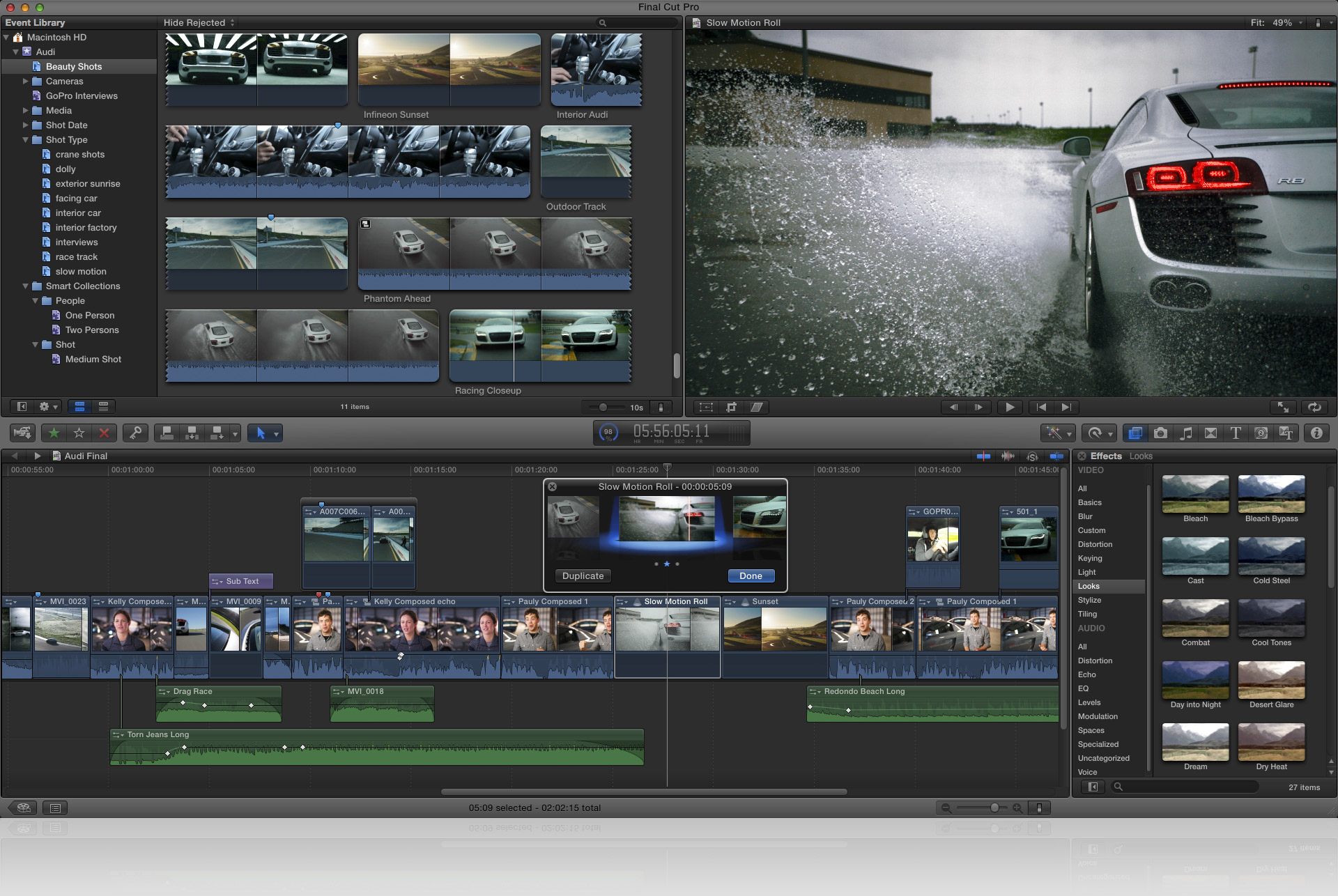
As in, when you work on footage in Final Cut Pro for example, you don't have the video being shown at it's native resolution unless it's on a second screen anyway. The amount of space you're going to be left with when working on a 4k video (the example they used) in it's native resolution simply wouldn't be enough to bring people back from using a second screen. So I can't really see a good reason for it, certainly that reason won't make sense to anyone who actually uses Final Cut Pro or Premiere Pro regularly. Here is how Apple thinks you will work with a 5k Screen: Here is how people currently work on 1080p content on a 1080p screen: Now obviously everyone does work differently, but what they are suggesting is just impractical. I'm not saying that a 5k screen won't be useful, I'm just saying that a 4k screen would be as useful and make a lot more sense.

-
I know, it was just an example the likely visible difference isn't going to be massive by any means. The main point was just that they were being different for very little legitimate reasons, more workspace when working on 4k native content being the primary one cited by Apple which as I mentioned is just nonsense. I thought we had gotten away from all of this when Apple finally buckled and went to standard resolutions for their mobile devices, but that isn't really the case here.
-
Spam heads-up: Adobe Creative Cloud
JRowley replied to howartp's topic in Internet Related/Filtering/Firewall
Well at least they put some effort in, to clarify the real address for creative cloud invoices, billing and confirmation are either from [email protected] or [email protected] and are always in the body of the email not a word document. -
Spam heads-up: Adobe Creative Cloud
JRowley replied to howartp's topic in Internet Related/Filtering/Firewall
What was the email address? -
It hasn't except that you ideally want to be viewing things in their native resolution, if you watch a 1080p video on a 5k screen then you are effectively stretching that video to fit your resolution. The same would be true if you were viewing a 4k video on a 5k screen. Which is why watching a 320p video in full screen on a 1080p monitor looks terrible. I never mentioned that you couldn't produce different sized videos, there isn't any limitation on that...
-
Not really, anyone who would actually be doing this would do so on a second screen which would display the content in it's full native resolution. No one produces video with one screen these days, they claim it leaves enough room for tools around the edge, but that's not how most high end video authoring software is laid out. You've got substantially more panels and tools that you need to be displayed at almost all times. You simply wouldn't fit the content natively in the space on a 5K screen.
-
Sigh why 5K, the rest of the industry is targeting 4K, I know Apple have this thing about being different but surely when an entire industry targets 4K and 8K as goals you don't try and go against that. What's the likelihood of people producing 5K content over 4K which is rapidly going to become the standard?
-
Sorry yes you're right you can't enter a password in any of the authentication types (though it does support everything from Open to WEP, WPA Personal, Enterprise and WPA2). Oh and it's not directly related to Radius.
-
Sorry, I might be missing something here but you can deploy wireless configuration using GPO by default without need for a script.
-
Just curious but did you explore other options beyond Meraki and Ruckus?
-
I envy you, I really do. I would question how suitable cloud storage is, it has obvious benefits, but 4 secondary schools all loading/saving to the cloud? Will your connection hold up to that? Personally I would prefer internal replication between sites over potentially long delays if working on large files. Something you will have to consider, either way your going to be using bandwidth somewhere.
-
Yeah I said in an earlier post that it would be useful on other platforms, just not PC/Desktop.