mikkydoos
-
Posts
2,616 -
Joined
-
Last visited
Content Type
Forums
News
20th
EduGeek EDIT Conference
Blogs
Everything posted by mikkydoos
-
Thats a funny post lol. Superglue the switch lol
-
We do... PaperCut £5.00 / week for staff £3.00 / week for pupils 10p per A4 Colour 0.5p per A4 Mono All prints (except pupil laser printers) are queued and collected at a copier. No print = no charge.
-
There is the SIMS.net mobile app for basic functions. Depends on what you want your users to have access to.
-

Meraki & iPads - Specify time for app install
mikkydoos replied to Renfield-64's topic in Mobile Devices & Tablets
Don't think you can schedule installs. You could license each device a few at a time (if you've got DEP or unique apple ID's) -
No, but that is an option. TBH I'd rather put it together myself but advice is always welcome.
-
Love the light wood violin bass. He never made that himself ? I've got a '64 model. Its bloomin lovely sounding That is a truly impressive machine. Reminds me of a busker I saw in the square in Bath who had a pedal powered guitar. One foot picked the strings while a button device he held in his hand used air pressure to place metal fingers on the fretboard. It was amazing. Here he is. The machine was brilliant https://www.youtube.com/watch?v=yYHlwk9xrIE
-
[video] 360° View Of A North West 200 Practice Lap
mikkydoos replied to 6Foot2's topic in Jokes/Interweb Things
Imagine clipping a kerb. Big ouch! -
I'm not sold on Cisco AP's. The ones I've used aren't anything like as good as Ruckus.
-
Ruckus is great for here. You will save a lot of cash by going the Ubiquity route. Not used them personally but seen them in action and they are very good.
-
@Daaood Link2ICT made this a large pain in the bum for me. You need to ask them to enable IMAP on your Zimbra accounts. Get the IMAP server details from them, then use the USERS/IMPORT page in O365. The pain for me was that they'd only let me IMAP 10 accounts per day. because it was too heavy a drain on their network! Sheesh! I had to use a non .bham,sch.uk domain because they'd turn the IMAP off after half a day so the mailboxes would be out of sync after a couple of minutes. I just told the users 'you have a new mail address from now' then forwarded mail from Zimbra to their new address. In the hols I moved the old domain to a new host, validated it in O365, set up the DNS etc etc. Its a bigger pain than you think, and you're going to have some mail downtime. EDIT: That was a couple of years back. Has it changed? I don't know. Maybe now they're pushing O365 themselves. I'd say phone to ask.
-
You could always use Dreamweaver... but then again if you want the site to actually work ..... (Do they still make dreamweaver ??) EDIT: They do !
-
True. I read it as e.g. 8 quad cores lol
-
8 vCPU's... ?? Surely thats super overkill gtech ? U mean 8 cores ?
-
University Student Survey - VLE's and anytime anywhere learning
mikkydoos replied to UniStudent123's topic in General Chat
I did it to lend a fellow a hand... but u didn't get my real info on the last page m8. -
'Bright Flash' Seen In Skies Over Scotland - BBC News
mikkydoos replied to 6Foot2's topic in General Chat
I read the video caption as 'Rod Stewart was in a helicopter'. We are crashing... We are craaaashing.... -
ALSO... What virtual hardware resources are you guys using ? CPU , RAM etc
-
Hi all, Easter will be time to get rid of my last physical machines converting them to VM's. I have a server running Server 2008 & Sims.net plus other associated sync programs etc. (It wont be a fresh install, I'll convert with VMWare Converter or deploy an image) Are there any SQL issues or other gremlins anyone has experienced that I should be aware of before I convert ?? Cheers in advance
-
First big motorbike coming soon... which one?
mikkydoos replied to mikkydoos's topic in General Chat
Nah. Not a single. I've got a lawnmower for that -
First big motorbike coming soon... which one?
mikkydoos replied to mikkydoos's topic in General Chat
I thought they were a newish model and 300cc for A2 ???? -
First big motorbike coming soon... which one?
mikkydoos replied to mikkydoos's topic in General Chat
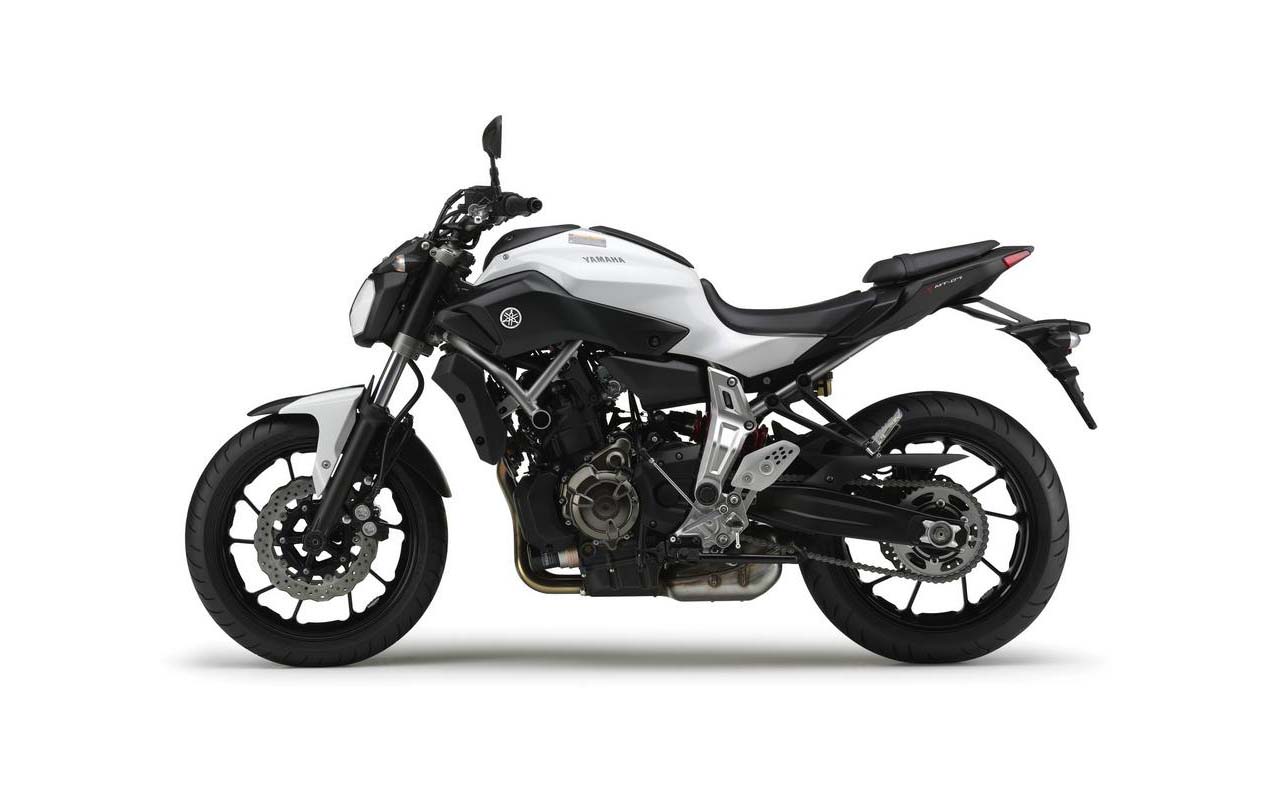
Oh but.. but... I want one of these ....
-
True. And when you have a VM storing data (like my SQL server) it won't get lost when its migrated back to the host.
-
That's a very very good idea ! Not sure I'd be happy using the current file server but its more reliable than my NAS. Or a cheap Fujitsu server with a couple of TB would do it. Still though, if any 1 physical machine that holds data fails, the servers and data are still unavailable. Thats a pain of centralised data. Its a tricky one without spending many thousands ££££
-
First big motorbike coming soon... which one?
mikkydoos replied to mikkydoos's topic in General Chat
Penny farthing for you lol. Are you on an A2 now then ? -
Low budget ceiling speakers + amp for large room
mikkydoos replied to caffrey's topic in AV and Multimedia Related
Have a look here @caffrey 4 Pairs of 100w 8? Ceiling Speakers, 4-Way Speaker Switch & 100m Cable -
My set up is this thus far... 1 x Esxi host - (x) VM's - VM'd vSphere Web Client 1 x Physical 2nd DC 1 x Physical SQL server for MIS - going virtual at Easter - This machine will be Host 2 1 x Physical 12TB file server - standard tower full of raided disks 1 x QNAP 16TB NAS - for all backups 1 x 1TB Buffalo NAS for 2nd backups of critical data 1 x Smoothwall What I'm aiming for is zero downtime if either host fails. - I understand shared storage is needed for hot redundancy- not happy with NAS 1 holding all the servers though - not reliable enough. What other options do I have with what I've got?