

In our latest series of live events, we get real-world experiences of a trust and a primary school adopting Microsoft Teams and SharePoint. The free webinars are designed to help your school get the most out of Microsoft 365.
Firstly, we talk to an Assistant Principal at the Fallibroome Trust about how they’ve adopted Microsoft 365 across the trust. This is followed up with an event in April where we speak to a DfE EdTech demonstrator and Microsoft Showcase School to learn about using Teams to reinforce learning both before, during and after the pandemic.
Sign up to the events for free here: https://www.clouddesignbox.co.uk/events/
Events
- Teams safeguarding with Senso Cloud - Tuesday 23 March at 11am
- Embracing Microsoft 365 at the Fallibroome Trust - Thursday 25 March at 1pm
- Blended learning in primary schools using Microsoft Teams with Cornerstone Academy Trust - Monday 12 April 2021 at 4pm [PRBREAK][/PRBREAK
- More events coming soon - Get notified about new events.
]
Sign up but can’t attend? You receive a video recording after the session to watch back at any time.
Know someone who could benefit from these sessions? Feel free to share the link and spread the word, our events are free and open to everyone.
About Cloud Design Box
Cloud Design Box helps save teachers time and schools achieve more with a range of automation features from centralising resources to SharePoint intranets. Book a demo or have a friendly chat to one of our Education Experts by contacting us:
Web: https://www.clouddesignbox.co.uk/contact
Tel: 01482 688890
Email: [email protected]
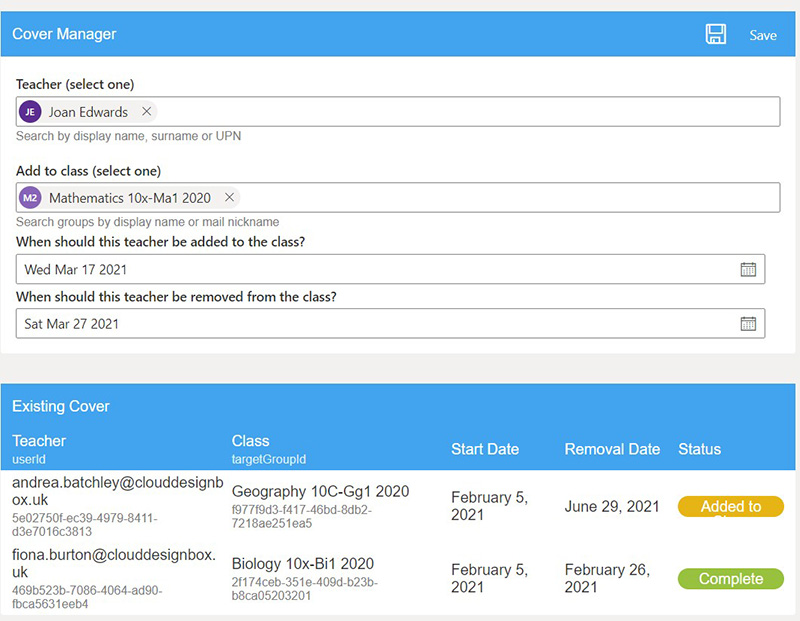
New feature from Cloud Design Box – Class Cover Manager
Schools are currently facing additional challenges when managing class cover as a result of a teacher being absent due to sickness, needing to self-isolate or be re-deployed to teach key worker students.
Cloud Design Box has created a solution that allows schools to quickly and easily organise class cover, making sure the member of staff has temporary access to the right learning resources and Class Team within seconds.
Cloud Design Box solutions
In addition to the free events, we have provided some information below about the benefits and features Cloud Design Box add into Teams and SharePoint. If you would like any further information or would like to arrange a demo, visit the website https://www.clouddesignbox.co.uk.
Saving time for teachers
Central Resource areas help teachers reuse department resources from within each class and assignment.
A clear long-term strategy
Our program of rollout, training and follow up provides the school with a long-term strategy to succeed with Microsoft Teams.
Building confidence with new technology
Interactive online CPD certified courses for small groups of staff with a dedicated trainer so staff can gain confidence and embrace a new way of working. Creating and sharing quality resources in the cloud is no longer exclusive to tech-savvy teachers.
Easy-to-use
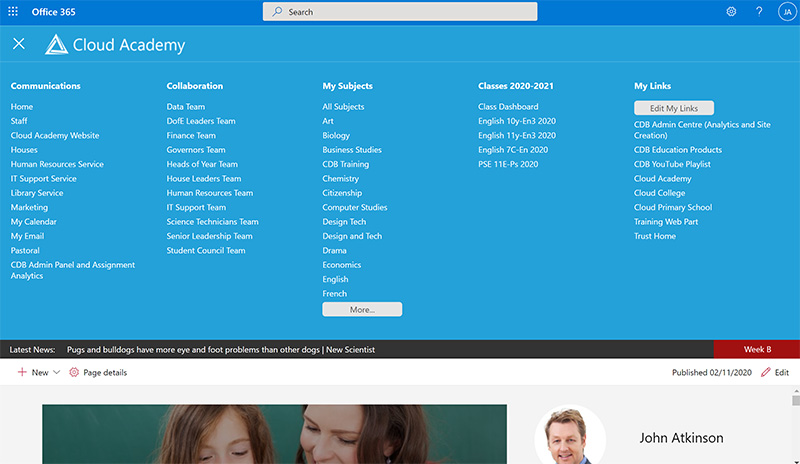
A global personalised menu for easy clear navigation into Teams and sites, even for beginners.
Saving costs for schools
Large long-term savings when refreshing hardware and licensing. Potential to replace other third-party software packages into a single system.
Work with your current Teams or build you new ones
Already have Teams?
If you already have Teams and Microsoft School Data sync through another provider, we can integrate with that data directly without additional MIS integration causing no disruption.
Don't already have Class Teams?
We can integrate with most UK MIS providers to sync class team membership using Microsoft school data sync.
Features in more detail
Replace school network drives
Create long-term storage areas in Teams and SharePoint for non-curricular shares currently on the school network. Saving costs and getting all the benefits of moving to the cloud.
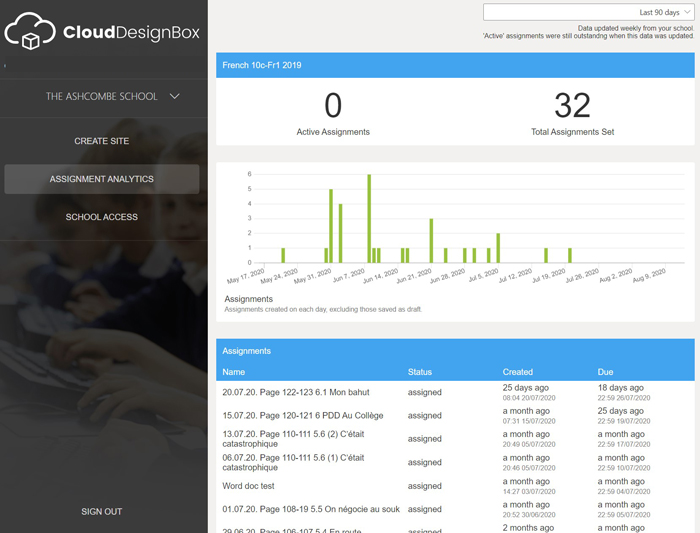
Staff subject analytics
Ensure no one is left behind using the staff assignment analytic tool. Department leaders can track how often each department is setting assignments.
Keep track of departments
Heads of department can easily keep track of the quality of resources being used in classes using centralised resource areas.
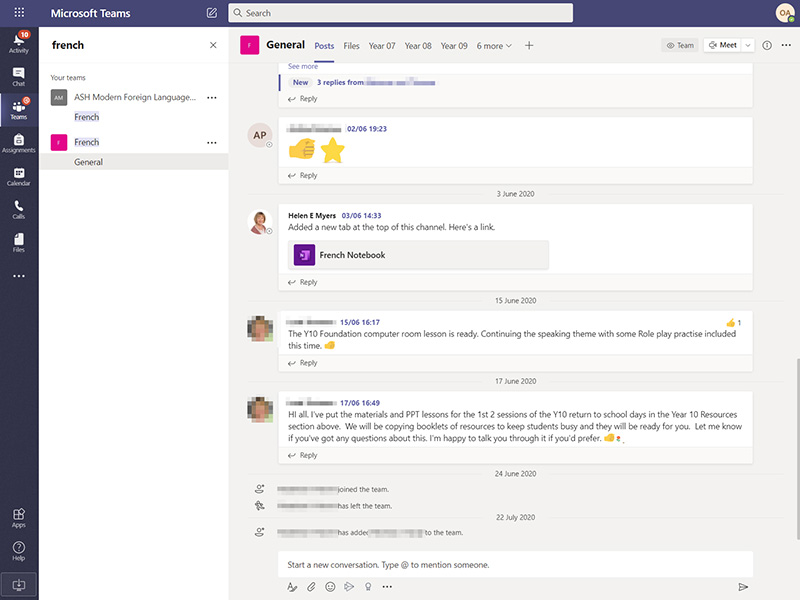
One version of the truth
Resources are centralised to avoid duplication of work. No need to upload resources for every class team you teach each academic year!
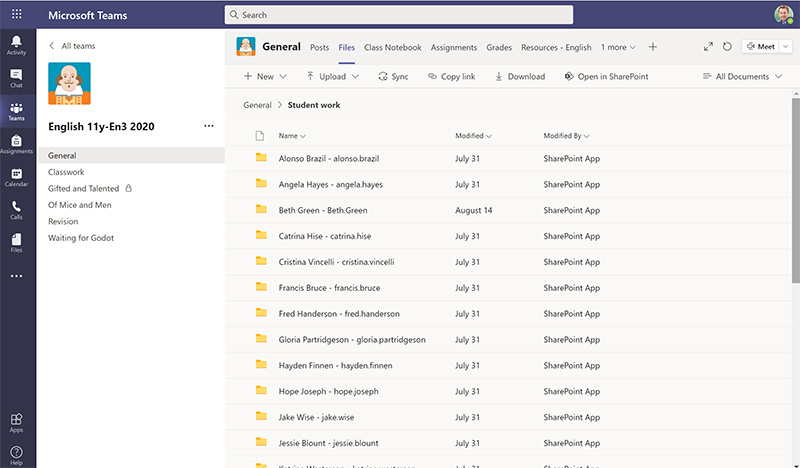
Student can drop off work
Each student in the class has an individual private folder and the class teacher can provide regular feedback on live documents.
Departmental meetings and chat
A place for departments to meet online and share best practices.
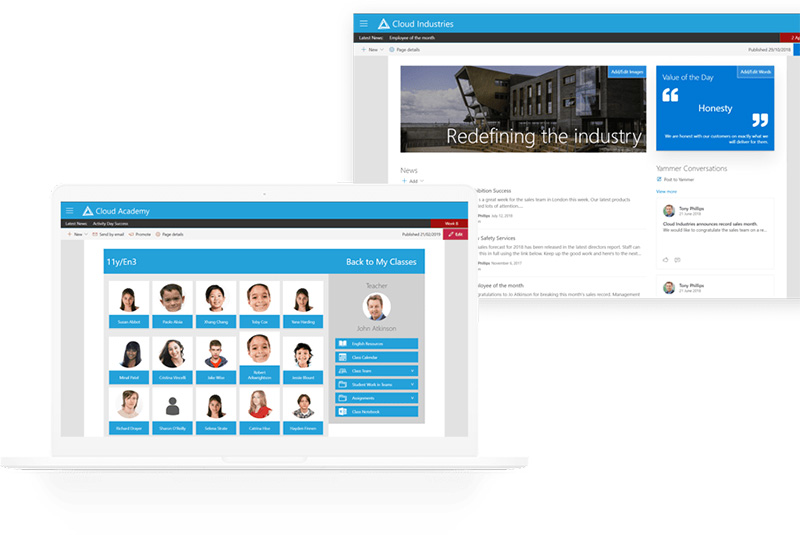
Publish resources
A SharePoint intranet to help you publish resources such as policies and news throughout the whole school.
Manage your own Teams
We provide a self-service tool to create teams and sites.
Contact us for a chat:
Email: [email protected]
Website: https://www.clouddesignbox.co.uk/contact
Telephone: 01482 688890




Recommended Comments
There are no comments to display.