Search the Community
Showing results for tags '[ms office - o365]'.
-
 I wonder if anyone here has managed to make sense of the licensing requirements for Office 365 email retention policies? I've struggled, and my reseller isn't entirely clear either. We have O365 A1, paired with ProPlus on an OVS, so we've got the real basics when it comes to the online elements. Are we we entitled to use any of the retention policy options under the Data Lifecycle Protection in M365 Admin? There are quite a few there, and we have built up effective retention policies, but after speaking to Microsoft support, I've found we're not licensed for a lot of what we're using. I had it in my head that we'd be OK to use just a simple whole school email retention policy (rather than different policies per mailbox, and/or the adaptive scope options), but actually I can't find anywhere in the documentation which supports that. If we can't use any of the DLP retention policy settings, is there another way of implementing a basic "delete after three years unless user places hold" retention policy? I've seen auto-archiving mentioned as an option, but then seen others saying this too is an add-on for Exchange Online Plan 1, so we're back to where we started. Thanks in advance folks!
 -
 Hi All, So it turns out that even Microsoft Office 365 Desktop is still wanting good old Internet Explorer. I recently discovered that embeding a YouTube video (Likely all online videos) in PowerPoint 365 works up until the point you come to press play. At which point it fails and says it requires Internet Explorer to be installed. I've had a look on uservoice and couldn't find a suggestion to move away from requiring IE so I've made one: https://powerpoint.uservoice.com/forums/288949-powerpoint-for-windows-desktop-application/suggestions/41506495-embed-video-support-edge
 -
Hi All, Can anyone tell me if our EES agreements cover us to assign an A1 Plus faculty license to a governor, to include ProPlus 365 client download? I was asked the question today and although my gut feeling is yes, I'm not 100% certain. Surely some schools must use O365 Teams and SharePoint etc for governor collaboration, and therefore require the ability to do this? (We don't - we use Trust Governor). Thanks!
-
So I have deployed Office 365 64-bit Semi-Annual channel to some test machines and found that they are often coming up with an "Unlicensed product" warning when a user logs on and launches an office application for the first time and prevent them from editing it. If they close it and open it again, the message will disappear and allow them to edit it. All of our users have the correct Office 365 licenses assigned (Office 365 A1 for students and Office 365 ProPlus for students). Below is a copy of the XML file used to deploy/configure Office 365 from SCCM: Configuration: Has anyone else encountered this or fixed it? At the moment, I'm thinking Office 2019 might be a better solution for licensing.
-
Is there an 'easy' way to do this? We are moving mailboxes from one tenant to another. There is a manual process which isn't straight forward, and we are currently paying a third party company to migrate at £6.95 each.
-
 Well, unfortunately I have just confirmed that Office 365 Device-Based Activation no longer works, and has been retired. Anyone lucky enough to be on EES rather than OVS can use the new method of Microsoft 365 Device Based Subscription for Education though for those of us that don't have that many staff to get EES I am wondering where to go from here... Only option I can think of is Shared Computer Activation... lucky we have SSO setup... but of course if anyone is using a stand alone school device with a local account, that's where things get interesting for us all... I thought I would start this thread first to notify anyone that starts getting PreflightCheck failed - wait: 463, PreflightCheck failed - wait: 459, PreflightCheck failed - wait: 390, etc errors. Second for anyone to discuss where they are going from here... or let us know there is a magical thing us OVS users can do to get DBA or DBS working. [sarcasm Self Test Complete].
 -
Hi, I would like to assign custom policy to all my students (team and messaging). Is there easier way to do it than PowerShell? If not, would I use below one? Assign all users in the group to a particular teams policy. In this example, it's Marketing Teams Policy. $members | ForEach-Object { Grant-CsTeamsChannelsPolicy -PolicyName "Marketing Teams Policy" -Identity $_.UserPrincipalName} Thank you, M
-
Hi , Just setting up O365 Noticed when assigning licenses to users we have the following Office 365 A1 for students/faculty And Office 365 ProPlus for Staff and Students The ProPlus licences are limited to 1000 for students despite us have around 1300 pupils and 140 licences are correct for staff . I noticed in a previous thread some one mentioned we should have "o365 A1 Proplus" licenses ? or are the proplus ones mentioned above correct ? and we just have the wrong amount of licences for the pupils. many thanks 2097
-
 Click the Microsoft link below to read more. There are multiple methods you can use to prevent the Bing extension from being installed. Source: Microsoft (via r/sysadmin) Office Deployment Tool If you use the Office Deployment Tool, you can use the ExcludeApp element in your configuration.xml file, as shown in the following example. This method is probably best used for new installations of Office 365 ProPlus. [color="#FF0000"][/color] Group Policy If you use Group Policy in your organization, you can enable the Don't install extension for Microsoft Search in Bing that makes Bing the default the search engine policy setting. This method is probably best used for existing installations of Office 365 ProPlus. You can find this policy setting under Computer Configuration\Policies\Administrative Templates\Microsoft Office 2016 (Machine)\Updates. This policy setting is available in the Administrative Template files (ADMX/ADML) download starting with version 4966.1000, which is scheduled to be released on January 21, 2020. Configuration Manager (current branch) If you’re deploying Office 365 ProPlus by using the Office 365 Client Installation wizard in Configuration Manager, you can set the Set default search engine to Microsoft Search in Bing toggle to the Off position in the Features section. The Features section showing the toggle for Microsoft Search in Bing Microsoft Intune If you're deploying Office 365 ProPlus by using Intune, you can clear the Set default search engine to Microsoft Search in Bing check box on the Configure App Suite pane.
 -

[ms office - o365] OneDrive - Auto map sharepoint library
IAMCloud_Curt posted a topic in Office Software
Hi, Does anybody have any scripts to map the sharepoint library ID? Tried over GPO but Microsoft TechNet reckon it takes a while, we need it instant on logon as we are looking at replacing drive maps. SSO is configured and OneDrive auto logs them in, but looking to take it further now and not just their personal onedrives but also sharepoints. Thanks Curt -
 Morning all, We've had to recreate a class Team in Teams. For now the old version of the Team still exists but the students have been removed from it. If the students have had an assignments and feedback done through the old Team would they still have any way off accessing this? Can we import the assignments and feedback to the new Team? Thanks for your help.
 -
 Hi, does anyone know how to disable the Editor Button/Pane in word (Office 365)? It's part of the Proofing Tools. This is for Exam accounts where I have already disabled the other proofing tools (Spell Check/Grammar/Thesaurus etc.), however users can still access some of these functions by opening the Editor Pane. Thanks
 -
[ms office - o365] File Menu - Team Sites after first login
robyholmes posted a topic in Office Software
Hi All, I'm starting to test Office 365 desktop software and I can't get my head around quite a simple issue. So for a bit of background, we're starting to use Team Sites for document storage so I hoped a move to Office 365 which allow staff and students easier access to team sites. It certainly does support this. We run local accounts and our users and devices and all AD Joined / Synced. So I login to the machine with Office 365 installed as a test student. Open Word and on the first page, after a couple of seconds it automatically logs in, thus licencing the software. All good so far. However if I go to open I get the old open and save menu. It takes a few more seconds to add OneDrive & SharePoint but once added I can only browse our SharePoint sites. Not Teams. However, if I then close Word and re-open it. I get a new interface and when you click on 'Open' you get the newer open menu where teams are displayed, as shown here: https://teams.rocks/2018/01/11/save-directly-to-teams-from-office-desktop-apps/ So each time a student logged in, they would need to open Office twice before they could open or save to Teams? (If the account wasn't cached, which is possible here but unlikely) Is anyone else finding this an issue? Thanks -
Hi, We currently have MS Office 2007 on our server that is forced out to all computers/users. I'm looking to move away from Office 2007 to Office 365 - apon checking we have got Office 365 A1 Plus for students (Desktop version) that we can download for free with our MS account. I was wondering if anyone knew whether you have to sign into MS to use 365. The children do no have a MS account neither do staff as we use Google. Ideally I don't want anyone have to login to Office 365 to use the desktop apps, is there a way of setting this up so they don't need to login to it. Our server (Miscrosoft Windows Server 2008) our users login as firstname.lastname then a password - we are on Windows 10. Like I have already mentioned they do not have MS accounts. I saw this on the Administrative templates for Office 365 (a Excel file that tells you all the policies etc that is included in the template download) It states: This policy setting controls whether users can provide credentials to Office using either their Microsoft Account or the user ID assigned by your organization for accessing Office 365.If you enable this policy setting, you can specify one of the following options:- If you select "Both IDs allowed", users can sign in and access Office content by using either ID- If you select "Microsoft Account only", users can sign in only by using their Microsoft Account.- If you select "Organization only", users can sign in only by using the user ID assigned by your organization for accessing Office 365.- If you select "None allowed", users cannot sign in by using either ID.If you disable or do not configure this policy setting, users can sign in by using either ID.Note: This policy does not apply to licensing. A user can license their product using any applicable ID if they have a valid license associated with that account. Providing credentials for licensing purposes when that ID type has been disabled, however, will not affect the signed in state of Office. Does this mean that it can be setup on the server so they don't need to login to Office 365? Thanks in advance.
-
Hi all, So I have made a planned absence system for staff. Staff sign in to an MS form, fill in details, request then gets sent to responsible person using an approval process, depending on approved or rejected, emails then get sent to various people with required details to arrange cover etc. Issue I'm having is because I made the flow under my account, all the requests and approval/rejection emails appear as if they have come from me. Of course I have included the member of staffs name in the details but the prefilled top part of the emails still have my name in it as if I made the request and send the decision. Is there anything I can do to get round this? Thanks
-
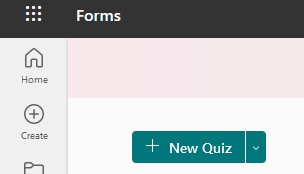
 Does anyone know how (if you can) control the default action of the "New" option in Forms? Ours defaults to "New Quiz" - but it used to default to "New Form". Another Tennant I have used has "New Form" as the default. I can't seem to find a setting that controls this. The only random thing that pops into my head is that one is using "Education" licenses and one is using "Business" licences...
-

[ms office - o365] M365 Shared Computer License & Token Roaming
CHiLL posted a topic in Office Software
I'm revisiting shared activation on M365 Apps and looking into a roaming token. Microsoft's documentation uses the user's profile location as an example path to store the activation token. Does this matter if the user doesn't have a roaming profile? So if the user goes onto another computer, would it then download a new roaming token to their profile on that machine instead? Or would it be better to point it to the user's home folder instead, such as "%homedrive\Microsoft\Office\Licensing"? If it is pointing to the user's home folder and they then log onto another machine - would Office use that existing token, or create a new one for this new machine? -
Hi all, What's the best way to block TLDs (Top Level Domains) in O365? TIA.
-

[ms office - o365] Student Onboarding Workflow in O365
always_flying posted a topic in Office Software
Evening everyone. I am wondering if anyone uses Office 365 Lists/Power Automate/Power Apps tools to try and automate the process of student onboarding? As the very last user in the process to receive data, I need every box ticked, and for consistency... that was the bus the admissions team missed, so I have wildly varying "data packs" for new joiners. This makes timetabling etc, very difficult before the start date. Therefore, I was thinking about having a streamlined process on SharePoint that would trigger the right people, in sequence, to provide data... even better still, automatically emailing new families with options selection forms, which would remove a job from the admin team. The process I am thinking of is: 1. Agree to sign up to school 2. Admissions create entry in List/SharePoint, triggering email to finance. 3. Pay fee, then Finance update that list with the student ID. 4. Student ID triggers IT to create O365 account (I know this can be automated, but one step...), also triggers email to certain staff for certain info e.g. form, academic house 5. Options form emailed to parent(s) with language options and choices e.g. history or geography (probably via a Microsoft Form). 6. When complete, data updated to Microsoft List or SharePoint site to make retrieval easy, and from a single place. Obviously, every schools different, but I wondered if anyone had any joy with this? I was thinking of using the Microsoft Lists 'Employee Onboarding" list as a start? -
 Our admin/receptionist has just phoned down to say that she can no longer play voicemail files from her email like she used to... Obviously in full Outlook there are more options (preview/open/save as), but she is using OWA/O365 and the option doesn't seem to be there. The only option now is for her to save it first (either download or OneDrive). I'm not sure if it the 'open/play' option ever was there or when it changed (the user is a bit vague about the details), I've had a quick look and can't immediately see any settings that enable or disable this function.
 -
 Hi, Using latest version of Office365, and staff are able to save/open files directly to and from their OneDrive natively via various applications (e.g. Word, Excel etc.). However, the issue we are having is in relation to wanting to do similar with resources saved within SharePoint sites. Whilst the option is there to select "Sites - Name of school", this brings up a 'Frequent' list. Getting a SharePoint site to (automatically) list within here appears to be some weird Microsoft voodoo magic; as in it appears to have a mind of its own to as or when a SharePoint gets displayed. We have tried 'pinning' required SharePoint sites / folders to OneDrive to workaround the issue that way - but ultimately our end-users don't appear to be getting the 'following' section, which should list all the SharePoint sites a user is a member of. Whilst searching online (across other Microsoft/support forums etc.) this appears to have been an issue for some time; some suggesting reinstalling Office365, signing out/in etc, enabling Modern Authentication (though I think some of these refer more to Office 2013/2016 etc.) I have no known GPO or MEM Office Policies that reflect this behaviour. Just wondered if anyone is experiencing similar and/or found a resolution? Many Thanks,
 -
 Hello, Microsoft was unable to help me with this understandably because it is a difficult one, but it is their product!! A user has found out that their calendar was set to 'Can view all details' in Sharing and Permissions in O365 but they would like to know when and who changed this. Also, I would like to audit every calendar to see what is set for the entire organisation. Does anyone have any ideas on an answer for this? Thanks
 -
i am from egypt and i wonder if anyone help me i have some computers in school have a windows 7 till now , i have a problem in office Microsoft stop office 2010, 2013 and 2016 outlook exchange and when i try to install office 365 i faced error or upgrade to windows 10 to install office 365 if any one have a soultion to install office 365 on windows 7 plz tell me thanks
-
[ms office - o365] Deploying 365 Updates on SCCM - Problems
jamwatn posted a topic in Office Software
Hi, I am trying to manage 365 App updates via SCCM/MECM as these have been neglected at my school. I've created the following ADR rule and have the below updates: However, if I deploy this to a client, it receives this update: Which shows as following the 'current' channel which is obviously a bleeding edge version of Office which probably isn't ideal to deploy. Has anyone got a guide that they followed to automate the process, or is it something I have done wrong? Thanks
-
 is there a way I can allow user's to Sync SharePoint Site Document Libraries, but not allow them to keep files on this device? we have some users that mistakenly click keep files on this device for entire document libraries of 300k files+ any help appreciated.