MYK-IT
-
Posts
1,908 -
Joined
-
Last visited
3 Followers


About MYK-IT

-
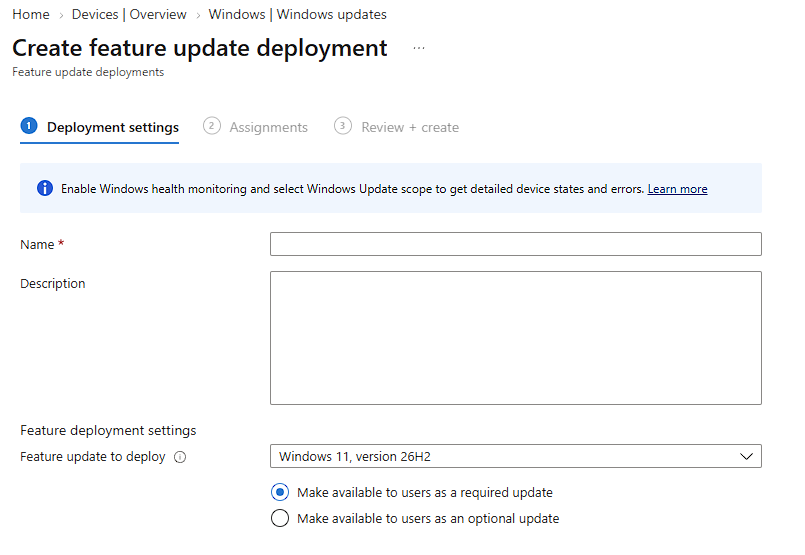
Showing as Feature Update within Intune.... No immediate rush to update, as 25H2 supported until October 2028 as previously mentioned.

-
Managed to get it working, after checking the correct URL was being used! Originally, https://copilot.cloud.microsoft (image creation worked using a personal account!). Whereas, should be using https://m365.cloud.microsoft/chat or more specifically https://m365.cloud.microsoft/library. Posted update in case helps others.
-
Just wondering if anyone else is currently unable to use image generation using Microsoft Copilot Chat? Image Generation is enabled for our Tenant, but keep getting: And there doesn't appear to be a status page to check for this either. Thanks,
-
If you've got access to an aerial, get one of these https://uk.webuy.com/product-detail/?id=STVBTRT1W387A (can get cheaper if you go for Grade B or C - all come with 5-year warranty). Can be connected to (non EE) internet, although if using aerial make sure you power on with it connected first (so it defaults to Freeview channels, not IPtv). Can also get the EE app to control (well last time I tried a few months back it worked anyway) without needing an account. Nice EPG / Menu too with 1TB storage, series link etc.
-
By chance, came across some articles regarding Microsoft releasing early / in error? their new OneDrive Photos App... even to managed devices! Windows 11 admins unhappy as Microsoft found installing unexpected new "OneDrive Photos" app - Neowin Following backlash, Microsoft rushes to add uninstall option for unwanted OneDrive feature - Neowin I have checked for the presence of C:\Program Files\Microsoft OneDrive\OneDrive.App.exe on our Intune Managed devices and it's there. Admin controls (Microsoft 365 Roadmap | Microsoft 365) and uninstall options (Microsoft 365 Roadmap | Microsoft 365) are still in development. Perhaps, if needed, AppLocker controls could be configured in the interim. Update - Apparently OneDrive.App.exe was included in the June 2026 version of OneDrive (26.113.0416)
-
Yes, try GridStore | LGFL. We are currently with a different supplier and renewal is due, so attempted to obtain quotes (to ensure bvfm) from other suppliers (including LGfL) but appears existing Redstor customers are locked in (to existing supplier) and other suppliers cannot quote!. Which is frustrating, as based on other posts the same Redstor service could potentially be obtained for cheaper. I sent an email direct to Redstor's VAR Manager (now CyberSentriq) a few weeks back explaining situation - but no response.. 😤
-
You could start off with converting it to a TARDIS... and then install console / pc etc TARDIS MAME Console
-
Issues with Sophos and Wireless Casting
MYK-IT replied to SJ98's topic in Internet Related/Filtering/Firewall
Not used these devices, but would hazard a guess related to certain ports / URLs being blocked...??? Which server addresses / ports should be whitelisted (firewall settings) | i3CONNECT Docs You could also use Sophos Firewall Log Viewer, filtered by device(s)' IP address to see which traffic is being allowed / blocked. Although if being blocked by the default / last rule (Drop All) that does not log, so may have to create a rule above specifically for the devices' IP (as Source network and devices) with Action = Drop and Log Firewall Traffic enabled so you can see which and what type of requests are being blocked. -
Refer to: I have also noticed that any new program install / shortcuts (within C:\ProgramData\Microsoft\Windows\Start Menu\Programs) don't appear in the Start Menu until log user has logged off/on (if currently signed in etc)
-
Not aware of any. However, if using M365, may be worth checking Windows Defender Quarantine (or equivalent). We had a few hundred emails (e.g. one email sent to many students sent via Arbor) that were (incorrectly) flagged as Spam/malicious etc. a few days ago. Been OK since.
-
Autodesk Fusion 360 - Has anyone deployed via Intune
MYK-IT replied to robyholmes's topic in Educational Software
As mentioned, we currently deploy via PDQ Deploy in batches of approx. 30 computers at a time - so not noticed bandwidth issues. Equally, we deploy Adobe Creation Cloud Suite via Intune with no issue, and that is a much bigger package than Fusion 360. -
Autodesk Fusion 360 - Has anyone deployed via Intune
MYK-IT replied to robyholmes's topic in Educational Software
@robyholmes I've not done or tried it myself, via Intune - TBH, I am pushing updates our (via PDQ Deploy) using the --process update - quiet command line despite there being a Auto-Downloading Fusion Update section (6) within the installation manual. This uses a Scheduled Task Script execution, but presumably you could configure similar via Intune; or perhaps setup as a Remediation Script etc. Advanced_Fusion360_Lab_Installation_Instructions_en-GB.pdf -
For those using Cloudflare (including Free Edition) for their DNS, website etc, may also be worth looking at your Domain's Ai Crawl Control > Security Section and blocking all AI Crawlers, AI Search and AI Assistant as you deem appropriate. (Perhaps, even most Search Engine Crawlers - except BingBot and GoogleBot??) Ultimately, if you don't want images being captured, (mis)used etc then the simplest solution is not to post them online in the first instance, or anonymise the images accordingly. Whether that is by blurring, image manipulation, use of stock images etc. It's certainly a tough one, and not straight forward and needs consultation at all levels (e.g. Governors, SLT, Safeguarding, Parents etc) as to how a school proceeds with use of student (and staff) images within photos and (promotional) videos moving forwards.
-
@garethedmondson you could always spend the similar kind of money (e.g. $3,150) in addition, on DeployR training... starts tomorrow! 🫣 Mastering DeployR - Live Training on the DeployR Platform
-
Were you using the Verkada Reinforced SV Sensor Mounts? Which is what they have advised us to have. Admittedly, no good on suspended ceiling / tiles (as can be ripped off, as you mentioned) but we're installing to solid ceiling / wall etc.