EssentialRug
-
Posts
446 -
Joined
-
Last visited
Content Type
Forums
News
20th
EduGeek EDIT Conference
Blogs
Everything posted by EssentialRug
-
We use a mix of Google Forms, Trello and Zapier. We've set up a Google Form ticket template that staff fill out when making a request, and then Zapier imports this into Trello. In Trello it auto picks up which school in our MAT it has come from and colours the card accordingly. I can then assign technicians to the ticket so they can carry out the work. Not sure if any of that is helpful to you, but we really like this solution. If you didn't want to create a Form, Trello also has a 'email to board' feature.
-
Just wondering what your computer background wallpaper looks like in your single schools/Multi Academy Trusts? Looking to redo ours but looking for a bit of inspiration first! Thanks!
-
I noticed the admin centre was down, but was able to access and reset a users password using the iOS app
-
 Just wondering if anyone has put together a specification document when procuring internet connectivity services? We are due for renewal soon and I need a document to send on to potential vendors in order to quote us formally, so just wondering if anyone has one that I can modify? Thanks in advance!
 -
No limits...you can backup as much as the storage you buy.. The software is bundled free with the Synology, Active Backup for Microsoft 365.
-
Use Microsoft's Mover tool to move OneDrive and SharePoint data. Export and Import mailboxes as PST's using a mapping file.
-
Do you get the same error if you click on the three dots top right and click open in new window?
-
Office 365 - Forms Export Settings & Date Format
EssentialRug replied to CPS-Stimmers's topic in Cloud Services
Where are you storing your forms? You may have to change the regional settings for OneDrive if they are stored here. Open OneDrive and click gear icon OneDrive settings More settings Regional settings -
Office 365 - Forms Export Settings & Date Format
EssentialRug replied to CPS-Stimmers's topic in Cloud Services
https://support.microsoft.com/en-us/office/change-regional-settings-for-a-site-e9e189c7-16e3-45d3-a090-770be6e83c1a -
Synology NAS using Active Backup for 365
-
Think this may have been for HP devices? https://www.rm.com/hp-education-learning-partnership We use a company called RRIT to recycle our obselete devices.
-
How To Monitor User Browser Data in Google Workspace
EssentialRug replied to Al_Balone's topic in Cloud Services
I would ask the supplier if Smoothwall Cloud Filter is included in your package. If not you may need to add it either via your supplier or by Smoothwall themselves. Haven't used Smoothwall but I figure this is the product that you are after: https://www.smoothwall.com/education/tech-resource-hub/articles/cloud-filter/ -
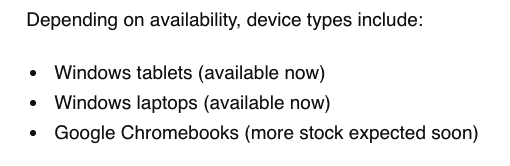
DfE email states more Chromebook stock should be coming soon. Am holding out ordering until then.

-
Papercut Mobility Print - Hits queue as SYSTEM
EssentialRug replied to snagrat's topic in Network and Classroom Management
Nice! Glad you got it sorted! -
How To Monitor User Browser Data in Google Workspace
EssentialRug replied to Al_Balone's topic in Cloud Services
Another +1 for Securly, or check with your ISP if they offer a web filtering/monitoring solution. As part of keeping children safe in education you should already have a system in place to monitor pupils activity on the internet. (Note that this doesn't explicitly have to be software based) but there are affordable solutions now and they really should be in place. -
Papercut Mobility Print - Hits queue as SYSTEM
EssentialRug replied to snagrat's topic in Network and Classroom Management
We had a similar issue with prints from users appearing as system rather than their username. The below worked for us. We’ve heard of this happening with very specific drivers (in particular the Canon Generic PCL6 driver and Canon PostScript driver). When these drivers are used in conjunction with Mobility Print, the print job owner is SYSTEM instead of the correct user account. Fortunately we know of a simple workaround which requires changing the settings of the driver. Here are the steps to take: On the Print Server where the print queue exists, right-click the print queue and select “Printer Properties”. Go to the “Device Settings” tab. You’ll see a setting called “Spooling at Host”. Set this to “Disabled”. -
Would something like splashtop be a good solution for you if just looking for remote access for your IT team?
-
+1 for this.
-
Nope!
-
I've got a Mac here so if you want, DM me your address and I'll create a Catalina bootable installer for you and send it your way.
-
Same. We sent out a blanket email letting everyone know that it does indeed exist and will show to the recipient. Not that they read it of course. In my opinion worth it rather than a paid solution.
-
Well that's incredibly annoying. Can you choose 'Forgotten Apple ID or Password' from the login screen of the App Store and change it to see if that gets you in?
-
If using O365: https://www.wintips.org/how-to-setup-a-company-wide-email-signature-in-office-365-exchange-online/ https://www.mail-signatures.com/signature-generator/?sts=3955#/user-data
-
Yeah there should be auto pop up asking if you want to open in the app store. If not just click on the button that says 'View in Mac App Store'. Hopefully then it should ask you to open in the Mac App Store and you can download from there.
-
Try downloading from this link. It should open the App Store