fiza
-
Posts
6,750 -
Joined
Content Type
Forums
News
20th
EduGeek EDIT Conference
Blogs
Everything posted by fiza
-
Where is that setting found please @Arthur?
-
£830 maxed out and £630 with the minimum that we need (32GB RAM, 240GB SSD & 1TB HDD). Still over £200 more than what I paid ex-VAT for the Z620. No special deals for Edugeeks?
-
That's double the price though at £830!! - - - Updated - - -
-
Anymore offers like this @ICTDirect_Dave ? I am in need of one more for another school in our MAT.
-
Currently got vlans set up all using our smoothwall as the default gateway. Now have a separate router for VoIP and need to setup new vlan and point it's default gateway to the router IP. I have a procurve layer 3 switch I am doing this on. Am I able to setup a different default gateway for this vlan. Not good on the CLI but I have tried doing it using the GUI but the default gateway just switches back to the smoothwall box. Is it possible to do?
-
No it doesn't
-
The laptop has just been built. Has been rebooted. NTFS permissions are correct as we have checked and Windows 7 machines ask for credentials.
-
Built a Windows 10 machine and when logged on as local admin and go to run and type "\\servername\share$" I can get to that share without being asked for credentials. Whenever I have tried to connect to a domain share when logged on locally on a Windows 7 machine it always pops up with the authentication box. Has something changed or am I missing a setting?
-
Wasn't thinking of removing it but wanted to make Chrome the default. I know in the past we have had to make IE default for a few users who use reports in SIMS. The Reports would just hang if Chrome was the default. Switch default to IE and they work. The SIMS Roadmap 2018 still stated IE11 as the recommended Browser. I can't find any mention of browsers in the 2019 version. edit: just re-read the Roadmap, IF you use Internet Explorer then IE11 is recommended. http://www.capitaess.co.uk/home/SIMS_Technical_Roadmap_April_2018Ver5_2.pdf

-
About to roll out Windows 10 and wanted to know if SIMS still relies on IE11? Is it still the recommended browser? We want to move everyone over to Chrome as the default browser. Can SIMS work happily with Chrome?
-

Have any Schools moved their file storage to G Suite entirely?
fiza replied to fiza's topic in Cloud Services
@Zoom7000 is that at Primary or Secondary schools? -
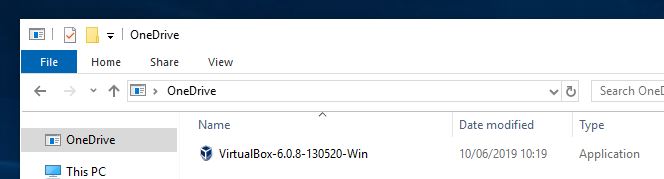
We use Group Policy to prevent use of OneDrive (we are G Suite school). Computer Policy>Admin Templates>Windows Components>OneDrive> Prevent the usage of OneDrive for file storage. The description of this policy states : GPResults tells me the policy was applied but I can still see OneDrive in File Explorer As a test student user I can drop files into it too. When I look I can see the files have dropped into c:\Users\testuser\OneDrive. Does anyone know why please?
-
Cheers @Arthur
-
We use https://www.roombookingsystem.co.uk/
-
Just installed Kodu on our image. We have deployed the image onto a test machine and when you run Kodu it checks for updates on launch. Is there any way to stop Kodu checking for updates on a global level? I look for an ini file or config file. There is one (boku.exe.config) but I cannot see an entry for updates. Once you run Kodu as a user you can switch off Check for Updates at Startup but this is an individual choice. I need it switched off for everyone. Does anyone know how to stop the check for updates?
-
Have any Schools moved their file storage to G Suite entirely?
fiza replied to fiza's topic in Cloud Services
How do you deal with times when you are asked to get a file from a users home drive? With local storage we can easily do it but with Google only the user has access to their own Google drive. Do you guys keep all audio and video files that are required for moderation on Google Drive too? -
I don't understand what this means. What is the purpose of the integration?
-
Have any Schools moved their file storage to G Suite entirely?
fiza replied to fiza's topic in Cloud Services
Would appreciate some insight on what you have done so far. What your set up is going to be from Sept onwards. Are you making local Files read-only? Are you moving them to G Suite and then removing the File Server? -
Have any Schools moved their file storage to G Suite entirely?
fiza posted a topic in Cloud Services
We are running out of space on local storage. Currently have 9TB on the File Server and currently only 900GB is available for use. No matter what we say or do no one will do any housekeeping to remove stuff that is no longer required, just in case they do need it. We have talked about moving data onto G Suite into Team Drives to emulate the structure of our File Server but want to know if anyone has actually done this and how did you do it? Any caveats? Any Gotchas? -
Mindmeld
-
Removing Documents and Pictures links from Windows 10 Start Menu
fiza replied to fiza's topic in Windows 10
Anyone else please? -
LGfL adobe offering - is it 'bad deal' for schools ?
fiza replied to minimoo's topic in London Grid for Learning (LGfL)
We were part of the pilot and we federated with our own G Suite accounts without issue. We haven't gone as far as trying to add additional named licences yet as SLT havent decided on funding it yet. -
Removing Documents and Pictures links from Windows 10 Start Menu
fiza replied to fiza's topic in Windows 10
Sorry I should have clarified. I need to do this via Group Policy or Registry edit so its the same for all users. -
Does anyone know how I can remove the links to the Documents and pictures folders in the start menu? When I click them they go to local folders rather than my re-directed ones. I either need them to go to the right re-directed folder or have them gone. edit: Need to do this via Group Policy or Reg edit.
-
For those that have moved everything into G Suite from their local File Servers how did you accomplish this? Did you do it all in-house or get a consultants in? It's not just a matter of copying everything across, we would need to look at current permissions and try to emulate these on Shared Drives in G Suite.