Fazza
-
Posts
2,336 -
Joined
-
Last visited
Content Type
Forums
News
20th
EduGeek EDIT Conference
Blogs
Everything posted by Fazza
-
LOL - that's misleading as I was in the server room at the time!!
-
If these were old laptops we had hanging around in a cupboard that were out of warranty then that's exactly what I'd do - I could even PXE boot an image on to them to bypass faulty hardware, but these are brand new laptops with random issues from missing screws to dodgy USB ports that are going to go out to over 60 pupils/students and it's beyond embarassing to say to them not to use the USB ports as they might be faulty and watch out in case any more screws fall out!
-
*Problem Solved* A member of the SLT has solved all the hardware and build quality issues for us - they've going to find a technical support number for us to call!! To save time I wonder if I should just put the unopened boxes in the WEEE?!
-
The only positive thing I can say about these things is that they boot up and load the desktop pretty fast and once you manage to get Office installed Word opens up pretty fast too.
-
Do you think the USB issues are software related and not hardware related then? LOL - I actually collect Retro laptops and have some similar spec machines at home so know how good those are!
-
If we had paid for them ourselves then that's what I'd be doing now - what would happen if we returned these 60+ laptops we've still got in the unopened boxes? I suspect they wouldn't be replaced.
-
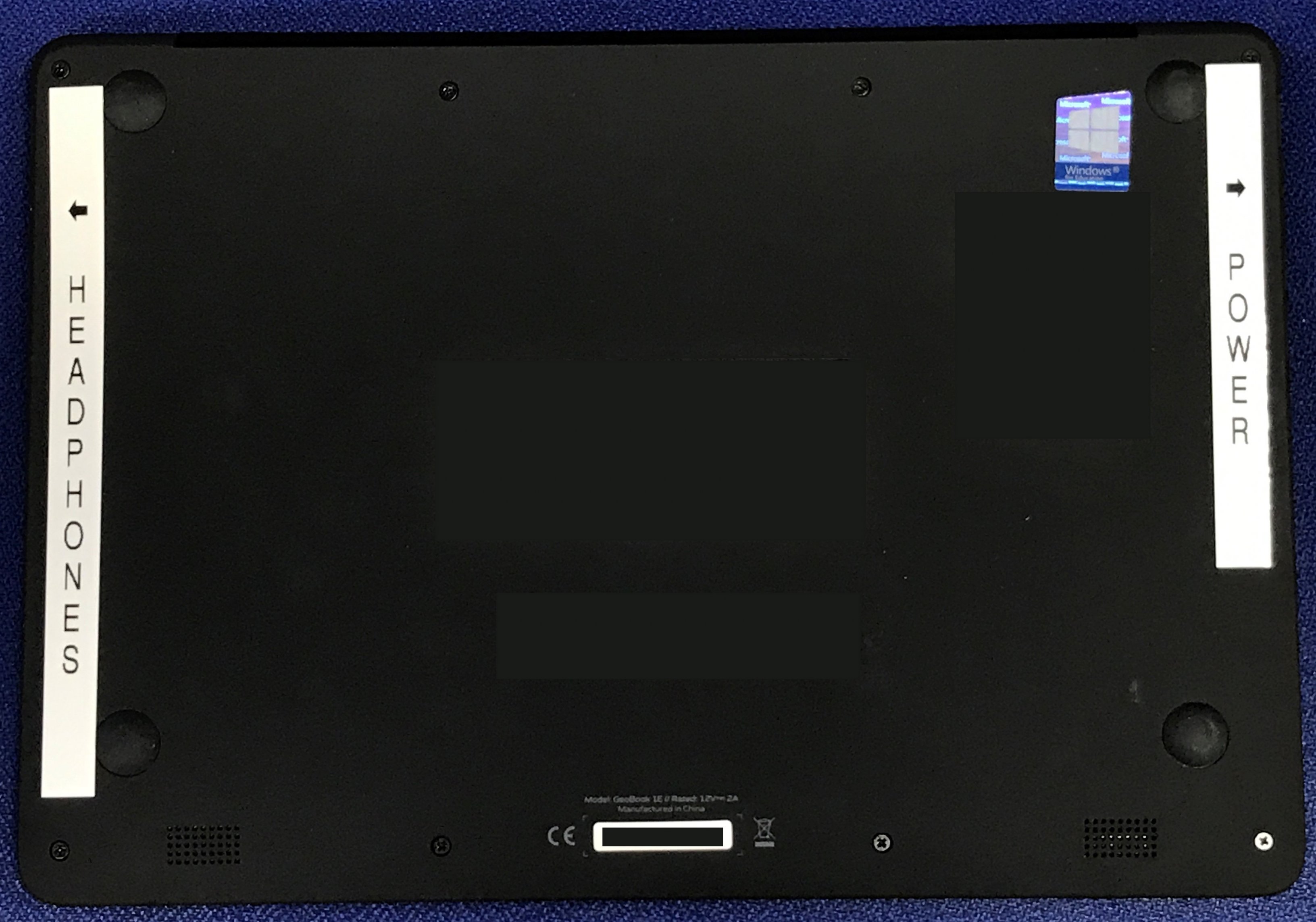
I think the first problem people are going to have with these laptops *if* they give them out to Pupils/Students is that they are going to be returned saying they wont charge as the power socket and headphone sockets are exactly the same size and are in the same position on the opposite side of the laptop! I've even take then precaution of putting stickers on the bottom of the laptops to try an avoid this from happening.

-
Now one of them constantly ejects a USB Drive when I plug it in (despite it working perfectly fine on another one)! *Appology To J* I dont know why I called you a Twonk in this video, it just slipped out!
-
Why did you not image them - did you have issues as I was thinking of going down that route as it'll be less of my time as I could just let them run overnight etc?
-
Very jealous
-
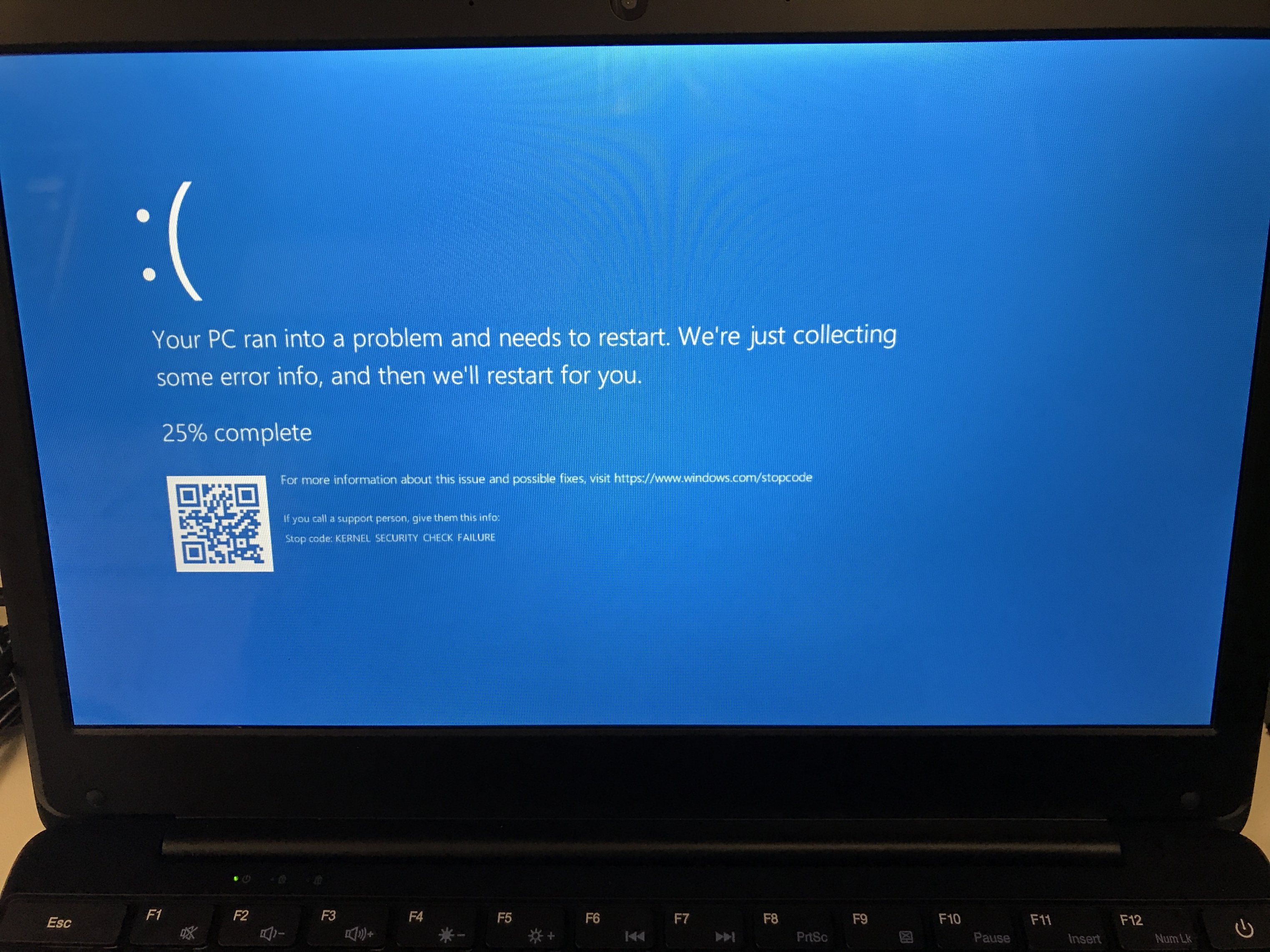
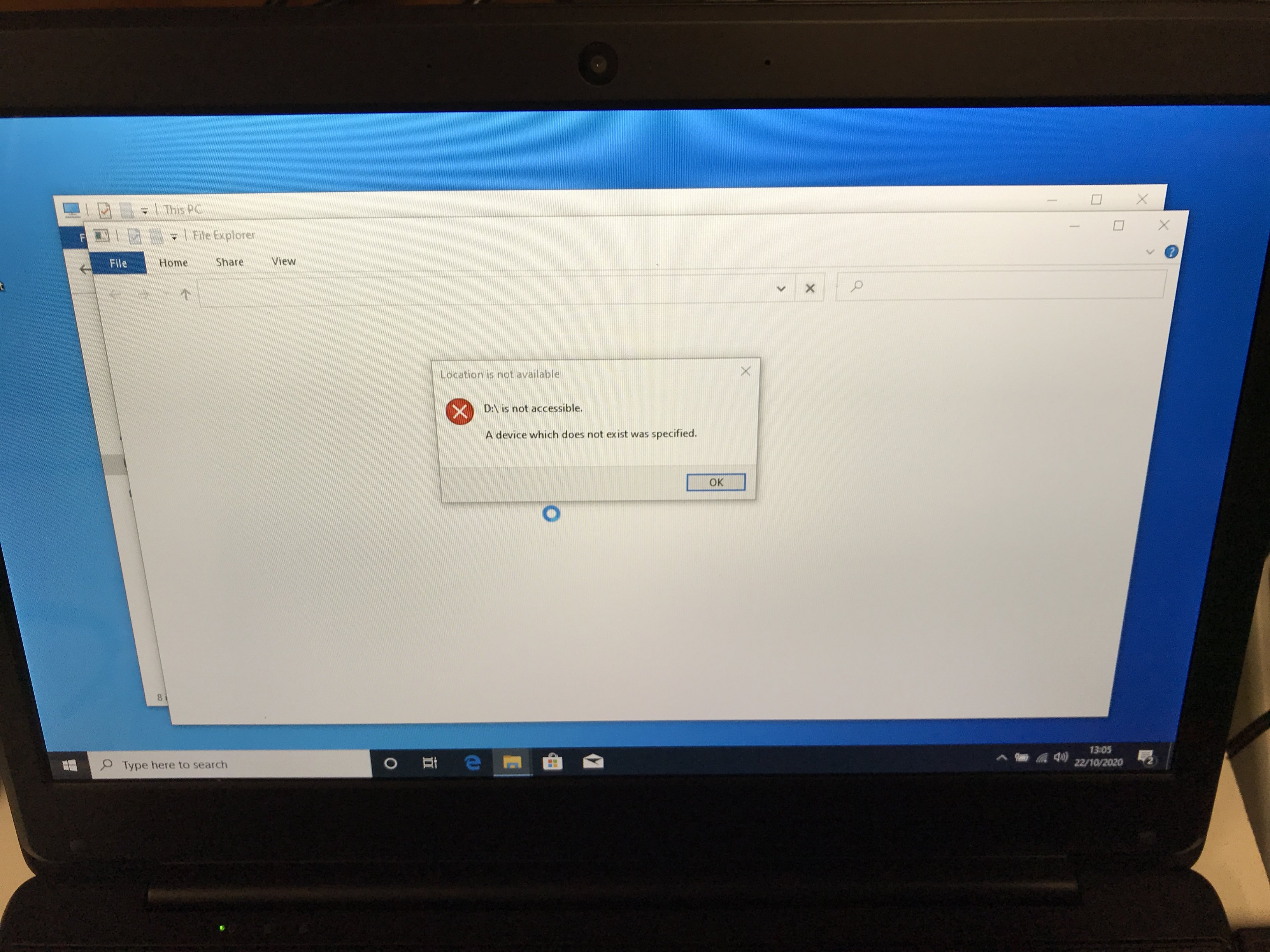
No you blumming wont! We've got dozens already! Currently having odd issues with USB sticks: 1st laptop it recognised it and then it didnt, blue screened on me and rebooted and then said it was an unrecognised device 2nd laptop didnt recognise it all and constantly ejected it 3rd laptop recognised it straight away and let me open it up and save files on it!
-
Unless someone can see any other news articles saying otherwise, then £96,000,000 was the contract and 230,000 was the number procured! It's NUTS. It's not the craziest thing about them as I was just about to enable TPM so inserted a USB drive to save the key on to, I left the room to get a drink and when I returned it had an error saying it was no longer recognised, I clicked on OK and it blue screened on me and now says the USB drive is an unregognisable device!! Works on other computers fine though as I've just tested it! Not sure if I'm allowed to post a YouTube video (so Admins please edit and remove if not allowed), but one of the laptops was flashing a Windows Update message at me! Some very strange things keep happening to these laptops and I've only got 4 of them out of the boxes so far!
-
No idea as when I tried to power it on this morning the LEDs come on but there's nothing on the screen! The asset tag I stuck on yesterday is peeling off, the security marking of our school name and postcode has started to come away and some even have missing screws - other than that, they're OK!!! *SARCASM* I was going to try via a DVD to install Office 2016 but as the laptop wont power on I cant even do that! They have 4GB of RAM which is plenty - the point is, these are BRAND NEW laptops issued to Schools from the Government (manufacturing date on the boxes is just one month ago) so you shouldnt have to treat them like they're a decommissioned 10 year old laptop!
-
I believe they were supplied by a friend of the Prime Minister.
-
If we're doing the maths right then these are very, very, very overpriced. According to News websites they have spent £96,000,000 on 230,000 of these things which is over £417 for a 11.6" Celeron netbook type of thing!
-
Has anybody else recieved their government allocation of Geo GeoBook E1 laptops yet? We got a van load of the the other week and so far I've been trying since lunchtime to install Office 2016 on them and it's a horrible experience! 6 Minutes to mount the ISO via my USB 3 memory stick on one of the USB 3 sockets and then it sits there for 45 minutes before crashing having not installed anything! Even double-clicking on the setup.exe icon takes between 5 and 10 minutes for it to even try and open the install program.
-
Have you done as I suggested above and gone in to the SQL Server Management Studio and looked a the SQL Server Agent Jobs to confirm none are disabled? In my screenshot the second one down is disabled - you will need all these jobs to be enabled for your backups to be running. Once you've made sure all the jobs in SQL are enabled, at an elevated DPM Management Shell type DPMSYNC - SYNC and then see if your backups start running
-
DPM is simply a front-end to several programs so it doesn't actually perform any backups nor schedule the backups, DPM is more of an interface amalgamating things like Windows Server Backup and SQL together. As I found out recently, just because DPM says everything is OK doesn't it is! A green tick doesnt mean everything is OK and being backed up, it just means nothing has gone wrong with the last thing that run and if nothing runs then it displays a green tick as it's not doing anything then nothing can go wrong! #MicrosoftLogic SQL actually schedules the jobs and initiates the backups so you need to take a look at the SQL Server Agent Jobs in Microsoft SQL Server Management Studio and see if any of them are disabled or not: To enable a disabled job simply right-click and select enable. I had this issue the other day and for some reason, random jobs were disabled and enabling them made all my backups work again! Good luck!
-
 I had yesterday off from work and on opening up the DPM Administrator Console I can see all the tape backups have completed as none are running - is there some way of finding out from any logs or report when the backups to tape completed?
 -
I bet the same person with the old TV has an old set of Christmas Tree lights that they'll put up this year that will effect their next door neighboors WiFi!! We need to know the make/model of the TV as if you have bad neighbours you can set a time for it to come on after you've left work work and then at a random time when you get home so they have no WiFi whilst you're at work!
-
I'm getting the following error message that I've never seen before on our DPM server: DPM detected multiple disks with the same disk identification number (DiskID). None of these disks will be added to the DPM Storage Pool. (ID 3127) 1. Check to see that multipath software is running on the DPM server. 2. In the Management task area, on the Disks tab, click Rescan. We've only got 1 disk/array in the DPM pool so no idea where this 'duplicate' is coming from?! Any ideas what the Multipath Software is and how I check it out as I cannot see anything in Control Panel, on the Start menu or in Services with this name?!
-
Try logging on with a different account than the one originally used to do the updates as this has sometimes fixed Windows Updates not working for me.
-
Looks like they're bringing IT Support back in-house as it went to a managed service provider at some point.
-
Issues with HAP after logging in (10.5 on 2019)
Fazza replied to Kitkatninja's topic in Home Access Plus+
HAP+ is working for us now (we're just testing a few accounts to make sure) - is there a way of limiting access so only certain year groups have access (all out students are in security groups for their year), just wondering how much bandwidth this could eat up if we allow all 1200 students access on our 200Mbps pipe? -
They may not have damaged it on purpose but glass doesnt crack randomly on it's own else the Windows on our houses and cars would be crack all the time and they don't.