-
Posts
471 -
Joined
-
Last visited
Content Type
Forums
News
20th
EduGeek EDIT Conference
Blogs
Everything posted by discoveranother
-

Windows 2022 Network Services Restart Issue
discoveranother replied to discoveranother's topic in Windows Server 2022
Thank you for your reply and your private message. Looks like editing the registry partially solved the issue for the OP in the thread but didn't solve the NLA Service Restart. But thanks, it's a beginning, I will give that a go. -
Sync AD Accounts with 0365 Email
discoveranother replied to discoveranother's topic in How do you do....it?
Thank you. I assume he means just adding the email address into the user account section of AD ? -
Hi all, We have a school who have an on-premise 2016 server and they will be getting a new printer soon with papercut software apparently. The printer company said that the staff 0365 email addresses need to be synced with AD. Are they talking about having to setup Azure AD Connect on the on-premise server to sync the AD accounts with 0365 ? Thanks all
-
Hi all, Have set the default language within Word 2016 to UK (Office Professional Proplus), but it keeps reverting back to United States. Is there anyway to default it for all users, or a setting within gpedit or group policy ? Thanks all
-
Thank you. I'll check it out.
-
Hi all, Fortunately the following update resolved the issue:- https://support.microsoft.com/en-us/topic/march-2-2021-update-for-outlook-2016-kb4493226-8bb9c555-a33f-906f-3366-3ac20c4055cd
-
Hi all, I had a user who initially had folder redirection setup on an old server but no longer exists via group policy. Anyway, I have located some old documents in c:\windows\csc on her laptop that eventually filters down to the redirected folder. I cannot copy these documents from that location on her laptop to a newr folder on her laptop because of permissions. I have given her ownership of the CSC folder and sub-folders but still cannot copy the documents. It still keeps saying:- "You require permission from domainname\username to make changes to this file" Any ideas much appreciated. Thanks all
-
Thanks. Yes I noticed that. I double-checked and it is certainly the MSI version !!! It is Office 2016 Professional Pro Plus that is installed locally.
-
Many thanks. Tried that but it says:- "There are no products affected by this package installed on the system".
-
Hi all, Have a user who has Office 2016 Pro Plus installed on their laptop. They cannot use Outlook as the message is asking to update from version 16.0.4266.1001 to 16.0.4600.1000. I have tried the 'install updates' option and also checked out any updates it says are required but the message still appears. They use Outlook 2016 that links to their Office 365 account. Any ideas please ? Apologies if it sounds vague but any msi updates recommended as well as windows updates that has been suggested hasn't worked. Just wondered if anyone else came across this. Thanks all
-
Hi all, I would just like to ask if anyone out there is now using Windows 11 in schools on laptops for staff and students or for everything and what issues, if any, you have come across either imaging or using them in general ? Thanks all
-
Windows 2022 Network Services Restart Issue
discoveranother replied to discoveranother's topic in Windows Server 2022
Thanks. I'm at a loss even though everything connects fine and checking and double-checking everything on the server and event logs etc shows everything is working. -
Windows 2022 Network Services Restart Issue
discoveranother replied to discoveranother's topic in Windows Server 2022
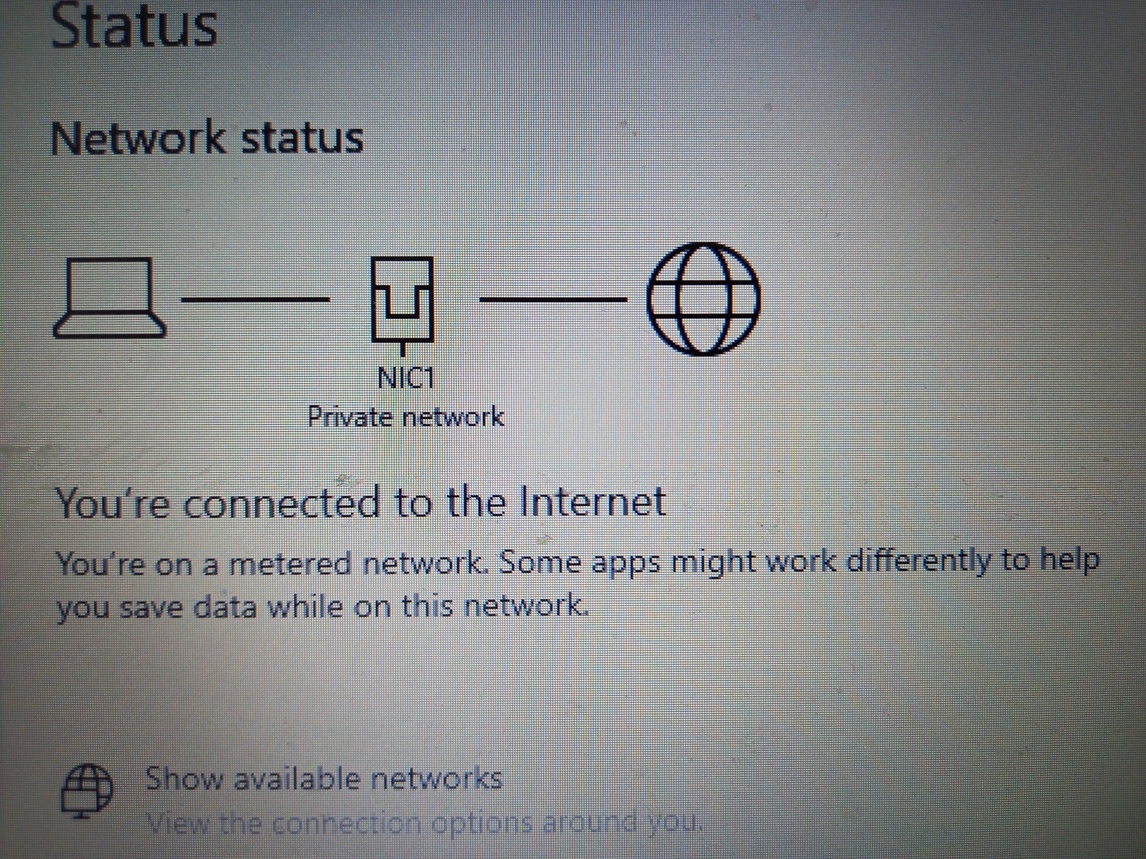
On the two images below. In 2019 you would get this below :- In 2022 it's this, same setup but using powershell to set the teamed nics as below :- And here are the Nics :- The DNS appears fine. No errors anywhere on the server or DNS tests or anything. All working fine. The Nic Teaming on the Windows 2022 was done via powershell. SET is an alternative to the NIC teaming feature that Microsoft gave us way back in 2012. Windows Server 2012 and later required NIC teams to be created at the OS level, but you could bind a Hyper-V virtual switch to the NIC team, just as you can bind a virtual switch to any other physical network adapter. In contrast, SET lets you combine up to eight physical network adapters (the adapters have to be identical) into a Hyper-V virtual network adapter. Switch embedded teams are switch-independent, meaning that the physical switches to which the teamed adapters are connected are unaware of the team's existence.
-
Windows 2022 Network Services Restart Issue
discoveranother replied to discoveranother's topic in Windows Server 2022
Thanks for the reply. Ok. We discovered with some versions of Windows server 2016, 2019 that if using hyper, sometimes the virtual network adapter does not immediately pick up the domain name after reboot but instead just uses 'network'. We discovered this was happening to others as well as a few forums suggested to use a scheduled task, which we always implemented and works perfect. What the scheduled task does is restarts the Network Location Service immediately on booting into Windows, this in turn changes the 'network' to domain name on the adapter. Works a treat. This is what we also found with Windows 2022. However, network location service does not restart it throws up the error. The hyperv virtual network adapter shows as 'network' instead of the domain name. We weren't sure if this is how it is with Windows 2022 (Not a VM). The server also hosts a VM which is 2019. However, the VM virtual network adapter shows the domain name as it should. So is this how 2022 displays the network adapter compared to 2019 ? -
Windows 2022 Network Services Restart Issue
discoveranother replied to discoveranother's topic in Windows Server 2022
Just to add further to clarify. The DC is Windows 2022 and the VM is Windows 2019. The Windows 2019 VM shows the correct domain on the teamed hyperv network adapter but oddly on the Windows 2022 DC the teamed hyperv virtual network adapter shows as "network". I wasn't sure if this is how it now shows on Windows 2022 as the teamed Nics are now configured using powershell with the SET command. DNS records are fine, they show as they should. Adding new clients to the domain works fine. Thanks -
Hello, Installed a Windows Standard 2022 DC Server with Hyperv Manager. Anyway, cut a long story short. All seemed ok until today, oddly, on the Windows 2022 DC, in services.msc both the Network Location Awareness and Network List Service although both are running, when I tried to restart them they both come up with the Error 1061 "The service cannot accept control messages at this time". There was a bit of a panic as it's the first day back for the customer and at first the server was not being picked up, and nslookup was not pointing to the right server. Anyway, after a reboot, nslookup is now ok and all clients connect and pick up GP etc, etc but the Error 1061 still occurs, even though all clients are working fine now and connecting to the server. I am at a miss as to why the Error should occur out of curiosity. Once last thing if I may, the virtual network adapter on the server shows as "network" instead of the domain name. I wasn't sure if this was a Windows 2022 thing with the way virtual network adapters are now setup within Windows 2022 as SET. Thanks all
-
Pair Amazon Echo Dot in a school
discoveranother replied to discoveranother's topic in How do you do....it?
Thanks -
Pair Amazon Echo Dot in a school
discoveranother replied to discoveranother's topic in How do you do....it?
I did wonder myself..... -
Hello, In a school and they have an Amazon Alexa Echo Dot. The Admin want to be able to pair up the device via the Amazon app on their phone. We believe it may be the firewall blocking the pairing. They use Smoothwall firewall. They go into the app and select the device to add and pair and it just gets stuck on the following:- Connecting your Echo Dot to Wifi. Make sure your device is nearby, plugged in and in pairing mode Just thought I would pick anyone's brains out there that may have come across the same issue in a school. Thanks all
-
Hi all, Would just like to ask, have a client who has not yet renewed their Microsoft Licensing i.e. M365, OVS. They had all the details from the reseller but have forgot to renew. Is there a grace period for renewing if they miss the expiry date ? Thanks all
-
Apple School Manager or Not ?
discoveranother replied to discoveranother's topic in How do you do....it?
Thank you for all the replies. Yes I did wonder that the school will either have to pay me to spend a day or so setting them up. As you correctly say, trying to get through to Apple can be quite cumbersome. -
Apple School Manager or Not ?
discoveranother replied to discoveranother's topic in How do you do....it?
Thanks for the replies. The school currently have Meraki access points so there is a Meraki MDM portal. If I will be totally honest. Naturally I want to help the school as much as I can and hopefully they can find a streamlined way of managing Ipads. My only concern is time. I'm not going to lie, i'm concerned that I will start getting asked to set all this up in Apple School Manager when they should assign a member of staff to manage it. I'm only at the school for 2 hours a fortnight and always busy for the full 2 hours and that is what i'm paid for, so i'm a bit concerned there maybe work with this. Sorry if I sound unhelpful, but it maybe that it's not that difficult at all. It's all about time and who manages it. However, the thing is, they will need training on this, so I will have to find out if the Dfe provide training to them. -
Hi all, Not sure if this is the correct thread for this but here goes. Have a primary school that is able to get some Ipads from the Department for Education. The Dfe are asking for an Apple School Manager ID in order to enrol the Ipads onto the Apple Device Enrolment Progarm automatically. However, the school do not use Apple School Manager. To be honest, we aren't familiar with Apple School Manager and I'm aware Apple School Manager needs to work with an MDM solution but as we only attend the school once a fortnight that this is something the school would have to likely manage themselves if they opted for Apple School Manager. Any feedback welcome on this. Also, does it require much setup, is it worth having or does it really depend on the amount of Ipads they have ? Any feedback most welcome. Thanks all
-
Hi all, Have a few primary schools on the Office 365 A1 for faculty which is free. They also have Volume Licensing in place. They have on premise servers. I'm not totally familiar with the CSP Licensing model other than it's obviously for products being used in the Cloud, so I'm trying to ascertain if these schools should be moving to CSP or both CSP and Volume Licensing and whether it is cheaper or more productive. The schools have Microsoft Office Professional installed locally on all their client systems. My concern is that if they went with the CSP option then this version of Microsoft Office would have to be uninstalled from all client systems. In addition, in order to use the M365 Office applications on each system each user i.e. staff and pupil would have to sign M365 after logging onto the clients and also the Shared Computer Activation would have to be setup. Maybe it's not as complicated as the above but if it is, it would be very time-consuming it seems considering the current client setup. Also, what other 'obstacles' with licensing on premise client systems i.e. Windows and Office would there be by using CSP if any? Just wondered if there is anyone out there that has either moved from VLC to CSP completely or from VLC to CSP \ VLC and encountered issues or found it very beneficial and cost effect ? Thanks all
-
Security Lock for PC Monitor
discoveranother replied to discoveranother's topic in Physical Security
Thanks all. Its just a vulnerable one. The Kensington do look the type to go for