synaesthesia
-
Posts
12,778 -
Joined
Content Type
Forums
News
20th
EduGeek EDIT Conference
Blogs
Everything posted by synaesthesia
-
Interesting - I've suspected drivers/software handling has been at play for a number of years, as it was even reproducible across device brands with certain chipsets (but not limited to one particular type). Seemed bonkers that buying EDID emulators was literally the easiest way of working around the issue because trying to enforce resolutions & refresh rates on devices that move from board to board with 2 screens is just pointless. Fingers crossed something comes of this then! Windows 11 (well, any Windows update really) does seem to introduce a few more quirks - WiFi signal strength on W11 devices is diabolical compared to the same device on Windows 10.
-
Yeah, hopefully it's that simple - Impero is less likely to be a problem as it wouldn't (or shouldn't) be anyone's sole method of safeguarding compliance, however it may raise concern over software which might - senso, securely etc.
-
"You'd like us to remove or disable software which either wholly or partly protects our students and indeed the school as part of our KCSIE obligations?" My answer would be immediately no, fix your software or provide alternative means, Safeguarding trumps your poor efforts at educational software regardless of the fact it may be for assessments.
-

Internet and Phone Provider.
synaesthesia replied to Rob_D's topic in Internet Related/Filtering/Firewall
We use them (until next year) with our phone system, support has always been brilliant. Only moving away due to going with a trust led provider, the only thing I would change is the system we have (splicecom) but that's not a problem with their supply -
A huge annoyance we're coming up against more and more recently is bid pricing locks. So, if we go to supplier A to quote for product 1, this is registered to the school. Because it's over a certain amount, we need 2 more quotes, so go to supplier B and supplier C. Both come back to us and say they're sorry, they can't give us a competitive price because a bid price has already been given to another supplier and they're therefore locked out. We've had this with HP and Epson, and surely this is anti-competitive? Suppliers B and C know then full well that they won't be getting the order unless they quote as comparatively as they can for a different product. Not much good if we are looking for a very specific item or range of items! I don't understand how this is legal/permitted. Surely there must be a better way?
-
Will second Tech-Source, always very competitively priced for networking gear
-
Worth remembering that these are not designed to foil serious attempts at entry, just like manual key pads, combination locks, padlocks etc. Deterrent, basic access controls only and shouldn't be used for main security access such as front doors, access gates etc Likewise, have used them for years, installed a few myself, they just work. Not sure about the expensive side of things, generally they always appear vastly cheaper than most other systems and importantly are well supported - important if you need someone else to come look at them! Never had any issues, install batteries on all of ours (for the sake of an extra tenner per door, no brainer). One of the few things that despite being old fashioned, just works.
-
If anything it goes to show how useful Chromebooks can be over a very long lifespan. We already get a MUCH longer service period from them than a typical low-mid level Windows device just from the official support perspective, but for 10 year old devices to still actually be usable is very positive testament. It does obviously make it harder to let them go however! You could probably argue that an out-of-support ChromeOS device is still more secure than an in service Windows 11 one, however it then comes down to liability if something goes wrong. You get hit by something nasty, and any RPA insurance is pretty much void unless you can prove without doubt the devices were not involved. This is why I struggle very often on a moral basis, I've spent just a year short of 30 years in IT, and throughout all that time I've cobbled, taped up, made do, stuck-with-blutac, hacked and scripted to keep things running on a shoestring and can't stand to see hardware go to waste. Unless it's Dynabook or Apple, then the only thing I can't stand to do is not use them as a frisbee before they are responsibly recycled.
-
Allowing students to keep devices at graduation
synaesthesia replied to JazzyHamster28's topic in Hardware
Yes, we do this. Part of the 6th form offer is they are given a Chromebook when they start with us either from our year 11 or externally, and provided they are here for the majority of their 2 year term, it's theirs to keep afterwards. Whilst with us, the devices are fully managed on our Google tenant with all the necessary policies etc, and upon leaving they are given the choice. If they'd like to keep them, they're sent the powerwash command and away they go. -
Technically yes, until MV2 functionality is properly turned off like it has supposed to have been for quite a few months. Could be tomorrow!
-
I'm very happy that I now have time to look at the annoying little niggles rather than firefighting mass problems, so this isn't a big one! Well, it is from a usability perspective. Windows 11's network login screen seems very intermittent as to whether it will wake up from the clock screen via either keyboard or mouse. Beforehand on Windows 10 (ugh, this is going to sound like "Remember when this was all fields and Windows XP was the bee's knees?") you'd wiggle the mouse, hit any key and the PC would wake up and present the login screen. Now, keyboard mashing usually (but not always!) does absolutely nothing and you are forced to click a mouse key. Not the end of the world for you or me, but in a class full of impatient students and staff getting annoyed with their patience, every little helps. Am I making sense? If so, is there a fix for this? I've scoured group policy and couldn't see anything appropriate (insert comment about a man-look here) and my google-fu fails me!
-
It's SMS as in sponsored migration service or something rather than text messaging (that got me too ) But no, I checked on a few clients and also the plain text version - that's how it came!
-
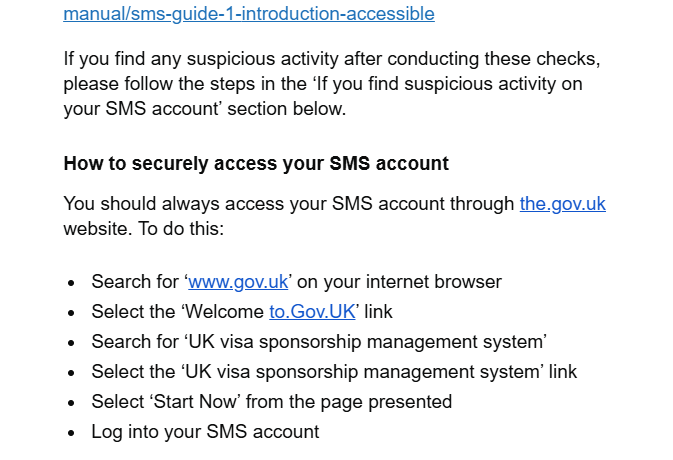
Had a concerned member of staff email tonight after receiving an email purportedly from a government department, warning about phishing scams. It goes on about security, even going as far as to instructing us to google the department and click the link rather than clicking links in random emails. But alas, it's chock full of typos including these two lovely "links". And it's real. No, the.gov.uk isn't correct, nor is to.gov.uk. It's not a phish, it's an official email warning us about phishing attacks targeting this specific department. What hope do we have, when our own Government departments make the most basic errors like this? Absolutely laughable!

-
Anyone else having problems with Apple Device Enrollment?
synaesthesia replied to DavR's topic in Mobile Devices & Tablets
Glad to be of some help! Unfortunately configurator has never been my strong point - whilst I can get devices prepared and supervised, the whole blueprint thing never stuck. Different issue entirely, likely user-side! It goes through the preparation process, then on restart just sits at the first prompt. It'll happily continue if you manually enter everything and go through the Mrs Doyle prompts, but that's about it -
Anyone else having problems with Apple Device Enrollment?
synaesthesia replied to DavR's topic in Mobile Devices & Tablets
What a ballache this is, thanks Apple. They do love forced obsolescence Just hit this - decommissioned nearly 20 older iPad Air's and Air 2s with the plan of putting a fair few of them all round the school in staff areas for SignInApp. Great idea in principal - updates/security not an issue as they'll be entirely locked down with a whitelist filtered backstop just in case, serving single purpose. Wipe a couple, get them set up.... oh, computer says No, can't retrieve configuration. Filtering perhaps? Hotspot... computer says No, can't retrieve configuration. Maybe I have to plug it into a crapbook and Configurator. Crapbook says No, can't retrieve configuration. Found both this and the jamf discussion (we use Mosyle) and have had to settle on the following process: Remove device from Mosyle entirely, unassign device management from ASM (but keep it enrolled) Wipe device, set up entirely manually (groaning all the way as it Mrs Doyles you about EVERY. LITTLE. THING. Ooooh gwan. Gooo onnnn. You sure you don't want one? You sure? Go on... Just a little one. They've got cocaine in...) Enroll manually into Mosyle. Repeat a dozen times -
I did not know this was possible - many thanks all, every day is a school day!
-
Ours are on a 30 day retention; it's only really used for troubleshooting and tracking down misuse, with the occasional "crap, I've printed something and deleted/lost the original" recovery, so doesn't need to be much more. Also means it's less to worry about for data protection retention issues. We also disable it entirely for admin staff to avoid confidential information being made accidentally visible (for example, if I'm checking the logs for our admin printer, it's not great if I see my own P45 being printed out by our HR manager )
-
Hiya, cheers it's 625913
-
Had a play with GAM - it reports the same as what we get in the UI now the correct options are available - however, very handy as an overall audit facility! I can't get it to query to an OU though, only the predefined queries for things like serial numbers, asset tags etc but this is definitely a Me Error: gam print cros allfields query "havent_a_clue_but_probably_cros_ous_and_children:someargumenthere" > output.csv User related syntax error
-
Hi all, Have a call open with Smoothwall which is taking a bit of time, so thought I'd try my luck here We're a hybrid setup with an onsite appliance and Smoothwall Cloud for our chromebooks. They filter absolutely fine, extension works perfectly well, users and groups are correctly mapped. As it's a hybrid, apparently we should be able to use the Cloud realtime log viewer instead of the appliance and effectively search much easier, however even though target usernames automatically complete correctly, none of them have any device attached - so put in a username and we get "No devices for this username". Leaving username blank, device dropdown does nothing, meaning we can't use this whatsoever. I don't believe this bit is linked to the Cloud filter extension nor only for the chromebooks in this context, but even so verified working chromebooks and their users don't show here either. Smoothwall diagnostics show all is correct with the only possible question mark being "no tenant set" - but as it's applying all the correct policies I don't believe this is a likely candidate for the problem. Doesn't worry me too much as I can use the appliance to report, but I'd like our safeguarding team to be able to look too, and the appliance isn't the way for them!
-
Nail, head. Cheers @machy! Someone must have changed the setting at root level for our trust and didn't tell anyone - I must have looked past this setting several times and completely missed it. A proper "man look" clearly!
-
Probably a better use of time & money to move to their cloud offering rather than yet another SQL server causing issues!
-
Yeah bang up to date, all licensed (perpetual chrome upgrades). May well be some setting somewhere but I can't find anything that correlates to that info being stored Will check out the asset ID thing with Impero, it won't help us with this issue but it will at least fix one annoyance!
-
It's a mixture of both, the problem is that Google seem to have removed the tools or something has changed to stop that information being shown or recorded. They are of course asset tagged and that's recorded in Google, but that doesn't help physically track the devices I haven't seen anything hardware related to GAM, I'll investigate that as it often is the only way to get anything useful from Google. Awful process
-
Morning, I'm struggling to keep track of our Chrome devices, and none of the systems we have in place seem to make life very easy, starting with Google itself. So for example if there's a Chromebook we're trying to find - we know it's serial number and can obviously see what it is in Workspace. However that's pretty much the limit. I think from some point last year something changed in Workspace and we no longer see any hardware information on the device tab, particularly pertinent stuff like the MAC address or last known IP. All the hardware info blank. We no longer get last user information either. The idea would have been that with the MAC address, we can look on our wifi system (UniFi) to get last known locations, if it was on site. This shouldn't have been the end of the world as we have Impero, but since getting the new version it gives us even less information than before. Devices don't have a name any more, just "username - Chromebook". No IPs, no MAC, just an "Impero host ID" which is meaningless. Inventory can give a tiny bit more info but only if they're on site and turned on. Again, no MAC address. This means that tracking lost devices is nearly impossible. Any thoughts that might be of help please?