synaesthesia
-
Posts
12,765 -
Joined
Content Type
Forums
News
20th
EduGeek EDIT Conference
Blogs
Everything posted by synaesthesia
-
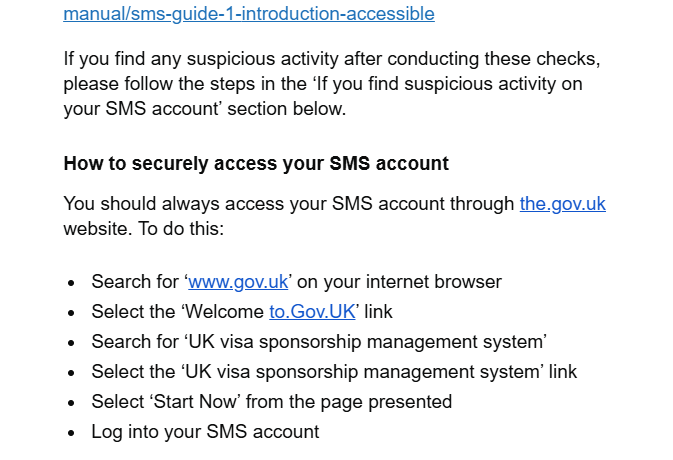
Had a concerned member of staff email tonight after receiving an email purportedly from a government department, warning about phishing scams. It goes on about security, even going as far as to instructing us to google the department and click the link rather than clicking links in random emails. But alas, it's chock full of typos including these two lovely "links". And it's real. No, the.gov.uk isn't correct, nor is to.gov.uk. It's not a phish, it's an official email warning us about phishing attacks targeting this specific department. What hope do we have, when our own Government departments make the most basic errors like this? Absolutely laughable!

-

Anyone else having problems with Apple Device Enrollment?
synaesthesia replied to DavR's topic in Mobile Devices & Tablets
Glad to be of some help! Unfortunately configurator has never been my strong point - whilst I can get devices prepared and supervised, the whole blueprint thing never stuck. Different issue entirely, likely user-side! It goes through the preparation process, then on restart just sits at the first prompt. It'll happily continue if you manually enter everything and go through the Mrs Doyle prompts, but that's about it -
Anyone else having problems with Apple Device Enrollment?
synaesthesia replied to DavR's topic in Mobile Devices & Tablets
What a ballache this is, thanks Apple. They do love forced obsolescence Just hit this - decommissioned nearly 20 older iPad Air's and Air 2s with the plan of putting a fair few of them all round the school in staff areas for SignInApp. Great idea in principal - updates/security not an issue as they'll be entirely locked down with a whitelist filtered backstop just in case, serving single purpose. Wipe a couple, get them set up.... oh, computer says No, can't retrieve configuration. Filtering perhaps? Hotspot... computer says No, can't retrieve configuration. Maybe I have to plug it into a crapbook and Configurator. Crapbook says No, can't retrieve configuration. Found both this and the jamf discussion (we use Mosyle) and have had to settle on the following process: Remove device from Mosyle entirely, unassign device management from ASM (but keep it enrolled) Wipe device, set up entirely manually (groaning all the way as it Mrs Doyles you about EVERY. LITTLE. THING. Ooooh gwan. Gooo onnnn. You sure you don't want one? You sure? Go on... Just a little one. They've got cocaine in...) Enroll manually into Mosyle. Repeat a dozen times -
I did not know this was possible - many thanks all, every day is a school day!
-
Ours are on a 30 day retention; it's only really used for troubleshooting and tracking down misuse, with the occasional "crap, I've printed something and deleted/lost the original" recovery, so doesn't need to be much more. Also means it's less to worry about for data protection retention issues. We also disable it entirely for admin staff to avoid confidential information being made accidentally visible (for example, if I'm checking the logs for our admin printer, it's not great if I see my own P45 being printed out by our HR manager )
-
Hiya, cheers it's 625913
-
Had a play with GAM - it reports the same as what we get in the UI now the correct options are available - however, very handy as an overall audit facility! I can't get it to query to an OU though, only the predefined queries for things like serial numbers, asset tags etc but this is definitely a Me Error: gam print cros allfields query "havent_a_clue_but_probably_cros_ous_and_children:someargumenthere" > output.csv User related syntax error
-
Hi all, Have a call open with Smoothwall which is taking a bit of time, so thought I'd try my luck here We're a hybrid setup with an onsite appliance and Smoothwall Cloud for our chromebooks. They filter absolutely fine, extension works perfectly well, users and groups are correctly mapped. As it's a hybrid, apparently we should be able to use the Cloud realtime log viewer instead of the appliance and effectively search much easier, however even though target usernames automatically complete correctly, none of them have any device attached - so put in a username and we get "No devices for this username". Leaving username blank, device dropdown does nothing, meaning we can't use this whatsoever. I don't believe this bit is linked to the Cloud filter extension nor only for the chromebooks in this context, but even so verified working chromebooks and their users don't show here either. Smoothwall diagnostics show all is correct with the only possible question mark being "no tenant set" - but as it's applying all the correct policies I don't believe this is a likely candidate for the problem. Doesn't worry me too much as I can use the appliance to report, but I'd like our safeguarding team to be able to look too, and the appliance isn't the way for them!
-
Nail, head. Cheers @machy! Someone must have changed the setting at root level for our trust and didn't tell anyone - I must have looked past this setting several times and completely missed it. A proper "man look" clearly!
-
Probably a better use of time & money to move to their cloud offering rather than yet another SQL server causing issues!
-
Yeah bang up to date, all licensed (perpetual chrome upgrades). May well be some setting somewhere but I can't find anything that correlates to that info being stored Will check out the asset ID thing with Impero, it won't help us with this issue but it will at least fix one annoyance!
-
It's a mixture of both, the problem is that Google seem to have removed the tools or something has changed to stop that information being shown or recorded. They are of course asset tagged and that's recorded in Google, but that doesn't help physically track the devices I haven't seen anything hardware related to GAM, I'll investigate that as it often is the only way to get anything useful from Google. Awful process
-
Morning, I'm struggling to keep track of our Chrome devices, and none of the systems we have in place seem to make life very easy, starting with Google itself. So for example if there's a Chromebook we're trying to find - we know it's serial number and can obviously see what it is in Workspace. However that's pretty much the limit. I think from some point last year something changed in Workspace and we no longer see any hardware information on the device tab, particularly pertinent stuff like the MAC address or last known IP. All the hardware info blank. We no longer get last user information either. The idea would have been that with the MAC address, we can look on our wifi system (UniFi) to get last known locations, if it was on site. This shouldn't have been the end of the world as we have Impero, but since getting the new version it gives us even less information than before. Devices don't have a name any more, just "username - Chromebook". No IPs, no MAC, just an "Impero host ID" which is meaningless. Inventory can give a tiny bit more info but only if they're on site and turned on. Again, no MAC address. This means that tracking lost devices is nearly impossible. Any thoughts that might be of help please?
-
Same here using our .sch.uk domain or private domain
-
You don't - unless again there's a spare member of staff (lol) available to go running to the loo. CCTV is usually necessary alongside these devices as a reactionary/post incident measure to identify them.
-
Impero Extension in Chrome
synaesthesia replied to Jawloms's topic in Network and Classroom Management
Needs to be specifically in managed bookmarks which must also then be forced. I also have impero_server in DNS but I think that's only for windows clients. Also make sure you're definitely using the MV3 extension. -
Half the trouble is these days is not having the staff numbers, or more specifically available staff to loiter around doing nothing else; then in-lesson toilet visits "Please miss, I'm dying for a strawberry cream flavoured wee!".
-
Adobe have been VERY naughty with this - signing, even remotely was previously available under Acrobat standard, hence fell in with Creative Cloud subscriptions. They removed it last year >:( Do you use anything like Civica Edu Operations for helpdesk or asset management? There's an e-sign thing in that you may already have a subscription for, and you may also find similar in other all-encompassing edu systems.
-
128GB for students, 256 for staff, although don't buy anything under 256 these days. Doesn't hurt anything, profiles are cleared out on logoff for students and staff local profiles don't build much up - google file stream is set to live only.
-
Not so much, but I'm partial to Mr Magoo
-
Oooh very nice, I'm a sucker for things like this Certainly better than some of the other offerings, maybe except the classic Carry On Up The Khyber
- 3 replies
-
- 1
-

-
- itvx
- the guardian
- (and 1 more)
-
We've been buying Asus 14" models for our 6th formers and they're fairly decent, especially for very minimal cost. I'm not sure what the current equivalent would be, but last year we bought them HP X360 chromebooks and those are very lovely and very handy! We had the lower end spec though, so would spec up just in case. And plenty of chromebooks are upgradeable in terms of RAM and some SSD too, just to piddle on the bot's parade a bit there
-
Spot the AI spammer!
-
Creative Cloud browser login annoyance
synaesthesia replied to synaesthesia's topic in Educational Software
No worries! Unfortunately I'd not be much help in this instance, ours is deployed on demand with PDQ or at build time with MDT and this isn't something that crops up for us. -
Creative Cloud browser login annoyance
synaesthesia replied to synaesthesia's topic in Educational Software
Thank you kindly! Will give those a go