difinity
-
Posts
1,587 -
Joined
-
Last visited
Content Type
Forums
News
20th
EduGeek EDIT Conference
Blogs
Everything posted by difinity
-
Have you tried CPC UK | Electronic Components | Electronic Parts ? Free delivery on orders over £5 and they will shower you with catalogues just like Misco. I guess it depends on what bits and bobs you require.
-
I measure with digital calipers but they tend to be standard size. RS has some but I get mine for Aliexpress as they are much cheaper. Perhaps I could stick 5 in the post to you if they look to be the right size/style ?

-
You could look at the power supply EPS connector, yellow is 12v black is ground, but you have all black cabling. You could Google EPS 12v pinout. Or I can tell you top row (closest to the latch mechanism) is 12v , bottom is ground I should add that when you are testing, it's just the naked motherboard on a bench (not in the case) and no power needs applying.
-
Turn the dial to the diode symbol. With the display at the top it's the symbol at 5 o'clock between 200ohms and hFE. Red lead on the ground of the socket, black lead on the 12v
-
Yes, there are a couple of ways but the easiest is put the multimeter in diode mode, then the red probe on one of the ground pins in the 12vATX connector on the motherboard and the black probe on the 12v pin. I expect it to read near 0v indicating a short, a working board will show around 0.5V on the meter. A half decent multimeter is cheap. ANENG AN8000 Portable Digital Multimeter 4000 Counts Auto Range Ammeter Ohmmeter | eBay
-
If you have tried with another PSU use a multimeter to check if you have a short between the 12v and GND on the motherboard on the 12v connector. Sounds like a short on the CPU VRM. The 12v ATX connector is on a separate rail in the PSU and is separate on the motherboard. It's why it partially works with the 24 pin connector plugged in.
-
Do you have a multimeter ? Check the motherboard 8 pin connector for a short. Check the PSU for a short on the same connector.
-
You wouldn't need to contact me every time. Just post it/them with an SAE. I'm not short of tact switches which weren't too expensive. I think it might be the ones on the left.
-
I'm guessing it's just the tactile switch that has failed due to vigorous pushing ? I can replace just the switches if you like ? No need to buy PCBs or new laptops
-
You're welcome, i'm glad it found it's way to you and it's been useful.
-
Whilst you can drop that much voltage with a resistor(s) it's hugely inefficient and not really the way to do it and powering straight from the cell is a bad idea due to the changing voltage and current. You need some sort of LED driver. Much more efficient and small resistors such as 0805 can be used.
-
I was suggesting buying one off ebay/supplier and connecting it before getting quotes and looking for installers etc. My experience with non IP cameras especially over long runs was not good.
-
Have you tried resetting the network settings ? Settings>General>Reset>Reset Network Settings
-
Ther is a solenoid on the back that controls the paper pick up. They can fail/become sticky and that will cause this issue.
-
I've seen HD over analogue (not hikvision) when I worked at a CCTV place for a few months. Whilst the image size fits the HD description 1920x1080 the image quality was no better than the poor image quality analogue over BNC system that was sold as an upgrade as it was still subject to interference and image quality loss due to the length of the cables. I left due to poor business practices. Before committing to anything I would want to see the image quality first. HD refers to image size and makes no guarantee of image quality.
-
It's all about the quality of the 18650 inside these batteries. Some of the really cheap ones use recycled cells. Interestingly on the Duracell website they say they use brands such as 2-Power for when they don't have their own.
-
Nice photo, do they have you soldering water pipes with that big butane torch ? If you'd all like to PM your name and address and i'll post these out this weekend. @Garacesh, i can post you a bit out too if you like for your awesome project
-
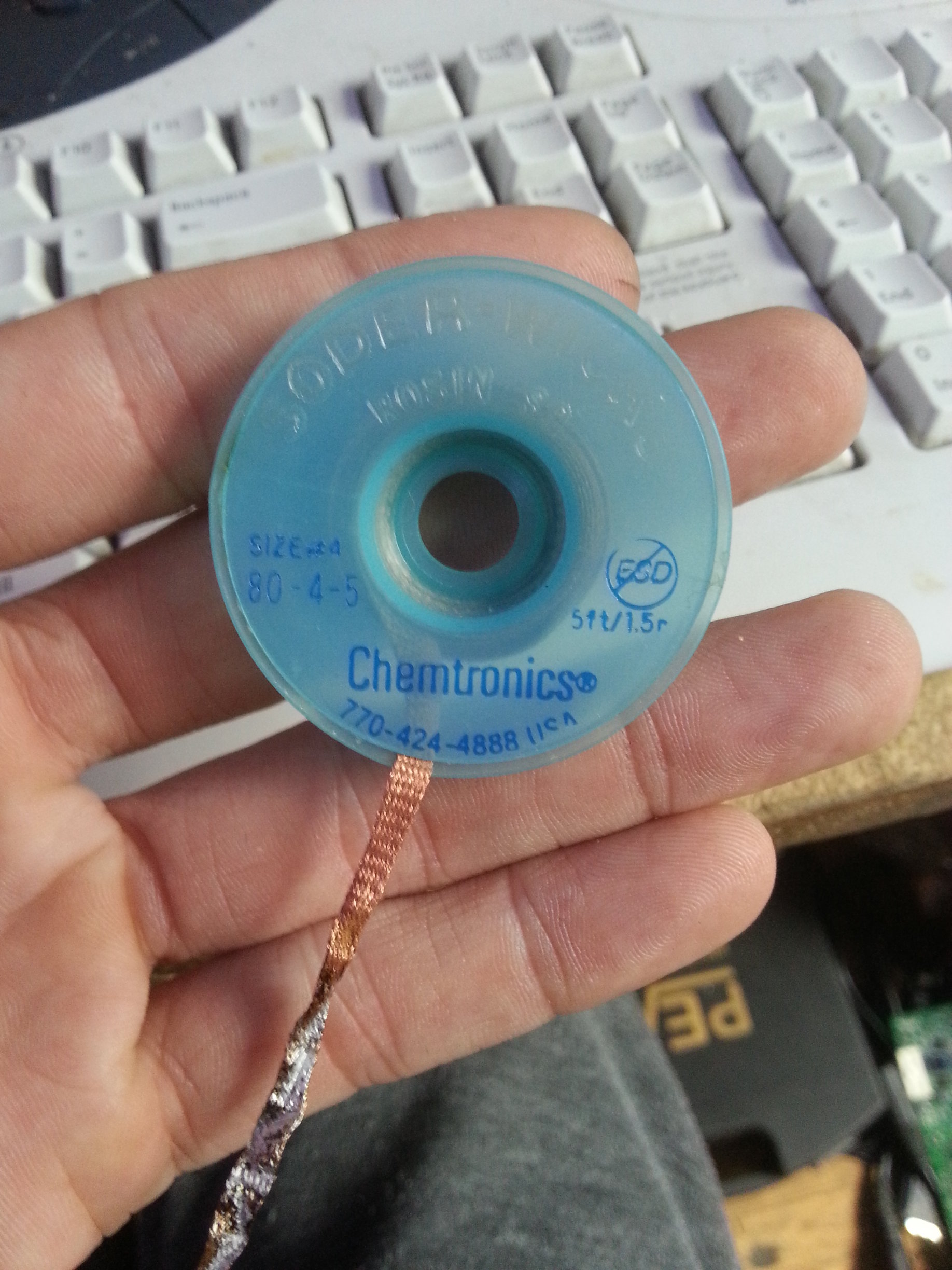
I recently purchased a lifetime supply of Chemtronics 80-4-5 desoldering braid and I thought I'd share the love. This is some of the best braid money can buy and is suitable for BGA and through hole work. I have at least 3 to give away with free UK postage. Any takers ? Please don't just say yes because it's free, say yes because you will use it. It's to for those who work in a teaching establishment or for those that do electronics as a hobby. Depending on the interest this won't be first post first served.
-
Speakers damaged or unplugged ?
-
Why do Samsung ruin their phones with poor software?
difinity replied to FN-GM's topic in General Chat
If it's software and it's Samsung, chances are it's janky. Kies, their printer software and their CCTV camera software all spring to mind. -
I had a Dell Inspiron 5520 with an identical issue of charger light going out today. Different motherboard number but identical markings and layout in parts to yours. Mosfet PQ101 was shorted and Capacitor PC104. Replaced both and the laptop charges and powers on fine. The price of the Mosfet was 23p and capacitor about 2p.
-
It was already broken, a battery holder is easy to replace. Have you any plans for the dead board ? happy to cover postage and chuck a few quid on top towards your replacement/their laptop if you haven't.
-
It's usually a mosfet or cap(s) shorted or burnt causing the issue with the charger. The parts cost pence, the kit i use to replace quite a bit more. You'll need a multimeter. Remove the motherboard and inspect it. If it's an LA-9104P I have the schematic for it.
-
New Diesel And Petrol Vehicles To Be Banned From 2040 In UK - BBC News
difinity replied to 6Foot2's topic in General Chat
Expensive to produce, store and transport. -
So you've removed it from the enclosure and tried without the USB controller ? Do you have a multimeter ? There will be two TVS diodes on the PCB you can check, one on the 5v line the other is 12v. If you have a photo of the PCB I can point them out if required. Is the drive spinning up, then the freezer will do nothing. its for freeing the motor/spindle.