Paul-K
-
Posts
122 -
Joined
-
Last visited
Content Type
Forums
News
20th
EduGeek EDIT Conference
Blogs
Everything posted by Paul-K
-
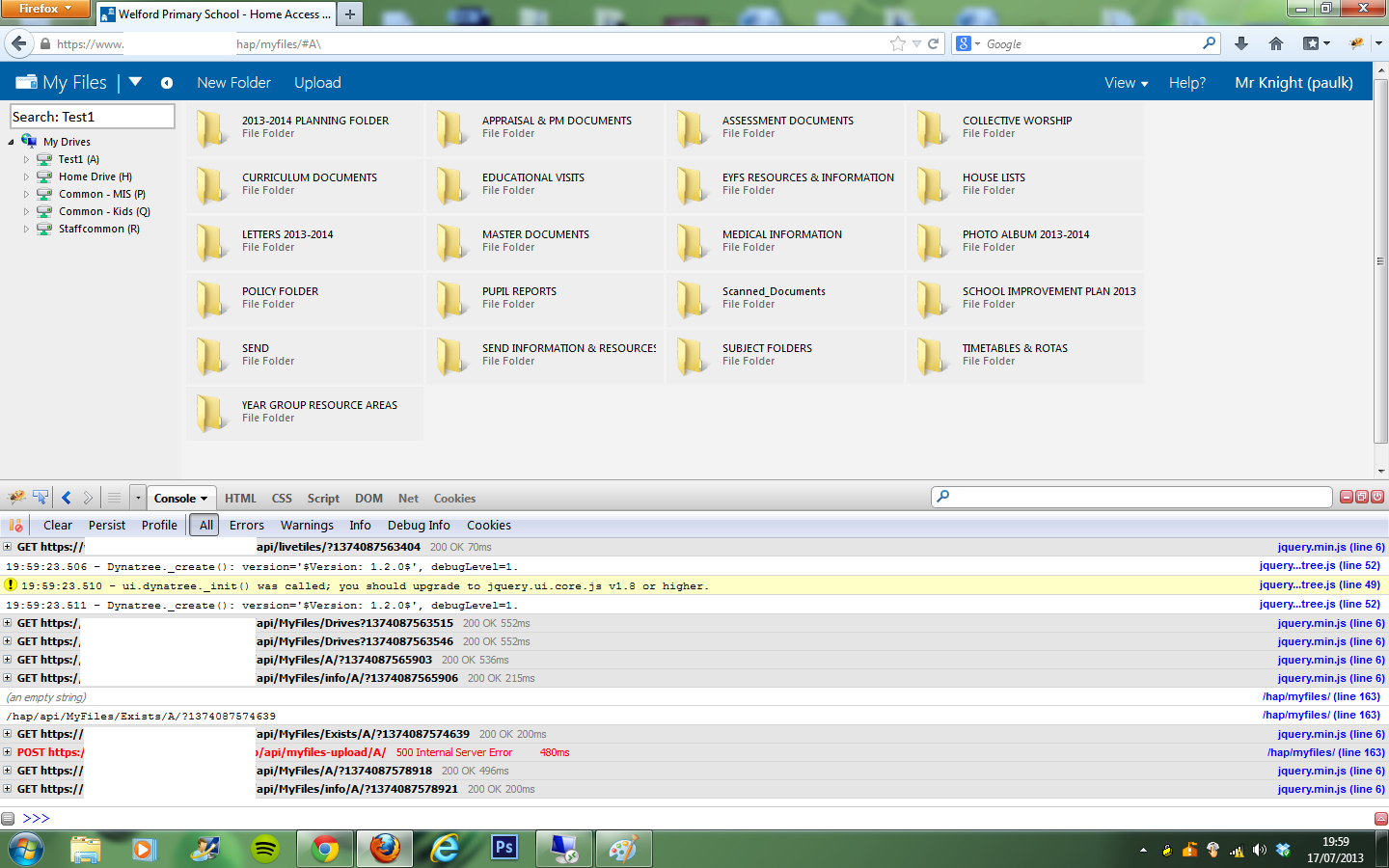
Hi Nick, there are lots of errors on the server for HAP, it seems to be throwing them quite frequently, not sure why but one error that appears is: An error occurred in Home Access Plus+ Page: /hap/bookingsystem/ Message Exception of type 'System.Web.HttpUnhandledException' was thrown. Source System.Web Target site Boolean HandleError(System.Exception) Stack trace at System.Web.UI.Page.HandleError(Exception e) at System.Web.UI.Page.ProcessRequestMain(Boolean includeStagesBeforeAsyncPoint, Boolean includeStagesAfterAsyncPoint) at System.Web.UI.Page.ProcessRequest(Boolean includeStagesBeforeAsyncPoint, Boolean includeStagesAfterAsyncPoint) at System.Web.UI.Page.ProcessRequest() at System.Web.UI.Page.ProcessRequest(HttpContext context) at ASP.bookingsystem_default_aspx.ProcessRequest(HttpContext context) in c:\Windows\Microsoft.NET\Framework64\v4.0.30319\Temporary ASP.NET Files\hap\55cd546f\70e6ba5a\App_Web_x1ih4gpc.4.cs:line 0 at System.Web.HttpApplication.CallHandlerExecutionStep.System.Web.HttpApplication.IExecutionStep.Execute() at System.Web.HttpApplication.ExecuteStep(IExecutionStep step, Boolean& completedSynchronously) ToString() System.Web.HttpUnhandledException (0x80004005): Exception of type 'System.Web.HttpUnhandledException' was thrown. ---> System.ArgumentOutOfRangeException: 'userlist' has a SelectedValue which is invalid because it does not exist in the list of items. Parameter name: value at System.Web.UI.WebControls.ListControl.set_SelectedValue(String value) at HAP.Web.BookingSystem._new.Page_Load(Object sender, EventArgs e) at System.Web.UI.Control.LoadRecursive() at System.Web.UI.Page.ProcessRequestMain(Boolean includeStagesBeforeAsyncPoint, Boolean includeStagesAfterAsyncPoint) at System.Web.UI.Page.HandleError(Exception e) at System.Web.UI.Page.ProcessRequestMain(Boolean includeStagesBeforeAsyncPoint, Boolean includeStagesAfterAsyncPoint) at System.Web.UI.Page.ProcessRequest(Boolean includeStagesBeforeAsyncPoint, Boolean includeStagesAfterAsyncPoint) at System.Web.UI.Page.ProcessRequest() at System.Web.UI.Page.ProcessRequest(HttpContext context) at ASP.bookingsystem_default_aspx.ProcessRequest(HttpContext context) in c:\Windows\Microsoft.NET\Framework64\v4.0.30319\Temporary ASP.NET Files\hap\55cd546f\70e6ba5a\App_Web_x1ih4gpc.4.cs:line 0 at System.Web.HttpApplication.CallHandlerExecutionStep.System.Web.HttpApplication.IExecutionStep.Execute() at System.Web.HttpApplication.ExecuteStep(IExecutionStep step, Boolean& completedSynchronously) and another is: An error occurred in Home Access Plus+ Page: HAP.Web.API.MyPic Creating Directory Search and Searching for then current user Using filter: (&(objectClass=user) (sAMAccountName="username goes here")) Found 1 results, processing 1st result Found 0 thumnbnailPhotos I am using equipment and laptops as my resource types, the image attached shows the firebug info, it seems to mention line 6 in the jquery.min.js file.

-
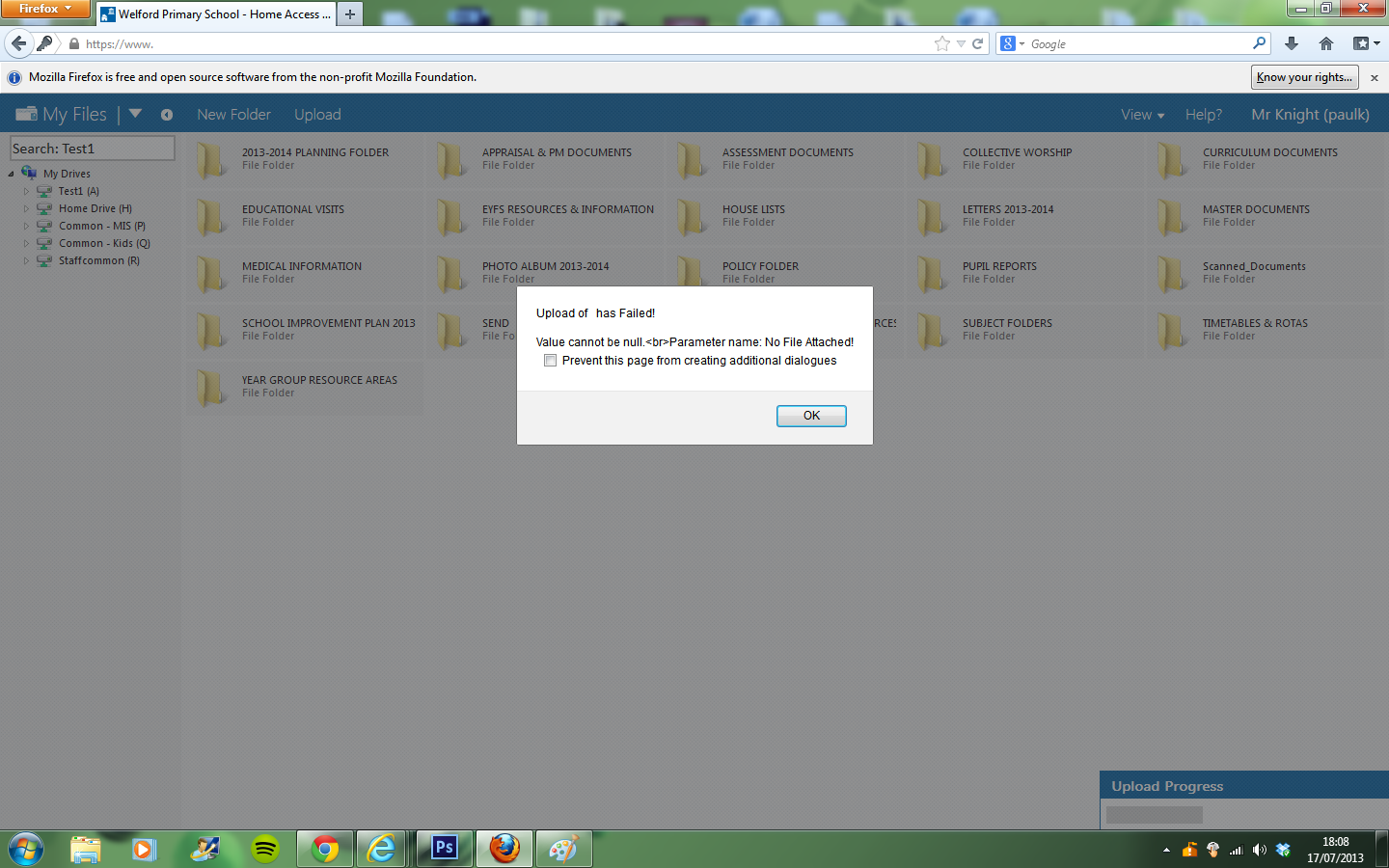
Hi all, Is anyone able to help, since updating to HAP+ 9.4 I am no longer able to delete bookings or book using the quantity item to book less than the whole set. I have attached a screen shot showing the error but as the screen refreshes when you try and remove a booking it's very hard to catch.
-
Sorry Nick, Just looked in the hapconfig.xml file and noticed secureldap on the end saying "false", I've now changed that to "true" and HAP+ is still working and logging in correctly so I presume that secure LDAP is now working. Should have checked there first, apologies.
-
@nickbro Hi Nick, I realize it's been a while since this one but after upgrading to HAP+ 9.4, I decided to try the secure LDAP queries again, I have enabled LDAP signing on my two DCs again and HAP+ is working and allowing me to login which it didn't allow before when I upgraded to 9.2. I noticed on the codplex site you mentioned a couple of fixes and the option to disable secure LDAP queries. Do I need to enable this in HAP+ or is it already enabled and now fixed? Many thanks
-
I have updated to the latest 9.4 release and copied the updated web.config as posted above, it seems like the HAP.AD.dll is fixed in the latest release but unfortunately, the web.config changes didn't work. I have put the web.config from my 9.2 live site with the latest 9.4 release and this worked though.
-
Ok, If I use the web.config file from my live HAP+ install (9.2) and the HAP.AD.dll from the 9.2 release it works but with the web.config and HAP.AD.dll from 9.4 it stops working. If you would like me to do any further debugging to try and resolve the issue please let me know as I'd be happy to help.
-
Yes, my live site is running 9.2 but I setup a test site using 9.0 then upgraded to 9.4. If I copy the web.config from my 9.2 working version then it fixes the logon screen issue and access to /api/js works but I have some other issues like not seeing the management menu, drives in my files or access to setup.aspx.
-
The latest error in the logs from HAP is: An error occurred in Home Access Plus+ Page: HAP.Web.API.MyPic Creating Directory Search and Searching for then current user Using filter: (&(objectClass=user) (sAMAccountName=****)) Found 1 results, processing 1st result Found 0 thumnbnailPhotos The above error reoccurs multiple times, there are a couple of different errors from HAP+ but I think they were logged before I setup the test site!
-
@nickbro The code above is in the web.config file and is exactly as above. The web.config file has been copied from the latest 9.4 release.
-
@nickbro It throws a 403 - Forbidden: Access is denied error.
-
@nickbro Hi Nick, I have setup a test site of HAP+ using the files from my working version then copied the 9.4 release files across. Below is a screenshot from firefox.
-
@nickbro I have checked the web.config for the svg line but all I have there is which from an earlier post I believe stays there. The web.config file is the one from the latest release (9.4) but the image below shows what the logon page looks like, I have disabled webdav again on the application in case it may have been causing issues as it does.
-
I have also experienced the same issue when upgrading from 9.2 to 9.4. I copied all the files across then added my deny roles and deny webdav handler to the web.config and I received the internal 500 error. I then copied the web.config file from the 9.4 upgrade again and HAP+ worked but with weird results. The login button showed text but no image, the HAP menu bar appeared at the top of the screen before logging in and after logging in the profile drop down in the top right hand corner was constantly visible and only the management and me tabs were visible to any user who logged in but with no navigation or anything showing under them,. Finally I added setup.aspx to get setup but non of the menus were accessible and all of the checks showed red X's. I have gone back to 9.2 for the moment as I upgraded my production site.
-
@nickbro I have enabled LDAP signing on my default domain controllers policy so both DCs require encrypted data but HAP+ still doesn't allow anyone to log in using version 9.3. I put the 9.2 HAP.AD.dll file in place and removed LDAP Signing and was able to log into HAP+ but when I go to config and type my admin password it tells me there was a problem connecting to the AD structure. I have currently turned off LDAP signing and have gone back to v9.2 and all these issues go away. I do love the idea of AD being more secure though, any ideas? Also is HAP+ supposed to remember my AD credentials or should I have to type them in every time I go to the config screen?
-
@mattianuk Did the restart of the server resolve your login issues as I had the same issue when upgrading to 9.3 but didn't test it any further, I just put it straight back to 9.2 due to work being so busy at the end of term. Will try upgrading again if the restart fixes the issue.
-
[HAP+ v9.2] Various AJAX glitches with MyFiles
Paul-K replied to FishCustard's topic in Home Access Plus+
Ahh right, I didn't realize that IE9 doesn't support it, in that case the code you supplied is working perfectly. Thanks again Nick -
[HAP+ v9.2] Various AJAX glitches with MyFiles
Paul-K replied to FishCustard's topic in Home Access Plus+
Changed the code as above but IE9 still doesn't work with drag and drop, I have tried this on my work machine with IE9 and by putting IE10 on my home machine into IE9 browser and document mode. -
[HAP+ v9.2] Various AJAX glitches with MyFiles
Paul-K replied to FishCustard's topic in Home Access Plus+
@nickbro I have just replaced the code above and all is working now. I have tested uploads and deleting from IE9/10, Google Chrome, Safari and Firefox using drag and drop and the upload button. Everything works perfectly in IE10, Chrome and Firefox, in IE9 and Safari the drag and drop feature doesn't appear to work it just opens up the file you are trying to upload, just thought I would let you know about those two. Thanks so much Nick for resolving that query so promptly. -
[HAP+ v9.2] Various AJAX glitches with MyFiles
Paul-K replied to FishCustard's topic in Home Access Plus+
I replaced the default.aspx file with the original from the 9.2 upgrade then changed line 477. The error messages have appeared again about overwriting the existing file and not able to upload with a value of null. Debug info attached.
-
[HAP+ v9.2] Various AJAX glitches with MyFiles
Paul-K replied to FishCustard's topic in Home Access Plus+
I have replaced the scripts folder from the full 9.0 Wednesday release and have applied version 9.2 again, I presume that is what you meant as I haven't seen a download for 9.3 yet? and I also applied the new baseline.css file. I have changed line 458 (this removes the if statement that was there) and I see the same results apart from there seem to be less errors in firebug
-
[HAP+ v9.2] Various AJAX glitches with MyFiles
Paul-K replied to FishCustard's topic in Home Access Plus+
Ok, the upload progress bar starts to appear from the bottom of the screen then stops, the file doesn't upload but the errors that were coming up about replacing the file don't come up either. The attached images shows the debug info.
-
[HAP+ v9.2] Various AJAX glitches with MyFiles
Paul-K replied to FishCustard's topic in Home Access Plus+
@nickbro I have followed the steps provided in the link you gave, the attached image shows the results. If you would like me to debug further, I would be happy to help.
-
[HAP+ v9.2] Various AJAX glitches with MyFiles
Paul-K replied to FishCustard's topic in Home Access Plus+
@nickbro I cleared the cache on my work machine in all browsers and have restarted the server it's hosted on since upgrading, I have just done a clean install of firefox on my home PC as I hadn't installed in on that machine and am still seeing the errors shown in the attached images.
-
[HAP+ v9.2] Various AJAX glitches with MyFiles
Paul-K replied to FishCustard's topic in Home Access Plus+
I have replaced the jquery.min.js file for v1.8.3 but still have the same issue. I have tested on my work machine using IE9 and it works correctly, my previous post was meant to say IE10 didn't work. I have also tested this morning in Chrome, Firefox and Safari, I am getting the same error in all except IE9 at the moment. -
[HAP+ v9.2] Various AJAX glitches with MyFiles
Paul-K replied to FishCustard's topic in Home Access Plus+
Hi Nick, I am also getting the file upload issue since updating to 9.2, I am able to create folders but as soon as I try to upload a file using the uploader or drag and drop I get message saying the file exists and would I like to overwrite it, I click ok then I get another message saying: "Upload of has Failed! Value cannot be null. Parameter name: No File Attached". I am running HAP+ on Windows Web Server 2008 R2 and I have tried to upload files using, IE9, Google Chrome and Firefox. Any suggestions?