Paul-K
-
Posts
122 -
Joined
-
Last visited
About Paul-K

-
We had this same issue with the HP 255 G7 devices and I have recently been testing after going back and forth between HO, Microsoft and AMD but think this is now working. We had to update the BIOS to the latest version from the HP site, I also updated the device to Windows 10 21H2 prior to provisioning the device for Intune but as it’s now half term I’ve not managed to test another device, I am looking to do another few next week to test fully. I am now having the same issue with tue last batch we received from the DfE which are HP 245 G8 devices. It seems anything with an AMD processor is the problem, something to do with the certificates as it doesn’t present them correctly.
-
Cheers for the reply DPenfold, I actually managed to solve it myself yesterday but until it had been tested I didn't want to post a reply, I used a slightly different method but got the URL Rewrite to work correctly in the end. I basically added two URL rewrites to the Default Web Site in the end, one to direct the traffic to HTTPS and one to append /hap onto the URL so that the Default Internet Information Services page doesn't come up when if they typed https://folders.schooldomain.com, now regardless of what they put in http/https or just folders.schooldomain.com it will still redirect to https://folders.schooldomain.com/hap/login.aspx, here is the code from my web.config showing the URL Rewrites I used. Hopefully this may help someone else in the future.
-
Hi all, I have setup HAP for another school but am having issues with the URL Rewrite, I have setup a dedicated sub-domain for HAP+ (folders.schooldomain.com) and have setup a URL Rewrite on the Default Web Site to redirect all HTTP traffic to HTTPS. The above works if I type folders.schooldomain.com it redirects to https://folders.schooldomain.com/hap/login.aspx?ReturnUrl=%2fhap which is fine, but if I type https://folder.schooldomain.com it shows me the default IIS page rather than redirect, I realise this is because the request is already HTTPS so doesn't redirect based on the rule but how can I get all requests to folder.schooldomain.com regardless of weather they are HTTP or HTTPS to go to https://folders.schooldomain.com/hap/login.aspx?ReturnUrl=%2fhap Many thanks in advance
-
Update 10.3 upload error when using directedit
Paul-K replied to tj2419's topic in Home Access Plus+
@nickbro That's perfect Nick. I've applied the upgrade and all working again. Thanks again -
Update 10.3 upload error when using directedit
Paul-K replied to tj2419's topic in Home Access Plus+
@nickbro Hi Nick, is there a quick way to disable direct edit so that I can fix it for now or am I best to revert back to my previous install? -
Update 10.3 upload error when using directedit
Paul-K replied to tj2419's topic in Home Access Plus+
I have the same issue described above after upgrading to 10.3, I also have the same error when just trying to upload a file even if I am not using the direct edit feature though. I also receive the same error in the server logs.
-
@nickbro Office 365 uses TSL on port 587 and the SMTP address is smtp.office365.com Would it make a difference that Office 365 uses TSL rather than it's predecessor SSL? Would HAP just work with TSL if SSL was turned on? Just a thought.
-
@nickbro Hi Nick, sorry to bother you but do you know if this is possible to pass the logged in HAP+ credentials onto Office 365 to log a user into their mail?
-
Hi again, Does anyone know if this is possible? And how to start setting it up if it is possible?
-
Hi All, We have moved to Office 365 for our email today and I was wondering if it's possible to have SSO from HAP+ to Office 365 so that mail users can login to HAP+ and click the OWA link and it would take them straight into their mail using the credentials used to login to HAP+. All users have the correct email address provided in AD. Thanks in advance.
-
SQL Connection Error after changing SQL instance name
Paul-K replied to Paul-K's topic in Home Access Plus+
@fairm010 I didnt change that as I had it set to localhost but I've just changed it now to servername\SQL instance and that's sorted it. Don't suppose you know why I can't use localhost now thought? Does it need to have an alias set for the SQL instance to be set as localhost? -
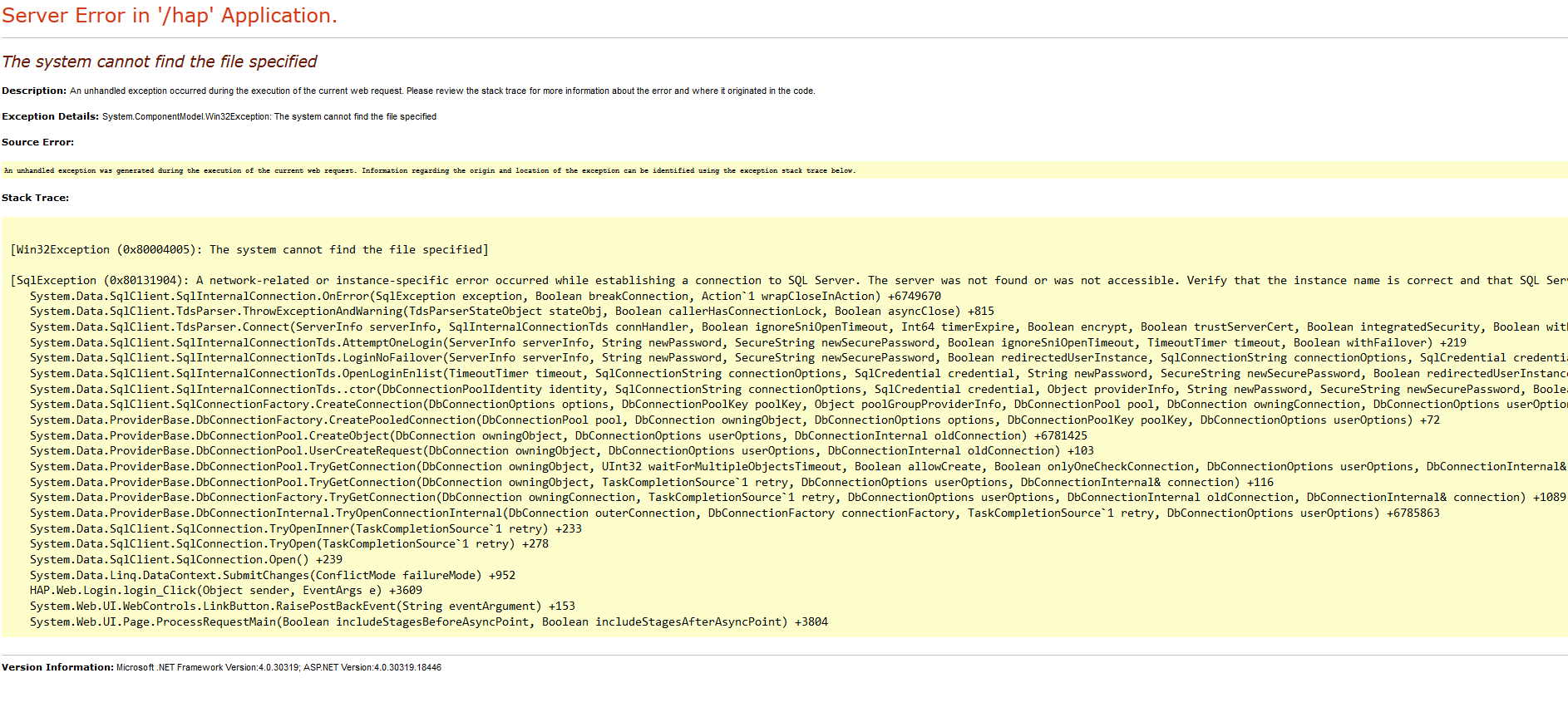
@nickbro Hi Nick, I have installed dirsync for Office 365 today which wanted to install a fresh version of SQL so I took a backup of the HAP database and restored it once dirsync install had complete, the original SQL instance was called SQLEXPRESS, the new one was named automatically by the install as MSONLINE. The restore of the database to MSONLINE has gone fine and all the tables are there but HAP+ won't login, it's showing the below SQL connection error. I have added the IIS AppPool to SQL, I have enabled named pipes and tcp/ip for the SQL server and when I type SQLCMD - L in command prompt, the server is in the list, I have also changed the SQL connection in IIS, is there anything I need to change in the HAP files because it already registered itself to another database name or something like that? Your help is appreciated
-
Cheers Nick, that sorted it.
-
Feature Request if possible - Expired passwords
Paul-K replied to Paul-K's topic in Home Access Plus+
@nickbro Would this feature request be possible or is this something only Microsoft Exchange can offer due to the way it integrates with AD? -
@nickbro Hi Nick, Think I may have stumbled on a little glitch. I can copy and paste from folder to folder but if I try to cut and paste it does nothing. Please see screenshot below showing the firebug results.