Fazza
-
Posts
2,336 -
Joined
-
Last visited
Content Type
Forums
News
20th
EduGeek EDIT Conference
Blogs
Everything posted by Fazza
-
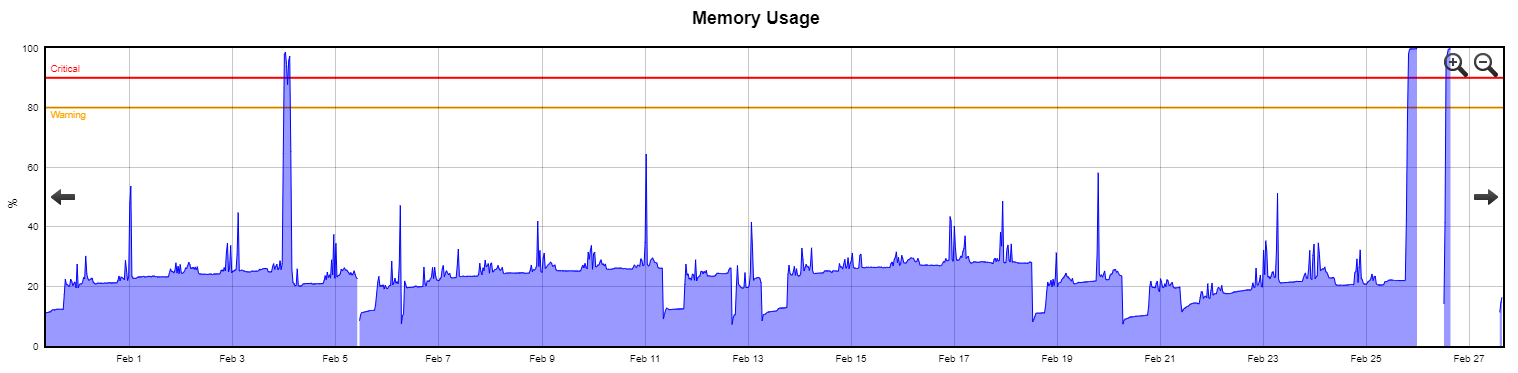
 How much RAM would you advise/suggest I limit SQL to - 50% of the 64GB of physical RAM the server has, more or less? It's been left as the default ever since the server was first installed many years ago! [EDIT] Just checked our Mutiny Monitoring system which confirms the Memory useage has been OK up until just the other day:
-
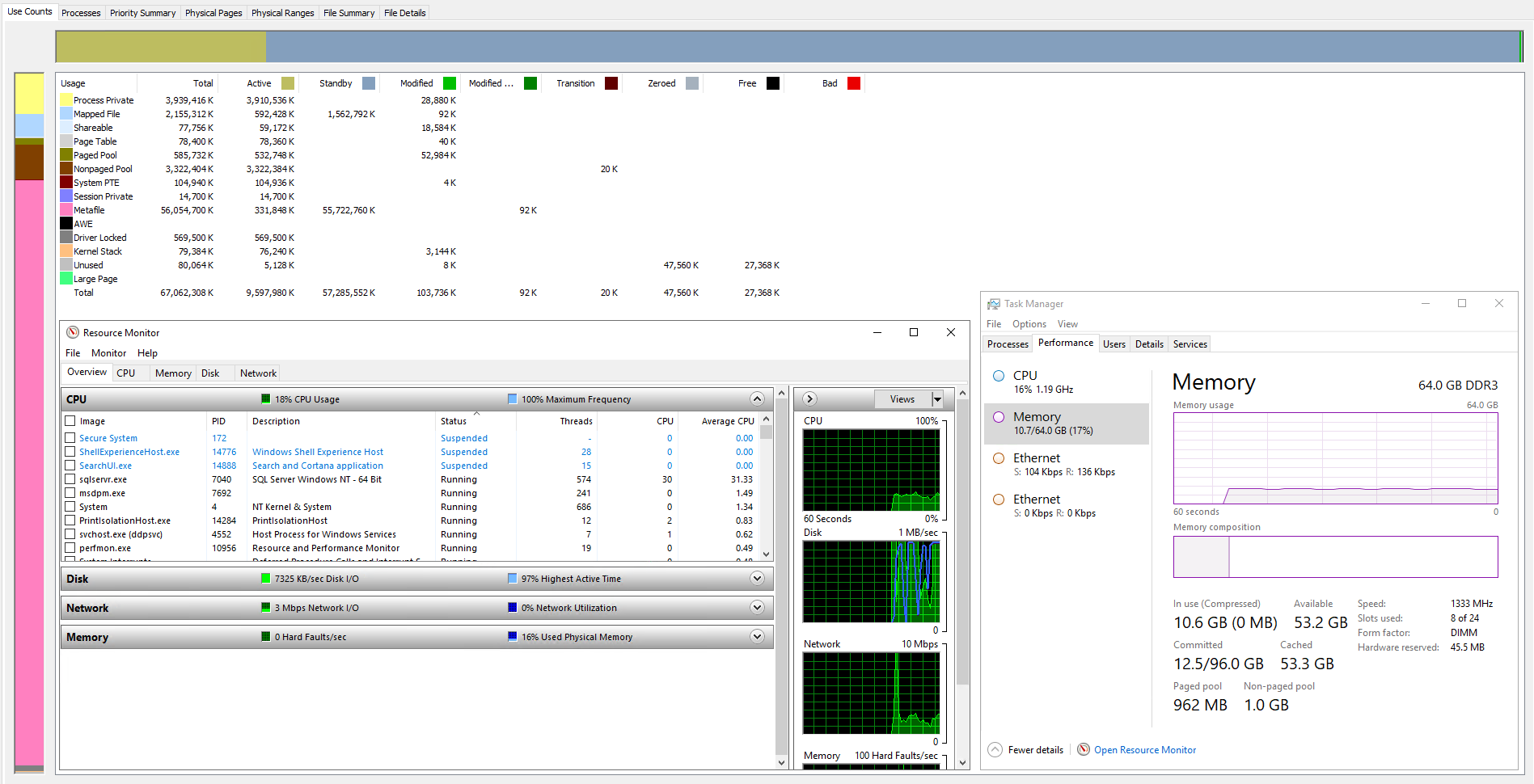
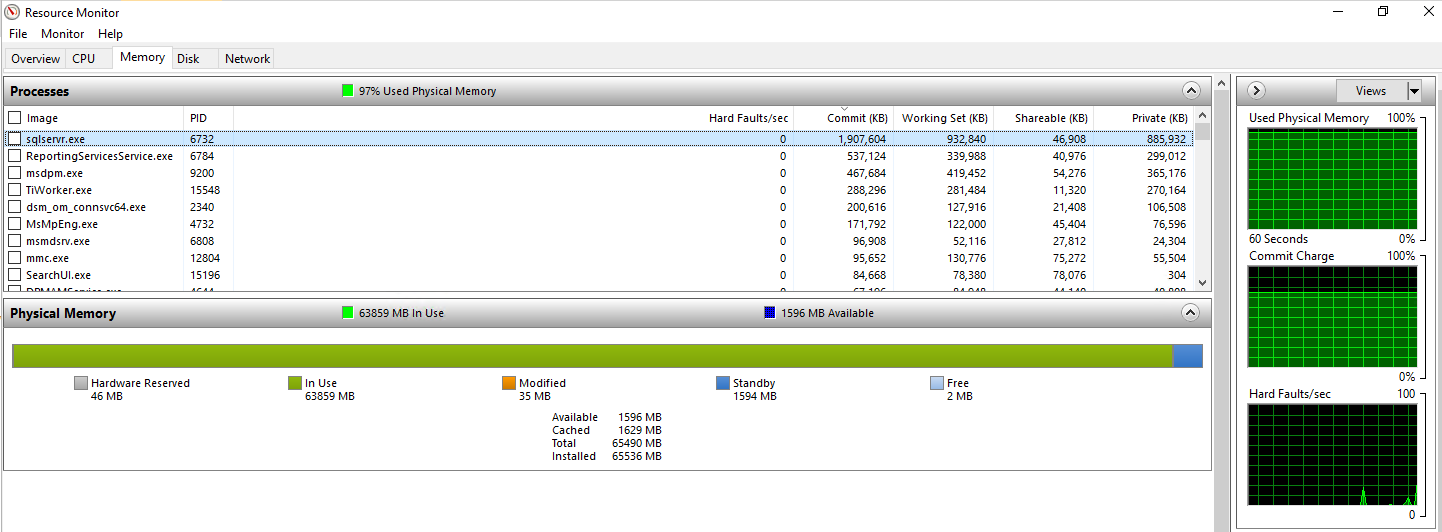
Right, it's finally loaded windows (a bit longer than the 4 hours it took last time)! Ran RAMMap straight away and low and behold it's not run out of RAM yet so still not sure what's going on: The only change I have made on the server is in addition to the C: drive having a swapfile on it I also set one on the 500GB drive we use for test restores (currently empty) as people were suggesting there may be an issue with the hard disks that the OS is installed on and as that was the only drive set up with a swapfile I set one up on the other drive to see what happens. Doesnt explain the time to load Windows though.
-
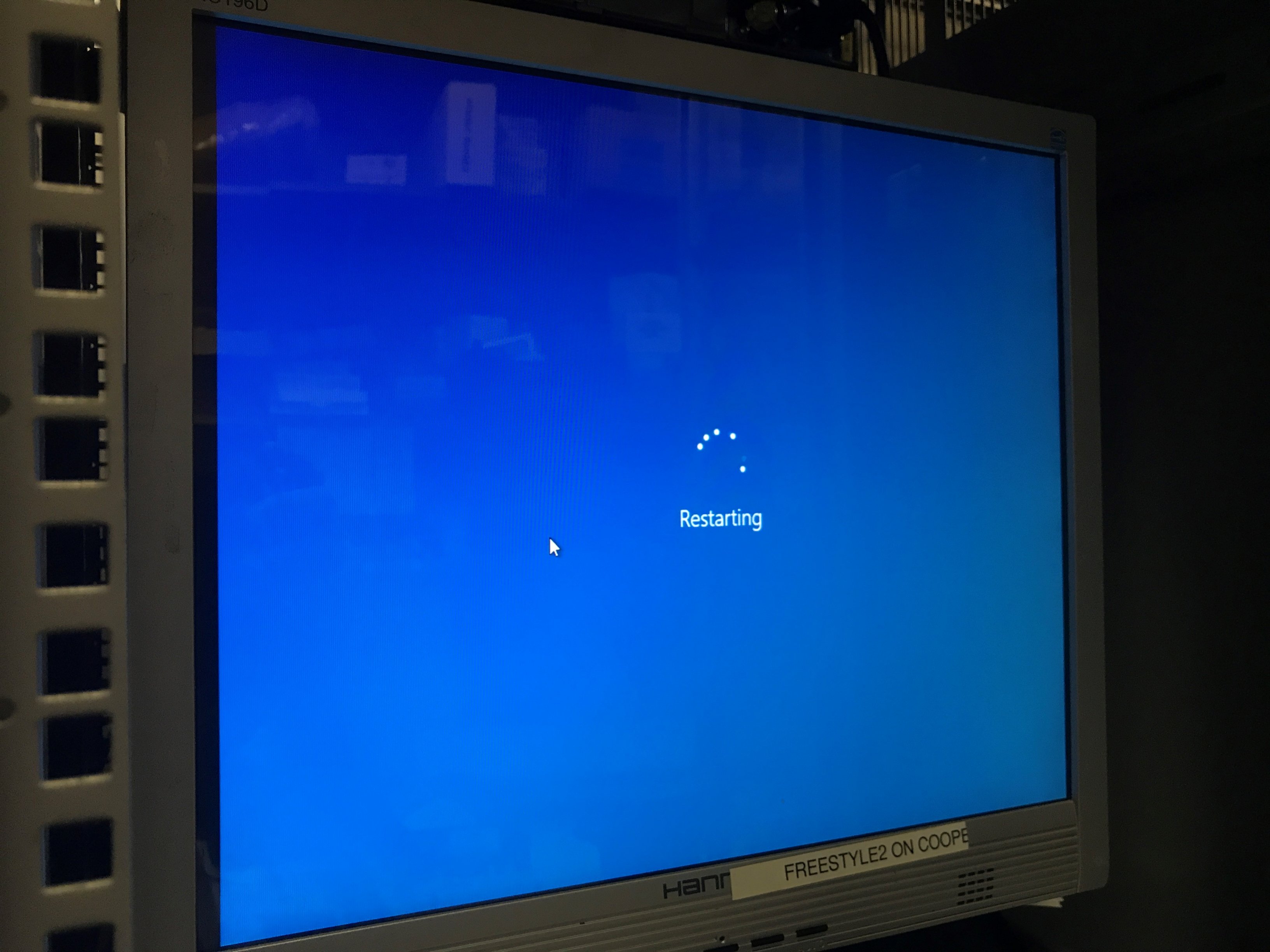
Ours normally takes 20 minutes. Since this issues it takes 4+ hours. Yes we are using REFS on the direct attached storage. [uPDATE] Came in this morning to find the 'restart' had turned in to a shutdown as it was powered off! I powered it on at 8am so at the current startup time it should be back online by midday.
-
Possibly - all the LEDs on the drives are green though. It's now doing this:
-
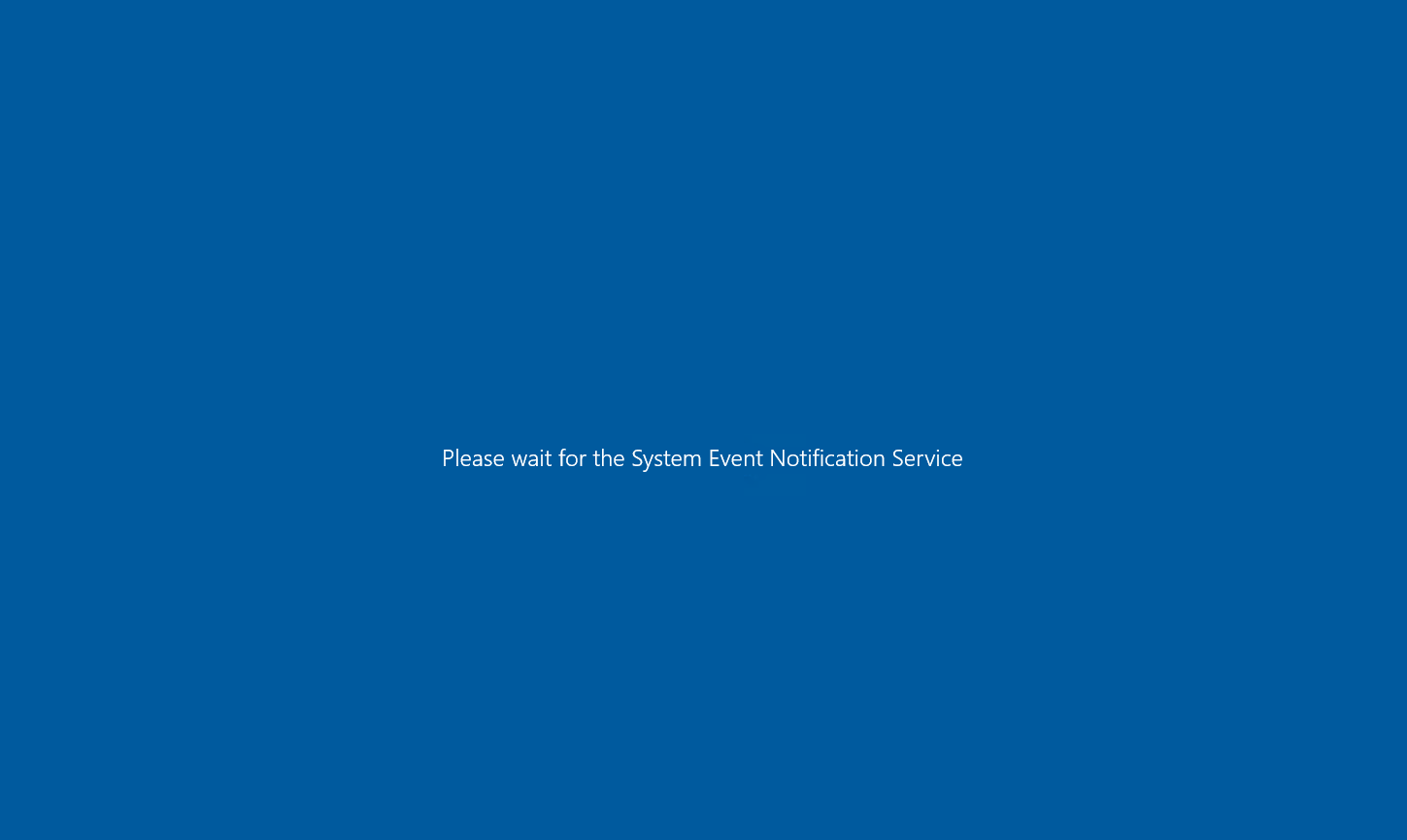
I killed the SQL services and a few moments later it was eaten up by the mystery poltergeist before I had a chance to reboot it! This is what the screen currently looks like and has been like for around 75 minutes!
-
I wish I could but there is only 5MB of memory available - I cant even get the System properties up of the server which is part of the OS as there is not enough available memory!
-
Not enough free memory to check either of those things! Trying to restart it now to see if I can run rammap as soon as it starts up to try and see what is eating up the RAM - it took 4 hours to restart this morning so start your stop watches now!!
-
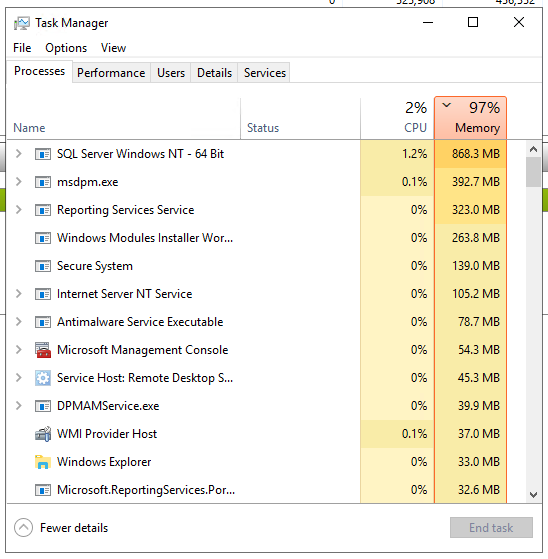
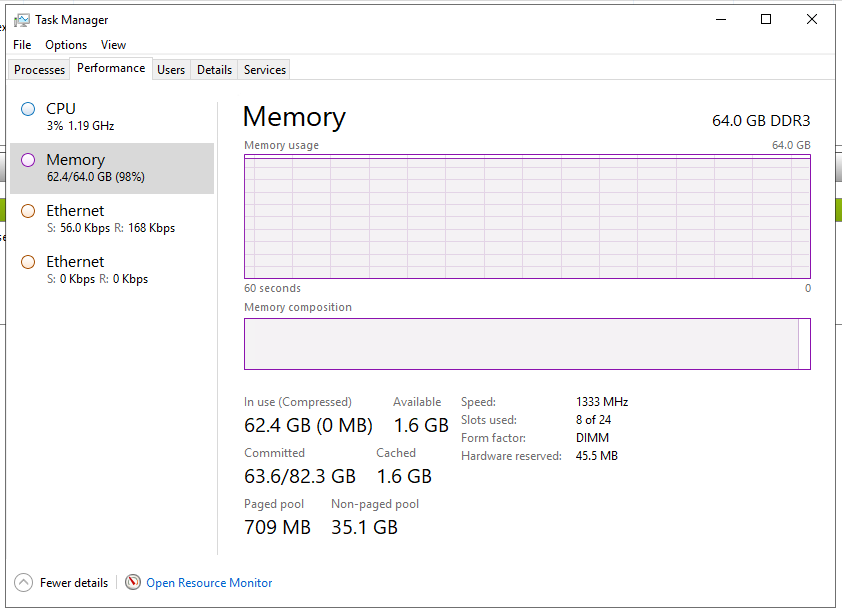
I've sorted it by Working Set and it still doesnt add up to 64GB Now just 4MB of free RAM! Task Manager screenshots:
-
Came in this morning to our DPM 2019 Server not respoding and unable to connect to it remotely or even directly with a monitor and keyboard/mouse connected to it. Had to hold the power button down to turn it off. After powering it back up the Windows swirly logo was there for over 4 hours until the logon screen occurred. Whilst trying to work out what went wrong I noticed the memory was being eaten up - by nothing! SQL is using the most RAM but nowhere near the 63.859GB that is apparently in use! How can I work out what is using all the RAM and put a stop to it?
-
Snipe-IT is great for MAT as it has multiple companies and it's customisable so you can add what fieldsets you like. https://snipeitapp.com/
-
Replacement lamps are very cheap too.
-
Take a look at Epson projectors - they have something called quick corners which means you can 'move' the image left/right. We replaced 50+ orange Sahara projectors with Epson ones without having to change the ceiling mounts (as the Sahara projectos had the lens on the opposite side to everyone else).
-
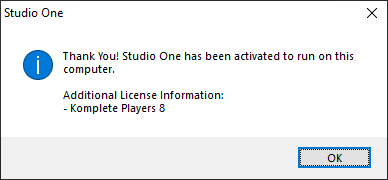
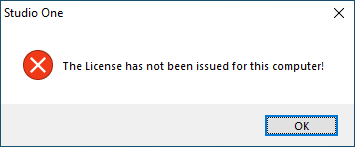
We've got 14 copies of PreSonus Stuidio One 2 that are currently running on some Windows 8.1 Desktops. It's time for them to be upgraded to Windows 10 but on testing this software we're getting some strange licensing issues! When you install Studio One 2 you have to activate the computer to your PreSonus account: Then the next time you log on it just works! Well, under Windows 8.1 it does - it's supposed to be a one-time process but on Windows 10, after registering the computer it works OK but after a reboot you get this: You then have to re-register the computer to get it to work and once again, after a reboot you get the first error message again. It must be saving something to the computer for it to remember it's registered but I dont know what or where it is saving it. It doesnt appear to be a profile issue as I have tried doing all this with the local admin account and on Windows 10 it still does the same thing. Any ideas?
-
We use HP's WebJetAdmin (it's free) which we use to manually look at toner levels. When we see toner on the shelves getting low, we tally up how many we need to bring back up to an acceptable level and then we look at WebJetAdmin and any toners less than 20% get added to the tally. Touch wood, we've yet to run out of toner and only have to place an order once a month - we have over 60 printers and this works well for us.
-
If you right-click on a group policy you can export all the setting in it in to a html file if that's any help?
-
The only way we could get them to work was with WPAD so I'd advise you to look in to doing it that way. It's a bit of a faff setting up a WPAD server but once done it has worked perfectly for us.
-
We use the StarTech HDMI to VGA adapters and they work very well. Not the cheapest but we've tried cheaper ones and they didnt work with some of our laptops but the StarTech ones work with them all.
-
[windows software] SCCM now Microsoft Endpoint Configuration Manager
Fazza replied to Norphy's topic in Licensing Questions
If you have a license for Configuration Manager (whether part of the System Center or Microsoft Endpoint Family) then you are licensed for Configuration Manager. Going forward when you next renew it will be called something different. This is not the first name change for SCCM as it used to be called SMS and I bet it wont be the last! -
I've been putting off documenting all of our servers for years now (used to do this manually in previous jobs but have too many servers to do that now) but this can be scripted to automatically document all of our servers so it's a no brainer!
-
Stop students from disabling the touch-pad - is it possible?
Fazza replied to superaz300's topic in Hardware
Are they disabling it for a reason? I ask because we have a lot of Acer laptops that people were disabling the scratchpad as when they were typing their wrists were resting on it causing the mouse to go all over the place. We resolved the issue by installing some freeware that ignored the scratchpad when the keyboard was being used and then the issue of people disabling the scratchpad went away. Just a thought. -
I've been looking at these yesterday, I don't collect stamps but I think I'm going to have to get a set of these!
-
Exchange 2016 and DPM 2019 One of our users had deleted lots of entries from his Calendar using a mobile phone app that doesnt have a deleted items folder so all his planning for the next few weeks is now gone! I've recovered the staff mailbox store (700GB edb file) to a non-exchange server (as that's the only one we had that had enough free space on it) but I dont seem to be able to extract a mailbox from it and convert it to a .pst file so I can copy and paste the Calendar entries over to users current mailbox. When I run Get-MailboxStatistics -Database \\server\share\staff.edb at the Exchange Management Shell it just says the database cannot be found so I'm clearly doing the wrong thing! How can I extract or get access to the users mailbox from the recovered staff.edb file or have I gone about this the wrong way?! The last time I restored a users mailbox was around 20 years ago so I'm a little rusty!
-
Is It OK To Change System Volume Information (VSS) Size
Fazza replied to Fazza's topic in Windows Server 2016
Has made no difference. There are still 128 shadow copies on the system. I have run the vssadmin delete shadows /all command (after ensuring there are no pending Windows Updates waiting to be installed) and it's now deleting all the Shadow Copies and freeing up loads of space. Should DPM have automatically pruned the shadow copies or does it just leave them on there and simply use whatever space has been allocated for shadow copies? -
I've got several servers that keep running out of space on the C: drive when there is actually very little data on there but it's the System Volume Information folder (VSS) taking up all the space and causing the drive to be dangerously low on space as the OS needs some breathing space and 99% full is not good! For example I have one server with a 799GB C: drive but it's over 80% full despite only having 155GB of actual data/files on the drive C: as the System Volume Information folder is taking up all the space - specifically the VSS as per this: As you can see it has automatically allocated (UNBOUNDED) 525GB of the 799GB for volume shadow copy services (I assume DPM is using this for backups) - you can change the allocated space by running vssadmin resize shadowstorage /for=C: /on=C: /maxsize=50GB or you can actually create another volume for VSS so I could create another VHDX file and use that purely for the VSS. So, should I restrict the size of the VSS to say 250GB (rather than the 525GB it currently is) or should I create another volume and redirect the CSS to that and if so what size do I set it at?!
-
The only time I've seen this issue is when we had an IP conflict on the server (with itself). Hyper-V was installed (which creates it's own bridge to your NIC) and had a static IP address of the server installed, later on the 4 onboard NICs (rather than just one being used) were teamed together which had a static IP address set and the Hyper-V one should have been blanked by the OS during this process but wasnt so for a short period of time the server had the same IP address on two NICs so PINGs were erratic at times - so it might be worth checking each adapter in the network settings and just double check the IP addresses.