-
Posts
2,107 -
Joined
-
Last visited
Content Type
Forums
News
20th
EduGeek EDIT Conference
Blogs
Everything posted by Jaan
-

Does SCCM 2012 sp1 DPM retain share info and ntfs file permissions?
Jaan replied to Jaan's topic in Enterprise Software
Ahhh bugger....... thx for the clarification tho, scrip time then..... -
Does SCCM 2012 sp1 DPM retain share info and ntfs file permissions?
Jaan replied to Jaan's topic in Enterprise Software
Hello we have DPM set up and running now, we also have a d2t. its restoring files great and maintaining NTFS file permissions. it isn't however restoring folder share settings. eg \\server\users\students\username$ username$ is the shared folder. if i delete the folder "username$" and restore it from dpm. it adds the ntfs file permissions but the folder is unshared. i can re-share no problems. but if i want to restore the whole of the "students" folder, i'd have to add the shares one by one..... surly this isn't right and im doing something wrong. -
WOW thanks i didn't expect that amount of help..... i dont think you could of done it any better if you remoted in! Thank you very very much, its people like you thank make EDUGEEK what it is, thx
-
Sorry to be a pain again SONOFSANTA. I thought i knew how to send the reg settings via gpo....but it turns out i don't...... these are the settings i have that i assume need to be sent (im in a test enviro at the mo, thank god) [HKEY_LOCAL_MACHINE\SOFTWARE\Microsoft\Windows\CurrentVersion\Authentication\Credential Providers\{B986C180-0798-4DF5-A611-A1991AA890B9}] @="AdministrativeUnlock" [HKEY_CLASSES_ROOT\CLSID\{B986C180-0798-4DF5-A611-A1991AA890B9}] @="AdministrativeUnlock" [HKEY_CLASSES_ROOT\CLSID\{B986C180-0798-4DF5-A611-A1991AA890B9}\InprocServer32] @="AdministrativeUnlock.dll" "ThreadingModel"="Apartment" and i think i need to enter each string here: thanks for you help btw

-
Thanks a lot! we have just started giving our staff windows 7 pcs (70 out there at the mo) another 70+ to go...... this became a problem and i thought i'd have to re-image or install it one at a time....... just added it to the base image and i'll add your instructions to a gpo deployment tomorrow. thx
-
Thread Zombie (sorry) This helped me out today, can't this be deployed via gpo? if so whats the best way to do it? i can figure out to reg entries.... but not the .DLLs thanks
-
HI guys/gals, we are just setting up DPM with our new D2D2T hardware. I noticed that when we configure our protection groups, it asks if we want to backup, shares or volumes. This is on a file server. This brings me to my question. Does DPM 2012 SP1 retain file shares & ntfs file permissions. And what is the difference between share or volume backup. i think i've confused myself into thinking that volume back up just grabs the data and doesn't retain file share/permissions, where Shares does thanks for any info.
-
After trying to fix this prob for a while now, i finally found the prob.... it was GPO based...... User configuration/Administrative Templates/Windows Components/Internet Explorer/Browser Menus/ set to "Disable Open in New Window menu option" & "Allow websites to open windows without address or status bar" i can now continue lol i hate it when its a little click that fixes/ruins your gpo settings
-
Hi guys/gals. just messing in a test environment and I've made a internet explorer GPO with various settings, however. after applying this to my test ou teachers and student test accounts get the following error if you click on a hyperlink. "this operation has been cancelled due to restrictions in effect on this computer. please contact your system administrator". for example... If we go to our offsite owa via its URL and click an email with an attachment. if we try and open or save the attachment the same error is displayed if we go to our intranet site where a link to the owa is provided. the same error again if we click the link. not all link are effected tho. i can use Google search and click the links fine. admin accounts are not effected and removing the GPO from the test ou fixes the issue. so i guess I've enabled something i shouldn't have...... anybody know where i might of gone wrong before a make a very large coffee and stare at group policy manager.
-
i'm looking at this to use in our server 2012 enviro..... it sounded too good to be true..... so its great to see a you comment on this plexer..... we wanted to use backup exec but it lacks support for server 2012 (at the mo). we can't wait anylonger so it look like we'll give the trial a go...... can you add anything else before we take the leap of faith... anything i should know about? Cheers
-
Support for server2012 not until april! i need a alternative
Jaan replied to Jaan's topic in Enterprise Software
Backup Exec 2012 R2 and Windows Server 2012 | Symantec Connect Community thx for all the replys guys (sorry i took so lonng to reply been away) -
I can't leave it that long....we have server 2012 with hyper-v anybody else using server 2012 with a backup solution.... what do you recommend.
-
well only i have access to this test enviro so im not sure how it happened?
-
Hello, just noticed this; no idea when it happened.... and it has no ill effect on opening/closing and saving files...... seems it just displays a saved games but is in fact my documents. i'm total stumped as we don't even have saved games redirected? this is in a test environment and we are hoping to implement win7 and will be a cross OS site. any ideas?
-
YAY Thx buddy works a treat
-
I get the same error im afraid.... after i get this wmi filter sorted im having a break... i feel like i making silly mistakes now! here's screenie
-
thx for the speedy reply i get the same error below; "A Syntax error occurred trying to evaluate a query string"
-
Hi guys whats the best way for me to include all 32bits OSs including and above vista (i need to exclude XP) i get an error when i use the following; SELECT OSArchitecture FROM Win32_OperatingSystem WHERE (version =>"6.0%" AND ProductType="1") AND (OSArchitecture='32-bit')
-
Hi thx for the reply, but those solutions are to remove the properties from "my computer" not from windows explorer. i think its a reg edit i need to apply. thx
-
yeah its strange because our XP clients (on the network we're moving from work fine with the recycle bin!)
-
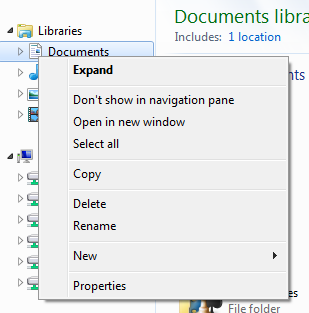
Hi guys/gals, i'm setting up a windows 7 environment and i'm locking down Win7....i need to remove "Properties" from windows explorer. i am able to remove the one from "my computer" using a GPO. I can't find a "remove Properties from all context menus" GPO (if such a thing exsits). i dont mind using a reg edit, but even after a search of the interwebs am unable to find an answer...... removing right click or disabling the context menu isn't an option im afraid. Thanks
-
Thx for the fast reply i'm finding using both methods have the same results....and bypass the Recycle Bin.
-
after doing a little more research (in the win7 test environment), i've found its because i'm deleting from a network location (as all folders are redirected except appdata). however on the existing winXP network this function seems to works as expected...... i'm a little confused now #toearlyforthislol
-
Ok, please for give me if i have totally over looked something here..... i'm just rebuilding my GPOs as we are getting ready for the big "switch". I have noticed some strange behaviour with the recycle bin. all folders are redirected except appdata. if i delete a file from the desktop/my docs etc etc.... i get a "are you sure you want to delete this file permanently" prompt it totally bypasses the recycle bin..... have i missed something in GPO editor? students have a N: drive were everything is redirected to.
-
Just had a call from reception...... "........we have a virus on the network.........." "........OK, what did Sophos say..................." "........Sophos can't find it.........................." "........So how do you know you have a virus?"........ "........Microsoft just phoned to say they have found a virus......they wanted to talk to you but you didn't answer the phone....." "........LOL REALLY!!......." "........Yeah, i just gave them your extension number and told the to call back............." [lol]Should i be worried[/lol] Just had to explain that it was a scam.......................