wiggum123
-
Posts
59 -
Joined
-
Last visited
Content Type
Forums
News
20th
EduGeek EDIT Conference
Blogs
Everything posted by wiggum123
-
Hey guys So we use System Center (damn American spelling) 2012 DPM to do our tape backups. I have installed this on a new server and everything is going well until I try and protect a machine. When expanding the disks DPM throws an error stating that; DPM cannot access mount points under the path NO_PARAM because the SYSTEM account has been denied permission. (ID:6012). Now, the path NO_PARAM..... what? It dosent make any sense and no amount of googling has brought me any joy. The error details tell me to grant SYSTEM access to allow list folder contents and read for items in the specified path. SYSTEM has access to the entire disk by default. This happens on all servers and is preventing the use of the software. I'm thinking that there must be a GPO or something which is being applied which would deny SYSTEM access to the local drives, I cannot for the life of me think what setting this might be and was wondering if anyone has come across this before?
-
mthomas08 - Thanks for the submit button advice. I deleted the submit button I had in the form and reinserted it and it seemed to work :-) fs171 - The radio button option works a charm, thanks!! I realise I could use photoshop or similar to edit the pics but I wanted to use the same picture file in multiple pages at different sizes, just to be awkward really.
-
Hey all I have a few questions about Frog; 1. Is there a way of keeping the aspect ratio of a photo when resizing 2. I am trying to create a form but am hitting a few issues. Some form elements can be set as required but not all. I need the users to tick the box accepting the terms and conditions but this does not seem to be able to be set as a required element. Also, the submit button does not seem to work. Does anyone know of a guide on how to create forms in Frog? 3. As a web designer it angers me greatly I cannot gain access to the HTML code of a page, anyone come across a way of doing this? Sorry for all the questions!! KCCO Ben
-
Hey all, Firstly, I apologise if I am not allowed to link to eBay or sell things here so site admins please remove this if it breaks the rules or is in the right place! I did read the FAQ etc but couldnt find something saying I couldnt Secondly, I have a laptop for sale! This listing is live on eBay and can be found here Thanks, Ben http://i.ebayimg.com/t/Dell-XPS-M1730-INTEL-Core-2-DUO-2-40-4GB-RAM-NVIDIA-8700M-GT-x-2-XPS-Bag-/00/s/MTA2MFgxNjAw/$(KGrHqF,!qUFCv4fi-gFBQsib)TdJw~~60_12.JPG http://i.ebayimg.com/t/Dell-XPS-M1730-INTEL-Core-2-DUO-2-40-4GB-RAM-NVIDIA-8700M-GT-x-2-XPS-Bag-/00/s/MTA2MFgxNjAw/$(KGrHqZ,!jQFCepln)uPBQsib3tpwQ~~60_12.JPG http://i.ebayimg.com/t/Dell-XPS-M1730-INTEL-Core-2-DUO-2-40-4GB-RAM-NVIDIA-8700M-GT-x-2-XPS-Bag-/00/s/MTYwMFgxMDYw/$(KGrHqZ,!k4FB0(90bV4BQsib4O2U!~~60_12.JPG http://i.ebayimg.com/t/Dell-XPS-M1730-INTEL-Core-2-DUO-2-40-4GB-RAM-NVIDIA-8700M-GT-x-2-XPS-Bag-/00/s/OTIzWDEyMjE=/$(KGrHqV,!rUFCN-VW9CFBQsibwzSvQ~~60_12.JPG Dell XPS M1730 | INTEL Core 2 DUO 2.40 | 4GB RAM | NVIDIA 8700M GT x 2 | XPS Bag Here we have my reliable workhorse, I have had this laptop since new and it has been a huge part of my life, I can’t believe I am selling it! However, needs must. Item is in full working order and all plastics etc are in good condition. There are slight wear marks here and there but looking at it now I can’t notice them. This XPS M1730 comes with Dual nVidia 8700M GT’s in SLI which are capable of playing even the most modern games. I use this to play Borderlands 2, Hitman Revolution etc… It also has a dedicated ageia PhysX card, although finding games that make use of this is becoming hard. It has a 17” Widescreen WUXGA UltraSharp LCD Screen which runs at 1920x1080. This provides an amazingly sharp picture on screen which I have not been able to recreate on any other laptop. It has 4GB (2x2GB) Crucial PC2-6400 RAM and uses Intel’s Mobile Core 2 Duo T8300 CPU running at 2.40GHz. I am also selling the Dell XPS bag which was bought with the laptop. A bit of background on this machine; As I mentioned earlier I bought this from new and have been looking after it ever since. All services and repairs have been done through Dell who sent engineers out to fix. I have used this machine for gaming (the Logitech LCD screen is used in gaming, very useful!), photo editing, music production (there are dual headset jacks on the side, really useful if you are broadcasting and cueing up at the same time!) and as a workhorse for my Virtual Machines. Whilst working on a test suite I had 3 servers and 3 workstations running in VmWare on this machine, yes it wasn’t blisteringly fast, but it coped. I have been dual booting with 2 HDD’s, I will only be selling one drive with this machine though. It has gigabit Ethernet (LAN) and an Intel Wireless N chip. I am fairly sure it has the capability of using a SIM card for mobile internet, but I have never tried. It has built in Bluetooth which I use with my Bluetooth headset and mouse to minimise wires. The Dell XPS bag has enabled me to move this machine between work sites very easily. Known issues; · Battery no longer holds charge – I have tried another battery from a similar system and this charges, I just never got round to replacing mine. · Marks on base where I have used it on a cooling pad (see pics) Please browse through the specifications below and have a look through the photos. Any questions, feel free to ask. I will provide a Driver Disk Specifications; Make/Model Dell XPS M1730 Processor INTEL Core 2 Duo T8300 @ 2.40 GHz Memory 4GB (2x2GB) Crucial PC2-6400 (400MHz) Storage 200GB 2.5” SATA Seagate Momentus 7200 (room for another) Graphics nVidia GeForce 8700M GT 256MB x 2 in SLI Screen 17” WUXGA 1920x1080, 60Hz Network Broadcom NetXtreme Gigabit LAN Intel WiFi 4965 802.11a,b,g,n Dell Bluetooth 335 CD/DVD Toshiba TS-L632 8xDVD±RW DL Drive O/S Windows Vista Home Premium (OEM) External Connectivity USB x 4 DVI Out S-Video Out 1394 Firewire port (mini) 5 in one card reader (SD/MMC/MS/MS Pro/xD 2 x headphones jack 1 x Mic/line in Other stuff Integrated Webcam + Mic Card Reader Remote Control Logitech GamePanel LCD SigmaTel HD Audio with 2 x headphones and 1 x mic/line in Ageia PhysX card Illuminated keyboard, touchpad, speakers, back panel Dell XPS M1730 Backpack Carrying Case
-
 Morning all We have upgraded to a site wide wireless network and have the old trial system for sale on eBay ZD 1000 Controller Ruckus ZoneDirector 1000 Wireless Controller - ZD1000 | eBay ZF 7343 Access Points x 6 Ruckus ZoneFlex 7343 Access Point - 802.11a/b/g/n - 2.4GHz and 5GHz - indoor | eBay Please message me through here or eBay if you have any questions. Ben
 -
We have a virtual file server running Server 2008 with our file shares on a number of drives (Staff, students, profiles etc...). I have enabled Shadow copies on these volumes and it works. The issue we have is with viewing the Previous Versions in the Previous versions tab on a folder. At the moment if we try and look at the Previous versions for a folder within one of the drives on a Windows 7 or Server 2008 computer we only see older versions, the latest one is 1/8/2012 at 15:00. If we look at the same folder on a windows XP machine we see the latest copy. What could possibly be causing this? Thanks Ben
-
Cool Both sheets are in the same workbook, one named Frog and one named AD. As you suggested I have created a third sheet called tmp and concatenated the forename and surname in both sheets. I have run the macro on both sheets with just the newly created full name column selected. How do I now use VLOOKUP to match these back? Sorry, I will do some googling in the meantime, I haven't really used Vlookup since college! Ben
-
Morning all We have just had Frog installed on site. I have linked it up to our MIS (PASS) and AD. Frog uses our MIS as the bible and uses AD to authenticate, unfortunately the majority of the usernames in our MIS bear no resemblance to the usernames in AD (or anything else really). We have implemented a system for creating usernames now but that still leaves us with a thousand or so users with random usernames. Aaanyway, I need to change Frogs usernames to match those in AD. I have 2 excel sheets, one with Frogs UID, Surname, Forename, email and Username and the other sheet with AD's Surname, Forename, email and Username. Is there a way of merging the two. So Excel could match the surname and forename and use the username cell from the AD list to replace the username cell in the Frog list... Any ideas?
-
Thanks both, I'll run wireshark and then try contacting them again if I'm still not getting further. I'll update with what I find.
-
Thanks, I did speak to the guy in charge of the mapping software who claimed that they had not had any reports of this happening elsewhere, but you never know whether they are just saying that or if people haven't informed them. At the moment they've not got any suggestions for me.
-
Hi I was wondering if anyone else has users using this software and their opinion of it? We have got issues with saving the GPX created from the maps. We are finding that the user can create waypoints, save the map on the eDofE website, print screen and upload a GPX file but when they click on the download GPX file icon nothing happens. Sometimes it stays highlighted orange but we don't get any pop up box. We did get it working once on an admin machine after button bashing for a while, but can't replicate it. All popups are allowed for this site. I've added satmap.com into our firewall. Anyone else having issues with this?
-
Hey guys Does anyone know how to create a bootable recovery partition for Windows 7 on a laptop HDD? I have done a bit of searching around and come across Acronis True Image Home. It looks fairly good but I was looking for something more...enterprise based. I guess we could edit the Boot manager to add the recovery partition as a boot option, unless there is a way of making the user press a button during post or something that can be installed over the boot manager to boot to it instead of the main OS? Thanks in advance
-
We have a few servers and switches for sale, Links to the ebay pages below. I will be selling more switches next week Allied Telesyn AT-MCR12 Media converter rackmount Chassis Allied Telesyn AT-MC1004 Gigabit Ethernet Media Converter SC Allied Telesyn MC101XL Fast Ethernet Media Converter ST Dell PowerEdge 2950 Dell PowerEdge 2950 Dell PowerEdge 2850 Dell PowerEdge 1800 Dell PowerEdge 1800
-
Hey Guys, Sorry for the delay in getting this out. Here are the ebay listings as promised; Allied Telesyn AT-MCR12 Media converter rackmount Chassis Allied Telesyn AT-MC1004 Gigabit Ethernet Media Converter SC Allied Telesyn MC101XL Fast Ethernet Media Converter ST Dell PowerEdge 2950 Dell PowerEdge 2950 Dell PowerEdge 2850 Dell PowerEdge 1800 Dell PowerEdge 1800
-
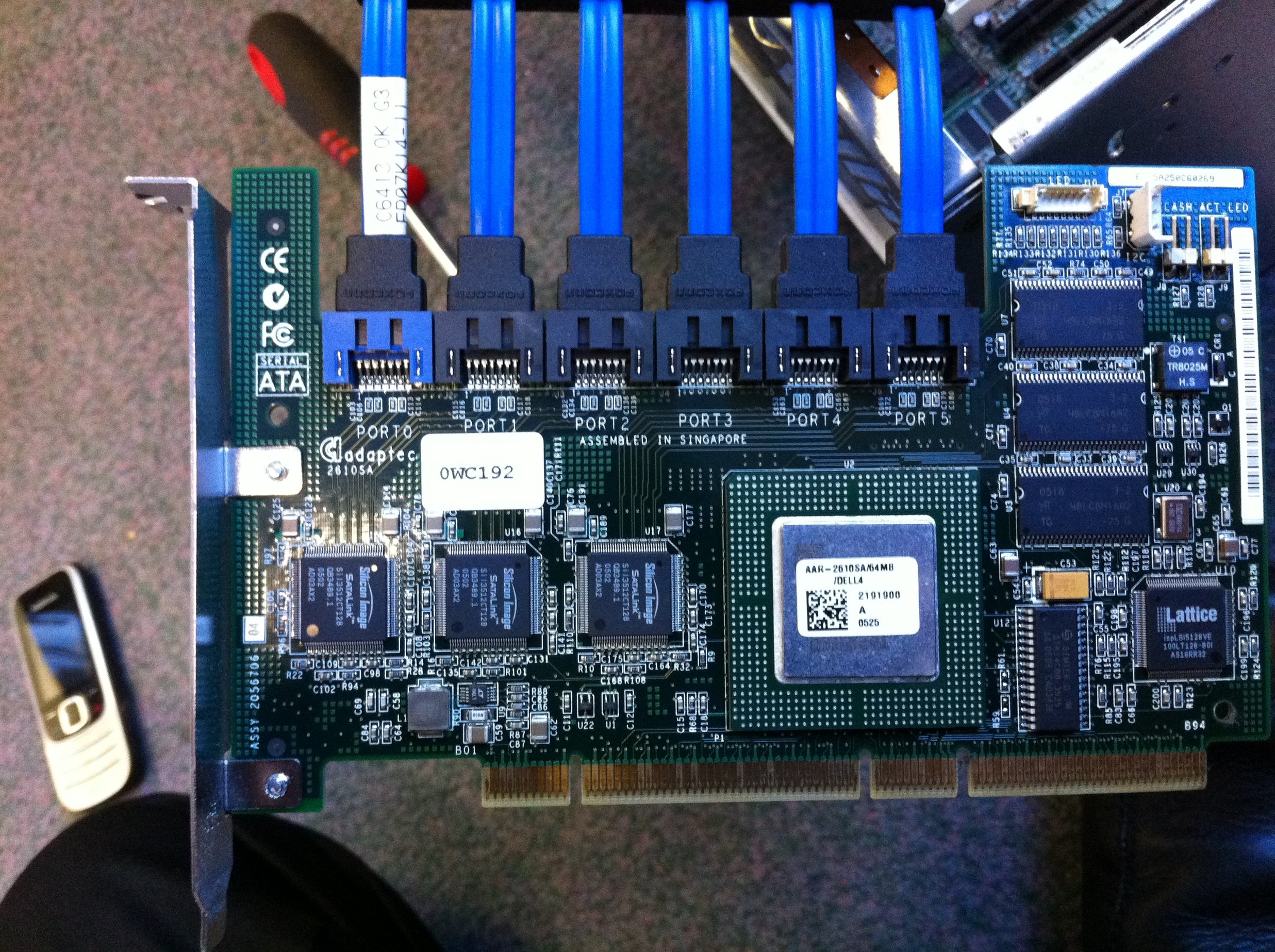
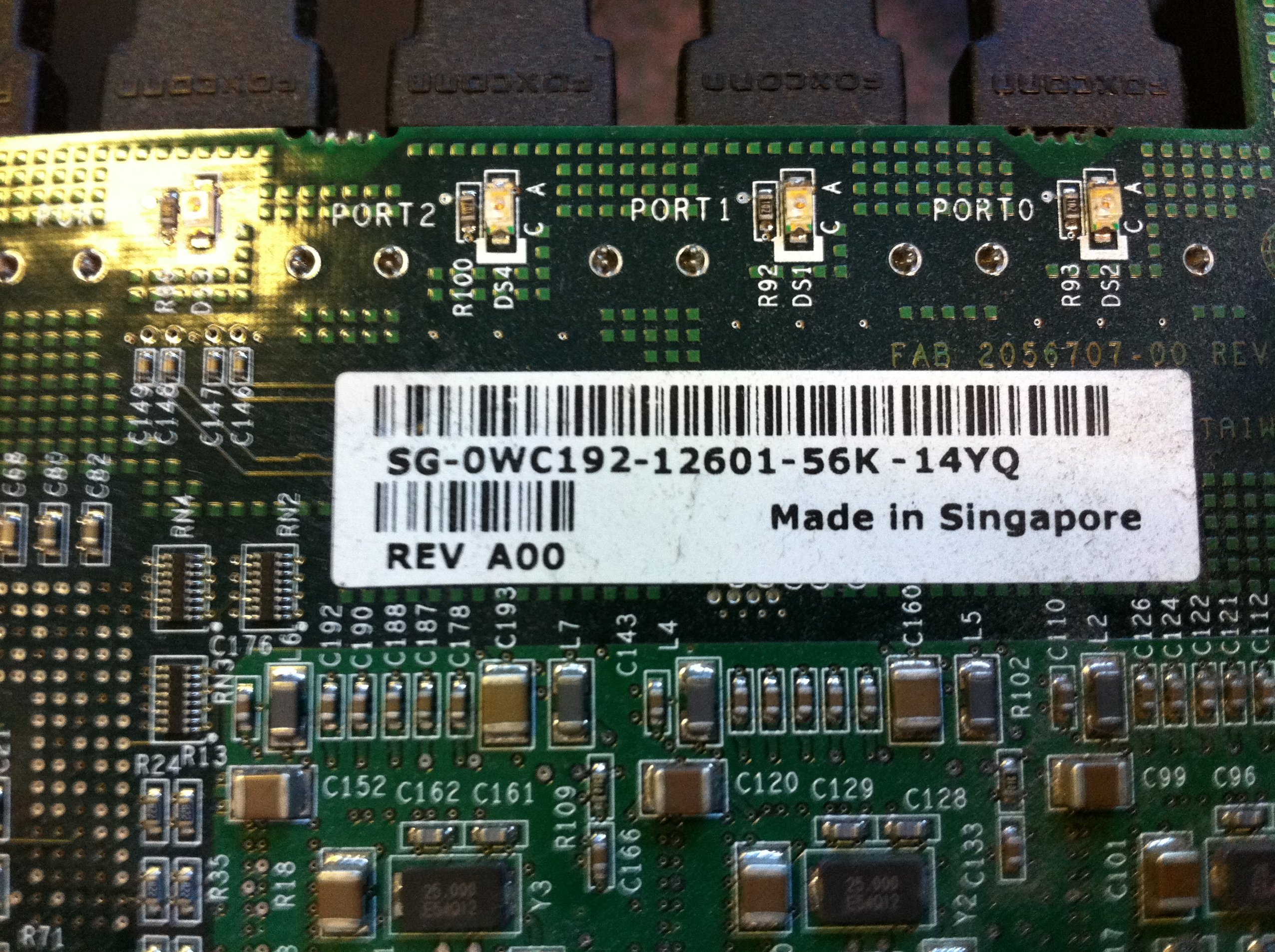
Hi all After talking with my colleges we have decided to put these on ebay next week. If you need more info please let me know. I will post links to the auctions into this thread so subscribe if your interested! All will be for local pickup on the downs in Bristol. I have more specs for the Dell servers + Pics All the servers have redundant PSU's The 2850 has SCSI drives pop the service tags in here to see the original specs DELL PowerEdge 2850 Service tag : 29YJ62J DELL PowerEdge 2950 Service tag : 88VHL2J DELL PowerEdge 2950 Service tag : 48VHL2J DELL PowerEdge 1800 Service tag : 5Y4PR1J DELL PowerEdge 1800 Service tag : 1Y4PR1J The 1800's both have nice sATA cards in them

-
Thanks for all you replies! I will get the full specs of the servers up along with some prices and pics as soon as I can ( we are a man down today and of course everyone is asking us to fix things for lessons today they knew there was a problem with on Monday and didnt tell us....) If you are interested, please send me an email and I will do my best to get an answer to you asap
-
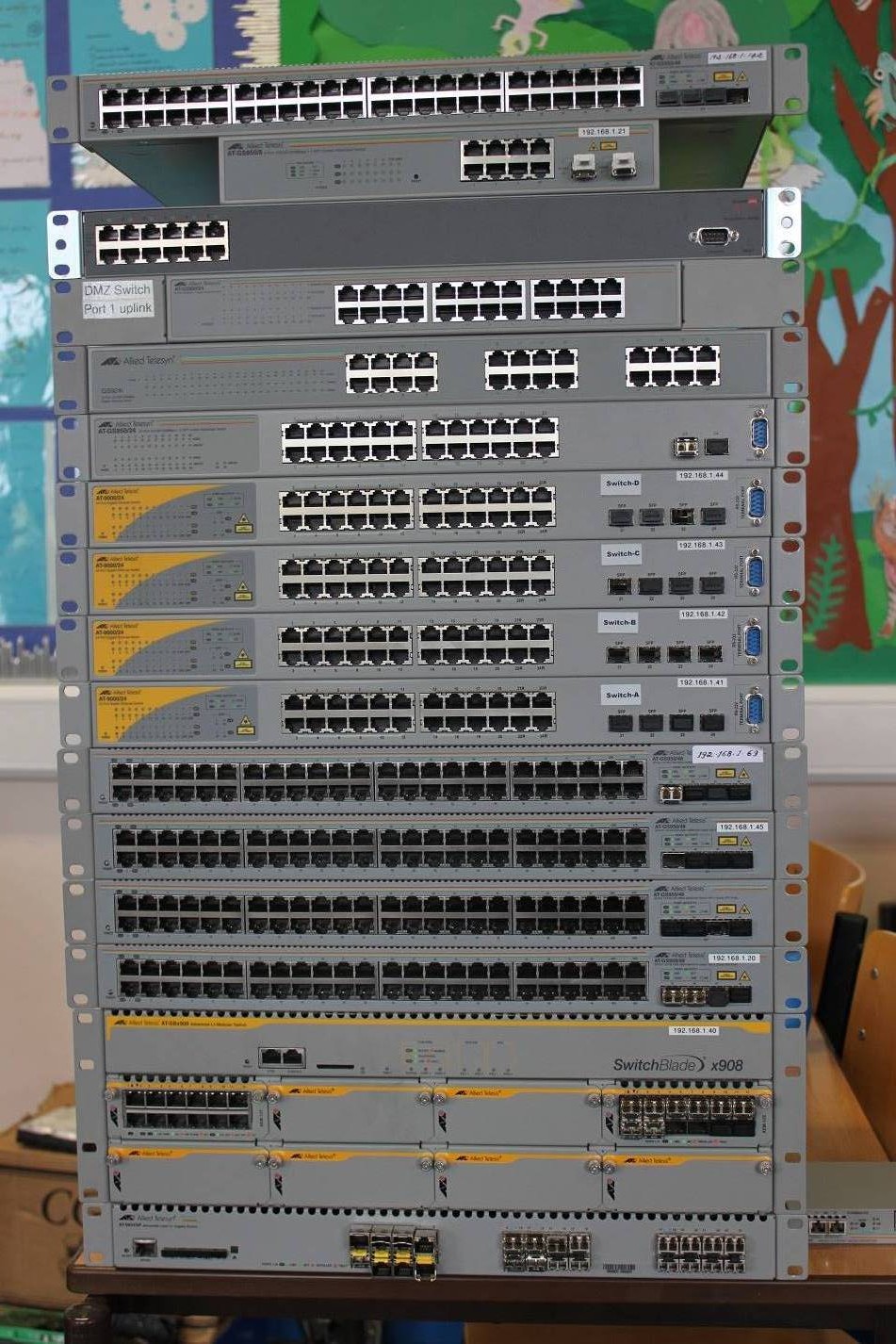
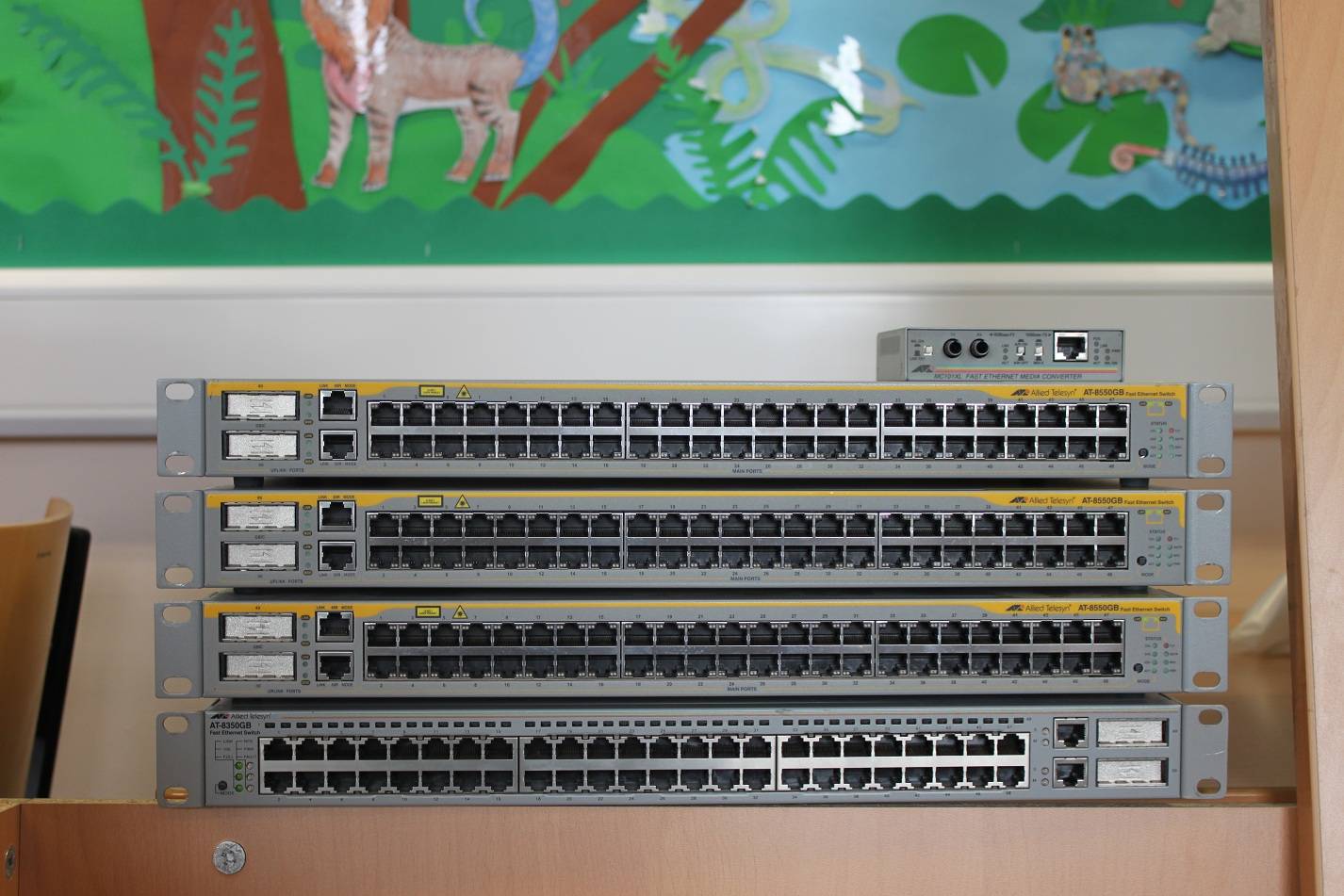
We have recently ripped out our old network and some of our old servers. We now have a massive stack of switches which we are selling. If you are in the Bristol area and are interested in any of these please drop me an email at [email protected] All stock is sold as seen and we provide no guarantees. Switches: Allied Telesis 1x SwitchBlate x908 w/ 1x 12 ethernet module, 1x 12 SFP module, 1x PSU 2x AT-GS950/8 - 8 Port Gb + 2 SFP WebSMART switch (~£100) 3x AT-9000/24 - 24 Port Gb + 4x SFP Gb Managed switch 2x AT-GS950/48 - 48 Port Gb + 4x SFP Gb Managed switch (~£250) 1x AT-GS950/24 - 24 Port Gb + 2x SFP Gb Managed switch (~£150) 3x AT-8550GB - 48 Port 100Mb + 2x GBIC Managed switch (~£80) 1x AT-8350GB - 48 Port 100Mb + 2x GBIC Managed switch (~£70) 1x AT-8326GB - 24 Port 100Mb + 2x GBIC Managed switch (~£30) 6x Allied Telesis Gb Fibre modules 3Com 1x 3C17701 - 24 Port Gb Managed Switch 2U (~£35) 1x 3C1670800A - 8 Port Gb switch (~£15) Servers (Must collect): 2x Dell PowerEdge 1800 (confirming) 1x Dell PowerEdge 2950 (confirming)
-
Right, Hopefully this hasnt already been answered ( I have had a look around) and I hope this isnt going to make all the techs groan. I have a situation we would like to resolve at work. We are on a 2008 domain and are going to be deploying 7 after the hols. GP is going well but we would like to change how the Desktop is redirected. At the moment it points to a shared location and staff cannot customise their desktops. What we would like is a situation where staff can add and delete their own shortcuts, but also having a set of default shortcuts to things I define. I'm not 100% sure how to do this but do have some ideas, if anyone has done something like this before or know of a better way then please let me know! Scenario 1 We redirect the desktop to a folder within their my docs folder (did this at my previous school and it worked like a dream), then using the files option in GPO Preferences to copy the shortcuts I want from a shared folder. I think this will work but we will have a lot of copies of these files. Also if there is a file that needs adding quickly the user will have to log off and log back on for the files to copy over again. I realise we can add individual files to the individual folders within their my docs but this isnt really scalable. Scenario 2 We use the default profile / mandatory profile (we havnt decided which way we are going with staff yet) to set the default icons on the desktop. Again this will work but adding files to the desktop becomes even harder. Scenario 3 Give up and browse the chive for many hours
-
Having never really set up WMI filters I can't comment on that. If you, or anyone else knows how to do it I would be very interested to see how!
-
At the moment its just applied to all, its the Start Menu object that defines which location to go to based on the User group. So the Staff group redirects to the staff location etc. The settings tab on that has a really useful tick box that, if left unticked, will only apply the policy to Vista and above. If this tick box is ticked it will apply to all. The link order, which controls the order the policies are applied is crucial. I have set out Default User GPO with a lower link order in group policy management, this has our standard start menu location in it which points to the programs folder. Importantly it has the all important tick box ticked. I then have created a Windows 7 GPO which is applied to all authenticated users, but the link order is higher than the default user GPO. The Windows 7 GPO is set to look inside the Programs folder and DOES NOT have the apply to xp tick box ticked. Default Policy http://www.beaufortcs.com/images/GPO/default.jpghttp://www.beaufortcs.com/images/GPO/default-settings.jpg Windows 7 Policy http://www.beaufortcs.com/images/GPO/Windows7.jpghttp://www.beaufortcs.com/images/GPO/Windows7settings.jpg
-
Right, I've managed to get this working, if anyone is still reading this.... Windows 7 ( and probably Vista etc...) dosent like the Programs folder. As soon as I redirected the start menu to C:\location\programs it all worked fine. The problem with this is that XP requires the Programs folder. If you point to a location without the programs menu base menu fills up with all your programs, not very good. What I have done is create a Windows 7 GPO, given this a higher link order than our other GPO that sets where the start menu is redirected. In the original GPO the start menu is redirected using specific groups, so staff goes to the staff menu and the students goes to the students menu. In the settings tab of the start menu redirection I have; Exclusive rights : NO Move contents : NO Also apply to XP : YES In the Windows 7 GPO, which has a higher link order so will overwrite the settings in the default GPO, I have set the Start menu redirection to include the Programs folder. So the XP location is C:\start menu\staff (which includes a programs folder). Windows 7 GPO maps to C:\start menu\staff\programs. On the settings page I have set; Exclusive rights : NO Move contents : NO Also apply to XP : NO I have only tested this on a few machines but its looking good!
-
So yeh, that didnt work.... Has anybody got any ideas? I have done alot of searching around now but I still cant find a way of fixing this!
-
Just seen this from another member, I will give it a go after lunch and let you know! Windows 7 Updates which break things... - Blogs - EduGeek.net
-
Hi all I am having the same problem, the start menu is on each machine in separate folders for different users (e.g staff, students, exams etc...). We have this applied for XP and it has worked perfectly. As soon as we apply it to 7 the start menu just appears blank. There is a system event logged on the machine saying the start menu has been successfully remapped to the new location, and if I copy out the location and navigate to it, it works fine. Perhaps there is a permission issue? Ive now made a GPO for our 7 machine so we can play with the settings, this is what I have configured at the moment; Basic - Redirect everyone's folder to the same location Redirect to the following location C:\Start Menu\Students Grant exclusive - NO Move contents - NO Also apply to XP - NO Leave folder when removed
-
We have a pretty good script that runs here using con2prt You set all the printers at the top of the script, they can be anywhere really but all of ours are on a print server. Then you connect the printers at the bottom using either usernames or computernames using /CD to set default and /C to just add one, leaving the default as it is. We used to have an environment variable in there too but that is now obselete. Here is a shortened version of our script @echo off && CLS Title Printer Setup Program FOR /F "tokens=1,* delims=-" %%F IN ("%Computername%") DO set Computer=%%F FOR /F "tokens=3,* delims=." %%F IN ("%username%") DO set user=%%F cls echo Computer Name is %Computer% && echo Room ID is %Room% && echo User Name is %username% && echo End of UserName is %user% IF NOT EXIST "%systemroot%\con2prt.exe" Copy "\\shared\Scripts\files\con2prt.exe" "%systemroot%\con2prt.exe" set PrinterServer=\\printers set con2prt=%systemroot%\con2prt.exe Title Printer - Configuring :: Art set ArtUpper="%PrinterServer%\ART_Upper_CYM" set ArtLower="%PrinterServer%\ART_Lower_CYM" etc.... :: Art IF "%Username%" == "username of someone" "%con2prt%" /CD %ArtUpper% /C %ArtLower% /C %ArtLowerA3%