chris_uk
-
Posts
370 -
Joined
-
Last visited
Content Type
Forums
News
20th
EduGeek EDIT Conference
Blogs
Everything posted by chris_uk
-
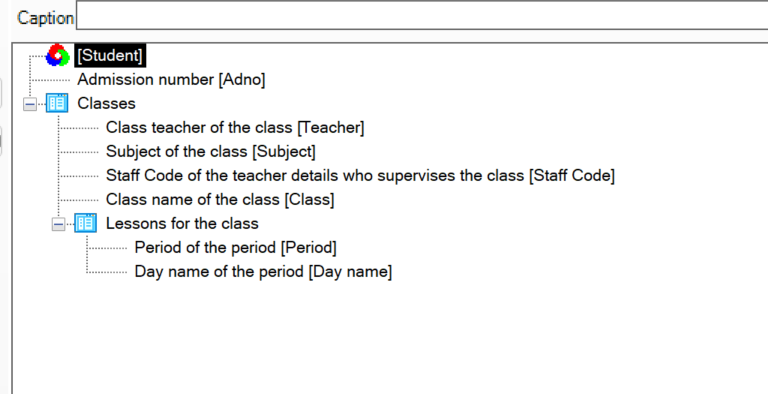
Hi all, We are just in the process of starting the migration from SIMS to Arbor. We have the following report in SIMS, has anyone been able to replicate similar in Arbor? Many thanks Chris

-
We are on an RM connection, no downtime for us at all today. But we do not use the RM DNS.
-
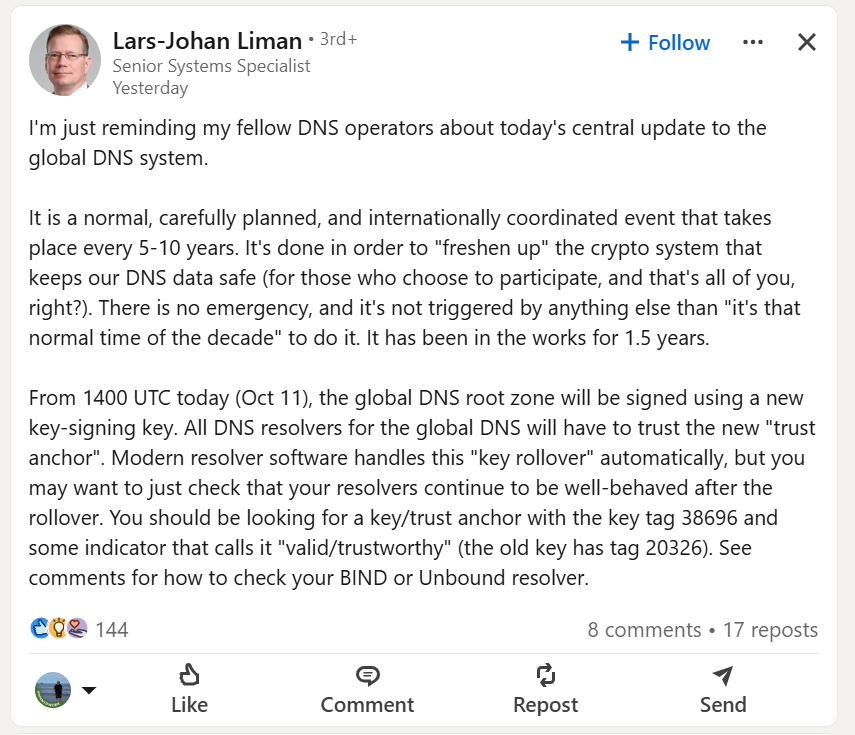
Always DNS...
-
Bodet, installed by Net-Ctrl. Bodet and Net-Ctrl have completed the walk arounds doing the site plan and cabling. We are a large site, 5 separate buildings. Initial install is just for the lockdown sounders. Over the next 12/24 months more will be installed to also be the lesson change over bell system. Being able to not sound change over bells in locations during exams will be a real game changer for concentration! Shameless plug, Connor at Net-Ctrl!
-
If you change the audio output to Mono, does it fix it?
-
Create a new version of the XML with the updated information. Run setup.exe /download XMLFILE look at the version number of the most recent download, deploy to everywhere using the new version number as the success rule. You will also need to ensure that the deployment only happens when no user is logged in.
-
We are looking at the Bodet system, buying through @Net-Ctrl (Connor and Lee are both amazing...) We had a demo from the other other month. The whole system looks amazing. Big thing for us is being able to turn off lesson change over bells on sections for when exams are happening.
-
What reghack did you make?
-
Click on Packages along the top, click create package, add the apps that you want, make the changes that you want. Download the package, copy to SCCM, add the MSI. Just remember to check the size of your folder, you might need to increase the cache size allowed on SCCM clients. Chris
-
Guessing you are using SCCM by your other post, you need to pass the following options on the install command, /quiet InstallAllUsers=1 PrependPath=1 Include_test=0 Chris
-
Have you got access to the Adobe Admin Console? - https://adminconsole.adobe.com/
-
Director of IT - Bohunt Education Trust, Liphook, Hampshire
chris_uk replied to IStirling's topic in Educational IT Jobs
Listed on the website - https://www.bohunttrust.co.uk/vacancy/director-of-it/
- 2 replies
-
- 1
-

-
- career opportunity
- director of it
- (and 2 more)
-
Anything in AppLocker? We have almost 200 of them out to staff, 7,7+ and 8's - I have not seen this issue. What happens if you run the Surface Diagnostic toolkit https://learn.microsoft.com/en-us/surface/surface-diagnostic-toolkit-business Does anything come up?
-
Does your DNS all resolve OK on the devices? Strange you are getting that when trying to build from inside windows, have you tried logging in, loading software center and trying to image the device that way? The time issue will be down to your timezone not being set.
-
How is it failing, at what point does it fail? What is the error message returned? If they start imaging look for the smsts.log file, it will have the error in it. Look for an app called cmtrace, it will make the log files easier to view. https://learn.microsoft.com/en-us/mem/configmgr/core/support/cmtrace Only reason we have SCCM fail to image is due to someone turning off the PC or failing hardware.
- 3 replies
-
- 1
-
-
- os deployments
- remote imaging
- (and 1 more)
-
Search SP sites and Teams for a subject access request
chris_uk replied to petben's topic in Cloud Services
This will be your starting point, https://learn.microsoft.com/en-us/compliance/regulatory/gdpr-dsr-office365 This will be where you run it from - https://compliance.microsoft.com/contentsearchv2 -
BYOD in a boarding school - if I had hair I would be tearing it out.
chris_uk replied to Rilot's topic in Wireless Networks
Speak to Net-Ctrl (They do have an account on here) - http://www.net-ctrl.com They set this up for me with NPS, Smoothwall and Ruckus. Really worth speaking to them to get some work done. Chris -
SharePoint site, web page front end with a highlighted content web part. each department has a folder that content is uploaded into . Salamander keeps three AD groups in sync with DOB of accounts, so all students 12 and above are added into the AD Group, same as they change age. They are left in the previous AD Groups "SITE NAME - 12 Rating", "SITE NAME - 15 Rating, "SITE NAME - 18 Rating" and "SITE NAME - All Students (U & PG)" Permissions are changed on each file to set permissions. Took a long time migrating content from Streams, but this works really well.
-
Delete the device from SCCM, let the system re-find it from AD and if the device self registers. Deleting it from SCCM won't harm anything.
-
It is an annoying problem, it happens so randomly. The only way I have found to fix it is below. On the client, delete the contents of the folder c:\windows\ccmsetup, on the SCCM console, right click, install client, tick - Always install the client software, then tick "Uninstall existing configuration manager client before the client is installed". This will then get everything to re-register. Also if you add the following as a script, SCCM, Software Library, Scripts, Create Script. Call it "SCCM - Run all actions" Invoke-WmiMethod -Namespace root\ccm -Class sms_client -Name TriggerSchedule "{00000000-0000-0000-0000-000000000021}" Invoke-WmiMethod -Namespace root\ccm -Class sms_client -Name TriggerSchedule "{00000000-0000-0000-0000-000000000022}" Invoke-WmiMethod -Namespace root\ccm -Class sms_client -Name TriggerSchedule "{00000000-0000-0000-0000-000000000003}" Invoke-WmiMethod -Namespace root\ccm -Class sms_client -Name TriggerSchedule "{00000000-0000-0000-0000-000000000002}" Invoke-WmiMethod -Namespace root\ccm -Class sms_client -Name TriggerSchedule "{00000000-0000-0000-0000-000000000001}" Invoke-WmiMethod -Namespace root\ccm -Class sms_client -Name TriggerSchedule "{00000000-0000-0000-0000-000000000113}" Invoke-WmiMethod -Namespace root\ccm -Class sms_client -Name TriggerSchedule "{00000000-0000-0000-0000-000000000114}" Invoke-WmiMethod -Namespace root\ccm -Class sms_client -Name TriggerSchedule "{00000000-0000-0000-0000-000000000031}" Invoke-WmiMethod -Namespace root\ccm -Class sms_client -Name TriggerSchedule "{00000000-0000-0000-0000-000000000121}" Invoke-WmiMethod -Namespace root\ccm -Class sms_client -Name TriggerSchedule "{00000000-0000-0000-0000-000000000026}" Invoke-WmiMethod -Namespace root\ccm -Class sms_client -Name TriggerSchedule "{00000000-0000-0000-0000-000000000027}" Invoke-WmiMethod -Namespace root\ccm -Class sms_client -Name TriggerSchedule "{00000000-0000-0000-0000-000000000032}" Invoke-WmiMethod -Namespace root\ccm -Class sms_client -Name TriggerSchedule "{00000000-0000-0000-0000-000000000010}" Once you have saved and authorised the script, you will then be able to right click on a device and select "Run Script" This script runs all the actions that you find in the control panel applet. So it will do a hardware scan, windows update scan, required software scan... etc etc. Handy to force hardware to check in if you have software for specific hardware. Shout if you need any more help. Chris
-
It should be /qn
-
Well that was simple! Thank you for that. Problem of coming in late to something and not knowing anything about it!
-
Have you had any luck with editing the assign students to classes? We need 12 groups this year, but only 11 will be allowed. Updating the cell in Factors (B1) does not change anything sadly.
-
100% worth it! Drop me a message if you want to chat about it.
-
Recently got myself a drone - https://www.instagram.com/drone.chris/ Great for getting me out, shame the weather has been so rubbish recently.