steven_layton_sl
-
Posts
2,557 -
Joined
Content Type
Forums
News
20th
EduGeek EDIT Conference
Blogs
Everything posted by steven_layton_sl
-
Hi guys Over the last few weeks we've had a small, but increasing, amount of staff reporting problems printing .pdf documents, when using Adobe Acrobat DC Pro on our Windows 10 machines. When printing, they get the below error. The problem is stations specific, but also user specific, so that only a specific user using a specific affect station has the issue. A different user can print on the same station, and the user can print .pdf files fine on another station. Its bizarre. The user can print .pdfs via the Edge browser on that station, but it sends the job twice! We have tried re-installing Acrobat and ensuring its the most recent version, removing the affected users local profile, resetting their roaming profile. Nothing seems to fit it. The only solution I have so far is to re-image the station. I am wondering if the Acrobat issue is a symptom of a separate printing issue on the station, rather than Acrobat being the cause. What confuses me is why is it also user specific, and what gives with Edge printing stuff twice! Any ideas?

-
Black screen problems with Windows 10 at login
steven_layton_sl replied to timbo343's topic in Windows 10
Dumb question, but what is the path to the explorer.exe? C:\Windows\WinSxS\wow64_microsoft-windows-explorer_31bf3856ad364e35_10.0.10586.104_none_c93f49bc0d024ed2 -
I am using the Android Outlook App on the school BYOD WiFi. Outlook does not always update, and sometimes gives a "Not Connected to Internet" message if I try to force it to update. On my home Wi-Fi, its always instantly updated. We're using Smoothwall as our firewall and I am trying to work out if anything is getting blocked. However, looking at the realtime firewall or filter logs, nothing seems to jump out. I have tried to Google what ports and URLs are needed, but failed to find a definitive list. Any ideas?
-
Black screen problems with Windows 10 at login
steven_layton_sl replied to timbo343's topic in Windows 10
How odd. A member of staff got the black screen issue today. On checking, the Injection Exception rule for UserInit.exe was not listed, but I am very sure I did add it last week. I have now re-added that and will monitor again. Odd. -
Black screen problems with Windows 10 at login
steven_layton_sl replied to timbo343's topic in Windows 10
I have this script as a logoff script, which tidies the Start Menu cache on logoff. On Error Resume Next Dim objShell,strKeyPath strKeyPath = "HKEY_CURRENT_USER\SOFTWARE\Microsoft\Windows\CurrentVersion\UFH\SHC" Set objShell = WScript.CreateObject ("WScript.shell") objShell.RegDelete (strKeyPath) -
Black screen problems with Windows 10 at login
steven_layton_sl replied to timbo343's topic in Windows 10
Imrogers - Its possible you might have a second unrelated issue. Prior to discovering the link between Impero and the black screen issues, we found that we needed to introduce a logoff script to correct a bloat issue with the Windows 10 Start Menu cache. When we introduced this, our instances dropped about 80%. I'm hoping that the Impero fixes cure the remaining 20%! Let me know if you want more info. -
Black screen problems with Windows 10 at login
steven_layton_sl replied to timbo343's topic in Windows 10
Many thanks - I've added "userinit.exe". Lets see what happens. Fingers crossed. -
Black screen problems with Windows 10 at login
steven_layton_sl replied to timbo343's topic in Windows 10
Hi - can someone point me in the right direction of the injection exceptions setting in Impero? We're having this issue also. -
Students changing Chromebook keyboard language
steven_layton_sl replied to steven_layton_sl's topic in Cloud Services
Hello Steven, Thank you for your time on the phone today. It was a pleasure speaking with you. In our conversation we discussed that there is no way for now to fully prevent the users from switching the imput methods on a device. As a workaround I advised you to block chrome://settings and chrome://settings-frame. We have an ongoing feature request for that issue and as agreed I'll add your domain to it so that our engineers can see that more and more administrators are calling about it. More information you can see in this Chromium article: https://bugs.chromium.org/p/chromium/issues/detail?id=373324 I'm sorry that I wasn't very useful but there is nothing else that I can do on my side. We aim to offer all of our customers an excellent support experience, so, with this in mind, if you have any questions or queries you can reply to this message within 30 days and I will be more than happy to assist further. The case will automatically re-open once you have responded. It was a pleasure. If you have any additional questions or queries, please let me know. Have a fantastic day, Steven! Sincerely, Tsvetan Google Cloud Support -
Students changing Chromebook keyboard language
steven_layton_sl replied to steven_layton_sl's topic in Cloud Services
I have just spoken to Google, and there is presently no ideal way of stopping this. A feature request is already logged with Google for a better way of locking this down. They have suggested that for the moment I add both of the below to the URL blocking in Device management > Chrome > User Settings chrome://settings-frame chrome://settings Any language that has already been added, needs to be manually removed, but they say by adding those two URLs, they will no longer be able to add others. -
Hi We have about 220 Chromebooks which we manage using the Google Chromebook Admin Console. Every now and again we get students changing the keyboard language by clicking on the language options, as below. This change persists a logoff and restart, so messes up the next user of the device. I have looked everywhere in the console, but can't find a way of disabling their ability to change this. Any ideas?
-
Office 365 Groups not opening
steven_layton_sl replied to steven_layton_sl's topic in Cloud Services
Hi, it is Ruler Connect. Ruler.co.uk -
Office 365 Groups not opening
steven_layton_sl replied to steven_layton_sl's topic in Cloud Services
We got to the bottom of this and it was linked to the 3rd party product we were using to pull the groups out of SIMS. Once they fixed the bug we deleted all the groups, and re-created and it it now all works. A sledge hammer approach, but as we had little or no data in the groups it was the easiest way forward. -
We have a number of domains. nortoncollege.net is federated with our domain, using a 3rd party product called RM Unify. live.nortoncollege.net is set as the default domain. I am trying to create a Office 365 group on the nortoncollege.net domain, but the drop down box will not let me change it from the default domain. I did create the group on the live.nortoncollege.net domain in the end, and then tried to change the permissions so the site was not public, but again, it would not let me change the drop down box. Any ideas whats happening?
-
Black screen problems with Windows 10 at login
steven_layton_sl replied to timbo343's topic in Windows 10
I may have linked to the wrong article, sorry. This is a copy of the logoff script that runs to clear the Start Menu Cache. On Error Resume Next Dim objShell,strKeyPath strKeyPath = "HKEY_CURRENT_USER\SOFTWARE\Microsoft\Windows\CurrentVersion\UFH\SHC" Set objShell = WScript.CreateObject ("WScript.shell") objShell.RegDelete (strKeyPath) -
Black screen problems with Windows 10 at login
steven_layton_sl replied to timbo343's topic in Windows 10
@timbo343 We're having the black screen issue. We're running Windows 10 Education, 1511. We have not found one single magic bullet, but have found two things that have massively reduced the occurrence of the issue. First, and the one that had the most impact, was implementing a Microsoft logoff script to tidy the Start Screen Cache. Apparently this was an issue with Windows 8.1. https://support.microsoft.com/en-gb/kb/3161390. As this only prevents new users from being impacted by this and does not address users who have the bloated cache, in conjunction with this we also deleted all local cached roaming profiles off all workstations and cleaned their roaming profiles. Second was we have found a link between the black screen issue and those users who have run out of disk space quote, or those running low. A user had the issue and would consistently have the problem. Increasing his quote by 200Mb (number pulled out the air) allowed him to logon first time. We are still having the occasional occurrence with staff users though, who do not have a disk quota set, so there is still something else occurring. -
We have been using Office 365 groups successfully now for a while, however I have two staff who have reported that when they click on one of their groups, the group does not open correctly. So, the example below (taken from my own), I have clicked on one of the groups and it has opened the FILE/CONVERSATION/ONENOTE links etc. But for these staff when they click on their group, nothing happens. The same is true on the school network and on their home computers. It certainly did work until a few days ago. Any ideas?
-
Cheers!
-
Hi guys I have set the All Staff and All students mail groups so that they are moderated by myself (although this can't stay as me!). I have then set both email groups so that the All Staff group can send messages to both moderated. This seems to be working. What I am unsure of is whether this will stop students from both sending emails to these groups, but also trying to set calendar events to these groups. Thoughts?
-
A student has just created a Office 365 event, inviting all staff and students to it. Is it possible to stop this happening?
-
Working now. An updated version of the Ruler software and a re sync fixed it.
-
So, we're using a 3rd party product called Ruler to generate Office 365 Groups based upon our SIMS .net classes. These groups have been created, with the teacher as the owner and the students as members. Things look right and both the staff and students seem to be seeing the right groups in Office 365 based upon membership. My question is the FILES section. Staff have started putting documents in here that they would like to share with their students, but the students don't see the files when the staff member adds them. See below for an example of what I mean. My question is this. SHOULD the students be able to see the documents? Should it just work? Or does the staff member need to do anything to get it to work?
-
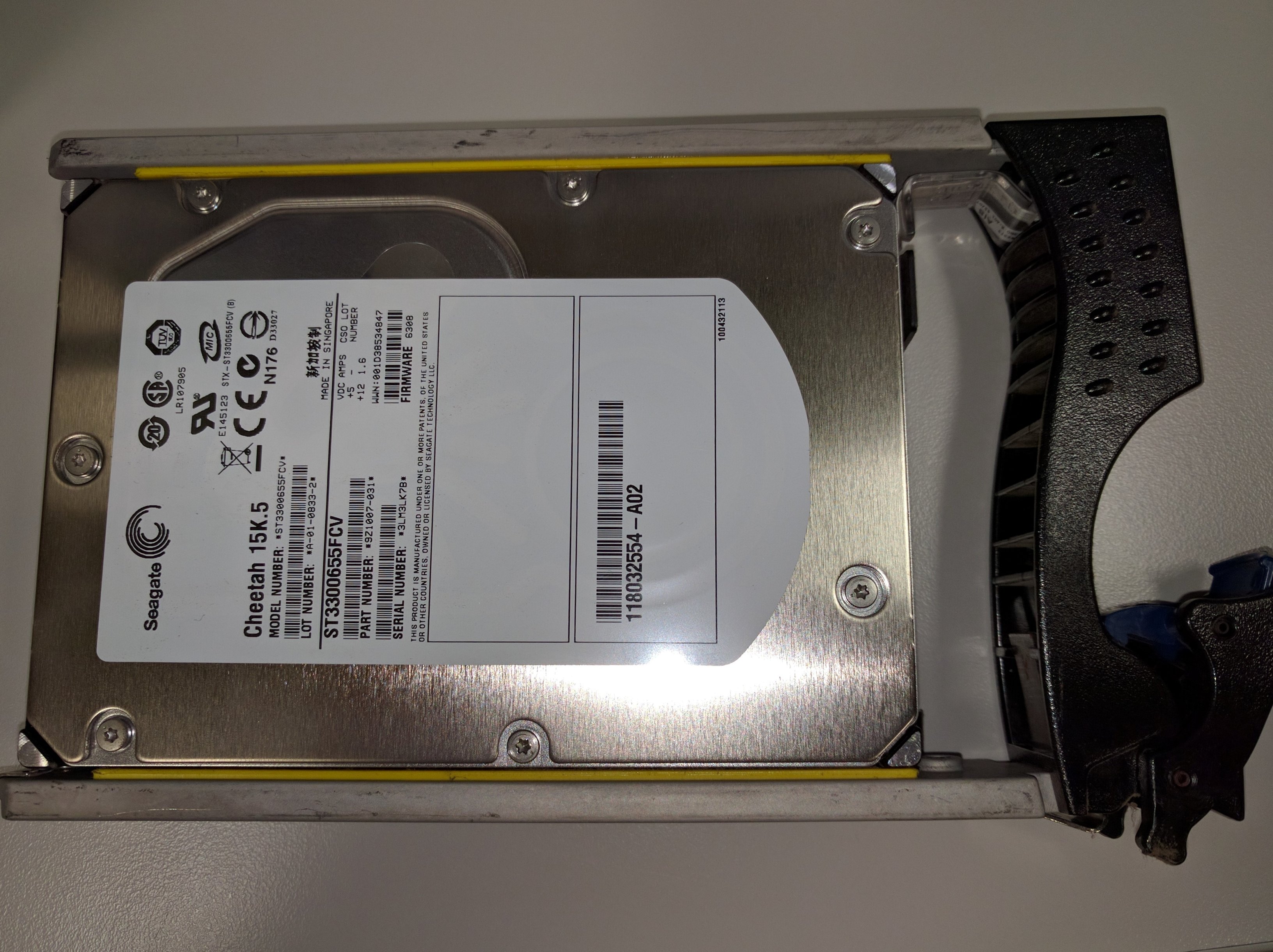
Hi We have a EMC Clariion CX3 10C with 45 x 15k.5 disks that we no longer require. Bought in 2008, I'd like to try to make the College a little money back by selling this in its entirety, or if not just in parts (I suspect the disks are the most value part). Just looking for a fair price for both parties. Anyone know anyone who might be interested? PM me if interested.
-
HP ProDesk 400 G3 - Can't PXE boot to network
steven_layton_sl replied to steven_layton_sl's topic in Hardware
Many thanks. All my stations are now imaged and are stupidly fast to boot! -
HP ProDesk 400 G3 - Can't PXE boot to network
steven_layton_sl replied to steven_layton_sl's topic in Hardware
@davidcvs Do you have any beeping on your failed machines? I have a single machine that won't post. Can't get into BIOS. Just sits there and does continuous double beeps at me!