-
Posts
394 -
Joined
-
Last visited
Content Type
Forums
News
20th
EduGeek EDIT Conference
Blogs
Everything posted by JazzFlute
-
First time doing it and didn't realise how long it would take and they'd be "locked" ill know for next time though.
-
Finally got Ver6.9 and installed, did update firmware on doors that took for ages and stopped them working but after a length of time all good now.
-
Any chance of Messaging me the link or sending me the V6.9 installer as getting no reply from support and their download pages only show V7 with no legacy download options
-
Email received today so seems like everything still going to work moving forward

-

Schools Broadband internet down?
JazzFlute replied to JazzFlute's topic in Internet Related/Filtering/Firewall
only 10 mins downtime so not too bad. All back up now
-
Anyone else having issues as our schools been down good 10 mins now
-
Update on Cambium Community today https://community.cambiumnetworks.com/t/guidance-for-cnmaestro-enterprise-customers-updated-24-sep-2026/108849/239
-
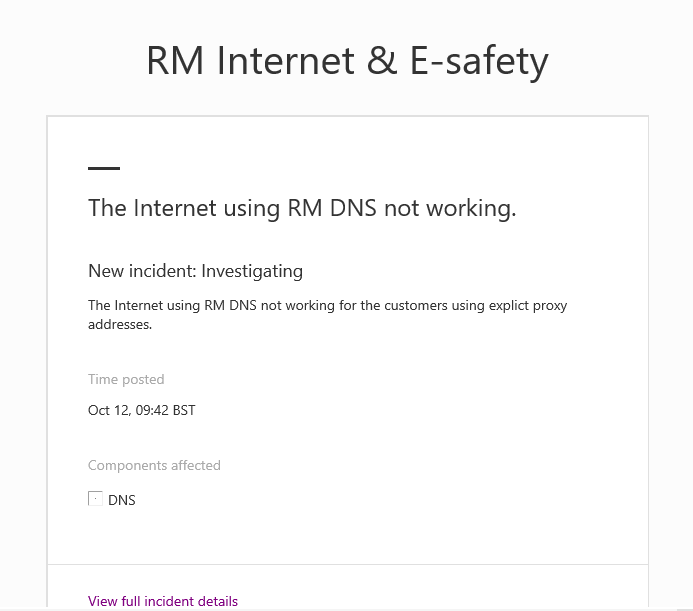
After troubleshooting internet issues all morning, RM have now released the update below. Is anyone else experiencing the same problem? It seems to be affecting only certain schools. We have one site working perfectly with the same settings, while another site with an identical configuration is having issues. Just trying to establish whether this is a wider problem or something specific to individual schools.
-
Anyone else having issues with Purple Mash today? It's mainly not working for us and sometimes showing a 502 Bad Gateway error.
-
Is everything working fine, no roaming, connectivity problems etc? Did you move switches on prem too?
-
Just wondering, has anyone successfully migrated from cloud to on-prem since the announcement? I’m not asking about organisations that were already running on-prem, but specifically those who have installed an on-prem controller and migrated both Access Points and switches. I can’t seem to find anyone who has completed this successfully yet. From the latest update from Cambium, it sounds like there’s hope that cnMaestro and the enterprise product range will continue to be supported. Personally, I’m holding off on making any decisions until there are further announcements, although I’ve backed up everything I can in preparation.
-
I ended up "helping" with about half of the staff here, but at least it was done properly! 😂 You also get into the whole issue of staff using Outlook on other devices or personal phones, which adds another layer of complexity. A five-minute job can quickly turn into a bit of a nightmare. I think with the new Outlook, you can use the OWA signature as it's available in the drop-down list of signatures to choose from. However, users still need to select it themselves, as it doesn't apply automatically.
-
Yep, I sent mine in an email along with a short video showing how to add it to OWA and any Outlook apps. That way, staff can add their own name, job title, and other details to the signature themselves.
-
Only a few class teams to do so done them manually as not a massive chore. The school Data Sync i mentioned got pulled by Microsoft 2 years back and only 3rd party's now do it so will just carry on doing it myself.
-
Does anyone use School Data Sync (Microsoft) with Arbor to create Class Teams and if yes does it work ok before I start the process.
-
IDP SMART-31 Card Printer - Printing Quality/Longevity
JazzFlute replied to JazzFlute's topic in How do you do....it?
What cards do you buy? -
IDP SMART-31 Card Printer - Printing Quality/Longevity
JazzFlute replied to JazzFlute's topic in How do you do....it?
Think so, if thats the clear layer on top of the ribbons. Always buy the official ribbons so i imagine it is the quality of card im buying.
-
IDP SMART-31 Card Printer - Printing Quality/Longevity
JazzFlute replied to JazzFlute's topic in How do you do....it?
Maybe it is a female perfume thing I'm not aware of as its all females. Think I'll look on Amazon again for different "expensive" cards. -
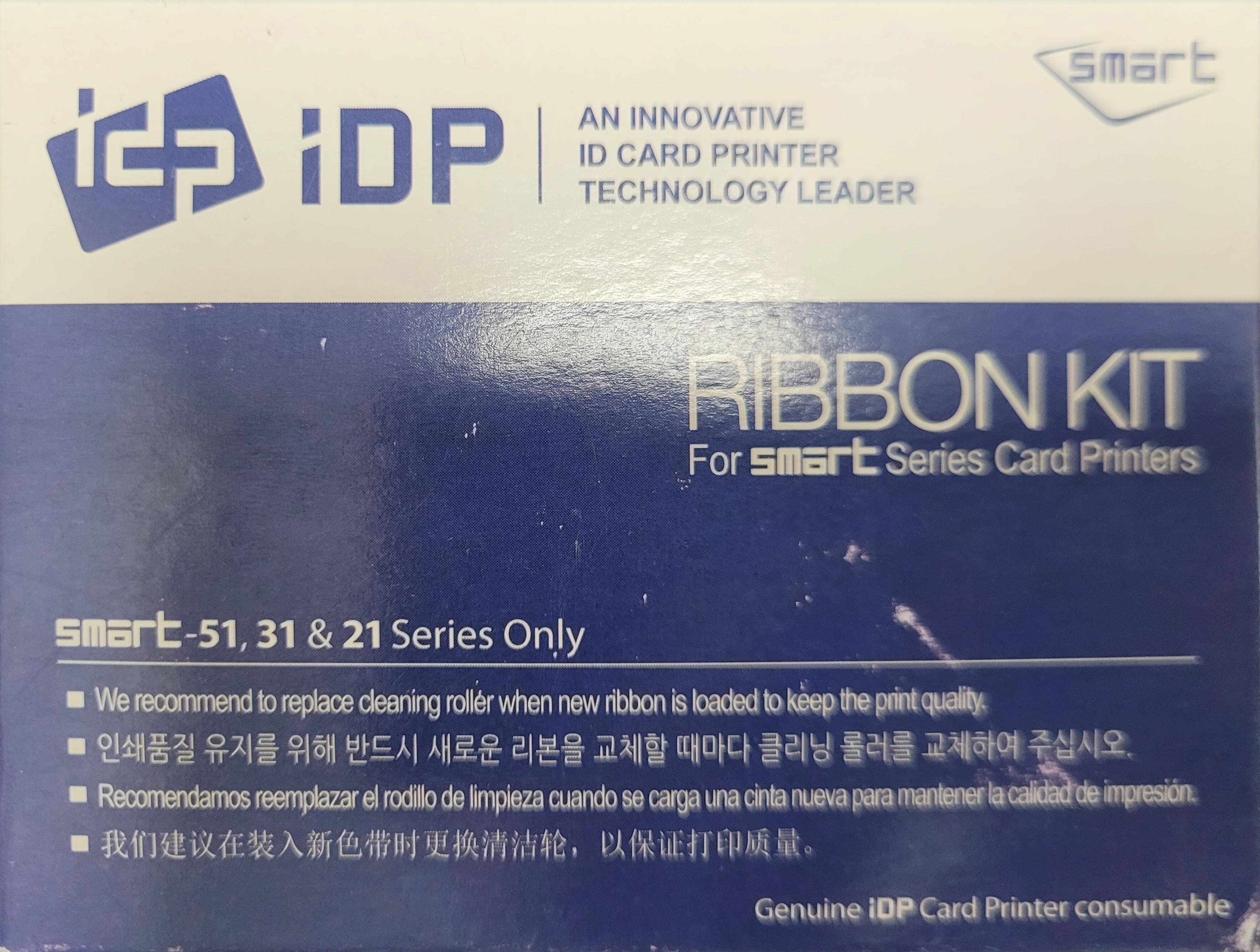
Does anyone print their own ID/access cards using this printer? I use the manufacturer's colour ribbons, and the print quality is excellent initially. However, I've found that the cards fade quite noticeably after a year or two, even when they're kept in a lanyard holder and aren't subject to any significant wear or rubbing. For the cards themselves, I usually purchase unbranded MIFARE cards from Amazon. They all seem to be fairly similar in quality, regardless of supplier. Has anyone experienced the same issue or found a way to improve the longevity of their cards? Would switching to a different card type, overlay, laminate, or supplier help reduce fading and keep the print quality looking good for longer? Any recommendations would be appreciated.
-
No, but it does provide some reassurance that the 1st October cliff edge may not happen. Hopefully, it will give the DfE, suppliers, and other stakeholders time to become involved and work towards a solution for everyone. Many schools, including ours, had their Enterprise Wi-Fi installed through CTC, and I doubt there is an expectation that schools can immediately fund a complete replacement with a compliant alternative. The CTC programme was largely aimed at schools with ageing infrastructure and slow network or Wi-Fi performance, many of which did not have the budget to upgrade to modern standards on their own. Given that background, it is difficult to see how those same schools would suddenly have the funding available to design, purchase, and deploy an entirely new wireless solution at short notice.
-
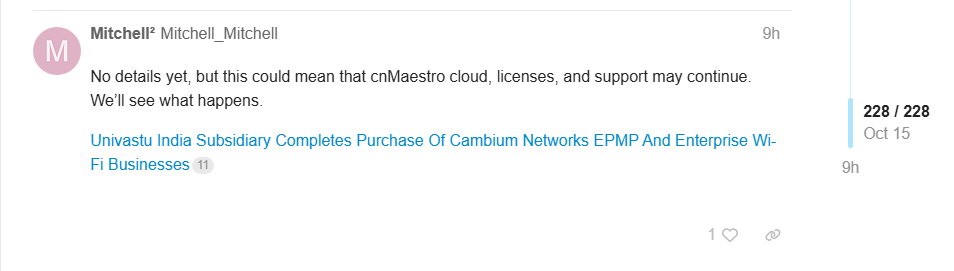
A quote from Airspan about cnMaestro “We are not buying the entire portfolio that Cambium had, but for everything that we are buying, we’ll continue to support the cloud-based cnMaestro, so any of the customers of these product lines should see no disruption at all,” Jain said.
-
I’ve just added a new Administrator access account, but when I save the configuration the device attempts to sync and then fails. The network/Internet goes down for a good 10 minutes before coming back online. Even then, the device still shows as offline and requires a power cycle before it appears online again and functions normally. After the reboot, I can see the newly created account, but I’m still unable to log in locally with it. I’ll need to investigate this further, as I can’t keep taking the network offline every time I attempt to make configuration changes.
-
You definitely got your work cut out then 😂 They use wildix phones and depending on license can put the app on your personal/school mobile phone which is handy
-
Usually use the M365 CoPilot App and yes sometimes you get that message and usually because it is in demand, not sure you get a better service if you have the full CoPilot License
-
Not had the best experience with Focus support or account management in the past. On two occasions when moving away from them, additional charges appeared that were not clearly explained. If you do decide to leave, it's worth checking the exit costs carefully, even if you believe your contract has expired. We use Fifteen Group Unified Communications and I've been happy to recommend them. One thing to bear in mind when migrating to any new VoIP system is that you may experience the occasional outage or phone-related issue during the transition and beyond. That's generally the nature of VoIP services, compared to the near 100% uptime many schools were used to with traditional copper phone lines. It's also common for office staff to be sceptical at first and question whether the upgrade is worthwhile, but moving to modern telephony solutions is increasingly necessary and, once established, the benefits usually outweigh the initial teething problems. Unified Communications - Fifteen Group