Norphy
-
Posts
8,349 -
Joined
-
Last visited
Content Type
Forums
News
20th
EduGeek EDIT Conference
Blogs
Everything posted by Norphy
-
Don't the 2012/13 Macs have Thunderbolt ports? You could get some thunderbolt to SATA enclosures and secure them to the back of the Macs. They'd be able to boot off those and performance would be the same. It wouldn't be cheap but it might not be more expensive then paying someone to disassemble the Macs.
-

VMware to Hyper-V, back to VMware
Norphy replied to nezzbit's topic in Thin Client and Virtual Machines
I have 9 Hyper-V hosts running 125 VMs, the majority of which are also Windows. For an organisation the size of ours, I don't think that's especially unusual. -
VMware to Hyper-V, back to VMware
Norphy replied to nezzbit's topic in Thin Client and Virtual Machines
In terms of licensing, Microsoft don't care as long as the OS that you're running is licensed. If that means you have to buy a RHEL license to run RHEL, that's OK. Microsoft don't charge more to run non-MS operating systems. If you're talking about running MS guest OSes on another hypervisor, as long as you have the appropriate license to run Windows, either enough Windows Standard licenses to cover the VMs or enough Datacenter licenses to cover the hosts, you're fine. OK, I concede that could be trickier but as long as the VMs aren't Bitlockered, converting a Gen2 Hyper-V VM to a UEFI VMware one should work fine. -
VMware to Hyper-V, back to VMware
Norphy replied to nezzbit's topic in Thin Client and Virtual Machines
What? All of the commercial Type 1 hypervisors support Windows perfectly well. Even Hyper-V is pretty good at Linux these days. The guest OS is a fairly minor factor in your choice of hypervisor. Um, no. The answer to that one is simple: If the guest OS supports it, Gen 2. Better Performance. Less hardware to emulate. Larger volumes supported. Larger CPU and RAM limits. Less load on the HyperV host. More boot options. Better security. Complete no-brainer. -
VMware to Hyper-V, back to VMware
Norphy replied to nezzbit's topic in Thin Client and Virtual Machines
Having converted from VMware to Hyper-V just recently, this is what I think. I used Starwind V2V Converter to convert my VMs. It can do P2V and V2V between Hyper-V, ESXi or KVM. I found it to be fast and reliable and used it to convert more than 100 VMs. Best of all, it's free. As for the question about VMware vs Hyper-V, I'd say it's actually quite a complex question. In terms of performance and features, at the Hypervisor level I'd say that they're more or at parity at the level that we're looking at. Obviously there is a huge cost advantage for Hyper-V, it's part of the Windows license and there are no feature tiers like there are with VMware; you get a Windows license and all of the features of Hyper-V are available to you. I'd say that the big advantage to going VMware is vSphere rather than ESXi. VMware's management interface is considerably better than what Microsoft make available to manage Hyper-V. Now whether that advantage is worth the significant outlay that vSphere requires is down to the organisation to decide. -
Why do I suspect that the best parts of the film have already been shown in that trailer?
-
Wouldn't one that age be running on an nVidia board?
-
I did check for memory dumps, yes. I've found what happened. I enabled deduplication on these servers yesterday and started an optimization run. That was still underway when the backups started. Veeam took a snapshot, created a AVHDX which eventually filled up the remaining space on the volume that the VHDXs are stored on. This caused the VM to crash. Veeam eventually finishes, merges the AVHDX back in and frees the space back up. The servers restart but get stuck on that screen. Annoying but at least I can see what happened.
-
Thanks Nice idea but AV is disabled on those VMs. Both VMs are part of HyperV clusters, there are events in both of the cluster logs complaining about failed roles from after they crashed but I suspect this is a symptom rather than being indicative of any cause
-
That's Mr Rogers, not Robinson
-
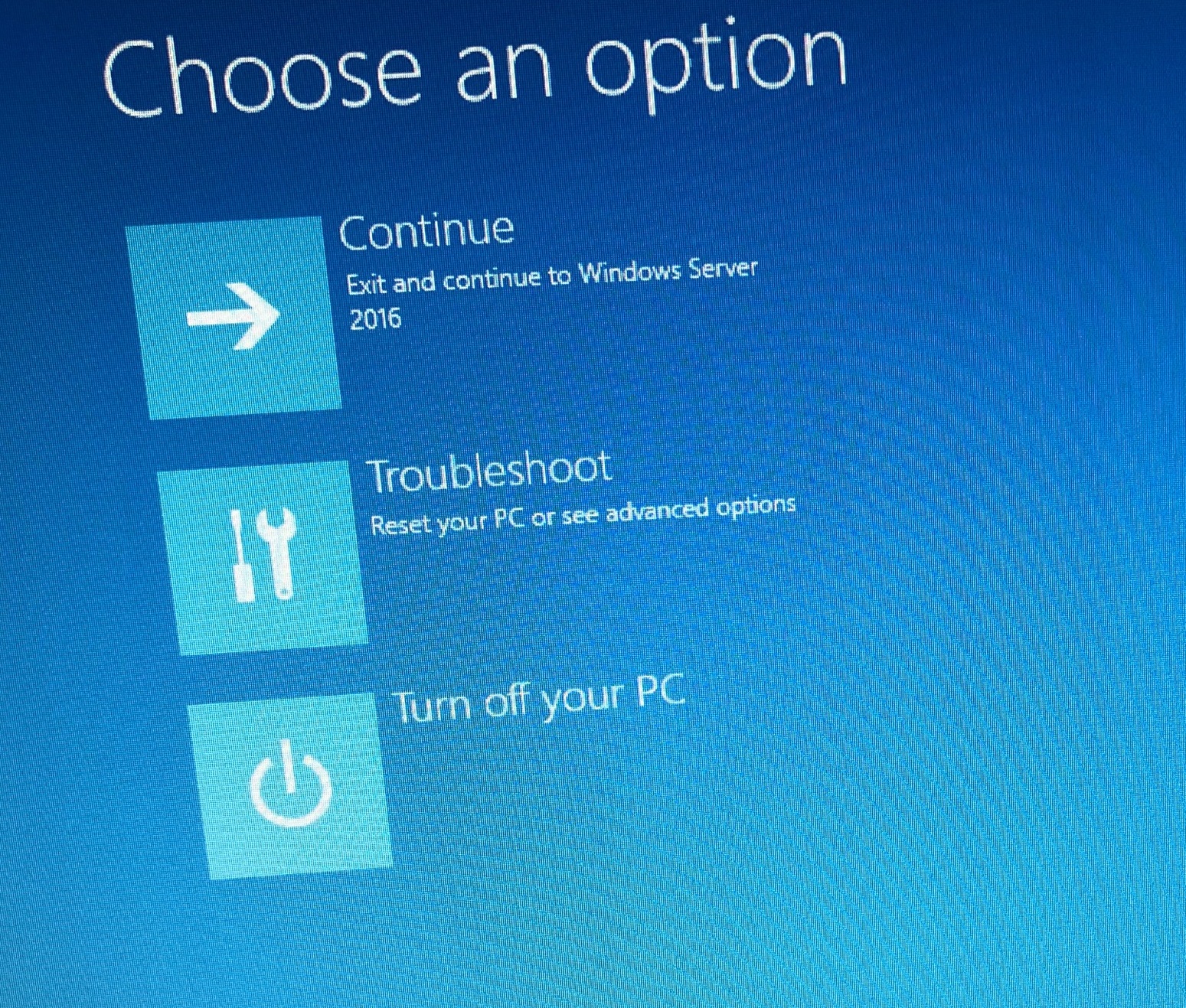
I have a bit of a strange one. I have two VMs acting as file servers. They are on different VM clusters in geographically separate sites. The thing that links them is that they're DFS mirrors Last night, both of them rebooted and got stuck on this screen: Pressing the continue button on the servers allowed them to finish booting and they're working once again. The odd thing is, I can't find why this happened. I can see in my monitoring software the time that they stopped responding (around 11pm last night for one, about 2.30 this morning for the other). I've looked in the event logs and I can see a big gap from when they stopped responding but no clue as to why, no unusual event log messages. I don't think they blue screened as Windows is usually quite good about putting in events when it does that. There is one event in the Kernel log complaining about an unclean reboot but that's it. The monitoring software shows nominal CPU and RAM usage just before they crashed. The disk IO looks normal for the time that they crashed as well. Backups were being taken at the time but they completed without issue. Ordinarily I'd just write this off as one of those things but because this server hosts some important shares, my boss wants an explanation as to why it happened. It's weird that two VMs on two VM hosts in different clusters in different building both reboot overnight. Does anyone have any suggestions as to where else I can look?

-
The issue is that 400gb isn’t a lot of space. Once you take into account the host OS and the amount of space you have to keep free to keep the thing running, your left with maybe 250gb free for VMs. That’s enough for one VM perhaps, depending on what it’s doing. If it were me, I’d put something which uses a database on it, such as an MIS. Everything else can live adequately on spinning rust.
-
I'd put WSUS on its own VM to be honest, it can be a CPU and memory hog. Just be careful with MS licensing - Windows Server standard will only allow two VMs per host per license, so if you have more than two VMs you'll either have to get additional Standard licenses or shell out for a datacenter license. The datacenter license may be more economical depending on how many VMs you end up running.
-
First of all, if you only have four drives in the "big" array, I'd use RAID 10 rather than RAID 6 if your controller supports it. You get the same amount of redundancy and the same capacity but you don't get the horrible write performance loss through parity calculations. Secondly, if have the licenses, I'd use Server 2019 rather than 2016. 2019 is just an evolution of 2016, it's been on the market long enough to be considered stable and it contains some fixes which won't get backported to 2016, such as a fix for the horrible amounts of time it takes to update the thing. Again, depending on what your licensing looks like, I think it is probably worth splitting out the roles. A DC should be a DC and only hold DC related roles such as DHCP and DNS. I'd have a separate VM for the DCs, the file server, WSUS, AV and WDS. Print management could probably live quite happily on the file server. The last thing I'd point out is that this is putting all your roles onto a single piece of hardware. It might be worth considering keeping one of your old servers as a DC, just in case.
-
Interactive TV install - USB Max length
Norphy replied to stevewill6's topic in AV and Multimedia Related
The maximum cable run length for a USB cable is 5m unless you use an active extender. Something like this should do the job. I have used them before with a SMART board, albeit a very long time ago. -
Someone unplugged a network cable?
-
I guess this belongs here, it's probably the closest match I can see... Our SIP provider, Gamma, is having network issues. We are unable to make or receive phone calls to and from the outside world. Looking at Gamma's twitter feed, they're say they're having issues: Ironically or annoyingly, our service provider for Gamma presumably also has a Gamma SIP trunk because I can't call them either. What fun!
-
Sure, if you're installing it on another physical host. Otherwise, if you've got any sense, you've got a Windows Datacenter license which gives you unlimited VM guests on your host. Which I suspect you know, I'd be surprised if you didn't. Even if you're using Standard licenses, you can install two VMs on top of the host on the same license.
-
That's only of use if you are internal services. If you are using an external service to connect via LDAPS, they will expect a publicly signed certificate and it's not always possible or reasonable to ask them to ignore untrusted certs. And to preempt your usual response to things like this, yes, I know, everything should use OAUTH but that's not always an option and switching over to a service that supports it isn't always an option either.
-
How many of you block Zip file attachments via Email?
Norphy replied to maxrebo's topic in Cloud Services
Zip files get quarantined by our filter and when that happens, the user gets notified and asked to contact IT if they're expecting the mail. A member of IT then reviews the blocked email and releases it if they think that it's benign. It's not perfect but it's the best compromise I could come up with. -
Watched the first episode of Picard on the train this morning. It was good, I enjoyed it. Better than Discovery’s first episode. Looking forward to next week.
-
I would think about things in the following order: 1) What are you most interested in? 2) What would be the most useful for you in your career development and in your current role? 3) What would be the most useful for your organisation? You don't say anything about your role or what you do day in, day out so it's hard to make recommendations as to what to study.
-
I’m pretty sure he doesn’t work for Capita any more
-
Best way to install and setup Linux and Windows on the same laptop..
Norphy replied to genesis's topic in O/S Deployment
Dual booting the laptop, installing both Windows and Linux on the laptop, would be my least favourite option. There are a few advantages in that the OS would have direct access to the hardware instead of going through a hardware abstraction later, which would make it work faster but to use the other OS, you’d have to reboot the machine which is annoying. Dual booting would also take up more space on the storage, be more complicated to set up (you’d have to do things like disable SecureBoot), it would be harder to share data between the two Operating systems and less convenient to use because of the aforementioned rebooting I think the best thing to do is to suck it and see, as it are. Try a few virtualisation platforms. HyperV would be my favourite if you are using W10 Education or Enterprise and you don’t want to spend any more money. Otherwise VMware Workstation. I’ve had bad experiences with VirtualBox so I try to avoid it as much as possible. Also try WSL and dual booting if that doesn’t work for you. -
Anyone know of free Phishing test tools?
Norphy replied to snagrat's topic in Internet Related/Filtering/Firewall
GoPhish is a good one https://getgophish.com