Fazza
-
Posts
2,336 -
Joined
-
Last visited
Content Type
Forums
News
20th
EduGeek EDIT Conference
Blogs
Everything posted by Fazza
-
The graphics card I'm looking at getting isnt listed (but my CPU is) and if I choose one of the 40xx series NVIDIA cards or a newer 5090 they both say the CPU will be the bottleneck.
-
I thought about doing that. How will I see if there's a bottleneck and how can I prove it's the CPU - are there any tests I can do before (on my existing card) and after on the new one? My graphics card and CPU are worth £91 in an exchange voucher at CEX online and they do have a CPU that goes in my existing motherboard for around the same price so I could always do that once I have the new GPU?
-
My current desktop gaming PC is around 7 years old so time to get an upgrade but there is so much to choose from out there that I need some help/advice on choosing the right Motherboard and CPU to upgrade to. I use it for gaming (Forza Horizon and Euro Truck Simulator 2), video editing and storing ISO images and software for my Retro Computing hobby. CURRENT SPEC: CPU: Intel® Core™ i5 Six Core Processor i5-9400F (2.9GHz) 9MB Cache Motherboard: ASUS® TUF B360M-PLUS GAMING: Micro-ATX, LGA1151, USB 3.1, SATA 6GBs - RGB Ready Memory (RAM): 32GB DDR4 2400MHz (4 x 8GB) Graphics Card: 6GB NVIDIA GEFORCE GTX 1660 Ti - DVI, HDMI, 3 x DP - GeForce GTX VR Ready! Power Supply: CORSAIR 550W TXm SERIES™ SEMI-MODULAR 80 PLUS® GOLD, ULTRA QUIET Storage: 2 x NVMe PCIe drives, 2 x 8TB 3.5" SATA mechanical (mirrored) along with at least 1 more 3.5" SATA mechanical drive. Expansion Cards: GPU + 2 other cards I've decided on an 8GB NVIDIA 5060 TI graphics card (around £350) to replace the 1660 TI but if I put it in my existing system the I'm assuming the CPU will become the bottle neck so I will need to get a replacement motherboard and CPU. As the prices of RAM etc. are through the roof right now I'd like to use the existing 32GB of DDR4 RAM. I'm prepared to go up to around £300ish for a new motherboard and CPU. The new motherboard will need to support the 32GB of DDR4 RAM along with all the expansion cards, NVMe drives and SATA mechanical drives mentioned above. There are far too many Motherboard/CPU bundles out there I've no idea where to start to work out a suitable replacement - help! 😎 ========================================= EDIT I forgot to mention, I dont game at 1080 (neither do I game at 4K) - I'm not quite sure of the resolution as the ratio of my monitor is something like 48:9:

-
Away?! Like I say to all the other Teaching Staff, unlike Teachers we're full-time (not part-time with dozens of weeks holiday) so we were all in fixing things over Easter!!
-
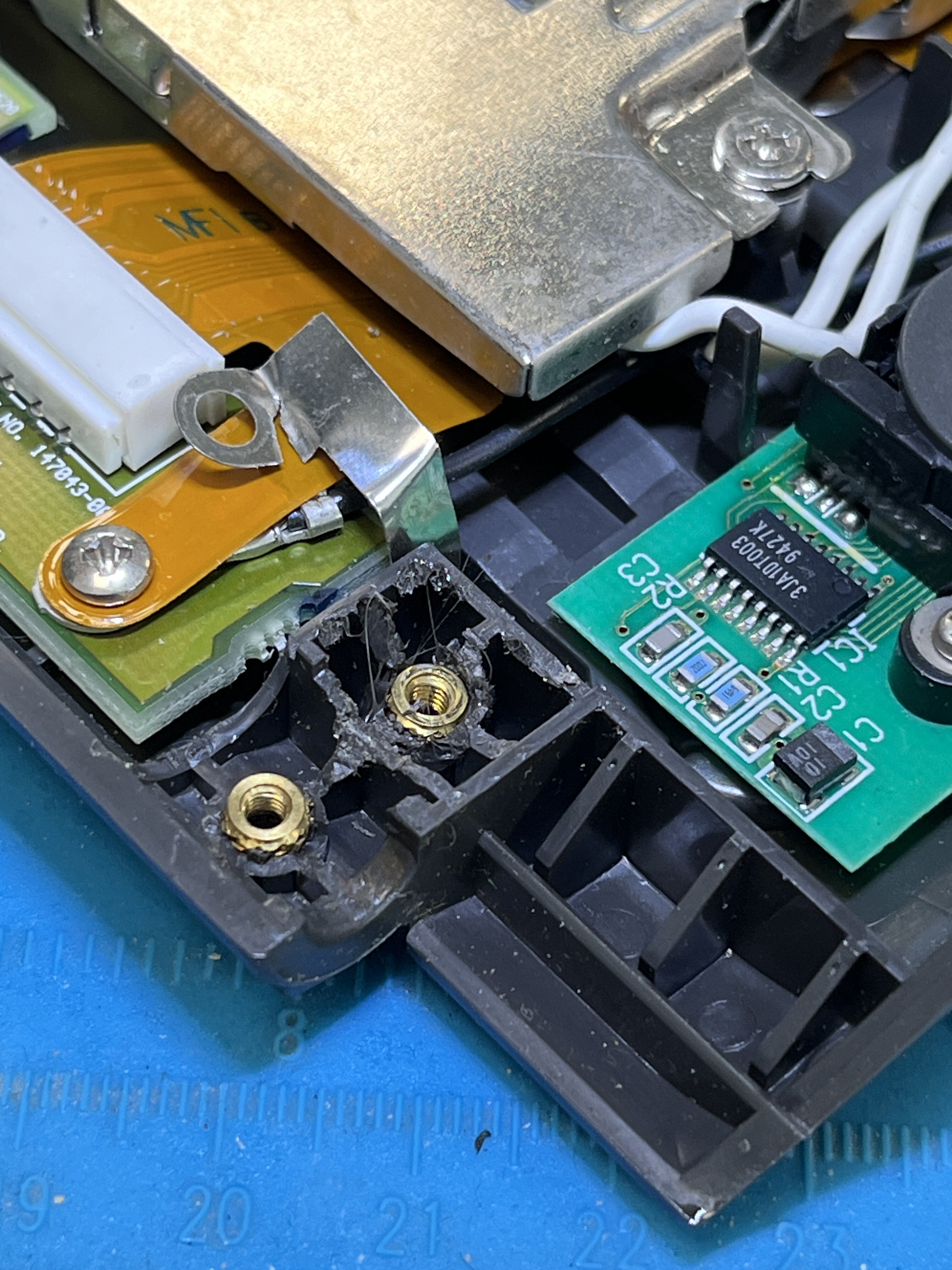
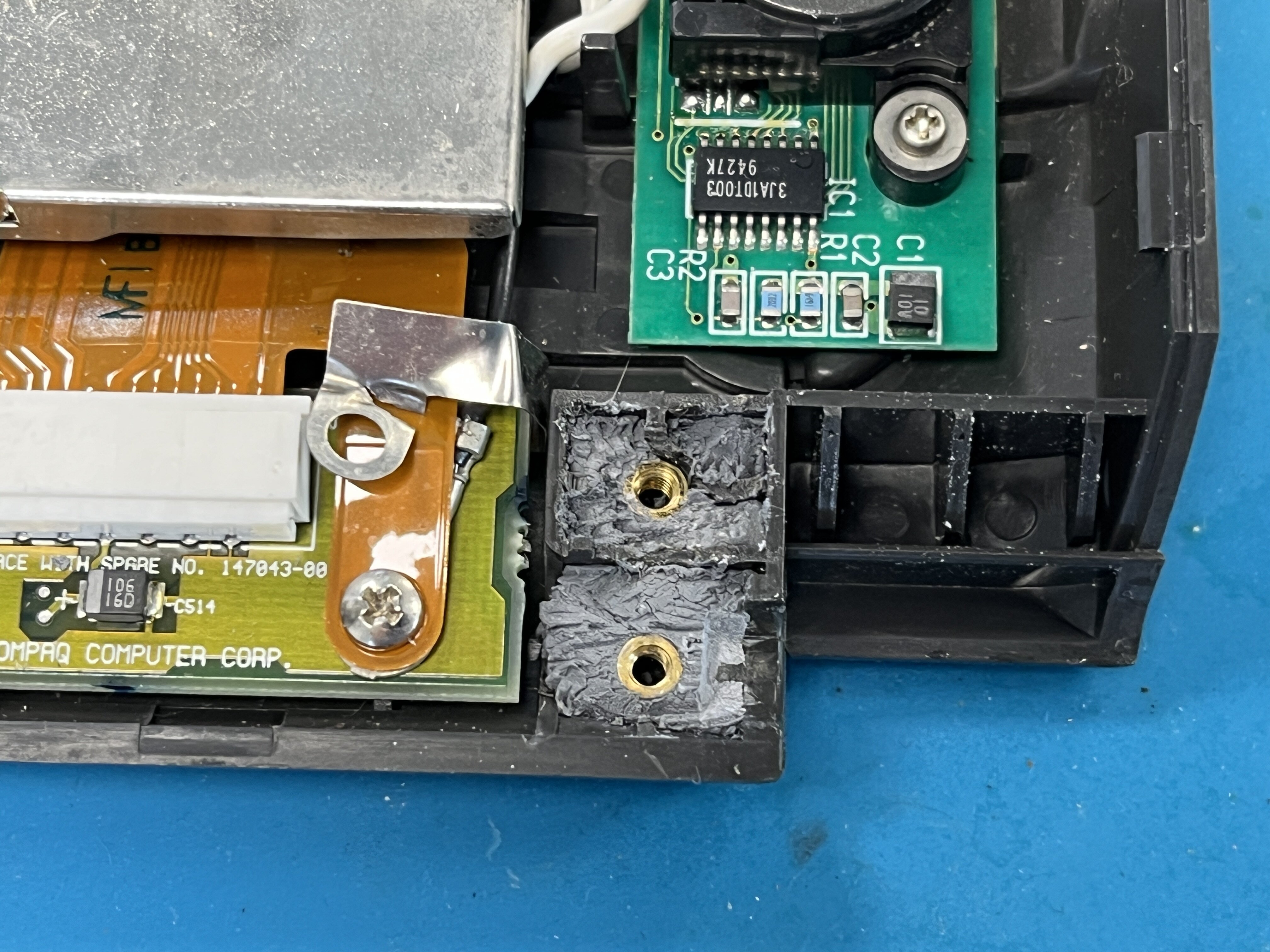
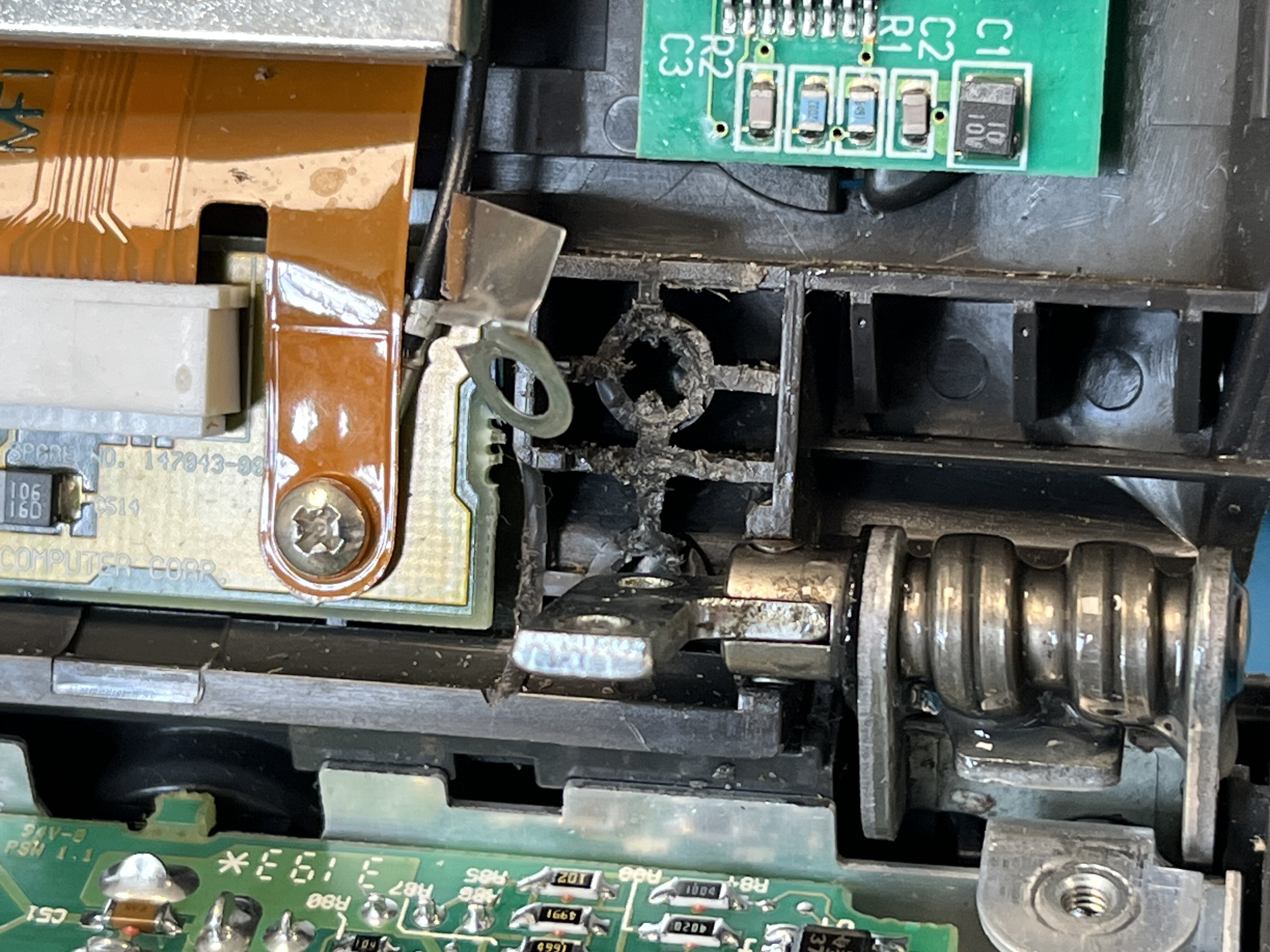
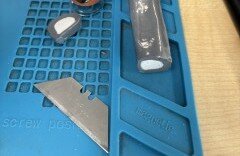
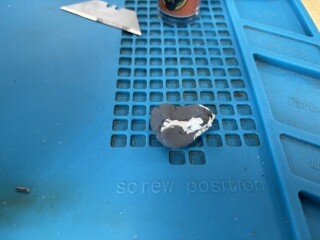
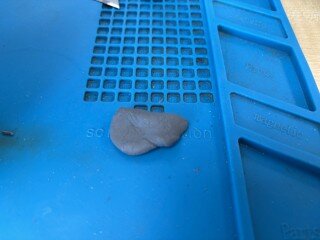
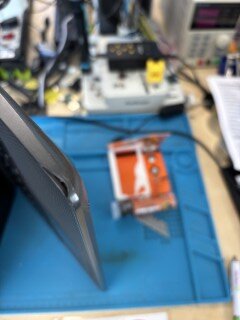
I've found another use for Epoxy Putty! This time it's on a 32 year old Compaq Contura 4/25 I'm fixing during my lunch breaks (so it will be a while before it's completely repaired)! Before I got the Epoxy Putty out I had to melt/heat back in to place the things the screws screw in to (as you can see from the photo above they're missing): Now for the Epoxy Putty: It's already set, but it's not cured yet (that takes 24hrs) and as I'm on annual leave next week it will be a while before I get to test out this repair to see just how strong this stuff is! Full details on my personal blog: https://www.retrocomputing.co.uk/2026/03/how-to-attempt-to-repair-compaq-contura.html 😎
-
There are quite a few Compaq SmartStart CD images on the Internet Archive: https://archive.org/search?query=compaq+smartstart
-
There's a reason why Compaq had SmartStart CDs - you booted from the Compaq SmartStart CD and then selected which OS you wanted to install and then inserted the OS CD and it would magically install the OS along with the Drivers etc. from the SmartStart CD (usually) without any issues.
-
Never smelt any fumes on this tiny scale before (literally a couple of mm at most being melted at a very low temperature (I have a variable soldering iron where I can set the temp)), I guess it all depends on how big a fix you're doing and how hot your iron is - definitely not a good idea to breath in lots of fumes of anything really.
-
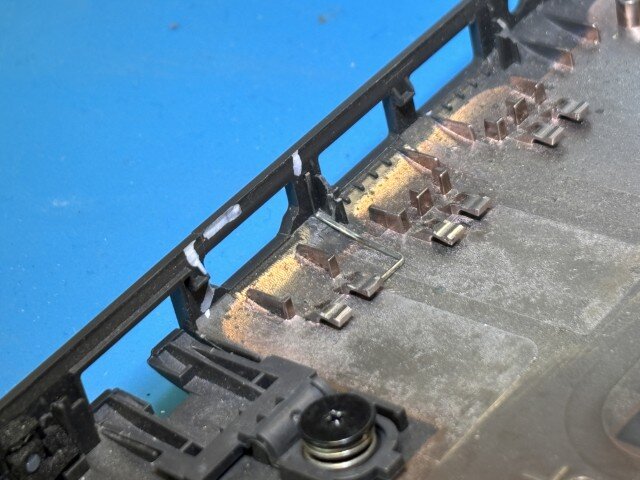
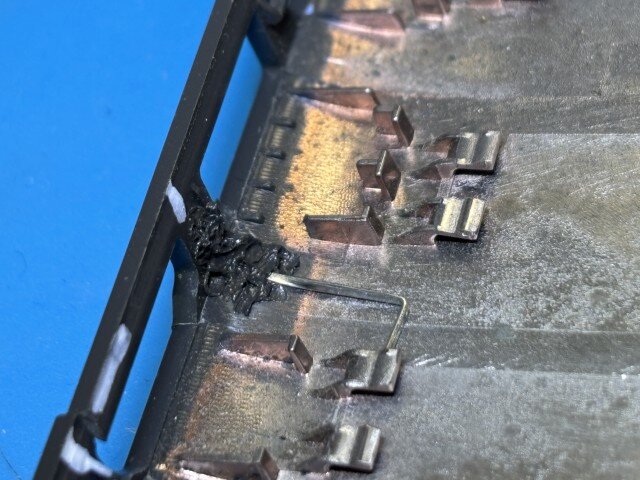
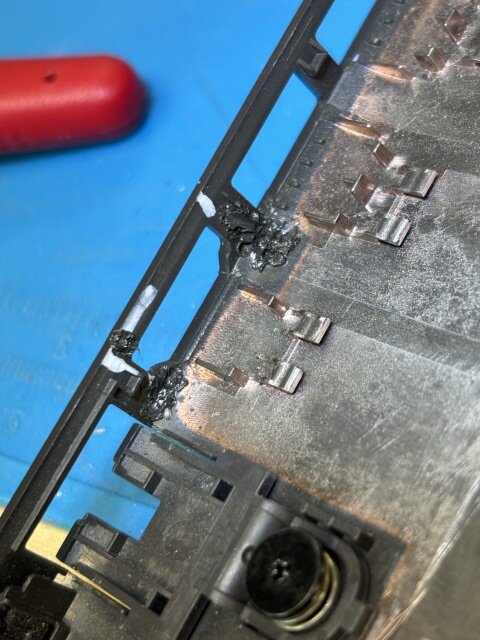
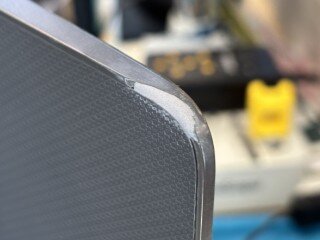
 Normally we would pay around £30 for a new bottom cover for a laptop but some prices recently have come back at £80 for a bit of plastic so time to get inventive.. In the photo below the damaged parts have been highlighted using a white acrylic pen I have: As you can see I have carefully manipulated a staple using a pair of needle-nosed pliers so it pretty much fits the curvature of the laptop. Then, using a soldering iron (with an old tip on you no longer wish to use for soldering with) carefully heat up the staple and push it ever so slightly in to the plastic in the side and the bottom: If (like us) you have lots of damaged laptops then you can use a completely broken case to gently melt and transfer some of the plastic case on top of the staple to secure it in to place.. Then all you have to do is tidy it up a bit by cutting off the part of the staple not melted in to the plastic with some snips/side cutters: This laptop has been back in production for a few weeks now and is still holding strong (until the 'little rascals' damage it in a different way that is).. 😎
-
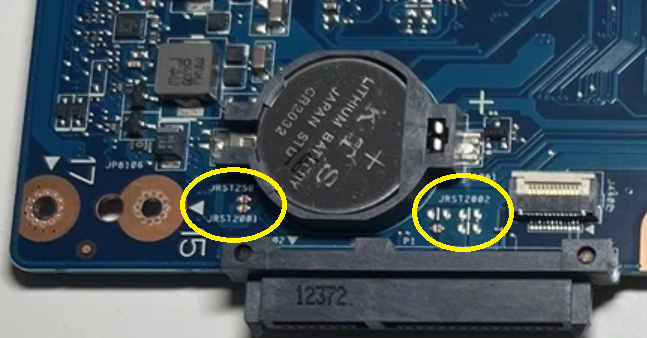
I can't see a jumper on photos of the motherboard but I can see JRST pads... It's possible that shorting these pads out with a small slot screwdriver may reset the BIOS password - need to do some more research on Google to confirm but worth a try.. Apparently, all you have to do is short out one of the JRST pads, power on the laptop (be very careful you don't slip else you could cause irreparable damage to the motherboard, wait 10-15 seconds and then power off..
-
Toshiba should be easy to do a BIOS password reset on, the Lenovo however (because of its IBM ancestry) is pretty much impossible as the BIOS password is nigh on impossible to crack.. There is a way of bypassing the password but you'll need to take off the back cover and short out a couple of pins on one of the chips and then power on the laptop and then remove the short - but for the life of me I can't remember which chip and pins they are! I've done this before a few years back and it doesn't remove the password, it just allows you to get in to the BIOS and make the changes, sadly it also doesn't allow you to reset the password either - if I can find my notes on this method then (if you're brave enough) I will let you know..
-
On a desktop, then most likely, on a laptop like the OP has, most likely not.
-
What Make/Model are the laptops?
-
Reset Your BIOS Password
-
Sometimes a technical solution is not always the best solution. When you come in person to get your results there are members of staff around looking for both happy and unhappy faces and if they see an unhappy face they can reassure the students that it's not the end of the world as there are always options! If you get your results in your bedroom on an App, nobody will see that potentially unhappy face and you may spend several days being unhappy with no one to guide you in person to the next best route for you to take whether that be 6th Form, College, University, an Apprenticeship or straight in to employment - if you're picking your results up at your School then the staff have that opportunity to help guide you in the right direction.
-
No idea I'm not in to Warhammer. Although (and don't tell anyone) I have been to Warhammer World (which is based at the factory where all the figures are made) in Nottingham - I didn't play with any of the toys (I assume that's what they're called) I just had brunch in the very odd Bugman’s Bar and then left when my partners best friends family went off to play..
-
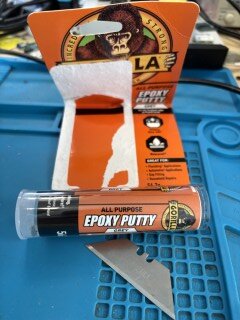
Not sure as I came across Epoxy Putty on a random YouTube repair video and when I searched Amazon for it, Gorilla was the only brand I recognised! 🤣
-
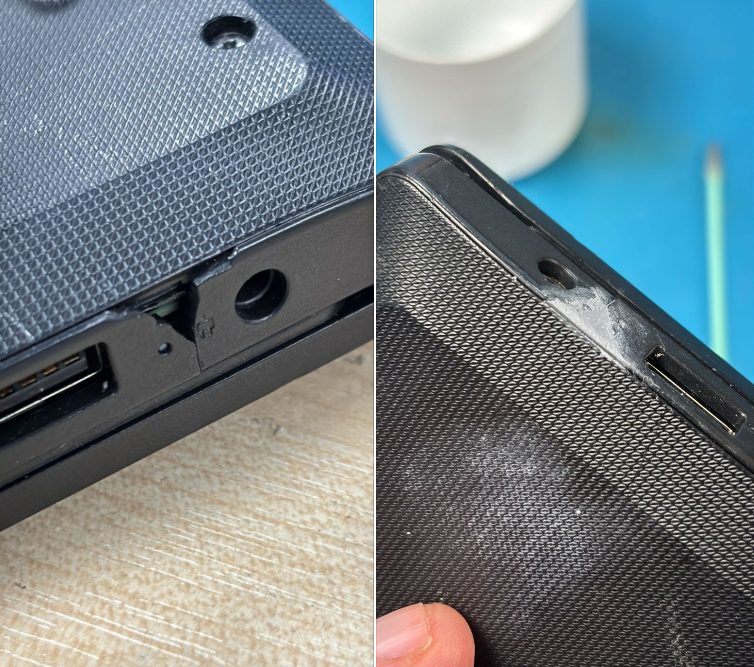
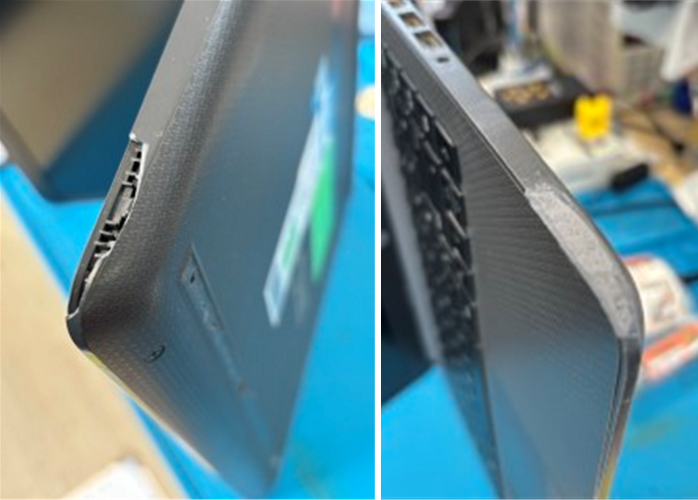
I have recently discovered Epoxy Putty which has meant several laptops destined for our Spares and Repairs box have been repaired and are back in production and at around £10 for the putty from places like Amazon it's a very economic repair as there's enough to repair many, many laptops! Here we have a student laptop that has been damaged and has a gaping hole in the corner, normally we'd need to purchase a bottom cover but on this particular laptop are £80 each rather than the normal £30 we'd expect to pay.. Wearing gloves is a must (luckily we have plenty of them leftover from the lockdown days during the Covid19 Pandemic).. All you have to do is slice off a small amount of the putty, peel off the plastic on the outside and then rub/mix the putty together so it's all the same colour (1-2 minutes). It feels a bit like playdoh so all you have to do is take just the right amount and fill the hole in with it and then using some sort of spudger (or a Stanley knife blade) remove any excess amount and shape it to the laptop. To smooth it out you can use your finger (whilst still wearing gloves) and a teeny-tiny amount of water. It will be drillable within an hour or so (according to the packet) but you shouldn't be drilling in to a laptop surely?! It takes 24hrs to fully cure and then it's done! Here are a couple more examples of it in use: It may not be the nicest looking repair, but (so far) they have been very solid repairs and have prevented laptops being set aside to be used as Spares and Repairs to fix future damaged laptops. I've not tried doing it yet, but once it has fully cured you could use some very fine sandpaper or (polishing attachment on a Dremel) to improve it's appearance.
- 26 replies
-
- 10
-

-

-
We've tried all sorts of different makes and models of keyboards and mice but the only solution is to get the Head (or someone similar) to read the riot act to them all during assembly. That's when we noticed a dramatic drop in vandalism. It's slowly creeping back up again so it maybe time for it to happen again..
-
25H2 - New GPO to remove MS default apps from system
Fazza replied to TheRobins's topic in Windows 11
I believe the GPO only works on W11 25h2 and above. -
25H2 - New GPO to remove MS default apps from system
Fazza replied to TheRobins's topic in Windows 11
Just updated our 'Golden Image' to Windows 11 25h2 the other week and the first thing I did was configure and test this GPO and it does exactly what is says on the tin, the apps are uninstalled! I then opened the App Store to see if they could be reinstalled but when I tried it wouldn't install them and it said the Install (was) blocked by policy 😎
-
Very important this ^^^ We've had a PAT tester for a number of years now and part of the calibration process normally includes some repair/fixing should it fail the calibration due to wear etc. it's basically an MOT for your PAT tester. When we were first told about our Director wanting us to do (some) PAT testing I had one question and that was if it was to save money or for safety reasons and I got an instant reply saying it was for safety. It turns out we had a few 'random' items with PAT test PASS stickers on that should never have been PAT tested, let alone being charged for! Things like plastic monitor stands, foot rests and even a stool! It was a way of our Director getting a better understanding of what PAT testers should be testing, how they test and the frequency of testing. We went around our Secondary School PAT testing all the equipment we could find in situ so our Director could get an overview of exactly what should be tested and how it's tested. We only ever did this once but as we repair most things in-house (I even do micro soldering under a microscope) we use the PAT tester to PAT test each others repaired items before handing them back to the customer - from powered speakers to MIDI keyboards along with the normal laptop repairs - some items need electrically testing (such as powered speakers) and others just a visual inspection (laptops etc.) but they all go on record on the PAT test machine.
-
Waterproof custom stickers with strong adhesive?
Fazza replied to pete's topic in How do you do....it?
They pick at them here too but as only very tiny bits come off (touch wood) we have yet to see any that have got as far as the asset number and/or barcode yet 🤣 So much better value than the Seton ones which (despite also being pick proof) our students managed to peel off and place somewhere else 😮 Before changing to Avery we did give feedback to Seton's but they either didn't believe us, understand what we were saying or simply didn't care so we switched to Avery and have not looked back!! -
Outlook not opening - Confirmed Microsoft bug with Teams.
Fazza replied to TheRobins's topic in Office Software
Until you get a fix, have you tried holding down the CTRL key and then clicking/double-clicking on the Outlook icon? Safe mode should open Outlook without any add-ins running so maybe it will open for you.
-
WE use a Megger PAT410 from these people: https://ptscalibrations.co.uk/pat-training/ We paid full RRP for the tester a few years ago and got 'free' onsite competence training for up to 10 people so those of us that were here at the time became competent in PAT testing using this particular PAT tester.