smarties11
-
Posts
645 -
Joined
-
Last visited
Content Type
Forums
News
20th
EduGeek EDIT Conference
Blogs
Everything posted by smarties11
-
Don't forget to consider compliance when weighing this decision up - e.g. if a complaint was made against a staff member and you needed to look at their mailbox as it stood 6 months ago - you might not be able to do this if you've recently resync'd the Synology due to failure / other issue - potentially then being unable to prove/disprove the complaint and leaving your staff member vulnerable. IMHO it's always best to have more than one form of backup, and that's no different when cloud is the data source. It's a School decision to weigh up at the end of the day, there's a gazillion School's out there not backing up their 365/GSuite estate at all, relying purely on Microsoft's resilience!
-
I think you've hit the nail on the head here! As we sometimes also have issues where students tell us 'design ideas' templates don't work in Office Apps, and they'll often say the computer says 'no Internet'. Looked back through my documentation and when we first deployed Windows 10 all those years ago, I set the GPO "Computer Configuration\Administrative Templates\System\Internet Communication Management\Internet Communication settings\Turn off Windows Network Connectivity Status Indicator active tests" to enabled. I think back then it wasn't relied on so much in apps, and I probably thought it was pointless. But reading about NCSI, it seems that active tests are the ones where it tries to connect to / DNS lookup / download .txt from the http://www.msftconnecttest.com domain. Obviously with these tests disabled in GPO, we are relying on the passive tests, which explains the pattern we say where it's OK for a while then suddenly not for everyone - the passive tests run less frequently, so when PCs are off over the weekend / hols etc the computers believe they have no Internet when powered back on, until tests run again. Anyhow, I've found a machine that's not been on for a few days - sure enough Windows reports no Internet and Outlook fails to connect to O365. Reverted the GPO setting, gpupdate on client, pulled network cable and replugged to force the checks, and it works straight away. Will monitor over the next few days but think that's sorted it. Thank you, thank you, thank you! I can't believe I missed this!
-
Exactly the same with Altaro; their on prem product is awesome and I recommend it to anyone looking for a new solution; but their cloud backup solution is wayyyy too expensive - purely down to their licensing model requiring students to be licensed also.
-
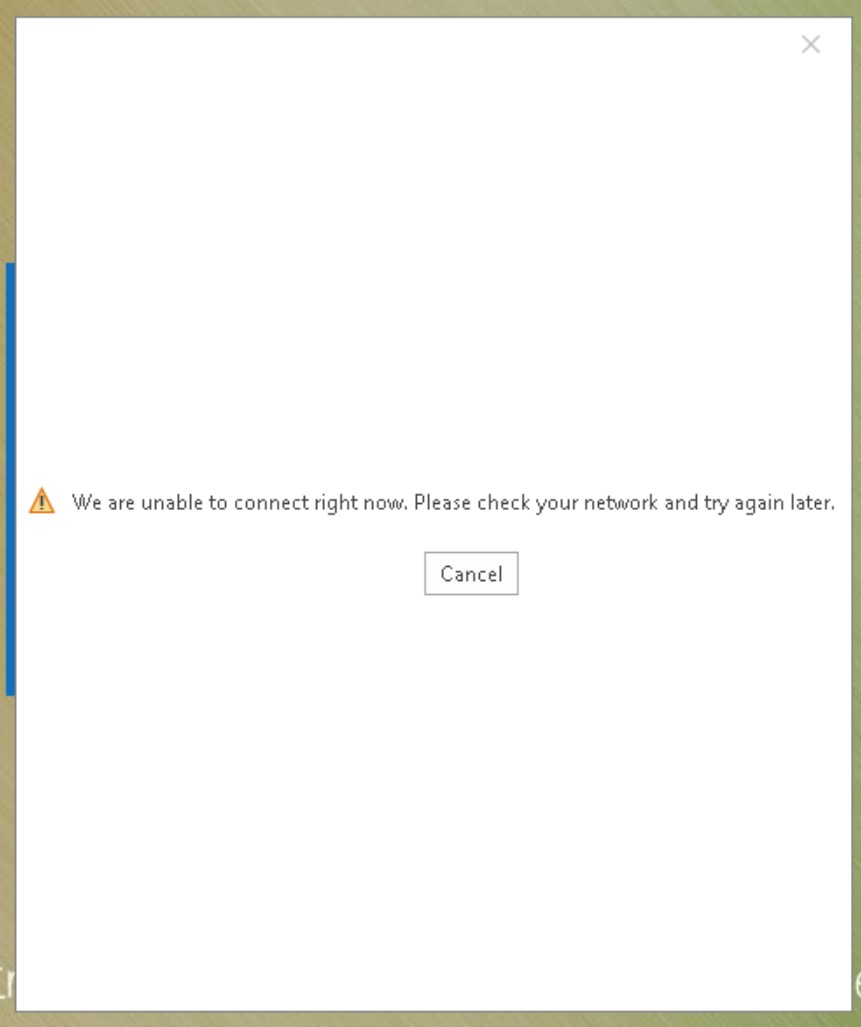
Hi All, We migrated student mailboxes to Office365 last summer. We are intermittently seeing the error "We are unable to connect right now. Please check your network and try again later" when using the Outlook 365 client. It doesn't happen all the time, but when it does happen it appears to affect everyone. A bit of context and troubleshooting I have followed so far... - our students are members of the 'Guest Account' local group in order to keep profiles transient, i.e. local profiles are deleted at logoff - therefore Outlook profile is configured every time they log on, when they open Outlook - we use the setting in group policy to connect to the mailbox based on SMTP address in AD - majority of staff are still on-prem, MX and autodiscover for our domain point to on-prem still at present i.e. we are running hybrid The error we see is If I look at the live logs on our filter (SmoothWall), I see a 302 redirect first at http://autodiscover.ourdomain.mail.onmicrosoft.com. Then, I see a 503 error for https://autodiscover.ourdomain.mail.onmicrosoft.com, and then another 503 error for https://ourdomain.mail.onmicrosoft.com (see below). In SmoothWall, we have Microsoft Office 365, Outlook and Outlook Access categories set to do not inspect and do not filter. I came across this article on the SmoothWall KB (https://kb.smoothwall.com/hc/en-us/articles/360002136184-503-HTTP-code-error-while-trying-to-connect-Outlook-client-to-Office-365-s-configuration-URL) which says that Office 365 does not support HTTPS for autodiscover. Is that really correct in this day and age? When this error happens, users also cannot connect to their OneDrive or SharePoint sites via any Microsoft 365 desktop app - with the same errors appearing in the SmoothWall log. I was wondering if anyone else has had this issue and knows how to resolve? I'm not sure if this is a SmoothWall issue or a client issue, perhaps a bit of both. Should I be looking to bypass the SmoothWall for Office365 related domains in the proxy exceptions, which I think is MS preferred method?

-
Definitely Barracuda - started using this ourselves recently. You only license your FTEs like with EES/OVS and students are free. Unlimited storage and retention. From memory I think we paid around £1400pa for 80 FTEs. Couldn't find anything else that came close on price. We've used it a couple of times already for restores and exports and it works well. On top of this we also backup using Synology Active Backup, which comes free with any Synology NAS. This gives us two backups, one on site and one cloud, and helps me sleep at night! 😂 Both solutions recommended.
-
Hi All, I realise I may be late to this party, but I'm posting this here as it's something I wasn't aware of until a conversation today with our account manager at Dell! So, if you register for Dell TechDirect (https://tdm.dell.com/portal/), you can set your organisation and technicians up to use their Self-Dispatch service. Each technician needs to get certified first (apparently a 3hr training course), however then you can request replacement parts for in-warranty hardware without going through technical support triage. We've not done the training and certification yet, so can't comment on how well it works, but it looks really good - plus you get access to all of the service manuals etc. We don't have that much Dell kit these days, but still - a very worthy service, I feel!
-
- 2
-

-
Thanks for the feedback all, this is really useful. Sounds like we should be sticking with CPOMS / MyConcern and accepting lack of SSO rather than casting the net wider.
-
The salesperson doing our demo said that it was due to the sensitivity surrounding the data. I absolutely get that, if a 365 account was compromised and then used to access safeguarding records, particularly if it was a high privilege account like the DSL, that would be a serious issue - but then this could be mitigated with 2FA if a School felt it necessary.
-
Hi All, Just wondering what you are all using in your Schools for Safeguarding records? We've had a demo of CPOMS which looks great, and have MyConcern lined up too. One of the key features we were hoping for was Microsoft 365 sign in - CPOMS doesn't have this (they are actively against it and said they have no plans to put it on the roadmap) and I don't believe MyConcern do either (but will ask that question on the demo) - so I'm wondering what alternatives there are, that might have this feature? Obviously the main priority is the feature richness for safeguarding records, however we do feel that having a separate account and password might become a barrier to teachers that might only raise a safeguarding concern once or twice a year. I've also made an enquiry with SmoothWall, as we use their Monitor product too. Thanks!
-
Latest update - Microsoft support have been pretty hopeless to be honest, they seem more interested in closing the case and asking for feedback on their engineers. They say it has been escalated, but I've yet to speak to anyone other than the initial engineer and his technical lead. I've insisted the case stay open until it is fixed, and expressed concern that because we are on the Monthly Enterprise Channel, we won't be able to get monthly security updates now until the issue is resolved. I keep getting vague assurances like 'I am sure it will be fixed before the next update' etc. I think we'll look to move to semi-annual and go from there. However, despite the above, I have done some more digging online and have found that they acknowledged/fixed what I believe to be our issue, in the release notes for Monthly Channel (Preview) 2203 (Build 15028.20050) - https://docs.microsoft.com/en-us/officeupdates/current-channel-preview. So it looks like there is a process for clearing out old recovery files, and due to a bug in this process, non-recovery files fall within the scope and are deleted also. It mentions 'user-configured recovery file paths', and we do set the auto-recover path for all Office applications to the user's home area, through group policy; so that they are saved centrally rather than in local profiles to aid file recovery. Presumably this fix will hit the Monthly Enterprise Channel in 2-3 months time. It surprises me that such a catastrophic bug hasn't been fast-tracked into the other channels? There was an update for Current Channel (non-preview) yesterday and it's not mentioned in the release notes for that. So, my summary is - the bug is caused by a combination of specifying a location for auto-recover files, and an error in the routine for clearing out old recovery files, that means it also includes non-recovery files. What a mess! I'm surprised no one else here has been affected - does no one else use the Monthly Enterprise Channel and update regularly?
-
Also, if you search the customer portal for 'next gen', a couple of documents have appeared in the last week or two relating to the "take register" piece of next gen. I know when I spoke verbally to ESS last year, they said that this module would be first. There are no screenshots within the documentation as to how it might look, but there are a few concerning details such as.... For as long as Next Gen is treated as a web layer on top of the existing system it will be doomed!
-
Has anyone followed the instructions yet for the Services Manager update? We were on a 1.3.x version, so downloaded the new version and updated it, turned on automatic updates. The version we get updated to doesn't match what the instructions say, it's a couple of increments below but there are no further updates in package manager. Then when we go to set up DeX, you have to log on with SIMS iD however we've never used SIMS iD before so I have no credentials! Password reset doesn't find my account........ticket logged with ESS. I should have known this wasn't going to be straightforward....
-
Thank you. Just had a look, it seems that the main .exe files (e.g. winword, excel etc) follow the correct convention too, have looked at a few sample machines and seems reliable. Cheers for the heads up!
-
Yes, think I am going to have to do the same. Was there a specific file you checked that is reliable? Thanks
-
UPDATE: We began the rollback to 2112 14729.20322 on Friday. So far, we've not had the issue occur on any machines that have successfully rolled back. There is no official way to rollback the O365 client. You just deploy and older version on top. This is fine as we use SCCM so I have deployed said version, and we're using the 'VersionToReport' key from the registry as the detection method. HOWEVER! We're finding that some machines are coming back 'already compliant' when infact they have the newer version on. Check the registry on these machines, and indeed they show the old version number. So it looks like this key doesn't update reliably, or perhaps only updates on a schedule. There is another key 'ClientVersionToReport' however looking and some sample machines, this too isn't always correct. It seems to be that if one is wrong, the other will be correct, and vice versa. GRR! Case has been logged with Microsoft. No escalation yet, they want to wait another 2 days to ensure rollback has solved it. Has no one else experienced this issue with 2201 14827.20220? Perhaps the masses are using Semi-Annual?
-
UPDATE: procmon shows that the files are being deleted by powerpnt.exe - new thread made here -> http://www.edugeek.net/forums/office-software/226894-powerpoint-deleting-user-files-after-2201-14827-20220-update.html Mods feel free to merge / delete this thread as you see fit.
-
Hi All, Following on from my previous thread about user files being deleted after March CU Windows Update, a procmon trace this morning has shown that it is powerpnt.exe doing the deletions. It may be that winword.exe and excel.exe could be doing the same. Background - after deploying the 2201 14827.20220 Monthly Enterprise Update for Office 365 ProPlus client, we are seeing users losing that vast majority of documents saved in their 'Documents' folder (which we redirect to our file server). I have included the procmon trace below. It looks like powerpnt.exe is checking the file attributes and dates, setting those dates to 01/01/1601 00:00:00, then receiving an 'invalid parameter' error, and then deleting the file? This trace shows the detail for one file (DSCN1975.jpg) and then there is a similar trace for every file in the user area. If I filter the operation to 'SetDispositionInformationFile' and the detail to 'Delete: True', then I am presented with a list of all files removed from the user area - in this case, 3GB worth! I think the next course of action is to pull this update and attempt to roll-back in SCCM, and follow up with Microsoft - but wondered if anyone understood the trace below better than I do, or shed any further light on it? This is happened to 6 or 7 users every day - sometimes the same users, sometimes different ones, on various computers throughout the School. Thanks!
-
Hi All, A bit more detail to share. We've had a further 6 members of staff affected by this today. It isn't affecting students (but we have students in the 'guest users' local group so profiles are not saved). I'm using Netwrix Auditor to audit the user shares, which has confirmed that the deletions are originating from the user account and terminal that the user is currently logged in to, as I suspected. It always happens within a few minutes of logon (today it was 3m, 3m, 7m, 2m, 5m, and 2m after logon respectively for the 6 users affected). I've checked back manually through all users prior to installing Auditor, and in total we've had 13 cases prior (with two of those also being in today's 6, i.e. re-affected) Now I can identify them quickly through Auditor, I can run the report twice a day then quickly restore the files from shadow copies before users notice. Interestingly, only 2 have noticed, which were the 2 that caused me to look further. So this is something that is occurring very quickly after logon in all cases. It's only happened so far on PCs that have installed the March CU (but that is pretty much all our estate, now) and only started on Monday morning, after deploying March CU in SCCM on Friday evening. The other update I also deployed at the same time, and again is installed on all affected PCs is the Office 365 ProPlus Client - 2201 14827.20220 Tomorrow I'm going to install some file auditing tools on one of the machines it has occurred on, to see if I can replicate it and see what process is removing the files. I'm still suspecting redirected folders; we also redirect favourites, downloads etc so could be Edge? Typically this is the first time I've deployed updates this quickly after RTW, I usually wait a couple of weeks - but have been mindful of NCSC guidance to apply patches immediately in the current threat landscape, particularly where there were some fairly high level exploits fixed this month. Any ideas appreciated!
-
Hi All, Is anyone seeing any issues, since installing March 2022 CU, with users 'losing' files on their home drives? Could possibly be related to folder redirection, as we use group policy to redirect Documents to a file server? I've had two users reporting missing files today - where the vast majority of their files missing - but much of the folder structure is still intact. I've also identified some other users who are affected but haven't realised. Looking at file history, it started happening yesterday, and in to today - I approved the March CU late Friday evening for clients and patched the servers Friday evening. It hasn't affected any other file shares, just redirected documents - so this is where my suspicions are currently pointing - possible issue with March CU and redirected documents. I've had a google search and on here and can't find anything relevant. Interested to hear from others? Thanks
-
Could be licensing as Boredguy suggests - but just to check the obvious - have you got your ZD set to auto approve AP requests or manually approve? If the latter, they'll not appear on the ZD until you approve them. I can't remember the route now as we have migrated to a SmartZone virtual controller and the interface is different but probably somewhere on the system tab
-
SchoolCloud Parents Evening & SmoothWall
smarties11 replied to smarties11's topic in Internet Related/Filtering/Firewall
This is interesting! Currently most teachers do their appointments from home, and we only have 6 or 7 on-site. We have had evenings in the past though where all teachers have been on-site without issue. I'm thinking it might be worth putting an exception in now, as a pre-emptive measure for the future. Appreciate your feedback! -
Have you considered Altaro? It does block level deduplication (so the same block is never backed up twice, including across VMs) and the compression/deduplication it can achieve is astonishing. I have a 4TB data centre, and I'm only using 4.7TB on my backup NAS, that is including 90 day retention period on critical data, 60 on the rest, and then monthly archival of critical data for 1 year (I set this solution up in October so am currently at 4 months on this part) A slow Internet connection shouldn't be the end of the world - Altaro on uploads new/changed blocks so once you've done your first offsite job to the cloud, future ones are much smaller. Consider external SSDs in USB3 caddies for fast, air gapped backups. See my thread on a backup strategy and the eventual solution here -> http://www.edugeek.net/forums/security/223075-backup-strategy.html
-
SchoolCloud Parents Evening & SmoothWall
smarties11 replied to smarties11's topic in Internet Related/Filtering/Firewall
Hi, The best thing to do at this stage is to run the Twilio Network Test (https://networktest.twilio.com/) - and make sure your clients pass ALL the tests. You'll need to run it from a PC with a mic and camera, and grant permissions when requested, in order to get a pass on these tests. We were told by SchoolCloud technical support that only the TCP connectivity was required, and that UDP was required only 'for optimal call quality'. However, this was not the case for us. We found that with TCP connectivity we were hitting issues in around 50% of our calls where the connection wouldn't be made. Once we had our ISP put the UDP firewall rules in place, it worked perfectly. Therefore, based on our experiences, if you don't get a green pass for all tests then you will need the relevant firewall rules in place - so the test is a good yardstick! Hope this helps! -
Well, this is an interesting development! Received just now by email.... Thank you for engaging with us regarding your new three-year Annual Entitlement (“AE”) agreement with ESS, that is due to commence on 1 April 2022. We have an action to respond to the query you have raised, and we will do so shortly. To encourage schools, who currently receive AE services through their local authority, to contract directly with ESS we are offering these customers the option of a 6-month break clause in their new agreements. In the interests of equity, we have decided that this option should be available to all customers entering into new 3-year AE agreements, including those who have already done so. If you would like to take up this option, the break clause will allow you to terminate your new 3-year agreement on 30 September 2022, if you so choose, by giving notice on or before 31 August 2022. To take up this offer, you must do both of the following before 20 February 2022: 1. Visit the Portal and accept your new agreement, and 2. 2. Email us at [email protected] from the email address this email was issued to, providing: a. School name b. Postcode c. DfE number d. Quotation number. If you take up this offer, you are still required to pay your annual invoice in full. However, should you subsequently invoke the break clause, we will refund you 50% of your 2022/23 charges within 60 days of 1 October 2022. Please note, this option to request a break clause does not apply if: (a) your agreement is an existing multi-year agreement with ESS that expires after 31 March 2022; or, (b) your agreement is for a one-year term for SIMS Add-Ons or third party products. We are confident that the changes we are making to SIMS and FMS will ensure that SIMS remains the UK’s best management information system for schools and look forward to you joining us for the journey
-
Exchange - Mail flow New Year 2022 bug
smarties11 replied to DrCheese's topic in Enterprise Software
Microsoft have released an official fix for this now -> https://techcommunity.microsoft.com/t5/exchange-team-blog/email-stuck-in-transport-queues/ba-p/3049447 I have run it in my environment and there's a few things to be aware of 1. If you have already disabled the malware filter as a mitigation, you MUST re-enable this first by running Enable-Antimalwarescanning.ps1 from the scripts folder of your exchange installation AND restart the transport service. This means you'll have no mailflow again, temporarily. 2. It takes ages to update the malware database, in my case around 25 mins. You'll have no mailflow during this period. 3. If you are behind a proxy, you MUST first set a proxy in Filtering Management via PS, otherwise it will fail Setting a Proxy Run this Add-PSSnapin Microsoft.Forefront.Filtering.Management.Powershell Set-ProxySettings -Enabled $true -Server xx.xx.xx.xx -Port 80 from Exchange Management Shell, substituting your proxy IP and port Once done you can run Get-EngineUpdateInformation from Exchange Management Shell, and you should see 'UpdateAttemptSuccessful', and update version 2112330001 (looks like they've fixed the issue by reverting back to versions prefixed 21....this one is 33rd December 2021 :-D)